Looking for Sinch Engage? You’re now on Sinch’s main site. Go back to Sinch Engage

Sinch Answers

Sinch is the enterprise communications infrastructure for the AI era

We connect businesses with their customers anywhere in the world across messaging, email, and voice. 

With direct connections to 600+ global carriers, Sinch powers over one trillion customer interactions a year for more than 200,000 businesses, including Uber, American Express, FedEx, Ticketmaster, and 8 of the 10 largest technology companies in the world.

There are two ways to work with Sinch. Developers and AI builders use our APIs to add SMS, RCS, WhatsApp, email, voice, and verification to their own software. Marketing, service, and operations teams use our applications to reach customers without writing code. Both run on the same carrier-grade network, and so do the AI agents that use Sinch to talk to customers. AI coding assistants like Claude Code and Cursor can even write your Sinch integration for you.

Start here to find out what Sinch does, which product fits your team, how Sinch compares to other providers, and how it works with AI coding tools and AI agents. Questions are grouped by topic, so you can browse a section or jump to the one you have.

Ready to build? Create a free Sinch Build account – no credit card needed.
What does Sinch do?

Sinch helps you reach customers by text, chat app, email, and phone, and makes sure those messages arrive. In practice, that covers five jobs:

• Reach customers: Send SMS, RCS, WhatsApp, email, and voice messages from one provider, in 60+ countries.
• Verify users: Confirm phone numbers with passcodes or silent authentication, and screen out fraud before it costs you.
• Talk with customers: Run two-way conversations, AI chatbots, and contact centers.
• Stay compliant: Handle carrier registration, sender rules, and data residency in every market you send to.
• Build with AI: Let AI coding assistants write your integration, and give your own AI agents a compliant way to message, email, verify, and call customers. See how.

You can do all of it through APIs, through ready-made apps, or both. See all Sinch products.

Sinch sits between your business and your customers’ phones and inboxes. You send a message, call, or verification request, and Sinch gets it to the right person on the right channel:

• You send it from your own code through Sinch APIs, from a no-code app like Sinch Engage, or from an AI agent.
• Sinch routes it, choosing the channel and carrier route, with automatic fallback if the first channel can’t deliver.
• Sinch protects it, applying sender registration, local compliance rules, and fraud screening at the network layer.
• Carriers deliver it over Sinch’s direct connections to 600+ carriers, direct carrier connections that minimize hops and reliance on third-party aggregators, and delivery reports come back to you.

We call this enterprise communications infrastructure: Sinch owns and runs every layer, from the carrier connections up to the APIs and apps, and has been building it since 2008. See how Sinch infrastructure works.

Yes. More than 200,000 businesses use Sinch, including Uber, American Express, FedEx, Ticketmaster, and 8 of the 10 largest U.S. tech companies. Sinch powers over one trillion customer interactions a year across messaging, email, and voice. 99.99% achieved platform uptime, with financially backed SLAs for each service. 

You can see it in customer programs: Sinch Mailgun runs the email behind Fin‘s AI-powered customer conversations for more than 30,000 businesses, and AAA text-enabled its roadside help line for 62 million members. See Section 8 for more, or browse Sinch customer stories. 

Yes, and it goes deeper than a single platform. Sinch covers SMS, RCS, WhatsApp, and 10 more messaging channels, plus email through Sinch Mailgun and Sinch Mailjet, voice and SIP, verification, and phone numbers. Developers reach all of it through APIs and one Sinch Build account, or hand the integration to an AI coding assistant using Sinch’s agent tools. Business teams get no-code apps like Sinch Engage for messaging campaigns and Sinch Chatlayer for AI chatbots.

Underneath, everything runs on a network Sinch owns: 600+ direct carrier connections and the largest independent voice network in the U.S.

Few providers combine all four of these under one company:

• Carrier-grade infrastructure you’d otherwise rent. Direct connections to 600+ carriers that route traffic and minimize hops and reliance on third-party aggregators. Sinch owns a major U.S. voice network that carriers themselves run traffic on.
• Email at massive scale alongside messaging and voice. Sinch Mailgun and Sinch Mailjet run on infrastructure that sends 800+ billion emails a year.
• No-code apps as well as APIs. Marketing and service teams can run campaigns, inboxes, chatbots, and contact centers without waiting on engineering.
• Infrastructure built for AI agents. Sinch Skills, a Docs MCP server, plugins for Claude Code and Cursor, a CLI, and serverless Functions let AI coding assistants write your integration, and let your AI agents reach customers on real channels. See how to build with Sinch with your AI tools.

In three ways. AI-assisted fraud prevention runs inside the Sinch network to block suspicious traffic. Sinch Chatlayer gives service teams no-code AI chat and voice bots. And Sinch’s agent tools let AI coding assistants build Sinch integrations for you, and let your own AI agents message, email, verify, and call customers on any model. Learn more at Sinch AI or see AI tools and agentic onboarding.

Sinch works with financial services, retail, technology and AI, healthcare, telecommunications, communication service providers, martech companies, and many others. In regulated industries, Sinch runs compliance controls like data residency, fraud detection, and regulatory registration at the network layer, so they apply in every market by default.

Sinch products and brands

Both. Developers use Sinch APIs to build messaging, email, voice, and verification into their own software, often with an AI coding assistant doing the integration. 

Business teams use Sinch applications to run campaigns, inboxes, chatbots, and contact centers without code. Both run on the same network, so a message sent from an app gets the same routing, compliance, and fraud protection as one sent through an API.

A quick way to choose: if your engineering team will run it day to day, start with APIs. If marketing or support will, start with an app.

Yes. Sinch is a communication company that runs email at scale alongside messaging and voice. Sinch Mailgun handles transactional and high-volume email through an API, Sinch Mailjet combines marketing and transactional email with a visual editor, and Email on Acid tests every email before it goes out. 

Customer.io moved 2,300+ customers to Sinch Mailgun in three months with no drop in deliverability.

Yes. Sinch Engage runs SMS, MMS, RCS, and WhatsApp campaigns with a visual builder, a shared inbox, and integrations for HubSpot, Salesforce, and Shopify. Sinch Mailjet does the same for email, and Sinch SimpleTexting gives small U.S. businesses a simple way to text customers.

Yes. Sinch Chatlayer builds chat and voice bots without code, in 125+ languages, and connects them to your CRM and ticketing tools. Bizbike automated 30% of inquiries and cut customer service costs 70%.

If you’re building your own AI agent instead, it can use Sinch APIs to reach customers on any channel (see how).

Yes. Sinch Contact Pro is a cloud contact center where agents handle voice, chat, email, and messaging from one workspace, with CRM integrations, security controls for regulated industries, and real-time analytics for supervisors. Many teams pair it with a Sinch Chatlayer bot that answers routine questions first.

Yes. Sinch offers 10DLC, toll-free, short code, and virtual numbers, number porting, self-service SIP trunking, and calling for Microsoft Teams and Webex. All of it runs on the largest independent voice network in the U.S., which delivers 95% of North American calls directly to the end-user carrier. Florida Orthopaedic Institute cut telecom costs 73% with Sinch Voice and Direct Routing for Teams, and LiveVox runs voice callbacks and SMS for 50+ projects on Sinch Elastic SIP Trunking.

Sinch Mailgun is for developers: an email API for password resets, receipts, alerts, and bulk sending, with validation and deliverability tools. Sinch Mailjet is for marketers and developers working together: a drag-and-drop editor, templates, and automations for campaigns, plus an API for transactional email in the same account. If your engineers send most of your email from code, choose Mailgun. If your marketing team runs newsletters and campaigns, choose Mailjet.

Sinch runs a family of brands, each built for a specific team or job. Every one of them is powered by Sinch, the enterprise communications infrastructure for the AI era, so they share the same network, security, and compliance foundations.

• Sinch Mailgun: An email API platform for developers and engineering teams sending mission-critical email.
• Sinch Mailjet: Marketing and transactional email in one platform, for marketers and teams who want both.
• Sinch Engage: Multichannel conversational messaging on SMS, MMS, WhatsApp, and RCS, for marketing, service, and operations teams.
• Sinch SimpleTexting: No-code SMS and MMS texting for small and mid-sized U.S. businesses.
• Sinch Chatlayer: Conversational AI for chat and voice bots, for customer service teams automating support.
• Sinch Contact Pro: A cloud contact center (CCaaS) for enterprise contact centers.
• Email on Acid: Email testing and QA for email developers and designers.
• Sinch ClickSend: Business messaging software for small businesses that want pay-as-you-go messaging.

Each brand focuses on one audience, and all of them run on Sinch infrastructure. Some common combinations:

• A developer team sends one-time passcodes through the Sinch Verification API and password-reset emails through Sinch Mailgun.
• A marketing team runs SMS and RCS campaigns in Sinch Engage and newsletters in Sinch Mailjet, then tests every email in Email on Acid before it goes out.
• A service team answers routine questions with a Sinch Chatlayer bot and hands complex cases to agents in Sinch Contact Pro.

Start with who will use it and what they need to do:

• To add SMS, RCS, WhatsApp, or voice to your own app, start with the Sinch Build Dashboard and the Conversation API or Voice API.
• To let an AI coding assistant build your integration, start with Sinch Skills, the Docs MCP, and a free Sinch Build account.
• To verify users with passcodes or silent authentication, use the Sinch Verification API.
• To send transactional email from your code, use Sinch Mailgun.
• To run email marketing and transactional email in one tool, use Sinch Mailjet.
• To run text campaigns and a shared inbox without code, use Sinch Engage for SMS, RCS, and WhatsApp, or Sinch SimpleTexting if you’re a small or mid-sized U.S. business focused on SMS and MMS.
• To automate customer service with chat and voice bots, use Sinch Chatlayer.
• To run an omnichannel contact center, use Sinch Contact Pro.
• To connect Microsoft Teams or Webex to the phone network, use Operator Connect or Webex Calling.
• To embed messaging in your own platform or resell it, join a Sinch partner program.

Still unsure? Talk to an expert.

APIs and Channels

• Conversation API: One integration for every major messaging channel, including SMS, RCS, WhatsApp, MMS, LINE, Telegram, Instagram, and Sinch Chat. It supports one-way and two-way messaging, and one webhook handles inbound messages and delivery reports across all channels. Read the docs.
• SMS API: Send and receive SMS globally at high volume.
• MMS API: Send images, video, and rich media in the U.S. and Canada.
• RCS and WhatsApp Business APIs: Branded, verified, interactive messages with buttons, carousels, and media.

Sinch’s email products are built on Sinch Mailgun and cover each stage of sending:

• Send: APIs and SMTP relay to send, receive, and track transactional and bulk email.
• Optimize: Deliverability tools and services that improve inbox placement.
• Validate: Remove invalid and high-risk addresses from lists before you send.
• Inspect: Pre-send email QA, including rendering previews and accessibility checks, through Email on Acid.

• Voice API: Add inbound and outbound calling, text-to-speech, IVR menus, and call recording to your app. 
• In-app voice and video calling: Real-time app-to-app calls with SDKs for iOS, Android, and web.
• Elastic SIP Trunking: Self-service SIP trunks you can set up in the Sinch Build Dashboard. 
• Number masking: Connect two people by phone without exposing either person’s real number, common in ride-hailing and delivery apps.

• Verification API: Verify users with one-time passcodes over SMS, voice, WhatsApp, and flash call, plus silent authentication that confirms a user through the mobile network with no code to type.
• Number Lookup: Real-time network data about a phone number, such as carrier, line type, and porting status, for fraud screening and data cleanup. 

Sinch offers 10DLC numbers, toll-free numbers, short codes, and virtual long numbers in countries around the world. Search by country, number type, and capability, then provision numbers in the Sinch Build Dashboard. You can also port existing numbers to Sinch without a support ticket. Read the Numbers API docs.

Yes. The Sinch Fax API sends and receives faxes at scale and runs on HIPAA-compliant, SOC 2 infrastructure, and is PCI and GDPR compliant. Healthcare and legal teams rely on it. For teams that don’t want to integrate an API, Sinch also offers cloud business fax. Read the docs.

Sinch sells network services directly to mobile operators and service providers, including SMS and signaling firewalls, A2P monetization, RCS for mobile operators, PSTN connectivity, wholesale voice, and 5G messaging. For enterprises, Sinch connects Microsoft Teams (Operator Connect) and Webex Calling to the public phone network, and supports E911 and Next Generation 911.

Sinch covers messaging, email, and voice. Through the Conversation API, you can reach customers on 13 messaging channels with one integration: SMS, MMS, RCS, WhatsApp, Facebook Messenger, Instagram, Viber, Telegram, KakaoTalk, LINE, WeChat, Sinch Push, and Sinch Live Chat. Email runs through Sinch Mailgun and Sinch Mailjet, and voice runs on the Sinch voice network.

No. You integrate the Conversation API once, then turn channels on or off in the Sinch Build Dashboard. Adding WhatsApp or RCS later takes a configuration change and a small update to your API call.

Each channel has its own features. WhatsApp and RCS support buttons, carousels, and media, while SMS is plain text. The Conversation API converts your message to each channel’s format where it can. See what each channel supports.

Channel fallback sends a message on a backup channel when the first choice isn’t available. For example, you can try RCS first, then WhatsApp, then SMS if the customer’s phone supports neither. You set the order, and fallback runs on the Sinch network itself, with no handoff to a third party. Learn about channel fallback or set it up.

RCS (Rich Communication Services) is the upgrade to SMS that shows up in a phone’s default messaging app. It adds your verified brand name and logo, images, video, buttons, and carousels, so a text can work more like an app. Sinch supports RCS for Business through the Conversation API, Sinch Engage, and a dedicated RCS API, and also helps mobile operators launch and run RCS on their own networks.

With conversational RCS, Nespresso drove 2.3x more engagement and 3.7x buying intention versus SMS, and Maje lifted click-through rates 40% above Rich SMS. Doorlist uses real-time RCS to keep guests in the loop. Learn more about RCS with Sinch. 

Yes. Along with global apps like WhatsApp, the Conversation API includes regional leaders: KakaoTalk in South Korea, WeChat in China, and LINE in Japan and Thailand. Sinch also has a local presence in 60+ countries, covering sender ID rules and registration requirements that differ from market to market.

Start with where your customers already are and what the message needs to do:

• SMS reaches almost every phone and works well for passcodes, alerts, and short reminders.
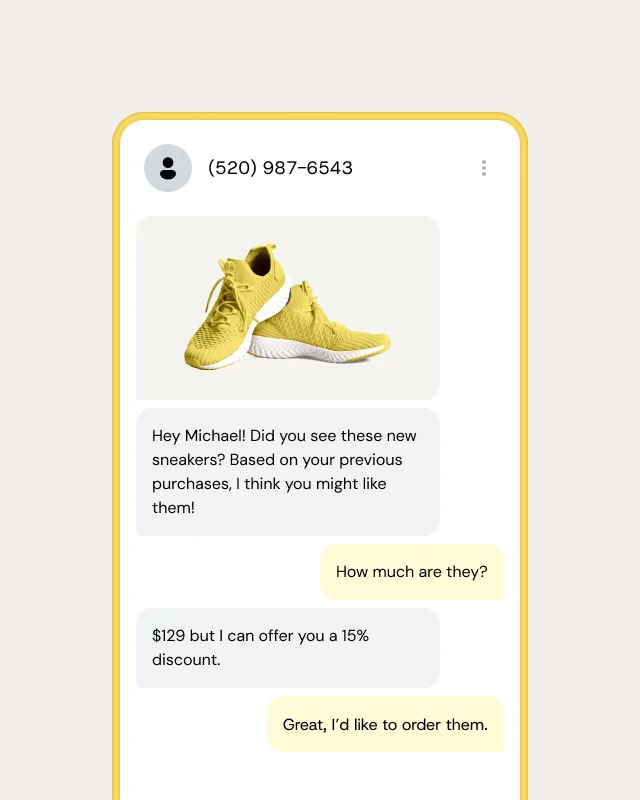
• RCS and WhatsApp suit branded, interactive messages like order tracking, offers, and two-way support.
• Email fits longer content, receipts, newsletters, and anything people need to keep.
• Voice is best for urgent alerts, accessibility, and conversations that need a person or an AI voice agent.

Most businesses use several. With fallback, one message can try a rich channel first and still reach everyone by SMS – Sinch helps unite them all. 

How Sinch compares

An SMS gateway sends texts. Sinch runs the whole path a message takes, on its own network. You get 13 messaging channels plus email and voice through one integration, fallback that moves a message to SMS when RCS or WhatsApp can’t deliver, real-time fraud screening, and carrier registration handled for you in 60+ countries. When volumes grow or you add a channel, you don’t change providers.

Because running SMS, voice, verification, and email on separate vendors creates work nobody budgets for. Each provider means another set of credentials to rotate, another 10DLC filing to keep current, another status page to check when something breaks, and another contract to negotiate. An outage at one provider also won’t show on the others’ status pages, so debugging starts late.

On Sinch, one Access Key covers messaging, voice, verification, numbers, SIP, and fax, and the same company runs your email. For example, LiveVox manages voice callbacks and SMS for 50+ projects from one dashboard.

To get started, teams usually move in stages: port numbers and bring 10DLC registrations into the Sinch Build Dashboard, then point their integration at the Conversation API.

Most delivery problems happen between the provider and the carrier. Many providers pass traffic through four to six intermediaries, and every hop adds latency, a place to fail, and another markup. Sinch routes directly to carriers in one to two hops through 600+ connections, so there are fewer places for a message to get stuck and one company accountable when it does. French retailer Maje reached a 98.4% delivery rate on its RCS holiday campaign.

Here’s how Sinch compares with aggregator-based providers and single-channel tools:

• Routing: Sinch reaches the carrier in one to two direct hops. Aggregator-based providers often pass traffic through four to six intermediaries, and single-channel tools vary.
• Carrier connections: Sinch has 600+ direct connections. Aggregators have limited or indirect ones, and single-channel tools usually have none of their own.
• Uptime: Sinch has 99.99% achieved platform uptime. Other providers’ commitments vary.
• Channels: Sinch covers SMS, RCS, WhatsApp, voice, email, and verification. Aggregators cover some of these, and point solutions cover one.
• Compliance: Sinch builds it into every layer. Aggregators add it on top, and point solutions offer little.
• Fallback: Sinch runs it on its own network. With aggregators it depends on a third party, and point solutions don’t offer it.

AI models and agent platforms decide what to say, but they can’t put a text on someone’s phone, place a call, or prove a user owns a number. Sinch is the delivery layer for those jobs. Your agent, built on any model, uses Sinch to message customers, send email, verify users, and handle calls, with the carrier registration and compliance real customer communication needs. See how Sinch works with your AI agent tools.

Built-in texting in a marketing or CRM tool is often a single channel on rented routes. Sinch Engage gives marketers SMS, MMS, RCS, and WhatsApp in one place, a shared inbox for replies, and delivery over Sinch’s direct carrier connections, while still integrating with HubSpot, Salesforce, and Shopify. Rich channels pay off: French retailer BUT BUT doubled its ROI by adding RCS to its marketing mix.

Every market has its own sender ID rules, registration requirements, and preferred apps. Sinch has a local presence in 60+ countries and supports regional channels like KakaoTalk, WeChat, and LINE through the same API. Adding a market usually means turning on a channel and registering a sender, with the same provider and the same integration. TaskRabbit sends 2.9 million time-sensitive updates a year across the U.S., UK, Canada, and Europe with a 96% open rate.

Usually not. Developers can port numbers in the Sinch Build Dashboard, bring 10DLC brand and campaign registrations with them through TCR, and replace every old credential set with one Sinch Access Key, without a professional services engagement. Because the Conversation API covers the channels most teams already use, migration is mostly a matter of pointing your integration at a new endpoint. Big moves work too: Customer.io migrated 2,300+ customers and their sending domains to Sinch Mailgun in three months.

• How many hops does my traffic take to reach the carrier, and do you own those connections?
• Which channels, email included, can I run under one contract and one set of credentials?
• Do you offer no-code apps for business teams, or only APIs?
• How do you handle 10DLC, sender ID rules, and data residency in each of my markets?
• How do you detect and block SMS pumping?
• What tools do you offer for AI coding assistants and AI agents, and are they publicly available today?
• What uptime SLA do you commit to, and does fallback run on your own network?

You’ll find Sinch’s answers throughout this page.

Sinch Build Dashboard

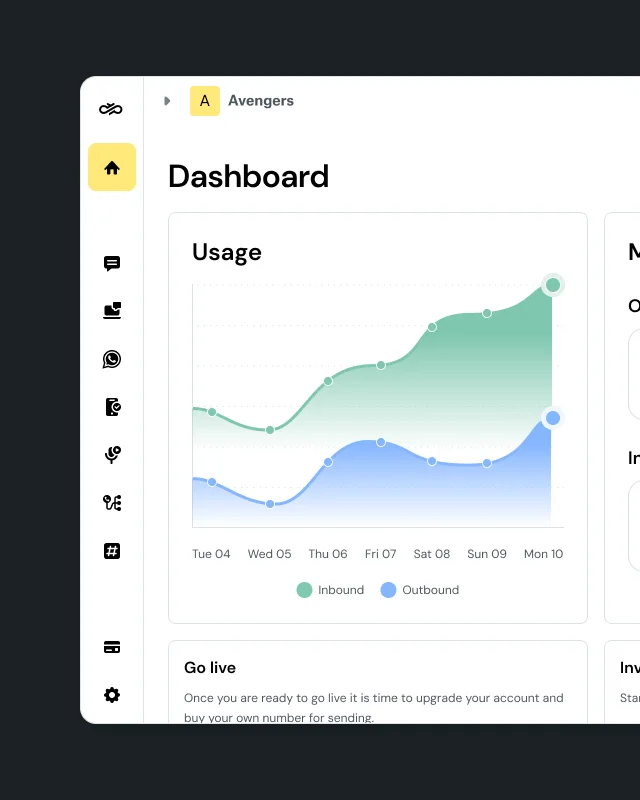
The Sinch Build Dashboard is the self-service developer console for all Sinch APIs. From one login, you manage Messaging (SMS, RCS, WhatsApp, MMS), Voice, Verification, Numbers, SIP trunking, and Fax with one identity, one Access Key, and one API surface. It handles routing, compliance registration, and reporting, so you don’t have to build those layers yourself.

Sign up for free at dashboard.sinch.com. No credit card needed.

The Sinch Build Dashboard is for developers. It’s where you get API access and build messaging, voice, and verification into your own software. Sinch Engage is a ready-to-use messaging app for marketing, service, and operations teams who want to send SMS, RCS, and WhatsApp without code, or connect messaging to their CRM or ERP. They have separate logins: dashboard.sinch.com for Sinch Build and app.sinch.com for Sinch Engage.

• Sign up and get trial credit. Sinch creates your default project, Service Plan ID, API token, and a real test number automatically.
• Send your first message. The SMS quickstart sends a text in five lines of code. The same credentials work across channels, and you can hand them to your AI coding tool to keep building.
• Add channels and configure your stack. Register channels, provision numbers, set up webhooks, and create subprojects for each environment – all in the dashboard.

Most developers send a real SMS in under five minutes.

• Manage credentials: One Access Key covers Messaging, Voice, Verification, Numbers, SIP, and Fax. New channels join the same key.
• Separate environments: Projects and subprojects split dev, staging, and production, so a key leaked in staging can’t touch production. Each environment gets its own cost attribution.
• Provision numbers: Search by country, type, and capability, and bulk-provision up to 100 numbers in one transaction.
• Set up voice: Create Elastic SIP Trunks with East or West Coast regional selection.
• Register for compliance: Complete U.S. 10DLC brand and campaign registration with The Campaign Registry (TCR), plus WhatsApp Embedded Signup, and track compliance status in the console.
• See your data: SMS Analytics, Voice Reports, and 7-day Voice Logs are built in. Voice and Verification call detail records (CDRs) download on demand, with no support ticket.
• Manage your team: Invite users, assign roles, and sign in with Sinch ID SSO, SAML, two-factor authentication with recovery codes, MFA, and passkeys.

Many CPaaS providers give you a separate dashboard, and often separate credentials, for each product. Sinch Build is one control plane across every channel, with one Access Key, one project structure, and one place for compliance, analytics, and credentials. It also sits on a network Sinch owns and operates, with direct carrier connections.

API references, quickstarts, and SDK guides live at developers.sinch.com. The Sinch developer blog has step-by-step builds, release notes, and agentic guides, and the Sinch Knowledge Center answers account and dashboard questions. Code samples and SDKs are on GitHub, and live API health is at status.sinch.com.

AI tools and agentic onboarding

Sinch gives your AI coding assistant what it needs to write a working Sinch integration. Sinch Skills teach the assistant how each Sinch API works, the Sinch Docs MCP server lets it read the current API reference, and Sinch plugins add both to tools like Claude Code, Cursor, Gemini CLI, Codex, and Kiro in one install. Add your Sinch Build credentials, and the assistant can send real messages and make real API calls.

These tools work with any assistant that supports the Model Context Protocol (MCP) or SKILL.md files. Together, we call them Sinch Agent Tools.

You describe what you want, and your AI assistant builds it with Sinch. This is what we call agentic onboarding. Instead of reading docs, copying sample code, and debugging authentication by hand, you ask for something like “send an order confirmation by WhatsApp, with SMS fallback,” and the assistant writes, tests, and wires up the code using Sinch’s own guidance.

It takes three steps, in any AI coding tool that supports MCP or SKILL.md files:

• Teach your assistant Sinch. Install Sinch Skills and connect the Sinch Docs MCP, either one at a time or bundled in a Sinch plugin. Neither needs a Sinch account.
• Connect your account. Sign up for a free Sinch Build account, create an access key, and add it to your tool’s environment. With the Sinch Build MCP server, your assistant can then send real messages and make real API calls.
• Build and go live. Let your assistant write the integration in your codebase, or use the Sinch CLI to build, test, and deploy Sinch Functions from your terminal.

The same building blocks work when the AI agent itself is the product. If you’re building an agent that talks to customers, it can call Sinch APIs directly to send messages, email, verify users, and handle calls, on any model or framework.

Sinch works with any AI coding tool that supports the Model Context Protocol (MCP) or SKILL.md files. Sinch also offers ready-made plugins and extensions for the most popular tools:

• Claude Code, Cursor, Gemini CLI, Antigravity, and Codex: Plugins that bundle Sinch Skills, the Docs MCP, and, in most tools, the Build MCP.
• Kiro: A Kiro Power for messaging, verification, voice, and numbers.
• VS Code, Open VSX, and JetBrains IDEs: Extensions for the Conversation API, number validation, and Mailgun email validation.
• Other tools, such as GitHub Copilot or Windsurf: Sinch Skills and the Docs MCP, set up manually.

Install steps for every tool are in one place: Sinch AI plugins.

Sinch Skills are open-source instruction files (SKILL.md) that teach AI agents how to use Sinch APIs correctly. Each skill covers one product, with setup steps, key concepts, common patterns, gotchas, and code examples. There are skills for authentication, SDKs, the Conversation API, SMS, MMS, RCS, WhatsApp, Voice, in-app calling, Elastic SIP Trunking, Mailgun email, Numbers, 10DLC, number porting, Verification, Number Lookup, Fax, the Sinch CLI, and Sinch Functions.

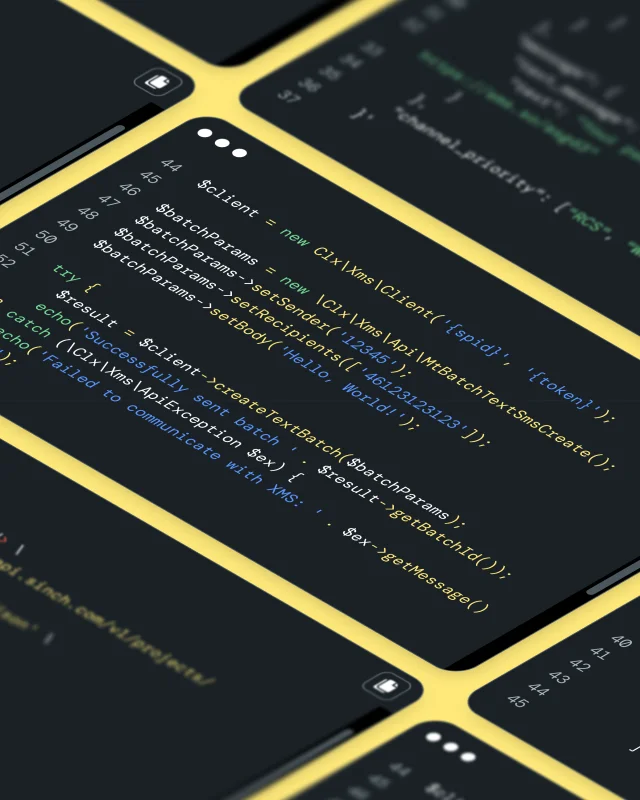
Install them with one command: npx skills add sinch/skills. They also come bundled in the Sinch plugins. See Sinch Skills on GitHub or in the docs.

The Sinch Docs MCP server is a hosted MCP endpoint at developers.sinch.com/mcp that lets your AI assistant search and read Sinch’s developer documentation in real time. It needs no credentials. Because the assistant reads the current API reference instead of relying on training data, it’s less likely to write code against an outdated endpoint or parameter. See setup steps for each tool.

The Sinch Build MCP server lets an AI assistant take action in your Sinch account. Its tools can send SMS, RCS, and WhatsApp messages (including cards, carousels, and templates), manage Conversation API apps and webhooks, send email through Mailgun, run number lookups and SMS verification, place text-to-speech calls, and set up RCS senders and WhatsApp templates. It uses your Sinch Build credentials and is currently in developer preview. See the Sinch MCP server on GitHub.

Sinch Functions is a serverless runtime for voice, SMS, and conversation apps, written in Node.js/TypeScript or C#/.NET. It’s currently in beta. The Sinch CLI (@sinch/cli) builds, tests, and deploys those functions from your terminal and manages the resources they use: phone numbers, Voice API v2 services, SIP trunks, Conversation API apps, fax, number porting, and secrets. 

Starter templates include IVRs, call forwarding, SMS autoresponders, chatbots, and AI voice agents. JSON output and a non-interactive mode let you use the CLI in CI pipelines and from AI agents. Install it with npm install -g @sinch/cli, then follow the Functions quickstart.

Yes. Sinch maintains official SDKs for Node.js, Java, .NET, and Python, all open source on GitHub. There are also mobile SDKs for in-app voice and video calling and for verification on iOS and Android.

Sinch is model-agnostic. Your agents can run on any LLM, from OpenAI, Anthropic, Google, or an open-source model, and on any agent framework, then call Sinch APIs to reach customers. Sinch Skills and the Docs MCP work in any assistant that supports SKILL.md files or MCP. Sinch also supports multi-agent and multi-model setups, so you don’t have to standardize on one AI ecosystem.

AI assistants and search tools can read this page, the Sinch Docs MCP server, and the developer docs index at developers.sinch.com/llms.txt. These are the most current sources for Sinch product facts.

Use cases

Most businesses use Sinch for one or more of these, each covered below:

• Identity and account security: One-time passcodes, silent authentication, and fraud screening at sign-up.
• Marketing campaigns: Promotions, launches, and loyalty offers on SMS, RCS, WhatsApp, and email.
• Customer updates: Order, delivery, appointment, and payment notifications.
• Customer service: Two-way support, chatbots, and contact centers.
• Email: Transactional, bulk, and marketing email at scale.
• Business voice: SIP trunking, Microsoft Teams and Webex calling, and E911.
• AI agents: Agents that message, email, verify, and call real customers. 

Verification lives inside your own app or website, so it’s built with APIs rather than a no-code app. How you get there depends on who you are:

• Enterprise security and fraud teams use the Verification API and Number Lookup with a Sinch account team, for custom pricing, an uptime SLA, fraud monitoring, and help choosing methods by market.

• Developers and AI builders use the same APIs through the Sinch Build Dashboard, with self-serve sign-up, SDKs, and Sinch Skills so an AI coding assistant can write the integration.

• Mobile operators use Sinch SMS and signaling firewalls to protect their own networks from fraud.

With the Sinch Verification API, your developers add a check that confirms a user owns a phone number at sign-up, at login, or before a risky action. One API covers one-time passcodes by SMS, voice, and WhatsApp, plus flash call and silent authentication, so your product and security teams can pick the method per market and per moment. Number Lookup can check the number before you send anything. Read the docs or see Sinch identity and verification.

SMS pumping, or artificially inflated traffic (AIT), happens when bad actors trigger thousands of fake passcode messages so someone can collect the fees, and many teams only find out when the bill arrives. Sinch screens traffic in real time across its network, Number Lookup flags risky numbers before you send, and silent authentication removes the SMS entirely. For voice, Sinch adds fraud detection and STIR/SHAKEN call authentication.

You can run the same SMS, RCS, and WhatsApp campaigns several ways, depending on who runs them:

• Developers and martech platforms use the Conversation API through the Sinch Build Dashboard to build campaign messaging into their own software, on every channel through one API.
• Enterprise marketing teams use Sinch Engage or Sinch messaging APIs with a Sinch account team, for custom pricing, managed RCS and WhatsApp sender setup, and support for high-volume, multi-market programs.
• Marketing and growth teams without developers use Sinch Engage, a ready-to-use app with a campaign builder, shared inbox, and CRM integrations.
• Small and mid-sized U.S. businesses use Sinch SimpleTexting for no-code SMS and MMS campaigns with built-in compliance.
• Email marketers use Sinch Mailjet for newsletters and campaigns with a drag-and-drop editor.

Use RCS when the look of the message, or what customers can do inside it, will change the result: launches, offers with images, product carousels, or messages with buttons. With conversational RCS, Nespresso saw an 11% lift in conversions versus SMS, and Maje lifted click-through rates 40% above Rich SMS.

Before you can send, Google and the carriers have to verify your brand as an RCS sender. Sinch handles that submission: marketers set it up in Sinch Engage, developers in the Sinch Build Dashboard, and enterprise teams can have their account team manage it across markets. Customers whose phones don’t support RCS get the message by SMS automatically. 

Order, delivery, appointment, and payment updates can come from your own systems, from your CRM, or from a ready-to-use app:

• Enterprises sending high-volume or critical updates use the Conversation API, Sinch Mailgun, and short codes with a Sinch account team, for direct carrier routes, an uptime SLA, and help with number types and registration in each market.
• Developers building updates into a product use the same APIs through the Sinch Build Dashboard, with self-serve sign-up, one Access Key for messaging and voice, and Sinch Skills for AI coding assistants.
• Operations and service teams without developers use Sinch Engage to trigger updates from HubSpot, Salesforce, NetSuite, or Shopify, or to send them from email with email-to-SMS.
• Small and mid-sized U.S. businesses use Sinch SimpleTexting for scheduled and automated texts with no code.

Sinch routes directly to carriers in one to two hops, offers high-throughput short codes for large volumes, and moves a message to a backup channel automatically if the first one can’t deliver. Delivery reports for every channel arrive at one webhook for developers, or in real-time dashboards in Sinch Engage. 

TaskRabbit sends 2.9 million time-sensitive updates a year through Sinch with a 96% open rate, and Doorlist uses real-time RCS to keep event guests in the loop.

It depends on the size of your team and how much you want to automate:

• Enterprise contact centers use Sinch Contact Pro, often with Sinch Chatlayer, for one agent workspace across voice, chat, email, and messaging, with AI bots answering routine questions first.
• Service teams that want to automate with AI, without code, use Sinch Chatlayer to build chat and voice bots in 125+ languages that hand off to agents.
• Small and mid-sized service teams use Sinch Engage for a shared inbox for SMS, MMS, WhatsApp, and RCS conversations, connected to their CRM.
• Developers and AI builders use the Conversation API and Voice API through the Sinch Build Dashboard to build their own support experience or AI agent, with one webhook for replies on every channel.

Yes. Sinch can add texting to an existing landline or toll-free number, so customers can text the same number they already call. AAA text-enabled its 800-HELP number this way, turning thousands of once-lost member messages into roadside assistance requests and saving $30,000. 

• Developers and engineering teams sending transactional and bulk email from code use Sinch Mailgun, with validation and deliverability tools built in.
• Marketing teams that want campaigns and transactional email in one place use Sinch Mailjet.
• Email developers and designers test rendering, links, and accessibility before sending with Email on Acid.
• Enterprises and platforms sending at very high volume use Sinch Mailgun with a Sinch account team and deliverability services.

• IT teams on Microsoft Teams or Webex use Operator Connect or Webex Calling to connect to the public phone network.
• Developers use the Voice API and Elastic SIP Trunking through the Sinch Build Dashboard.
• Contact center and communications platforms run their voice traffic on Sinch Elastic SIP Trunking and the Sinch U.S. voice network.
• Organizations that need emergency calling add E911 and Next Generation 911.

Here are results from featured Sinch customer stories:

• Fin: Billions of transactional emails for 30,000+ businesses, with Sinch Mailgun.
• AAA: Roadside help by text for 62 million members, saving $30,000, with SMS.
• Nespresso: 2.3x engagement and 3.7x buying intention, with RCS.
• Maje: 40% higher click-through than Rich SMS and a 98.4% delivery rate, with RCS.
• BUT: Double the ROI from adding RCS to the marketing mix, across 20 campaigns reaching 5 million+ contacts.
• TaskRabbit: 2.9 million messages a year with a 96% open rate across eight countries, with SMS and short codes.
• Customer.io: 2,300+ customers migrated in three months, with Sinch Mailgun.
• Florida Orthopaedic Institute: 73% lower telecom costs and zero hours of disruption, with Sinch Voice and Direct Routing for Teams.
• LiveVox: Voice and SMS for 50+ projects from one dashboard, with Elastic SIP Trunking.

Security, compliance, and reliability

Yes. Sinch is ISO 27001 and SOC 2 Type II certified, and it builds security, identity verification, and fraud prevention into the network itself, so every product gets the same protection. Encryption, real-time blocking of fraudulent traffic, and access controls apply across every channel by default. Find certificates and security documentation in the Sinch Trust Center.

Every market has its own sender ID rules, registration requirements, and content restrictions. Sinch has a local presence in 60+ countries and manages regional rules at the infrastructure layer. When a regulation changes, Sinch updates the network, so your team doesn’t have to track it by hand or rebuild your integration.

In the U.S., you can register 10DLC brands and campaigns directly in the Sinch Build Dashboard, and Sinch SimpleTexting registers 10DLC for you automatically.

Across the Sinch portfolio, certifications and frameworks include ISO 27001, SOC 2 Type II, GDPR, HIPAA, STIR/SHAKEN, U.S. 10DLC registration through TCR, and CTIA messaging guidelines. Some brands carry additional coverage:

• Sinch Mailgun: GDPR-compliant, HIPAA-compliant with BAAs, and SOC 2 certified.
• Sinch Fax API: HIPAA, SOC 2 Type 1, and GDPR compliant.
• Sinch Engage: GDPR and ISO 27001 compliant.

Certification scope can differ by product and region, so check the Trust Center for the exact coverage you need.

Sinch runs infrastructure in multiple regions, and several APIs let you choose a region, such as the U.S., EU, or Brazil for the Conversation API. Data handling is governed by the Sinch Privacy Notice and the Sinch Data Processing Agreement

Sinch offers 99.99% achieved platform uptime, with financially backed SLAs for each service, and the Sinch U.S. voice network runs at 99.999% uptime across 43 geo-redundant points of presence.

If a channel like RCS or WhatsApp can’t deliver, fallback routing reroutes the message on the Sinch network itself, usually to SMS. Check live service status at status.sinch.com.

Pricing and getting started

Sinch APIs use pay-as-you-go pricing, so you pay only for what you send, with volume discounts as you grow. Prices depend on the channel and destination country. An SMS to the U.S. costs a different amount than an SMS to Brazil, for example, and WhatsApp pricing follows Meta’s rates for each message category. See current rates for SMS, Voice, RCS, and Functions. Sinch Functions starts free and charges only for compute time. Enterprises can get custom pricing by contacting sales.

Sinch applications like Sinch Engage, Sinch Mailjet, and Sinch SimpleTexting have their own plans, listed on each brand’s site. 

Aggregators add a markup at each of the four to six hops between you and the carrier. Sinch routes directly to carriers in one to two hops wherever it can, so fewer layers add cost and your quote reflects the real cost of delivery.

For developers, minutes: most people send a first SMS from the Sinch Build Dashboard in under five minutes. Sinch Engage and Sinch SimpleTexting users can send a first campaign the same day. Some channels need registration or approval before production traffic, such as U.S. 10DLC campaigns, WhatsApp Business accounts, and RCS sender verification. Those timelines depend on carriers, Meta, or Google, and you can start each registration in the dashboard.

No. Sinch Engage, Sinch SimpleTexting, Sinch Mailjet, and Sinch Chatlayer are no-code apps for marketing, service, and operations teams, with integrations for the CRMs and e-commerce tools you already use. You only need developers to build communications into your own product with Sinch APIs, and an AI coding assistant with Sinch Skills can do much of that work.

Yes. Sinch connects with 500+ platforms, including Salesforce, HubSpot, SAP, Adobe, Shopify, NetSuite, Emarsys, and Temenos. Browse them all in the Sinch Marketplace.

Our applications Sinch Engage, Sinch Mailjet, and Sinch Mailgun, also have their own integration directories.

Yes. Sinch works with referral partners, channel partners, private label partners, strategic technology partners, and resellers for Sinch Mailjet and Sinch Mailgun. Software platforms can embed Sinch messaging, voice, and email directly in their own products. Become a partner or find a partner.

Start at the Sinch Help Center, browse the Knowledge Center, or submit a ticket. Sinch has support teams in Atlanta, Stockholm, Singapore, and Melbourne.