Send rich, branded messages that capture attention and build trust. Use RCS for Business through the Sinch Conversation API to engage customers on supported networks worldwide.

CREATE RICH CONVERSATIONS
Send rich, branded messages that capture attention and build trust. Use RCS for Business through the Sinch Conversation API to engage customers on supported networks worldwide.
Why Sinch
Sinch helps you to send and scale RCS messages via API with the Sinch Conversation API. You’ll get branded, rich messages that convert — backed by global reach, message fallback, and robust analytics to keep improving results.


“Thanks to the support of the Sinch and Google teams, we were able to transform a complex offering into an engaging conversational experience, aligned with our brand storytelling.“

RICH, INTERACTIVE EXPERIENCES
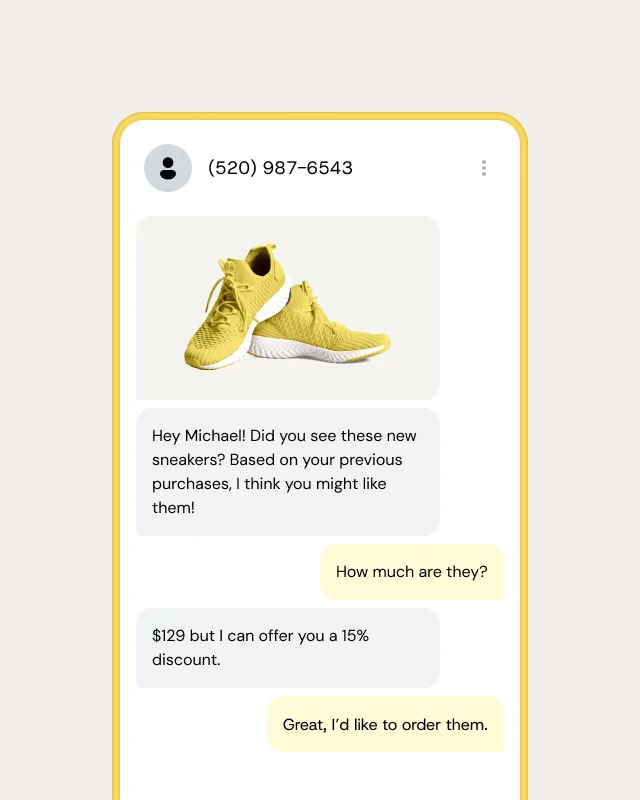
Move beyond plain SMS. Add images, videos, carousels, and interactive buttons, so customers engage longer and click more, driving higher conversion rates compared to SMS.
Images, videos, carousels, and quick replies
High open rates within minutes
Significantly higher click-through rates than SMS

VERIFIED TRUST & SECURITY
Show your logo and brand name so customers always know it’s you. Verified profiles build trust and help protect users from fraud.
Branded sender name and logo
Verified by select carriers or Google
Fraud-resistant customer experience

GLOBAL REACH & INSIGHTS
Our global super network with smart routing delivers messages via Conversation API and automatically falls back to SMS or MMS when needed. Real-time analytics give insight into how you can optimize campaigns and prevent fraud.
Smart routing with fallback
Real-time delivery and read rates
Over 1 billion RCS messages are sent daily on Sinch’s global network

TOP USE CASES
Teams use the RCS API to power branded messaging across industries, from retail promotions to banking alerts and appointment reminders.
RCS Features
MORE FROM SINCH
SMS is text-only and basic. RCS for Business lets you include rich media, branded messaging, verified profiles, and get enhanced security and advanced analytics.
Register your RCS Agent in Sinch Build or Provisioning API, then submit it for carrier or Google verification and approval, and then you can start sending with the Conversation API.
Need help with submission? Our team can help.
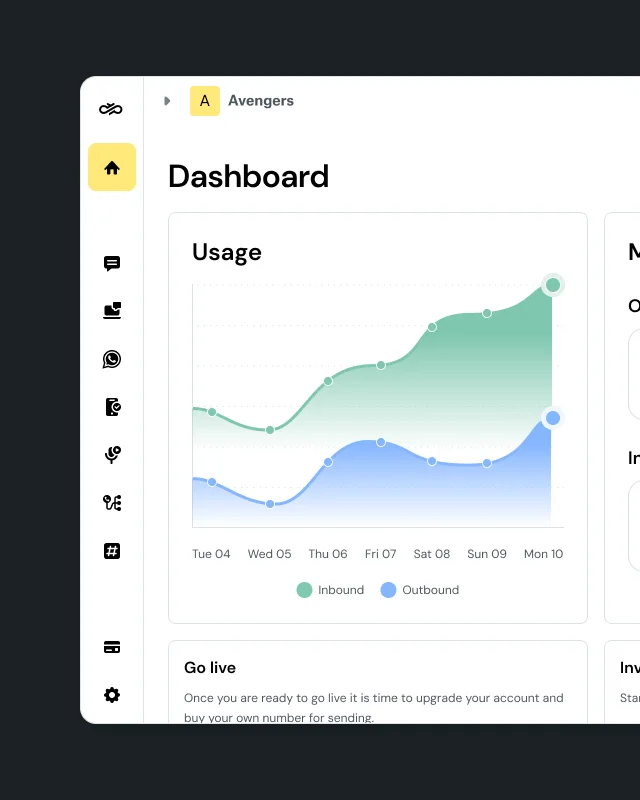
Sinch Build is the developer console and control plane for all Sinch APIs – Messaging, Voice, Verification, Numbers, SIP, and Fax – under one identity, one set of credentials, and one dashboard. It sits in front of every Sinch API, handling routing, compliance, and observability so you don’t have to build that infrastructure yourself.
Sinch Build is for developers. It’s the console where you get API access and build messaging, voice, and verification into your own software. Sinch Engage is a ready-to-use messaging platform for SMS, RCS, and WhatsApp. It’s for marketing, service, and operations teams who want to send without code, or by connect messaging to their CRM or ERP.
Sinch APIs work with any tool that supports MCP or SKILL.md files, including Claude Code, Cursor, Gemini CLI, GitHub Copilot, Codex, and Windsurf. Add Sinch Skills so your assistant knows how Sinch’s APIs work, and connect the Docs MCP at developers.sinch.com/mcp so it writes code from the current API reference.
Prefer a plugin? Install one from the VS Code Marketplace, JetBrains Marketplace, Open VSX Registry, or Cursor Marketplace, or use the sinch-plugins GitHub repo for Claude Code and Gemini CLI. See setup steps for each plugin.
Start by signing up for Sinch Build and grabbing your access key and credentials. You can then take those details to your AI coding tool to continue building from there.
RCS messages are protected with enterprise-grade encryption in transit and at rest.
Businesses using RCS see higher engagement, open rates, and conversion rates—often up to 80%. Customers prefer RCS for its richer, more trusted experience.
If a recipient’s device or network doesn’t support RCS, messages automatically switch to SMS or MMS to ensure reliable delivery.
Pricing is set by carriers and depends on message type. To learn more, talk to an expert today.