Developers
Build Voice API v2 call flows with the Sinch Node.js SDK helpers
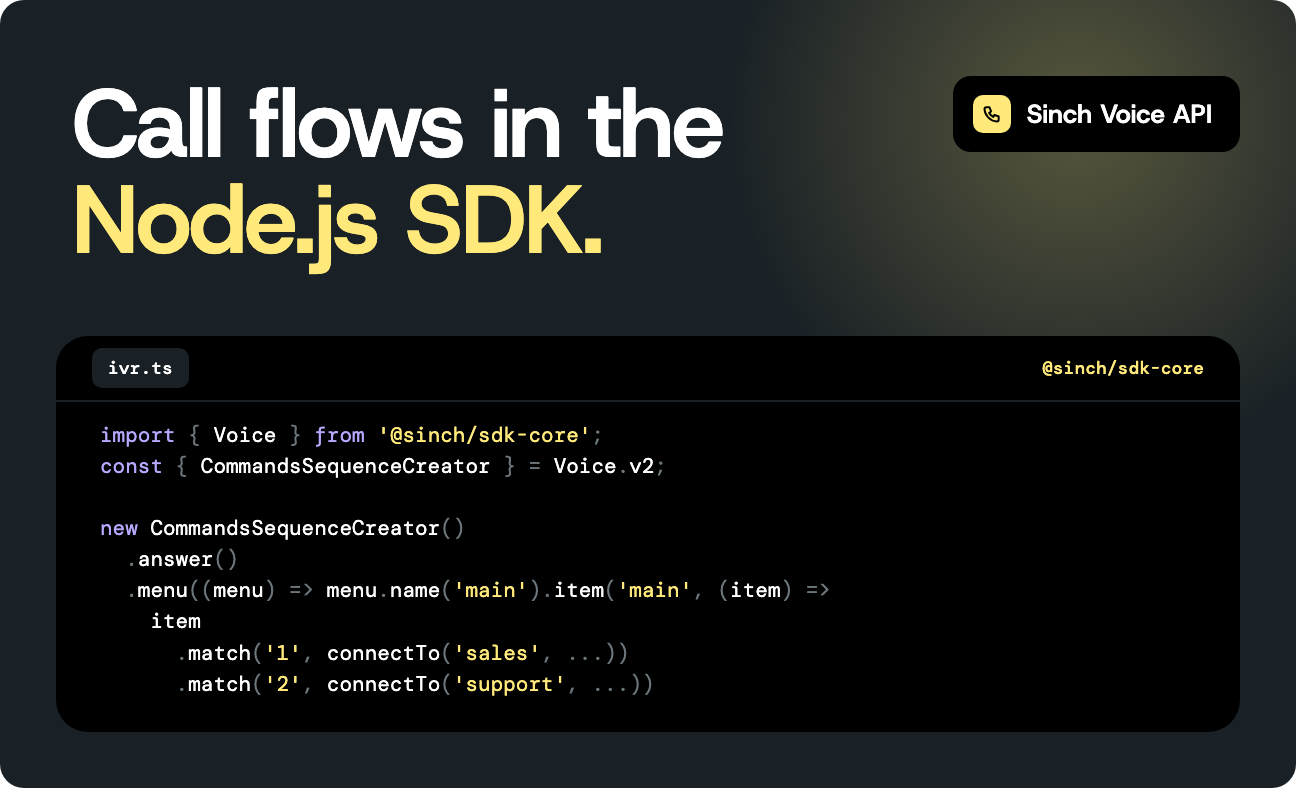
A Sinch Voice API v2 call flow is written in SVAML, the Sinch Voice Application Markup Language. It’s a list of commands, where every event (a key press, an answered call, a busy signal) holds another list of commands. A phone menu with three options and a call transfer comes to about 220 lines of nested JSON. In Send appointment reminder calls at scale with Voice API v2 batch calling, I wrote that JSON by hand as TypeScript object literals. The Sinch Node.js SDK has builders for it. This post builds a small interactive voice response (IVR) menu with them: Press 1 for sales, 2 for support, 3 for opening hours. You validate the flow against the API, deploy it to a Voice API v2 service without running a server, and call it.
You’ll need
- A Sinch account with Voice API v2 access, at the Sinch Build Dashboard
- Your project ID, plus an access key ID and secret from Settings and Access keys
- A Voice API v2 service and its service ID, from Voice, Programmable Voice, and Services
- A Sinch number assigned to that service (in the dashboard, open the service, go to Voice channels, choose Configure on the Phone row, then Add numbers)
- A phone number to stand in for sales and support (the same number can be both, with voicemail off so the ring-out test isn’t answered), and a second phone to call from
- Node.js 24 or later
This takes 15 to 20 minutes.
Deploying the flow replaces the service’s call behavior. Use a service you don’t need for anything else, or note its current behavior first.
Voice API v2 is in public preview, so behavior and limits can still change. The code was tested with @sinch/sdk-core 1.9.0 on Node.js 24.
What the flow looks like in SVAML
Here’s option 1 from the menu as raw SVAML. It tells the caller what’s happening, joins their leg to a bridge named sales, and dials the sales number. When sales answers, that leg joins the same bridge and the two can talk. If sales is busy, declines, doesn’t answer, or hangs up, the caller’s leg (named caller) is hung up, too:
                                    "1": [
  {
    "command": "messages",
    "messages": [{ "type": "SAY", "say": { "text": "Connecting you to sales.", "voiceName": "Emma_3" } }]
  },
  { "command": "bridgeCall", "bridgeName": "sales" },
  {
    "command": "dial",
    "to": { "type": "PHONE", "phone": { "number": "+12025550101" } },
    "from": { "type": "PHONE", "phone": { "number": "+12025550100" } },
    "callName": "sales",
    "dialTimeoutDurationSeconds": 30,
    "events": {
      "onAnswer": [{ "command": "bridgeCall", "bridgeName": "sales" }],
      "onBusy": [{ "command": "hangup", "callName": "caller" }],
      "onReject": [{ "command": "hangup", "callName": "caller" }],
      "onTimeout": [{ "command": "hangup", "callName": "caller" }],
      "onFailure": [{ "command": "hangup", "callName": "caller" }],
      "onHangup": [{ "command": "hangup", "callName": "caller" }]
    }
  }
]
Option 2 is the same block with different values. The menu around them adds the prompt, the timeout, the retry count, option 3, and what happens on invalid input. It’s easy to get a field name wrong, or to point gotoMenu at a menu that doesn’t exist. You only find out when the API rejects the request or a test call goes quiet.
Set up the project
Create the project and install the SDK:
                                    mkdir sinch-ivr-helpers && cd sinch-ivr-helpers
mkdir src scripts
npm init -y
npm pkg set type=module
npm install @sinch/sdk-core@1.9.0
npm install --save-dev typescript@5.9 tsx @types/node@24
Create tsconfig.json:
                                    {
  "compilerOptions": {
    "target": "ES2022",
    "module": "NodeNext",
    "moduleResolution": "NodeNext",
    "strict": true,
    "noUncheckedIndexedAccess": true,
    "esModuleInterop": true,
    "skipLibCheck": true,
    "noEmit": true
  },
  "include": ["src", "scripts"]
}
Keep skipLibCheck on. Without it, tsc also checks the type declarations inside the SDK packages and reports errors that aren’t in your code.
Set the credentials, the service, and the numbers as environment variables. All numbers are E.164:
                                    export SINCH_PROJECT_ID=YOUR_PROJECT_ID
export SINCH_KEY_ID=YOUR_ACCESS_KEY_ID
export SINCH_KEY_SECRET=YOUR_ACCESS_KEY_SECRET
export SINCH_VOICE_SERVICE_ID=YOUR_SERVICE_ID
export SINCH_FROM_NUMBER=YOUR_SINCH_NUMBER
export SALES_NUMBER=YOUR_SALES_PHONE
export SUPPORT_NUMBER=YOUR_SUPPORT_PHONE
Create src/env.ts. It reads the environment and builds the client:
                                    import { SinchClient } from '@sinch/sdk-core';

export const requireEnv = (name: string): string => {
  const value = process.env[name];
  if (!value) {
    throw new Error(`Missing environment variable ${name}`);
  }
  return value;
};

export const createSinchClient = (): SinchClient =>
  new SinchClient({
    projectId: requireEnv('SINCH_PROJECT_ID'),
    keyId: requireEnv('SINCH_KEY_ID'),
    keySecret: requireEnv('SINCH_KEY_SECRET'),
  });
Build the IVR with the helpers
The helpers live under Voice.v2 in @sinch/sdk-core. Four of them build the flow, and CallBehaviorHelper deploys it later:
| Helper | What it does |
|---|---|
CommandsSequenceCreator | A builder that appends commands: .answer(), .menu(), .text(), .bridgeCall(), .dial(), and so on. .build() returns the command list. |
Destination | Builds from and to values: Destination.phone(), .sip(), .stream(), .voiceRelay(). |
Calls | Single call commands: Calls.hangup(), Calls.bridgeCall(), Calls.dial(). |
Menu | Menu commands, including Menu.goto() to jump back to a menu. |
Anywhere SVAML has a list of commands for an event (onAnswer, a menu match, onFailure, onFinish), the helpers take one command, an array, or a callback that gets a fresh sequence to append to.
Create src/ivr.ts:
                                    import { Voice } from '@sinch/sdk-core';

const { CommandsSequenceCreator, Destination, Calls, Menu } = Voice.v2;
// The builder class is exported as a value, so this gives the type of an instance for callback parameters.
type SequenceCreator = InstanceType<typeof CommandsSequenceCreator>;

export interface IvrNumbers {
  /** The Sinch number callers dial. Used as the caller ID on the transfer. */
  sinchNumber: string;
  salesNumber: string;
  supportNumber: string;
}

const voice: Voice.v2.VoiceName = 'Emma_3';

/** The name of the caller's leg, so the transfer can hang it up. */
export const CALLER_LEG = 'caller';

// When the transferred leg ends or never connects, end the caller's leg too.
const endCaller = Calls.hangup({ name: CALLER_LEG });

/** Joins the caller to a bridge, dials the department, and joins that leg to the same bridge on answer. */
const connectTo =
  (department: string, sinchNumber: string, departmentNumber: string) =>
  (sequence: SequenceCreator): void => {
    sequence
      .text(`Connecting you to ${department}.`, voice)
      .bridgeCall(department)
      .dial((dial) =>
        dial
          .name(department)
          .from(Destination.phone(sinchNumber))
          .to(Destination.phone(departmentNumber))
          .timeoutDurationSeconds(30)
          .onAnswer(Calls.bridgeCall(department))
          .onBusy(endCaller)
          .onReject(endCaller)
          .onTimeout(endCaller)
          .onFailure(endCaller)
          .onHangup(endCaller),
      );
  };

export const buildIvr = ({ sinchNumber, salesNumber, supportNumber }: IvrNumbers): Voice.v2.SvamlCommand[] =>
  new CommandsSequenceCreator()
    .answer()
    .menu((menu) =>
      menu.name('main').item('main', (item) =>
        item
          .prompt((prompt) =>
            prompt
              .text('Thanks for calling Acme. Press 1 for sales, 2 for support, or 3 for opening hours.', voice)
              .allowBargeIn(true),
          )
          .inputTimeoutDurationSeconds(6)
          .repeatCount(2)
          .maximumInputLength(1)
          .match('1', connectTo('sales', sinchNumber, salesNumber))
          .match('2', connectTo('support', sinchNumber, supportNumber))
          .match('3', (sequence) =>
            sequence.text('We are open Monday to Friday, 9 AM to 5 PM.', voice, { onFinish: Menu.goto('main') }),
          )
          .onFailure((sequence) =>
            sequence.text('Sorry, we did not get a valid choice. Goodbye.', voice, { onFinish: Calls.hangup() }),
          ),
      ),
    )
    .build();
connectTo returns a callback, so both transfer options share one definition, and endCaller is one command reused in five events. You can do the same with plain object literals, and I did in the batch calling post. What the builder adds is that you stop typing command: discriminators and events wrappers, and it checks the menu structure when you call .build().
Some helper method names differ from the SVAML fields they write. The ones in this flow:
| Helper | SVAML field |
|---|---|
menu.name('main') | startMenu |
dial.name('sales') | callName |
dial.timeoutDurationSeconds(30) | dialTimeoutDurationSeconds |
Calls.hangup({ name }) | callName on hangup |
text(..., { onFinish }) | events.onFinish on messages |
Keep the table nearby when you compare helper code with JSON examples in the SVAML reference.
Print the flow
Create scripts/print.ts. It builds the flow with placeholder numbers and prints the JSON, with no credentials needed:
                                    import { buildIvr } from '../src/ivr.js';

// Placeholder numbers: printing the flow needs no credentials.
const commands = buildIvr({
  sinchNumber: '+12025550100',
  salesNumber: '+12025550101',
  supportNumber: '+12025550102',
});
console.log(JSON.stringify(commands, null, 2));
Run it:
npx tsx scripts/print.ts
The output starts like this, and runs to 219 lines:
                                    [
  {
    "command": "answer"
  },
  {
    "command": "menu",
    "startMenu": "main",
    "menus": {
      "main": {
        "prompt": {
          "messages": [
            {
              "type": "SAY",
              "say": {
                "text": "Thanks for calling Acme. Press 1 for sales, 2 for support, or 3 for opening hours.",
                "voiceName": "Emma_3"
              }
            }
          ],
          "allowBargeIn": true
        },
Option 1 in that output is the block at the top of this post. I built the whole menu both ways, with the helpers and as hand-written object literals, and after a JSON round trip the two are equal.
Validate and deploy
Voice API v2 has an endpoint that checks SVAML without placing a call. STRICT mode also rejects properties the API doesn’t know, which catches a misspelled field that NORMAL mode would skip.
A service’s call behavior decides what happens when someone calls its number. A WEBHOOK behavior asks your server for commands. A STATIC behavior runs a fixed list of commands, which is all this IVR needs, so there’s no server to run.
CallBehaviorHelper.static builds it. Its name sets the name of the caller’s leg, which endCaller hangs up. Its onHangup runs when the caller hangs up, which is how the transferred leg gets ended. Without it, the transferred leg stays connected after the caller hangs up.
Create scripts/deploy.ts. It validates the flow, then sets it as the service’s static call behavior:
                                    import { Voice } from '@sinch/sdk-core';
import { createSinchClient, requireEnv } from '../src/env.js';
import { buildIvr, CALLER_LEG } from '../src/ivr.js';

const sinchClient = createSinchClient();
const serviceId = requireEnv('SINCH_VOICE_SERVICE_ID');
const commands = buildIvr({
  sinchNumber: requireEnv('SINCH_FROM_NUMBER'),
  salesNumber: requireEnv('SALES_NUMBER'),
  supportNumber: requireEnv('SUPPORT_NUMBER'),
});
const dryRun = process.argv.includes('--dry-run');

try {
  const validation = await sinchClient.voice.v2.svaml.validate({
    validateSvamlRequestBody: { svaml: { commands }, validationType: 'STRICT' },
  });
  if (!validation.isValid) {
    console.error('The IVR flow is invalid:');
    (validation.errors ?? []).forEach((error) => console.error(`- ${error}`));
    process.exit(1);
  }
  console.log('Validation: valid (STRICT)');

  if (dryRun) {
    console.log('Dry run: the service was not changed.');
    process.exit(0);
  }

  const service = await sinchClient.voice.v2.services.update({
    serviceId,
    updateServiceRequestBody: {
      callBehavior: Voice.v2.CallBehaviorHelper.static({
        name: CALLER_LEG,
        commands,
        onHangup: [Voice.v2.Calls.hangup({ name: 'sales' }), Voice.v2.Calls.hangup({ name: 'support' })],
      }),
    },
  });
  // The response includes the service secret, so print only what you need.
  console.log(`Updated service "${service.name}" (${service.serviceId}): call behavior ${service.callBehavior?.type}`);
} catch (error) {
  const { statusCode, data, message } = error as { statusCode?: number; data?: string; message?: string };
  console.error(statusCode ? `Request failed with HTTP ${statusCode}: ${data}` : `Request failed: ${message}`);
  process.exitCode = 1;
}
Check the types, then validate without touching the service:
                                    npx tsc
npx tsx scripts/deploy.ts --dry-run
tsc prints nothing when the types are fine. The dry run should print:
                                    Validation: valid (STRICT)
Dry run: the service was not changed.
The dry run checks the command list. The test call checks what happens when either side hangs up.
Deploy it. This replaces the service’s call behavior:
npx tsx scripts/deploy.ts
You should see:
                                    Validation: valid (STRICT)
Updated service "YOUR_SERVICE_NAME" (YOUR_SERVICE_ID): call behavior STATIC
The update response includes the service’s serviceSecret, the key the Voice API uses to sign the webhooks it sends you. That’s why the script prints three fields and not the whole response. Don’t log the full object or paste it anywhere.
Call it
Call your Sinch number from the second phone. You should hear the menu. Try each path:
- Press 3. You hear the opening hours, then the menu again.
- Press 1. You hear “Connecting you to sales” and the sales phone rings. Answer it and you can talk. Hang up on the sales phone and the call ends on your side, too. Hang up on your own phone instead and the sales phone drops.
- Press 1 and decline on the sales phone. The call should end on your side.
- Press 2 and let it ring. After 30 seconds without an answer, the call should end.
- Press 9 or nothing. The menu plays up to two more times, then you hear the goodbye and the call ends.
What the helpers check
The builder checks the menu structure when you call .build(). Point gotoMenu at a name that isn’t defined in the menu and it throws before any request goes out:
Error: gotoMenu "billing" is not defined
It also throws for a startMenu that isn’t one of the menu’s items, a prompt with no messages, and a dial without a to.
Values such as E.164 numbers and menu name lengths are checked by the API. That’s why deploy.ts validates in STRICT mode before it changes the service: It’s one request, and it returns validation errors.
Upgrading from 1.6.0
Version 1.7.0 has one breaking change. The menu item’s failure handler is now onFailure, matching the API. Code written for 1.6.0 with onFail fails to compile:
error TS2353: Object literal may only specify known properties, and 'onFail' does not exist in type 'MenuItem'.
Rename it to onFailure. The 1.7.0 release notes list the other changes, including a fix to batches.start.
Design decisions
Static call behavior over a webhook
With a webhook, every call starts with a request to your server, and your server has to be up. A menu that doesn’t change per caller doesn’t need that. The static behavior lives on the service, so the flow runs with nothing of yours online. When you need per-caller logic, such as looking up an account by caller ID, switch to CallBehaviorHelper.webhook({ url }) and return the same commands from your handler with VoiceV2CallbackWebhooks.incomingCallResponse({ name: CALLER_LEG, commands, onHangup }), passing the same hangup list. The name matters there, too, because endCaller hangs up the leg by that name.
End each leg when the other one ends
The transfer creates a second call leg, and the two legs end separately. The flow says what happens to the caller in each case: Busy, declined, no answer, failure, and the sales side hanging up. That’s why endCaller is attached to five events, and why the caller’s leg gets a name in the call behavior.
It works the other way, too. The onHangup in the call behavior hangs up both department legs by the names the dial commands gave them. Hanging up a leg that was never created is harmless, so the same list covers both departments.
Troubleshooting
onFaildoes not exist in typeMenuItem. You’re on 1.7.0 or later with code written for 1.6.0. RenameonFailtoonFailure.
- Validation fails on a phone number. A phone number isn’t in E.164 format. Check
SINCH_FROM_NUMBER,SALES_NUMBER, andSUPPORT_NUMBER: A plus sign, the country code, and the number, with no spaces.
- The caller hears nothing after the transfer is answered. The transferred leg answered but never joined the bridge. Check that
onAnsweruses the same bridge name as thebridgeCallbefore thedial.
Next steps
The same builders can assemble the commands for outbound calls, too: calls.start and batches.start take command lists. The Python SDK 2.5.0 has its own set of helpers, with snake_case names and a different menu API, shown in the Python syntax reference. The Java SDK added helpers in 2.4.0, and its syntax reference uses them.
Clean up
To stop the IVR, set the service’s call behavior back to what it was, in the dashboard or with services.update. If you rented a number or created a service just for this post, release the number and delete the service. If you created an access key for this post only, delete it under Settings and Access keys.
Additional resources
- Voice API v2 overview
- SVAML reference
- Node.js SDK syntax reference for Voice API v2
- Sinch Node.js SDK 1.7.0 release notes
- Call forwarding tutorial

Author: