Developers
Migrate from the Sinch SMS API to the Conversation API
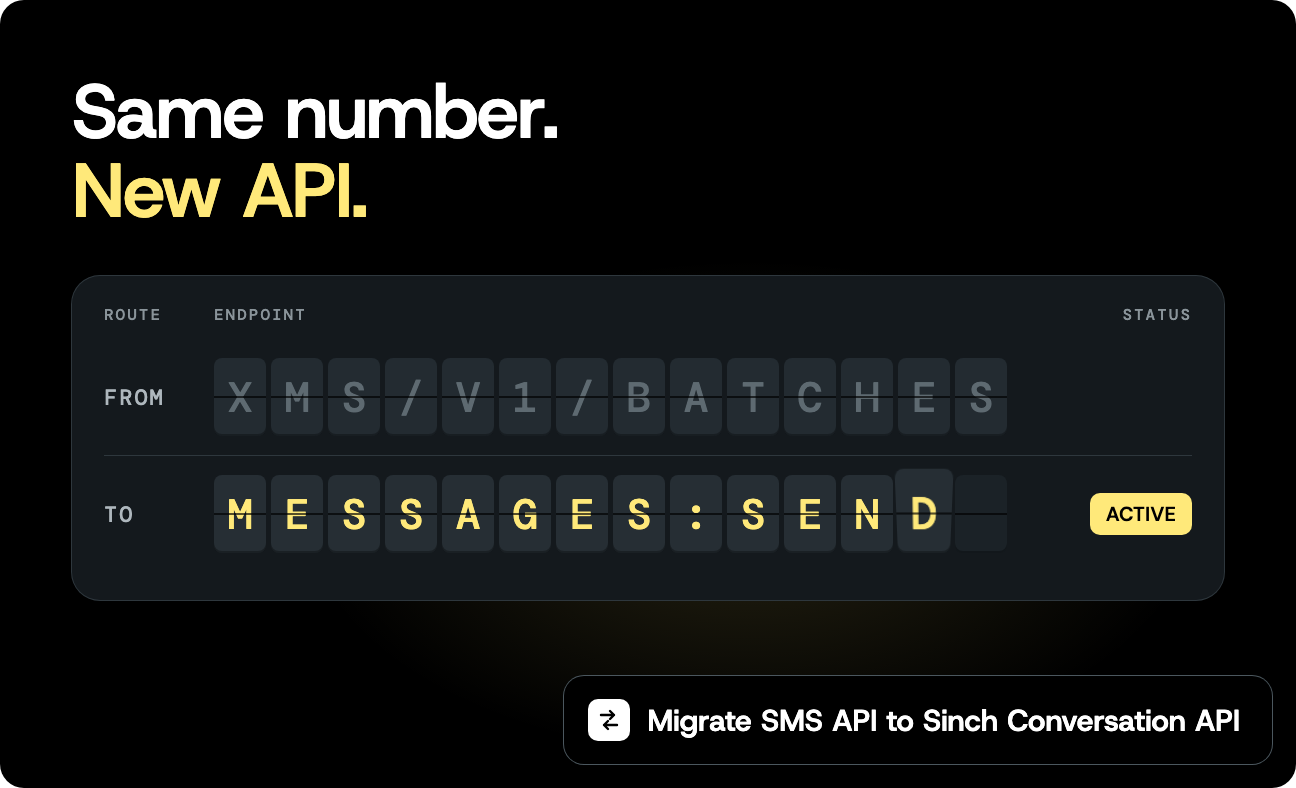
If your code posts to https://us.sms.api.sinch.com/xms/v1/{service_plan_id}/batches, or calls sms.batches.send in a Sinch SDK, it uses the standalone Sinch SMS API, sometimes called XMS. The SMS API reached end-of-sale on April 15, 2026. Integrations already built on it keep working, but new integrations should use the Sinch Conversation API, even on an account that has used the SMS API before. The Conversation API sends the same SMS through the same service plan and number, and the same request shape covers RCS, WhatsApp, and the other channels. This post maps an SMS API integration to the Conversation API piece by piece, with requests I ran against both APIs on the same service plan. If you’re starting from scratch instead, Send SMS with the Sinch Conversation API in curl, Node.js, and Python is the shorter path.
You’ll need
- Your existing SMS API service plan and the numbers on it
- Access to the Conversation API in the Sinch dashboard (open Conversation API in the left menu and click GET ACCESS if you haven’t)
curlandjqfor the shell examples, or Node.js 20 or later with@sinch/sdk-corefor the Node.js examples
Link your service plan to a Conversation API app
You don’t need a new number. The Conversation API sends SMS through an app, and the app’s SMS channel points at an SMS service plan. Point it at the one you already have.
Linking changes where the service plan’s callbacks go. The plan’s callback URLs have to be removed before you can link it. After that, inbound messages go to the app’s Conversation API webhook, and Delivery Reports for batches you still send through the SMS API reach you only if the batch sets its own callback_url. Set up the app’s webhook first, and try it on a test service plan before production if you have one.
The steps:
- Go to Conversation API, then Apps, and create an app in the same region as your service plan. The Conversation API runs in the US, EU, and Brazil. If your service plan is in another SMS API region, such as Australia or Canada, ask your Sinch account manager which Conversation API region to use before you start.
- In the app, click SET UP CHANNEL on the SMS row and pick your existing service plan. If the plan has callback URLs set, the dashboard won’t link it until you remove them under SMS, Service APIs, Callback URLs. That includes the Incoming URL override, not only the Default URL. Set up the app’s webhook before you do that (see Delivery Reports), because the plan stops sending callbacks to your old endpoint from that point.
- Go to Settings, then Access Keys, and create an access key. Copy the key ID and secret. The secret is shown once.
Copy the app ID from the app and the project ID from Settings, Project Settings. Those replace the service plan ID and API token in your code:
| SMS API | Conversation API |
|---|---|
https://{region}.sms.api.sinch.com | https://{region}.conversation.api.sinch.com |
| Service plan ID in the path | Project ID in the path, app ID in the body |
| API token as a bearer token | Access key (key ID and secret) exchanged for an OAuth 2.0 token |
The token comes from one request, and it lasts about an hour:
                                    export SINCH_ACCESS_TOKEN=$(curl --silent --show-error --fail-with-body \
  https://auth.sinch.com/oauth2/token \
  --user "$SINCH_KEY_ID:$SINCH_KEY_SECRET" \
  --data grant_type=client_credentials | jq -r .access_token)
The SDKs request and refresh the token for you.
Send one message
Here’s a typical SMS API call: One recipient, a Delivery Report per recipient, and a reference to match the report to an order.
                                    curl --silent --show-error --fail-with-body \
  "https://us.sms.api.sinch.com/xms/v1/$SINCH_SERVICE_PLAN_ID/batches" \
  --header "Authorization: Bearer $SINCH_API_TOKEN" \
  --header "Content-Type: application/json" \
  --data '{
    "from": "+12025550123",
    "to": ["+15551234567"],
    "body": "Your order has shipped",
    "delivery_report": "per_recipient",
    "client_reference": "order-1042"
  }'
{"body":"Your order has shipped","canceled":false,"client_reference":"order-1042","created_at":"2026-10-28T11:57:15.529Z","delivery_report":"per_recipient","expire_at":"2026-10-31T11:57:15.529Z","flash_message":false,"from":"46765106280","id":"01M615Y8W9CRFH0SVQBS9KVK7F","modified_at":"2026-10-28T11:57:15.529Z","to":["46706855785"],"type":"mt_text"}
The same message with the Conversation API:
                                    curl --silent --show-error --fail-with-body \
  "https://us.conversation.api.sinch.com/v1/projects/$SINCH_PROJECT_ID/messages:send" \
  --header "Authorization: Bearer $SINCH_ACCESS_TOKEN" \
  --header "Content-Type: application/json" \
  --data '{
    "app_id": "YOUR_APP_ID",
    "recipient": {
      "identified_by": {
        "channel_identities": [{ "channel": "SMS", "identity": "+15551234567" }]
      }
    },
    "message": { "text_message": { "text": "Your order has shipped" } },
    "channel_properties": { "SMS_SENDER": "+12025550123" },
    "message_metadata": "order-1042"
  }'
{"message_id":"01M613S632MAAMWRVFEHPQ4YMA","accepted_time":"2026-10-28T11:19:31.682Z"}
Four things changed. from became the SMS_SENDER channel property. to became a single recipient, with the channel named next to the number. client_reference became message_metadata, which comes back in the Delivery Report. delivery_report is gone from the request: Delivery Reports come from a webhook on the app, covered below.
The response changed, too. The SMS API returns a batch with an id. The Conversation API returns a message_id for the one message, and that’s the ID Delivery Reports refer to.
In Node.js, the change is in the client options and the method. Before, with the SMS API:
                                    import { SinchClient } from "@sinch/sdk-core";

// Before: the standalone SMS API, authenticated with a service plan ID and API token.
const sinchClient = new SinchClient({
  servicePlanId: process.env.SINCH_SERVICE_PLAN_ID ?? "",
  apiToken: process.env.SINCH_API_TOKEN ?? "",
  smsRegion: "us",
});

const batch = await sinchClient.sms.batches.sendTextMessage({
  sendSMSRequestBody: {
    from: "+12025550123",
    to: ["+15551234567"],
    body: "Your order has shipped",
    delivery_report: "per_recipient",
    client_reference: "order-1042",
  },
});

console.log(`Sent batch ${batch.id}`);
After, with the Conversation API:
                                    import { SinchClient } from "@sinch/sdk-core";

// After: the Conversation API, authenticated with a project ID and access key.
const sinchClient = new SinchClient({
  projectId: process.env.SINCH_PROJECT_ID ?? "",
  keyId: process.env.SINCH_KEY_ID ?? "",
  keySecret: process.env.SINCH_KEY_SECRET ?? "",
  conversationRegion: "us",
});

const response = await sinchClient.conversation.messages.sendTextMessage({
  sendMessageRequestBody: {
    app_id: process.env.SINCH_APP_ID ?? "",
    recipient: {
      identified_by: {
        channel_identities: [{ channel: "SMS", identity: "+15551234567" }],
      },
    },
    message: { text_message: { text: "Your order has shipped" } },
    channel_properties: { SMS_SENDER: "+12025550123" },
    message_metadata: "order-1042",
  },
});

console.log(`Sent message ${response.message_id}`);
Both use @sinch/sdk-core, so you can run them side by side in one codebase while you move flows over. The examples skip input validation to keep the comparison readable. The send SMS post has the full version with environment checks and number validation.
Field by field
The fields most SMS API integrations use, and where they go:
| SMS API field | Conversation API |
|---|---|
from | channel_properties.SMS_SENDER, or the service plan’s default originator |
to (array) | recipient (one per request), or the Batch API for many recipients |
body | message.text_message.text |
client_reference | message_metadata, returned in Delivery Reports. correlation_id also reaches inbound replies |
delivery_report | A MESSAGE_DELIVERY webhook on the app |
callback_url | callback_url on the request. The Python SDK calls it event_destination_target |
parameters | Batch API recipient_and_params[].parameters |
send_at | Batch API send_after, up to seven days ahead |
flash_message | channel_properties.SMS_FLASH_MESSAGE: "true" |
max_number_of_message_parts | channel_properties.SMS_MAX_NUMBER_OF_MESSAGE_PARTS |
Batch id | message_id per message, or batch_id from the Batch API |
Channel property values are strings, so SMS_FLASH_MESSAGE takes "true", not true. If you send binary SMS with type: mt_binary and a UDH, check the SMS channel properties for your use case before you move that flow.
Send to many recipients
The SMS API takes up to 1,000 numbers in to and fills in parameters per recipient. On the Conversation API, messages:send takes one recipient. For a handful of messages, loop over your recipients and send one request each. For a real list, use the Conversation Batch API: One message, up to 1,000 recipients, each with its own parameters.
                                    #!/usr/bin/env bash
# Send one templated SMS to several recipients with the Conversation Batch API.
# Requires SINCH_ACCESS_TOKEN from https://auth.sinch.com/oauth2/token.
set -euo pipefail

: "${SINCH_ACCESS_TOKEN:?Set SINCH_ACCESS_TOKEN}"
: "${SINCH_PROJECT_ID:?Set SINCH_PROJECT_ID}"
: "${SINCH_APP_ID:?Set SINCH_APP_ID}"
: "${SINCH_SMS_SENDER:?Set SINCH_SMS_SENDER}"
region="${SINCH_REGION:-us}"

body=$(jq -n \
  --arg app_id "$SINCH_APP_ID" \
  --arg sender "$SINCH_SMS_SENDER" \
  '{
    app_id: $app_id,
    message: { text_message: { text: "Hi ${name}, your order has shipped" } },
    channel_properties: { SMS_SENDER: $sender },
    recipient_and_params: [
      {
        recipient: { identified_by: { channel_identities: [{ channel: "SMS", identity: "+15551234567" }] } },
        parameters: { name: "Ana" }
      },
      {
        recipient: { identified_by: { channel_identities: [{ channel: "SMS", identity: "+15557654321" }] } },
        parameters: { name: "Sam" }
      }
    ]
  }')

curl --silent --show-error --fail-with-body \
  "https://$region.conversationbatch.api.sinch.com/v1/projects/$SINCH_PROJECT_ID/messages" \
  --header "Authorization: Bearer $SINCH_ACCESS_TOKEN" \
  --header "Content-Type: application/json" \
  --data "$body"
echo
{"batch_id":"01M613S8XFQAP5EAX93J9QHX1W","send_after":"2026-10-28T11:19:34Z"}
The placeholder syntax is ${name}, the same as SMS API parameters. The Batch API has its own host, conversationbatch.api.sinch.com. To schedule the batch, add send_after with a UTC time up to seven days out. Each recipient’s message gets its own message_id and its own Delivery Report, with the batch ID in the report’s metadata.
Use the /v1/ path. The v1alpha and v1beta Batch API endpoints stop working on December 16, 2026, so code written against them has to move to /v1/ as well.
Delivery Reports
On the SMS API, you set delivery_report on each batch and get reports at the service plan’s callback URL. On the Conversation API, reports go to the webhooks on the app, and you choose them by trigger. Add one with MESSAGE_DELIVERY for reports and MESSAGE_INBOUND for replies:
                                    curl --silent --show-error --fail-with-body \
  "https://us.conversation.api.sinch.com/v1/projects/$SINCH_PROJECT_ID/webhooks" \
  --header "Authorization: Bearer $SINCH_ACCESS_TOKEN" \
  --header "Content-Type: application/json" \
  --data '{
    "app_id": "YOUR_APP_ID",
    "target": "https://example.com/sinch/callbacks",
    "target_type": "HTTP",
    "triggers": ["MESSAGE_DELIVERY", "MESSAGE_INBOUND"]
  }'
A Delivery Report looks like this:
                                    {
  "app_id": "YOUR_APP_ID",
  "project_id": "YOUR_PROJECT_ID",
  "message_delivery_report": {
    "message_id": "01M613S632MAAMWRVFEHPQ4YMA",
    "conversation_id": "",
    "status": "DELIVERED",
    "channel_identity": {
      "channel": "SMS",
      "identity": "46706855785",
      "app_id": "",
      "nrs_data": { "mcc": "240", "mnc": "07", "country": "SE" }
    },
    "contact_id": "",
    "metadata": "order-1042",
    "processing_mode": "DISPATCH"
  }
}
The status list is shorter than the SMS API’s. An SMS goes from QUEUED_ON_CHANNEL to DELIVERED or FAILED. A FAILED report has a reason with a code and description that says why. Your client_reference lookup becomes a lookup on metadata.
The phone number in channel_identity.identity comes back without the leading +, even when you sent to +46706855785. The SMS API does the same in its reports, so code that already matches on recipient keeps working once it reads from the new field. contact_id and conversation_id are empty because the app runs in Dispatch mode.
Sinch retries a webhook that doesn’t return a 2xx, so keep the handler idempotent: Use message_id and status to skip reports you’ve already processed.
Inbound messages
Replies to your number arrive on the app’s webhook with the MESSAGE_INBOUND trigger. The text is at message.contact_message.text_message.text and the sender’s number is at message.channel_identity.identity. If your SMS API code reads body and from from an inbound callback, those are the two paths to change.
Once the service plan is linked, its default callback URL points at the Conversation API, and replies to its numbers go to the app’s Conversation API webhook. They still show up in the SMS API’s inbound list (GET /xms/v1/{service_plan_id}/inbounds), so code that reads that list keeps working while you move.
Move one flow at a time
A few choices make the move less risky.
Start with outbound notifications
One-way notifications like shipping updates and reminders need the fewest changes: A send and a Delivery Report. Move those first and keep two-way flows on the SMS API until the webhook is in place and tested. Both APIs work against the same service plan while you move.
Give SMS API sends their own callback_url while you move
Once the service plan is linked, its default callback URL belongs to the Conversation API. Delivery Reports for messages you still send through the SMS API don’t reach your app’s webhook, and the plan has no other callback URL to send them to. Set callback_url on each SMS API batch that still needs reports, and they keep arriving at your endpoint in the SMS API format. You can also fetch them with GET /xms/v1/{service_plan_id}/batches/{batch_id}/delivery_report.
Keep client_reference values in message_metadata
If your reporting, your database, or a support tool keys on client_reference, put the same value in message_metadata. Reports from both APIs then map to the same records during the move, and nothing downstream has to know which API sent the message.
Send to phone numbers with identified_by
New Conversation API apps run in Dispatch mode, which doesn’t store contacts. That matches how the SMS API works: You send to a number and get a report for that number. identified_by with the phone number works in either mode, so you don’t have to change your data model to move.
Troubleshooting
404from the Conversation API. The region in the URL doesn’t match the app’s region. The app is reachable only in the region you created it in.
- The SMS channel reports errors. The app and the service plan have to be in the same region. If they differ, create the app again in the service plan’s region and set up the SMS channel there.
- Callbacks stopped arriving at your old endpoint. Linking removed the plan’s callback URLs. For inbound messages and Conversation API sends, check that the app has a webhook with the
MESSAGE_DELIVERYandMESSAGE_INBOUNDtriggers and that it returns a2xx. For batches you still send through the SMS API, setcallback_urlon the batch, as described in Move one flow at a time. To see what the plan points at, open SMS, Service APIs, select the plan, and look under Callback URLs.
contact_idsends fail. The app is in Dispatch mode, which doesn’t store contacts. Send withidentified_byand the phone number instead.
400from the Batch API about parameters. A placeholder in the message has no value for one of the recipients. Every${name}in the text needs a matching key in each recipient’sparameters.
Next steps
With the app in place, you can add RCS or WhatsApp to the same app, give the recipient an identity for each channel in channel_identities, list the channels in channel_priority_order, and fall back to SMS for recipients who don’t have them. The key concepts page explains how fallback works.
Additional resources
- Conversation API getting started
- SMS channel set-up
- SMS channel properties
- Conversation Batch API
- Conversation API callbacks
- Processing modes
- Send SMS with the Sinch Conversation API in curl, Node.js, and Python
Which part of your SMS API integration are you moving first? Tell us in the comments.

Author: