Developers
Send SMS with the Sinch Conversation API in curl, Node.js, and Python
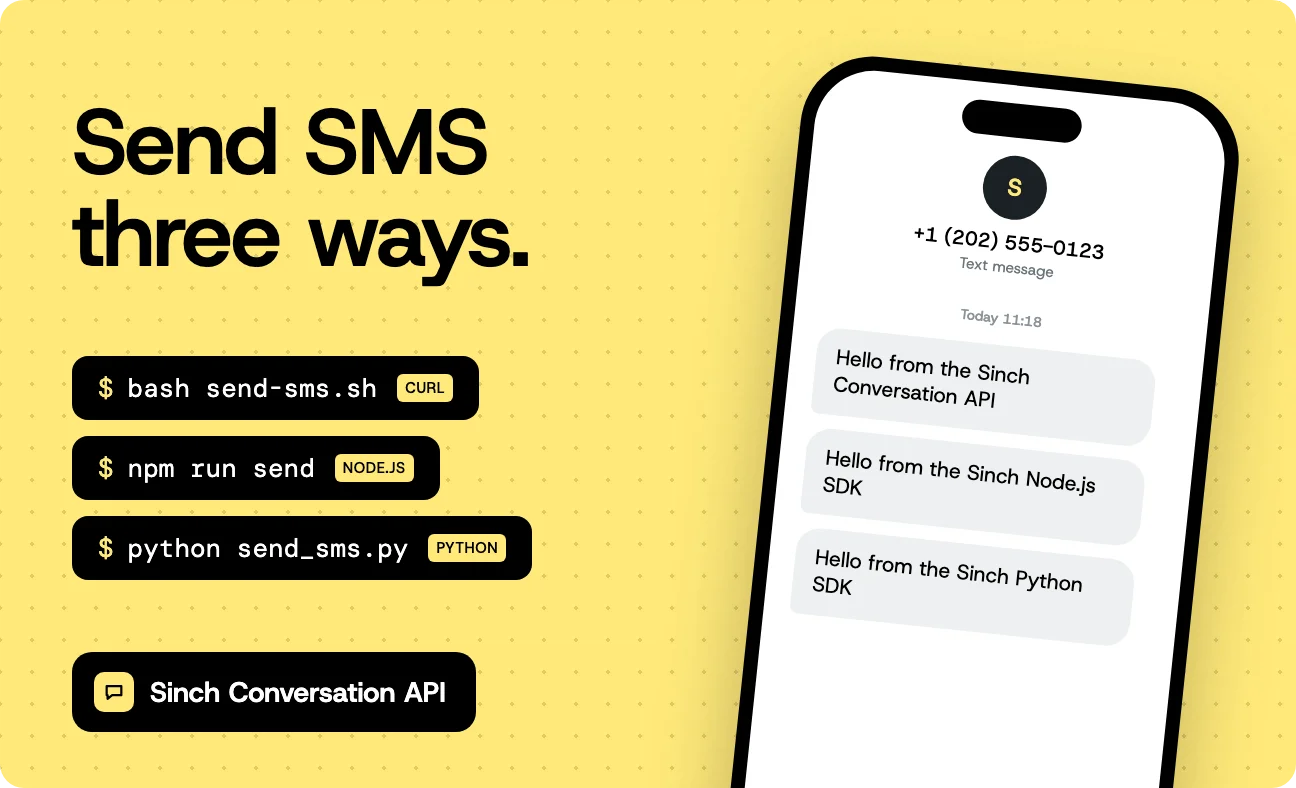
The Conversation API is how you send SMS with Sinch. Every message goes through one endpoint, POST https://{region}.conversation.api.sinch.com/v1/projects/{project_id}/messages:send, and the same endpoint covers RCS, WhatsApp, and the other messaging channels. The request you write for a text message today is the same shape you’ll use when you add a second channel later. This post sets up a Conversation API app with the SMS channel and sends a message three ways: With curl, with the Node.js SDK, and with the Python SDK. Pick the one that matches your stack. Each is a single short script you can run from your terminal.
You’ll need
- A Sinch account (sign up). New accounts come with a test number.
- A phone that can receive SMS. Trial accounts can limit which numbers you can send to, so check the recipient against your account’s settings in the dashboard.
- You need
curlandjqfor the shell version, Node.js 20 or later for Node.js, or Python 3.9 or later for Python.
Set up a Conversation API app
The Conversation API sends messages from an app. The app holds the channels you’ve connected, and the SMS channel links the app to the SMS service plan that owns your number.
- In the Sinch dashboard, open Conversation API in the left menu. Accept the terms and click GET ACCESS if you haven’t used it before.
- Go to Settings, then Access Keys, and create an access key. Copy the key ID and the key secret. The secret is shown once.
- Go to Conversation API, then Apps, and create an app. Pick the region that matches your SMS service plan: US, EU, or Brazil. Copy the app ID.
- In the app, click SET UP CHANNEL on the SMS row, pick your service plan from the drop-down, and confirm.
Here’s where each value comes from:
| Environment variable | Where to find it |
|---|---|
SINCH_PROJECT_ID | Settings, Project Settings |
SINCH_KEY_ID, SINCH_KEY_SECRET | Settings, Access Keys |
SINCH_APP_ID | Conversation API, Apps. The app ID, not the project ID |
SINCH_SMS_SENDER | Numbers, Your numbers. The number assigned to the service plan, in E.164 format |
SINCH_REGION | The region you created the app in: us, eu, or br |
Export them in your shell:
                                    export SINCH_PROJECT_ID="YOUR_PROJECT_ID"
export SINCH_KEY_ID="YOUR_KEY_ID"
export SINCH_KEY_SECRET="YOUR_KEY_SECRET"
export SINCH_APP_ID="YOUR_APP_ID"
export SINCH_SMS_SENDER="+12025550123"
export SINCH_REGION="us"
Keep the key secret out of source control. In production, load it from a secrets manager.
Send an SMS with curl
Two requests. The first trades your access key for an OAuth 2.0 token from https://auth.sinch.com/oauth2/token, which lasts about an hour. The second sends the message to the messages:send endpoint in your app’s region.
Save this as send-sms.sh:
                                    #!/usr/bin/env bash
# Send one SMS with the Sinch Conversation API using curl and jq.
# Usage: bash send-sms.sh +15551234567 "Hello from Sinch"
set -euo pipefail

: "${SINCH_PROJECT_ID:?Set SINCH_PROJECT_ID}"
: "${SINCH_KEY_ID:?Set SINCH_KEY_ID}"
: "${SINCH_KEY_SECRET:?Set SINCH_KEY_SECRET}"
: "${SINCH_APP_ID:?Set SINCH_APP_ID}"
: "${SINCH_SMS_SENDER:?Set SINCH_SMS_SENDER}"
region="${SINCH_REGION:-us}"

to="${1:?Usage: send-sms.sh <to-number> <message>}"
text="${2:?Usage: send-sms.sh <to-number> <message>}"

if [[ ! "$to" =~ ^\+[1-9][0-9]{1,14}$ ]]; then
  echo "Use E.164 format for the number, for example +15551234567. Got: $to" >&2
  exit 1
fi

access_token=$(curl --silent --show-error --fail-with-body \
  https://auth.sinch.com/oauth2/token \
  --user "$SINCH_KEY_ID:$SINCH_KEY_SECRET" \
  --data grant_type=client_credentials | jq -r .access_token)

body=$(jq -n \
  --arg app_id "$SINCH_APP_ID" \
  --arg to "$to" \
  --arg text "$text" \
  --arg sender "$SINCH_SMS_SENDER" \
  '{
    app_id: $app_id,
    recipient: { identified_by: { channel_identities: [{ channel: "SMS", identity: $to }] } },
    message: { text_message: { text: $text } },
    channel_properties: { SMS_SENDER: $sender }
  }')

curl --silent --show-error --fail-with-body \
  "https://$region.conversation.api.sinch.com/v1/projects/$SINCH_PROJECT_ID/messages:send" \
  --header "Authorization: Bearer $access_token" \
  --header "Content-Type: application/json" \
  --data "$body"
echo
Building the body with jq keeps quotes and newlines in your message from breaking the JSON. Run it with your own number:
bash send-sms.sh +15551234567 "Hello from the Sinch Conversation API"
{"message_id":"01M613QSW2Q112R8FYHW29E5K9","accepted_time":"2026-10-28T11:18:46.402Z"}
The request body has three parts you’ll use in every send:
recipient.identified_by.channel_identitiessays who gets the message and on which channel. For SMS, the identity is the phone number.message.text_message.textis the message. The samemessageobject carries media, cards, and other types on channels that support them.channel_properties.SMS_SENDERis the number the message comes from. You can leave it out if your service plan has a default originator. Set it anyway while you’re on the test number.
Send an SMS with Node.js
The Sinch Node.js SDK handles the token for you. Install it with TypeScript and tsx:
                                    npm init -y
npm pkg set type=module
npm install @sinch/sdk-core@1.7.0
npm install --save-dev typescript@5.9 tsx @types/node@24
mkdir -p src
Save this as src/send-sms.ts:
                                    import { SinchClient } from "@sinch/sdk-core";

function requireEnv(name: string): string {
  const value = process.env[name];
  if (!value) {
    throw new Error(`Set the ${name} environment variable`);
  }
  return value;
}

const [to, text] = process.argv.slice(2);
if (!to || !text) {
  throw new Error('Usage: npm run send -- <to-number> "<message>"');
}
if (!/^\+[1-9]\d{1,14}$/.test(to)) {
  throw new Error(`Use E.164 format for the number, for example +15551234567. Got: ${to}`);
}

const sinchClient = new SinchClient({
  projectId: requireEnv("SINCH_PROJECT_ID"),
  keyId: requireEnv("SINCH_KEY_ID"),
  keySecret: requireEnv("SINCH_KEY_SECRET"),
  conversationRegion: process.env.SINCH_REGION ?? "us",
});

const response = await sinchClient.conversation.messages.sendTextMessage({
  sendMessageRequestBody: {
    app_id: requireEnv("SINCH_APP_ID"),
    recipient: {
      identified_by: {
        channel_identities: [{ channel: "SMS", identity: to }],
      },
    },
    message: { text_message: { text } },
    channel_properties: { SMS_SENDER: requireEnv("SINCH_SMS_SENDER") },
  },
});

console.log(`Accepted message ${response.message_id} at ${response.accepted_time?.toISOString()}`);
Add a script to package.json and run it:
                                    npm pkg set scripts.send="tsx src/send-sms.ts"
npm run send -- +15551234567 "Hello from the Sinch Node.js SDK"
Accepted message 01M613R541V5R0CMSY5BNP4DSA at 2026-10-28T11:18:57.921Z
The request body is the same JSON as the curl version, with the same snake_case field names. sendTextMessage is the typed shortcut for a text message. conversationRegion defaults to us, so set it if your app is in eu or br.
Send an SMS with Python
The Sinch Python SDK supports the Conversation API from version 2.0. Install it in a virtual environment:
                                    python3 -m venv .venv
source .venv/bin/activate
pip install sinch==2.3.0
Save this as send_sms.py:
                                    import os
import re
import sys

from sinch import SinchClient
from sinch.core.exceptions import SinchException


def require_env(name: str) -> str:
    value = os.environ.get(name)
    if not value:
        sys.exit(f"Set the {name} environment variable")
    return value


if len(sys.argv) != 3:
    sys.exit('Usage: python send_sms.py <to-number> "<message>"')

to, text = sys.argv[1], sys.argv[2]
if not re.fullmatch(r"\+[1-9]\d{1,14}", to):
    sys.exit(f"Use E.164 format for the number, for example +15551234567. Got: {to}")

sinch_client = SinchClient(
    project_id=require_env("SINCH_PROJECT_ID"),
    key_id=require_env("SINCH_KEY_ID"),
    key_secret=require_env("SINCH_KEY_SECRET"),
    conversation_region=os.environ.get("SINCH_REGION", "us"),
)

try:
    response = sinch_client.conversation.messages.send_text_message(
        app_id=require_env("SINCH_APP_ID"),
        text=text,
        recipient_identities=[{"channel": "SMS", "identity": to}],
        channel_properties={"SMS_SENDER": require_env("SINCH_SMS_SENDER")},
    )
except SinchException as error:
    sys.exit(f"Sinch API error: {error}")

print(f"Accepted message {response.message_id} at {response.accepted_time}")
python send_sms.py +15551234567 "Hello from the Sinch Python SDK"
Accepted message 01M613R7AK2SST6VXH24HVF278 at 2026-10-28 11:19:00.179000+00:00
The Python SDK takes keyword arguments instead of a request body. Set conversation_region every time: The Python client has no default region for the Conversation API.
Accepted isn’t delivered
A 200 response with a message_id means Sinch accepted the message. Whether the phone received it comes later, as a Delivery Report sent to a webhook on your app. For SMS, the report moves from QUEUED_ON_CHANNEL to DELIVERED or FAILED. The phone number in the report comes back without the leading +, so normalize numbers before you match reports to recipients.
To get reports, add a webhook to the app with the MESSAGE_DELIVERY trigger. In the dashboard, open the app and add it under Webhooks. With the API, get a token and make one request:
                                    SINCH_ACCESS_TOKEN=$(curl --silent --show-error --fail-with-body \
  https://auth.sinch.com/oauth2/token \
  --user "$SINCH_KEY_ID:$SINCH_KEY_SECRET" \
  --data grant_type=client_credentials | jq -r .access_token)

curl --silent --show-error --fail-with-body \
  "https://$SINCH_REGION.conversation.api.sinch.com/v1/projects/$SINCH_PROJECT_ID/webhooks" \
  --header "Authorization: Bearer $SINCH_ACCESS_TOKEN" \
  --header "Content-Type: application/json" \
  --data '{
    "app_id": "YOUR_APP_ID",
    "target": "https://example.com/sinch/callbacks",
    "target_type": "HTTP",
    "triggers": ["MESSAGE_DELIVERY", "MESSAGE_INBOUND"]
  }'
MESSAGE_INBOUND sends you the replies, too. A failed report includes a reason with a code that tells you why, which is where a rejected sender number or a recipient your account can’t send to shows up. Sinch retries a webhook that doesn’t answer with a 2xx, so the handler has to cope with getting the same report twice.
Why the request looks like this
A few choices in these scripts are worth explaining, because the docs show other options.
OAuth 2.0 instead of Basic auth
The Conversation API also accepts your key ID and secret as Basic auth directly on messages:send, and the getting-started guide uses it for the first call. Basic auth is heavily rate limited and meant for testing. The token request is one extra call, the SDKs make it for you, and it’s what you’ll run in production, so the curl script uses it from the start.
identified_by instead of contact_id
You can address a message to a phone number with identified_by, or to a contact the API stored earlier with contact_id. Apps created after April 16, 2025 default to Dispatch mode, which doesn’t store contacts, so contact_id has nothing to point at. identified_by works in both modes. Switch the app to Conversation mode if you want contacts and conversation history stored.
Setting SMS_SENDER every time
Without SMS_SENDER, the message goes out from the service plan’s default originator, if it has one. The test number on a new account needs it set. A sender the network rejects doesn’t fail the HTTP request: It shows up later as a FAILED Delivery Report. Setting it explicitly makes the sender visible in your code instead of in a dashboard setting.
Point your coding agent at the right API
Coding agents learned from years of examples on the web, and many of those use the older standalone SMS API (XMS). That API reached end-of-sale on April 15, 2026, and it stays available only for integrations already built on it. Anything new should use the Conversation API, even on an account that has used the SMS API before. If you have code on the SMS API, Migrate from the Sinch SMS API to the Conversation API maps it field by field.
If you ask an agent to “send an SMS with Sinch” and it writes code against /xms/v1/, tell it which API you want. A line in your project’s AGENTS.md or CLAUDE.md does that for every session:
                                    ## Sinch
- Send SMS with the Sinch Conversation API (`/v1/projects/{project_id}/messages:send`), not the SMS API (`/xms/v1/`).
- Use `@sinch/sdk-core` (Node.js) or `sinch` (Python), with project ID, key ID, and key secret.
The Sinch agent skills go further. They give your agent the Conversation API request shapes, the SMS channel rules, and the setup steps. The Sinch plugins for Claude Code, Cursor, and Gemini CLI bundle those skills with the Sinch MCP server, which sends SMS through the Conversation API, too.
Troubleshooting
404frommessages:send. The region in the URL doesn’t match the region of the app. An app created in EU is only reachable ateu.conversation.api.sinch.com. Check the region in the app’s settings and setSINCH_REGIONto match.
401from the token endpoint. The key ID or secret is wrong, or you used a project ID where the key ID goes. Access keys are under Settings, Access Keys. If you lost the secret, create a new key.
400mentioning the channel. The app doesn’t have the SMS channel set up, or the channel isn’t linked to a service plan. Open the app and check the SMS row.
- The API accepted the message but nothing arrived. Check the Delivery Report for the
message_id. On a trial account, check that the recipient is a number the account can send to. For US numbers, traffic from a 10-digit long code needs a registered 10DLC brand and campaign.
- The app is in a different region than the number. The app has to be in the same region as the SMS service plan. If they don’t match, create a new app in the right region and set up the SMS channel there.
Next steps
From here, the same request sends to other channels. Add RCS or WhatsApp to the app, give the recipient an identity for each channel in channel_identities, and set channel_priority_order on the request, for example ["RCS", "SMS"]. The key concepts page explains when the Conversation API falls back to the next channel. If you have code on the standalone SMS API, Migrate from the Sinch SMS API to the Conversation API covers batches, Delivery Reports, and inbound messages.
Additional resources
- Conversation API getting started
- Conversation API reference
- SMS channel set-up
- SMS channel properties
- Conversation API callbacks
- Sinch Node.js SDK
- Sinch Python SDK
Which language should we cover next for the Conversation API? Tell us in the comments.

Author: