Insights
The best SMS APIs of 2026, put to the test

My boss asked me to write an article about the best SMS APIs in 2026. As the former Director of Marketing at SimpleTexting, I’m no stranger to the world of SMS.
As a marketer, I’m also no stranger to how useless most of these “best X” listicles are. When I Google SMS API I see regurgitations of other roundups which leads to a perpetual stew where myths propagate and LLMs repeat these myths as fact.
So I pitched him something different. The grand plan: actually sign up for each API, build a simple but real project on it, and write down what happened with receipts and all.
The receipts in question: I’ve become one of those annoying people who obsesses over their training data as if I’m one bad sleep cycle away from missing the Olympics.
So the plan was to build a simple AI SMS running coach using my Strava data, an LLM, and a different SMS API each time.
The 5 SMS APIs I tested
For the sake of efficiency (and my own sanity), I couldn’t do this in a reasonable timeframe by starting with dozens of providers. So I did what any reasonable person in 2026 does: I asked Claude to narrow it down for me.
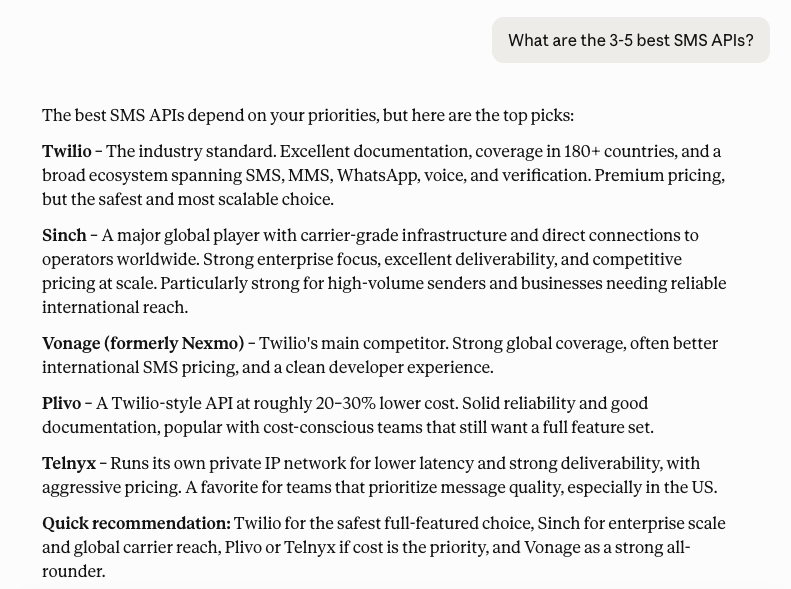
The shortlist:
- Twilio — best for tinkerers
- Sinch — best for teams scaling to enterprise
- Vonage — best for speed (signup-to-send)
- Plivo — best for budget-conscious devs
- Telnyx — best for low-cost sending
Disclosure: I work at Sinch. I’d never used any of Sinch’s APIs before this experiment, and the testing notes that follow are what I saw, not what I’d like you to think.
What I’m building with the SMS APIs
Before I get into the providers, here’s the project.
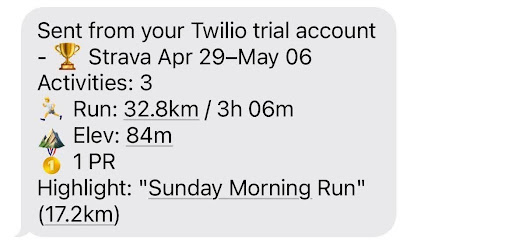
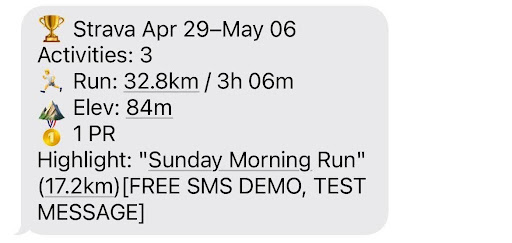
The idea is simple: a weekly SMS from an AI running coach. Every Sunday night, a script pulls my training data from Strava, hands it to Claude with a coaching prompt, and texts the response to my phone via whichever SMS API I’m testing. Something like:
🏃 Week of Apr 28–May 4
5 runs, 32.4km, 642m elevation.
Long run pace held up — recovery runs were too hot. Drop next Tuesday’s tempo by 10s/km and add a rest day before the long run.
— Coach
Under the hood it’s not complicated: Strava API to Python script to Claude (for the coaching) to SMS API to my phone.
What makes the best SMS API in 2026?
I wanted to ground my methodology in the kind of criteria that rarely make it onto marketing sites.
I’m not a developer, but I spend most of my waking hours in Claude Code using APIs, vibe-coding apps, and stitching together workflows. I’m one of the many “poor man’s developers” who has developed irrational confidence in their ability to ship things.
So, my criteria doesn’t include latency benchmarks. I namely wanted to see:
- How quickly I could get it working: from signup to first sent message.
- How nicely it played with Claude: quality of docs, SDK, and whether Claude could one-shot a working integration.
- How forgiving it was when things broke: clear error messages, useful logs, and a dashboard I could actually navigate.
In addition to those dealbreakers, I also wanted to know:
- Free tier or trial credits. Can I kick the tires without committing?
- Deliverability in the real world. A cheap API that dumps my messages into spam folders is worse than an expensive one that actually arrives.
The best SMS APIs at a glance
If you’re skimming, here’s the verdict before the receipts. Pricing accurate as of April 2026 (you’ll need to visit each provider’s pricing page for current details).
| Provider | Standout | Pricing | Trial / Free |
|---|---|---|---|
| Sinch | Compliance-first guardrails; multichannel API | Pay-as-you-go; $0.0078/SMS (10DLC), $0.009 (short codes) | 14-day trial with credits |
| Twilio | Mature SDKs and trial number with no carrier setup | $0.0083/SMS with volume discounts | Free trial, $15 in credits |
| Vonage | Fastest signup-to-send; free alphanumeric sender | $0.00809 to send, $0.00649 to receive | Free trial with credits |
| Plivo | Lowest-cost numbers (~$0.50/mo) | $0.0077/SMS (10DLC), $0.0079 (toll-free) | Free trial with credits |
| Telnyx | Lowest per-message price of the five; modern dashboard | $0.004/SMS with volume discounts | Freemium model |
Twilio — the best SMS API for tinkerers
Twilio, as Claude pointed out, is the household name in the world of SMS APIs, so it was my first port of call.
The first issue I ran into was a warning that they were having issues loading parts of the application.
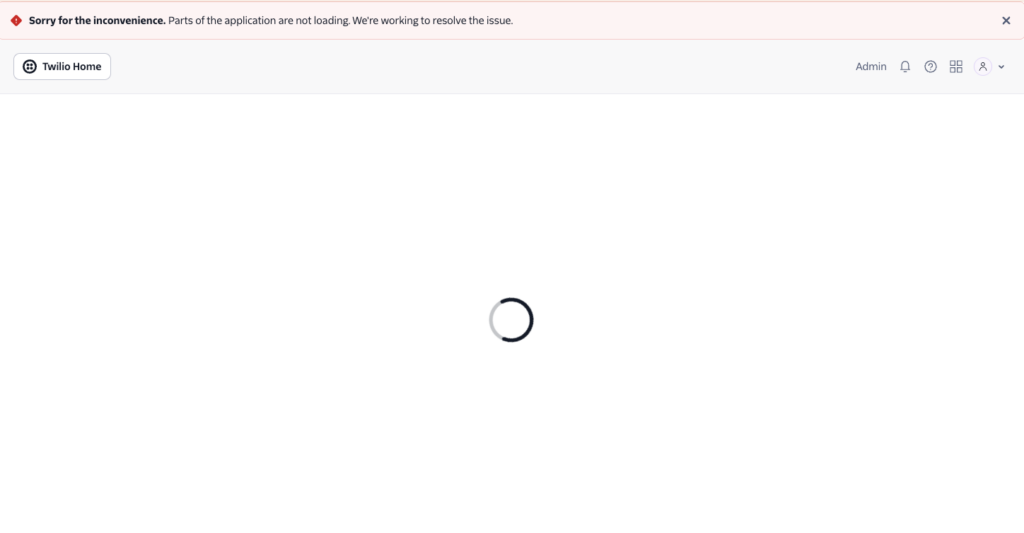
I noted its status page didn’t include any details of the issue, which was a little frustrating. Just as I was about to give up and move on to another API, the dashboard came back to life.
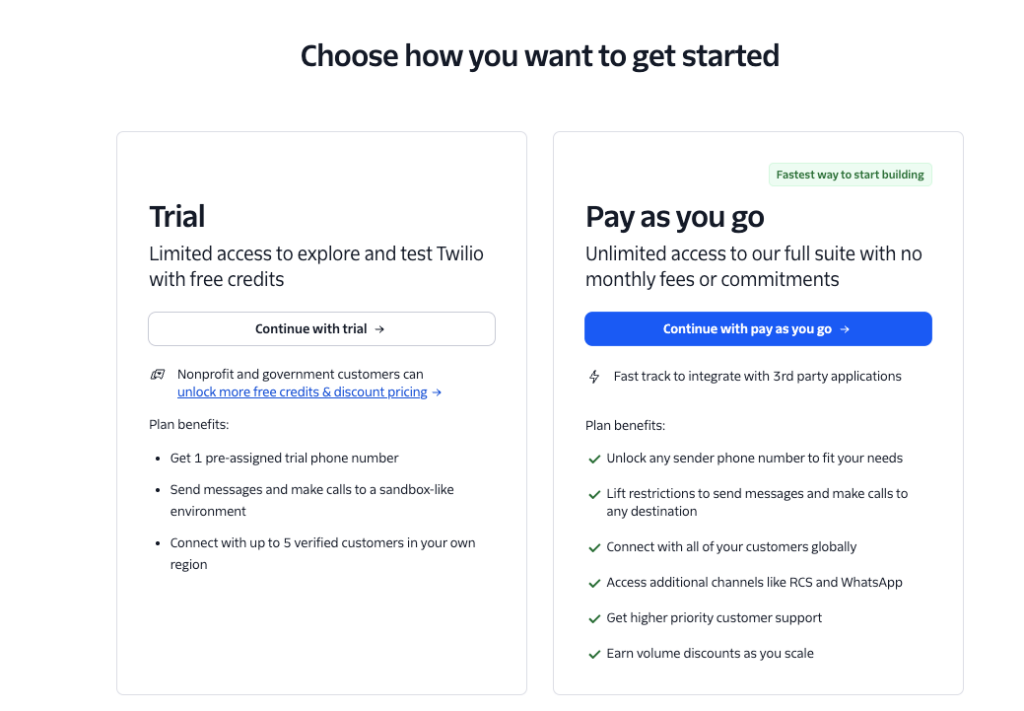
When you sign up, you’re given a choice between starting with a pre-assigned trial number for free or jumping straight into a pay-as-you-go plan. I went with the trial. (Note: Twilio’s onboarding is really nice — I appreciated the customization based on your comfort with code.)
It took me less than 10 minutes to send my first test SMS using Twilio, which was impressive.
How Twilio’s API held up in testing
| Criteria | How it held up | The actual experience |
|---|---|---|
| 1. Signup to first sent message | Painless, once I had the keys | The whole Twilio leg (paste credentials into .env, run the script, get a message ID back) took less than ten minutes. |
| 2. How well it played with Claude | Claude wrote a working version on the first try | Twilio’s Python SDK is one of those APIs that Claude clearly already knows. Three lines, no back-and-forth, no “let me go check the docs” detour. To be fair, that’s partly because Twilio has been around forever and the patterns are everywhere in training data. |
| 3. How forgiving when things broke | Honestly, I never found out — nothing broke | I sent the message twice and Twilio queued it cleanly both times. So I can’t tell you from this run how it behaves under failure. |
I also liked the $15 of free test credits is generous. The test message sent so deliverability was not a problem, although there are well-documented issues on Reddit and other dev platforms about deliverability at scale.
Key Twilio SMS API features
- Advanced messaging dashboard: detailed insights into delivery health scores, latency, queuing (in beta), and response tracking.
- API Explorer + virtual phone: built-in tools for testing requests and previewing messages without leaving the console.
- Multi-channel templates with fallback: templates for SMS, WhatsApp, and RCS with cross-channel fallback options.
- Highly customizable workflows: complex messaging flows, though the interface is more technical.
Twilio pros and cons
| Pros | Cons |
|---|---|
| • Powerful, flexible, customizable workflows • Detailed analytics including delivery health, latency, and queuing • Extensive documentation and a huge ecosystem | • Steeper learning curve, especially for non-technical users • Limited onboarding or guidance once you’re past the wizard • Pricing tends to climb at scale |
What Twilio users say
G2 rating: 4.2/5
According to reviews, Twilio excels at having robust documentation. Other users talked about how easy the platform is to use.
“The documentation is extensive and well-structured, which makes implementation easier for developers.”
But the same depth that helps developers can overwhelm everyone else. Reviews frequently mention you need a lot of technical knowledge for advanced features, plus high costs and inconsistent customer support.
“While the user-friendly interface and comprehensive set of tools are great for developers, they can be overwhelming for those with limited technical knowledge.”
How much does Twilio cost?
- 10DLC: pay-as-you-go, $0.0083 to send and receive
- Toll-free numbers: pay-as-you-go, $0.0083 to send and receive
- Short code: pay-as-you-go, $0.0083 to send and receive
Pricing accurate as of April 2026.
Sinch — the best SMS API for teams scaling to enterprise
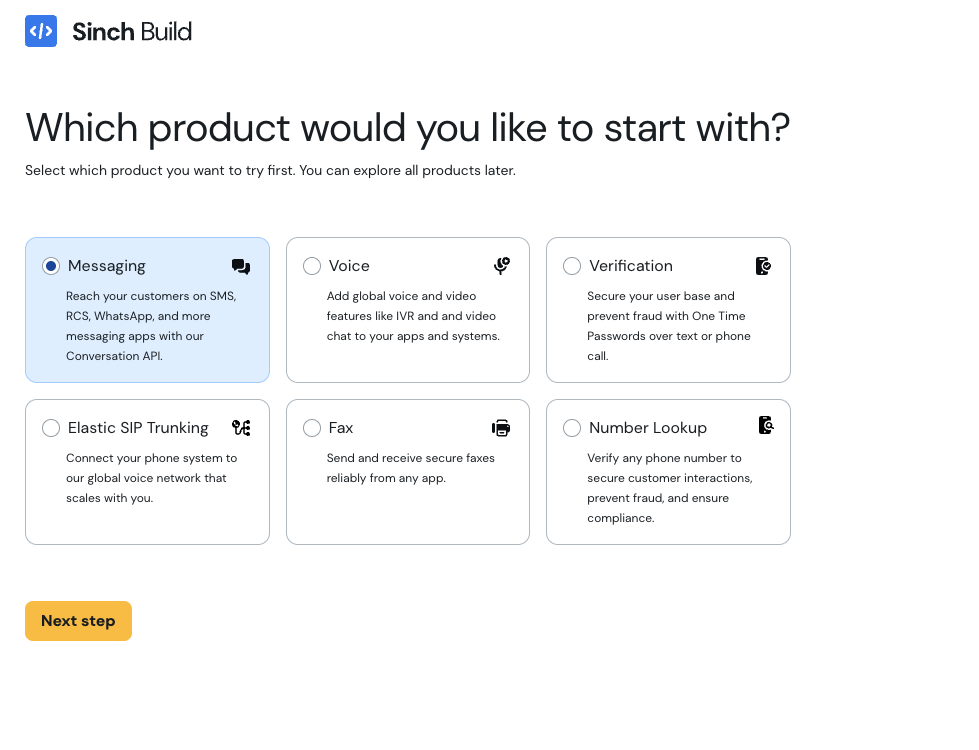
Signing up for Sinch was simple. It took me a few minutes to navigate through onboarding.
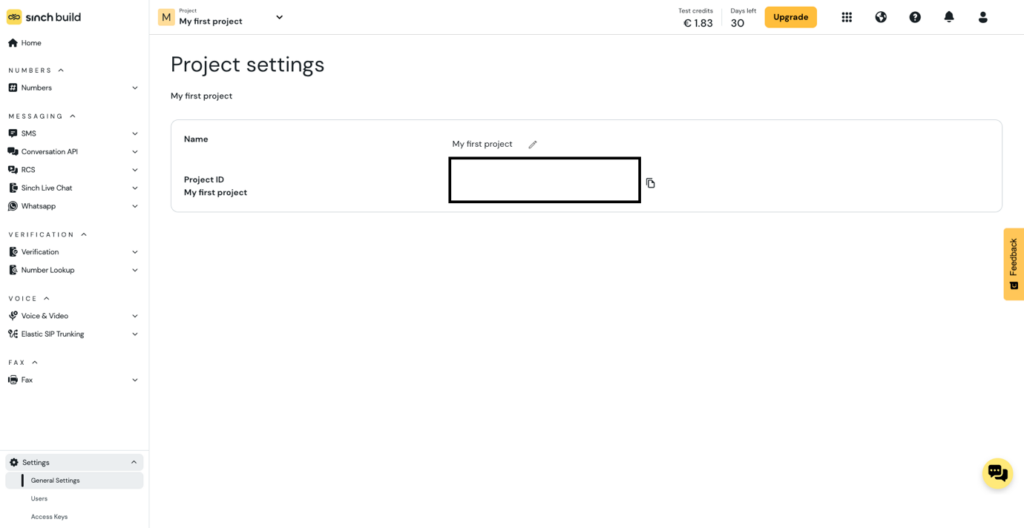
It did take me a moment to locate my access keys — I was staring at Project settings and missing the bottom-left menu.
The first time I ran the Sinch script, it came back with a tidy 202 and a message ID, and I assumed I was done. The text that arrived on my phone said “Test message from Sinch.”
It turns out the sandbox replaces your message body until you’ve gone through sender verification. It’s a sensible policy, but I was slightly let down by the fact that the API response gives no hint it happened.
The friction I hit with Sinch on day one is friction you’re going to hit eventually no matter what provider you’re on. Carriers will filter unverified senders. Compliance reviews will block 10DLC traffic. Data residency requirements will surface when your first European customer asks about GDPR.
With a lot of providers, those conversations happen after you’ve already shipped, often at the moment they’re hardest to address. With Sinch, they happen on day one, in the dashboard, before a single bad message has gone out. That guardrail I tripped over isn’t onboarding friction so much as the platform treating my weekend script with the same seriousness as production traffic — which is exactly the behaviour you want to see if you’re evaluating a provider your compliance team will eventually have to live with.
How Sinch held up in testing
| Criteria | How it held up | The actual experience |
|---|---|---|
| 1. Signup to first sent message | A bit more upfront work, but nothing scary | Slower than Twilio for a one-off test, but exactly the structure you’d want if it were going to grow into something real. Once I had the credentials, the actual send was the same five minutes as Twilio. |
| 2. How well it played with Claude | Claude got it on the first try | Claude wrote the request shape from memory, including the slightly nested recipient structure that exists because the Conversation API routes to SMS, WhatsApp, RCS or Viber by changing one string. The Twilio integration is shorter; the Sinch one is more general. For a weekend script, “shorter” wins. For anything multi-channel, “more general” does. And if “works well with AI coding tools” is quietly becoming a real selection criterion — in my case it clearly was — Sinch cleared it as cleanly as anyone in this test: one prompt, one working integration, no documentation detour. |
| 3. How forgiving when things broke | The only moment of friction in the whole exercise, and it was a deliberate guardrail | My first send arrived as “Test message from Sinch.” instead of my Strava summary. The sandbox replaces the body until you’ve completed sender registration and moved through the “Go live!” track. It caught me out, and the API didn’t surface it in the response (fair criticism). But the underlying behaviour is doing exactly what you’d want at enterprise scale: no production-shaped traffic leaves an unverified account, full stop. Twilio’s trial mode just prefixes a notice and lets the message through. |
Key Sinch features
- Compliance-first sandbox: unverified senders can’t leak production-shaped traffic, by design.
- Conversation API: one endpoint routes to SMS, WhatsApp, RCS, and Viber, very useful when SMS is the start of a multichannel story.
- Unified analytics dashboard: real-time visibility into latency, delivery rates, failed/in-progress messages, and volume by country or operator.
- Flexible templates: create messaging templates with the visual builder, or switch to code for more control.
Sinch pros and cons
| Pros | Cons |
|---|---|
| • Compliance and deliverability handled upfront, not after launch • Multichannel API saves rework if you outgrow SMS • Strong balance between no-code usability and developer flexibility | • Sandbox body replacement isn’t flagged in the API response • Limited-time trial credits • API knowledge required for advanced customization |
What Sinch users say
G2 rating: 3.8/5
Sinch users often talk about ease of integration with existing systems, access to analytics, and the fact that it supports more than just SMS.
“[Sinch’s] versatility and ability to support a wide range of messaging services, including SMS, voice, and video, across different channels like WhatsApp, Facebook Messenger, and more.”
The downside is that unlocking those benefits comes with some initial friction. Users said getting started can be complex, but that once they got the hang of it, the benefits were worth it.
“It may take a while to understand the user interface and navigation but gets easier over time with use.”
How much does Sinch cost?
- 10DLC: pay-as-you-go, $0.0078 to send and receive
- Toll-free numbers: pay-as-you-go, $0.0078 to send and receive
- Short code: pay-as-you-go, $0.009 to send and receive
Pricing accurate as of April 2026.
Telnyx — the best SMS API for low-cost sending
Telnyx’s sign-up flow was a little frustrating for me. I tried to sign up using the “Sign up with Google” option using both a work and personal email, and both times I got an error that my sign-up was against their security policy.
I also found the Business vs. Freemium account a little confusing. I chose Business, but wasn’t sure if I’d regret it given my use case. My fear was confirmed when it looked like the only option was to purchase a number.
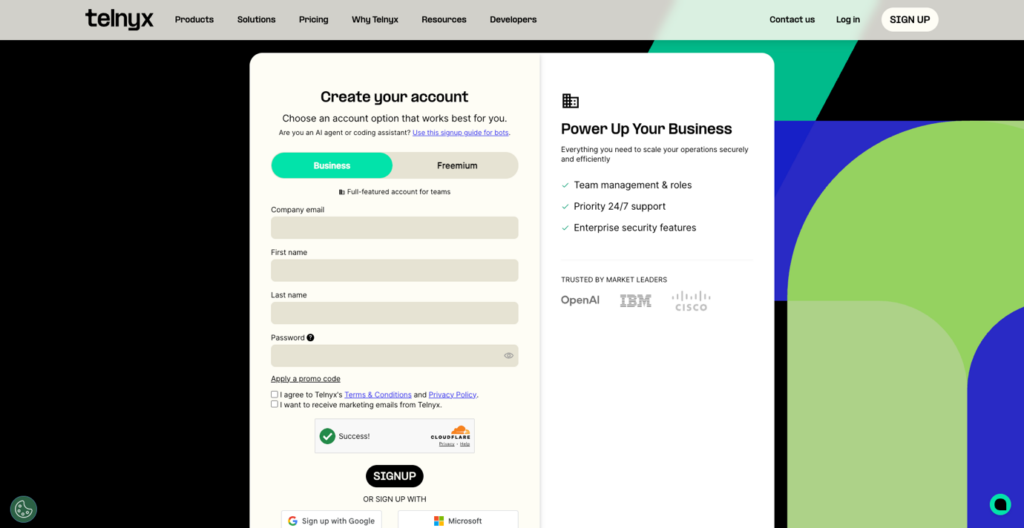
I then signed up for the freemium account and ran into the same issue. I’m not a fan of the fact that Telnyx makes me pay before I can send a test message. Twilio handed me a free trial number on signup. Sinch loaned me a UK trial sender to play with in the sandbox.
To send a single test message on Telnyx, I had to provision a phone number, which means putting in payment details and committing to monthly rental on a number I might never use again. That’s a meaningfully higher floor than Vonage, Twilio, or Sinch. It’s the kind of thing that quietly rules a service out for a developer who just wants to try something on a Sunday afternoon.
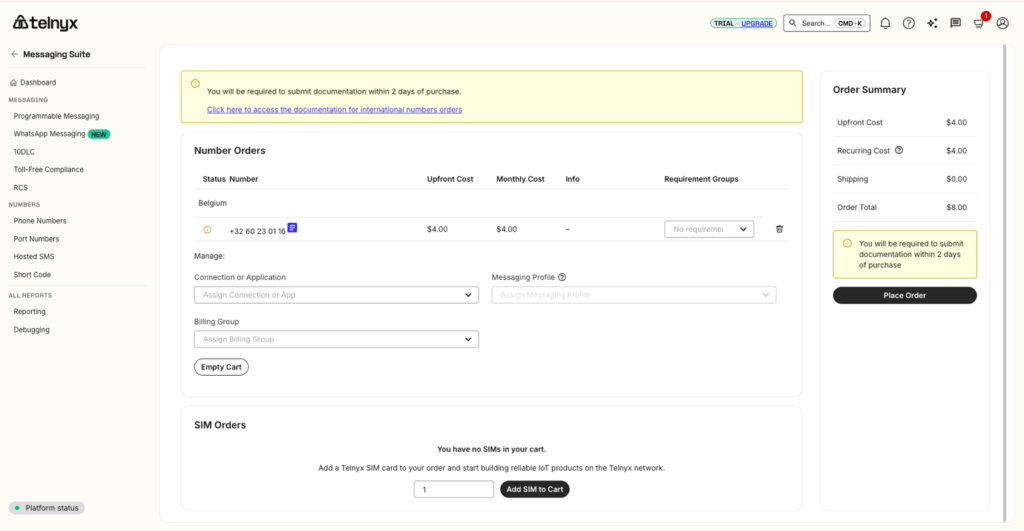
To be fair to Telnyx, this isn’t a knock on the product itself. I never got far enough to form one. The dashboard I did see was probably the cleanest and most modern of those I tested. Telnyx also has a strong reputation in developer circles.
I just wasn’t willing to put a credit card down to send one test SMS, so the Telnyx column of this article is, regrettably, a column I can’t fill in. What I can verify without a card is the pricing page: at $0.004 per message for 10DLC, Telnyx is the cheapest per-message rate of the five providers here — less than half of what Twilio charges. That’s the claim the evidence actually supports. If raw sending cost is your first filter and you don’t mind paying for a number to kick the tires, Telnyx earns its spot on the shortlist.
Key Telnyx features
- AI-powered tools and insights: AI assistants, analytics, and reporting features built into the platform.
- Extensive number availability: a wide selection of local numbers across different area codes.
- Modern dashboard: by far the cleanest UI I encountered.
- Freemium access model: start sending for free, then upgrade when you’re ready — in theory.
Telnyx pros and cons
| Pros | Cons |
|---|---|
| • Modern, well-designed dashboard • Strong focus on AI tools and analytics • Aggressive per-message pricing ($0.004 for 10DLC) | • Test sends require buying a number with a real card • Sign-up flow rejected Google SSO twice for me • Documentation can be hard to find; I hit a 404 on a setup link |
What Telnyx users say
G2 rating: 4.7/5
Telnyx had the highest rating across G2, TrustPilot, and Capterra of any platform I looked at. Reviewers praise the interface, customer service, and pricing.
“The platform has a very intuitive and user-friendly interface, which made it simple to manage numbers and configure call forwarding.”
As easy as the UI is, getting up and running can be a challenge, especially around 10DLC.
“…the 10DLC setup process was more complicated than expected. It required multiple steps and detailed compliance requirements that were frustrating to navigate initially.”
How much does Telnyx cost?
- 10DLC: pay-as-you-go, $0.004 to send and receive
- Toll-free: pay-as-you-go, $0.0055 to send and receive
- Short code: pay-as-you-go, $0.007 to send and receive
Pricing accurate as of April 2026.
Plivo — the affordable SMS API for budget-conscious devs
This is a short section. Plivo is not available in Belgium where I’m located, so I wasn’t able to test it directly.
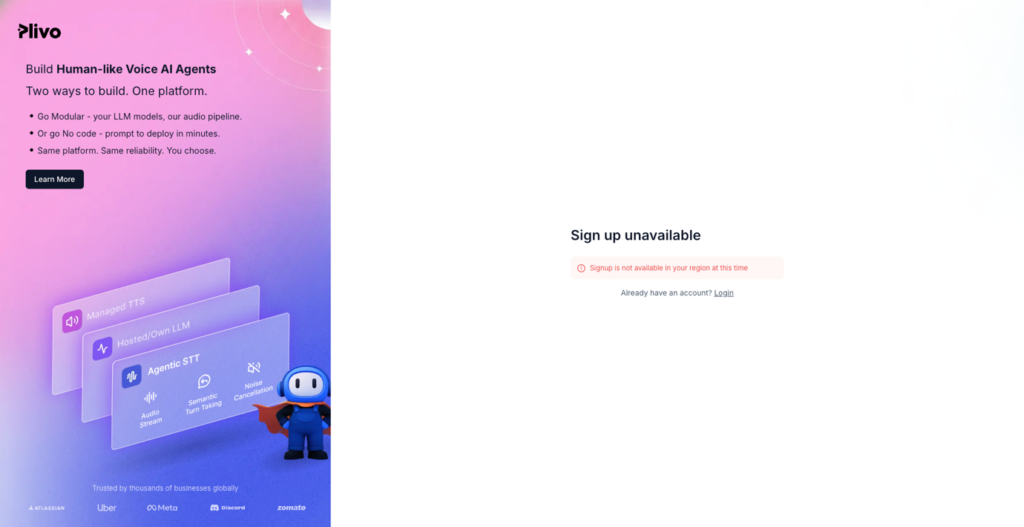
I asked (pleaded with) a colleague in the US to test Plivo out, sans my Strava data. They noted there was no clear way to send a test message during onboarding, and the documentation felt disconnected from the interface. They couldn’t sign up with a Gmail address either, which is a small but telling friction for indie developers.
They did say local numbers were available for as low as $0.50/month — the cheapest of any provider I looked at — and that the platform has a Fraud Shield feature for traffic-pumping protection. Plivo also exposes pre-built templates and an “Ask Buddy” assistant, though my colleague said the docs Buddy linked to didn’t always match the UI.
Plivo makes the most sense for developers who want an efficient, budget-friendly alternative and don’t mind filling in the gaps themselves.
Key Plivo features
- Pre-built messaging templates: speed up message creation without starting from scratch.
- Fraud Shield: built-in protection to detect and prevent SMS fraud and traffic inflation.
- Low-cost number provisioning: local numbers from around $0.50/month.
- Ask Buddy assistant: in-product guidance and links to documentation.
Plivo pros and cons
| Pros | Cons |
|---|---|
| • Affordable pricing for numbers and messaging • Simple templates speed up message creation • Fraud protection features included | • Limited onboarding and product guidance • Unclear test-messaging flow during onboarding • Documentation and UI don’t always align• Not available in some European markets |
What Plivo users say
G2 rating: 4.5/5
Plivo stands out for affordability, responsive customer support, and a robust API. If you’re looking for a budget option that doesn’t compromise on features, Plivo is worth a look.
“Plivo offers essentially the same service at half the price as their competitors.”
Cost savings can come with tradeoffs — some users say Plivo lacks features compared to competitors, plus issues around customer support and reliability.
“The platform lacks advanced analytics and an intuitive interface, making monitoring and troubleshooting more difficult.”
How much does Plivo cost?
- 10DLC: pay-as-you-go, $0.0077 to send and receive
- Toll-free: pay-as-you-go, $0.0079 to send and receive
- Short code: pay-as-you-go, $0.0077 to send and receive
Pricing accurate as of April 2026.
Vonage — the best SMS API for speed
Vonage was the easiest test I ran in this whole experiment. No project, no app, no messaging profile, no purchased phone number.
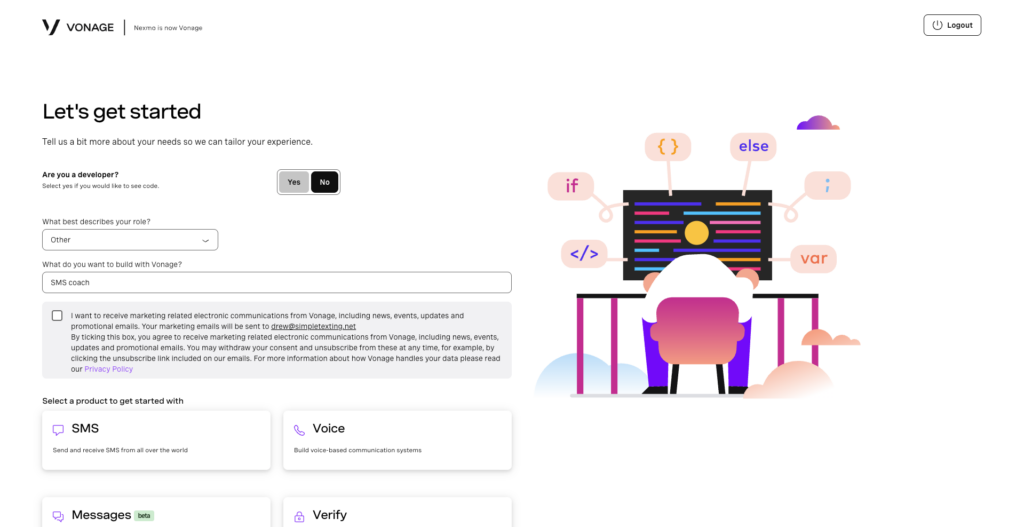
The dashboard handed me an API key and a secret, gave me a free alphanumeric sender called “Vonage APIs,” and pointed me at a single HTTPS endpoint. From signup to a working curl was around five minutes.
The integration itself was a single POST. No SDK to install, no auth dance, no v1/v2 versioning to wade through. Claude wrote the request body from memory, I copied it into the terminal, and Vonage returned a clean 202 Accepted with a message_uuid within a second. The text arrived on my phone shortly after, body intact.
How Vonage held up in testing
| Criteria | How it held up | The actual experience |
|---|---|---|
| 1. Signup to first sent message | The fastest of any provider I tested | Around five minutes from signup to the API returning a 202. No phone number to buy, no sender registration to wait on, no compliance form to fill in. Vonage hands you a free alphanumeric sender (“Vonage APIs”) that works in most non-US countries, Belgium included — exactly the kind of thing that lets you actually try the thing on a Sunday afternoon. |
| 2. How well it played with Claude | First try, with the smallest surface area to get wrong of any provider | The Vonage Messages API is a single endpoint with a flat JSON body and basic auth. Claude wrote it without breaking stride, no SDK required. The Messages API is general (the same endpoint handles SMS, WhatsApp, MMS and Viber), but for the SMS case that just meant a couple of extra fields I could leave alone. |
| 3. How forgiving when things broke | Untested, but the response shape was promising | Vonage returned a 202 and a UUID, same as Sinch. The dashboard has a Messages → Logs view where you can paste a UUID and see what the carrier did with it, in the same spirit as Twilio’s. I didn’t get to see how it handles a hard failure, because nothing failed. |
One caveat worth flagging: when I started the trial, I got an error message about a problem activating my number. A simple page refresh fixed it, but it wasn’t the smoothest first impression.
Key Vonage features
- Single-endpoint Messages API: flat JSON body, basic auth, no SDK required.
- Free alphanumeric sender: “Vonage APIs” works in most non-US countries with zero registration.
- Fraud Defender: built-in protection against SMS fraud and traffic-inflation attacks.
- Logs view: paste a UUID and see what the carrier did with the message.
Vonage pros and cons
| Pros | Cons |
|---|---|
| • Fastest signup-to-send of any provider tested • Fraud Defender is great for security and cost protection • Designed for scalability | • Initial trial setup error (fixed with a page refresh) • “No-code” path can still feel code-shaped • Troubleshooting tools aren’t always easy to find |
What Vonage users say
G2 rating: 4.3/5
If you’re new to SMS APIs and want hands-on help, Vonage has scores of reviews praising stellar customer service and easy onboarding.
“We were assigned a Project Manager … who stayed with us from the moment the agreement was signed all the way through to our launch.”
That said, you may end up calling support more than you’d like. Some users report message delivery issues and intermittent reliability problems.
“SMS functionality [is] unreliable, delayed, or outright shut down for extended periods due to technical or regulatory issues.”
How much does Vonage cost?
- 10DLC: pay-as-you-go, $0.90/month per number. $0.00809 to send, $0.00649 to receive.
- Toll-free: pay-as-you-go, $1.75/month per number. $0.00809 to send, $0.00649 to receive.
- Short code: pay-as-you-go, $1,000/month for a random number, $1,500/month for a vanity. $0.00809 to send, $0.00649 to receive.
Pricing accurate as of April 2026.
SMS API feature comparison
Per-provider testing notes are above. Here’s a side-by-side of the core capabilities I considered table stakes.
| Feature | Sinch | Twilio | Vonage | Plivo | Telnyx |
|---|---|---|---|---|---|
| Inbound/outbound SMS | Yes | Yes | Yes | Yes | Yes |
| Two-way messaging | Yes | Yes | Yes | Yes | Yes |
| Bulk messaging | Yes | Yes | Yes | Yes | Yes |
| Templates / reusable content | Yes | Yes | Limited | Yes | Limited |
| Personalization | Yes | Yes | Yes | Yes | Yes |
| Message scheduling | Yes | Yes | Yes | No | Limited |
| Unicode support | Yes | Yes | Yes | Yes | Yes |
| Concatenated messages | Yes | Yes | Yes | Yes | Yes |
| No-code / low-code tools | Yes | Limited | Limited | Limited | Limited |
| International messaging | Yes | Yes | Yes | Limited | Yes |
| Global carrier relationships | Yes | Yes | Yes | Yes | Yes |
| Delivery status & receipts | Yes | Yes | Yes | Yes | Yes |
| Webhooks / callbacks | Yes | Yes | Yes | Yes | Yes |
| Enterprise support | Yes | Yes | Yes | Yes | Yes |
When you’re looking for an SMS API, try to look beyond onboarding and UI and focus on the core capabilities: Can it send and receive messages through carrier networks? Does it have the infrastructure, reporting, and compliance needed to run messaging at scale? Here’s what I considered table stakes:
- Inbound and outbound SMS: every platform supports this via API requests — it’s how everything from one-time alerts to two-way conversations happens.
- Two-way messaging: lets customers reply instead of just receiving alerts.
- Bulk messaging: send the same message (with optional personalization) to many recipients.
- Templates and reusable content: avoid re-coding the same message for every send.
- Personalization: merge fields like a customer’s name, order ID, or birthday discount.
- Message scheduling: queue sends for later instead of firing them immediately.
- Unicode and concatenation: emojis, accented characters, and messages over the 160-character limit.
- Number support: local, toll-free, short code, and alphanumeric sender options.
- International messaging and global carrier relationships: if you’re sending across borders, you need a provider with the routing to make it happen.
- Delivery status and webhooks: real-time updates pushed to your application so you can react to failures.
- Enterprise support: dedicated onboarding, account management, and technical support for larger businesses.
Other SMS APIs worth a look
I focused on the five providers above because they’re the ones Claude shortlisted for me, and the ones I could actually run my running-coach project on. A few others showed up in research that you may want to evaluate depending on your use case:
- Infobip — strong if SMS is part of a broader marketing stack (audience segmentation, landing pages, HubSpot/Shopify integrations).
- Bandwidth — enterprise-oriented, sales-led trial; not built for self-serve testing.
- TextMagic — simple campaign UI with around 50 prebuilt templates, lighter on raw API work.
- SimpleTexting — no-code SMS marketing platform (full disclosure: I used to run marketing here).
- ClickSend — virtual-phone testing and clear sending guidelines on day one.
SMS API FAQ
An SMS API lets your business add SMS (Short Message Service) text messages to your applications and platforms — so your code can send and receive texts the same way it sends emails or hits any other web service. It’s how everything from order confirmations to two-factor codes to my AI running coach actually leaves the keyboard and arrives on a phone.
Based on the testing in this article: Twilio for tinkerers, Sinch for teams scaling toward enterprise, Vonage for raw signup-to-send speed, Plivo for budget-conscious developers, and Telnyx for the lowest per-message price (assuming you’re willing to put a card down to test it).
Vonage — by a margin. A free alphanumeric sender, a single HTTPS endpoint, and roughly five minutes from signup to a working POST. Twilio is a close second if you can live with installing the SDK.
Vonage or Twilio. Both give you a usable trial sender without making you provision and pay for a phone number. Telnyx, by contrast, asks for a card up front to provision a number before you can send a single test message.
Sinch — the same compliance friction that slowed me down on day one is the friction that prevents production fires later. Carriers, regulators, and data-residency requirements all surface upfront in the dashboard rather than in an outage post-mortem.
For US 10DLC traffic, expect somewhere between $0.004 and $0.0083 per message at the providers tested here, plus a small monthly fee per number ($0.50–$1.75 typically, with short codes priced in the hundreds-to-thousands per month). Pricing varies dramatically by destination country and by message volume — the best way to get a real number is to estimate your monthly volume and ask each provider for their rate card.

Author: