HubSpot

HubSpot SMS, MMS and Breeze agent messaging integration by Sinch Engage
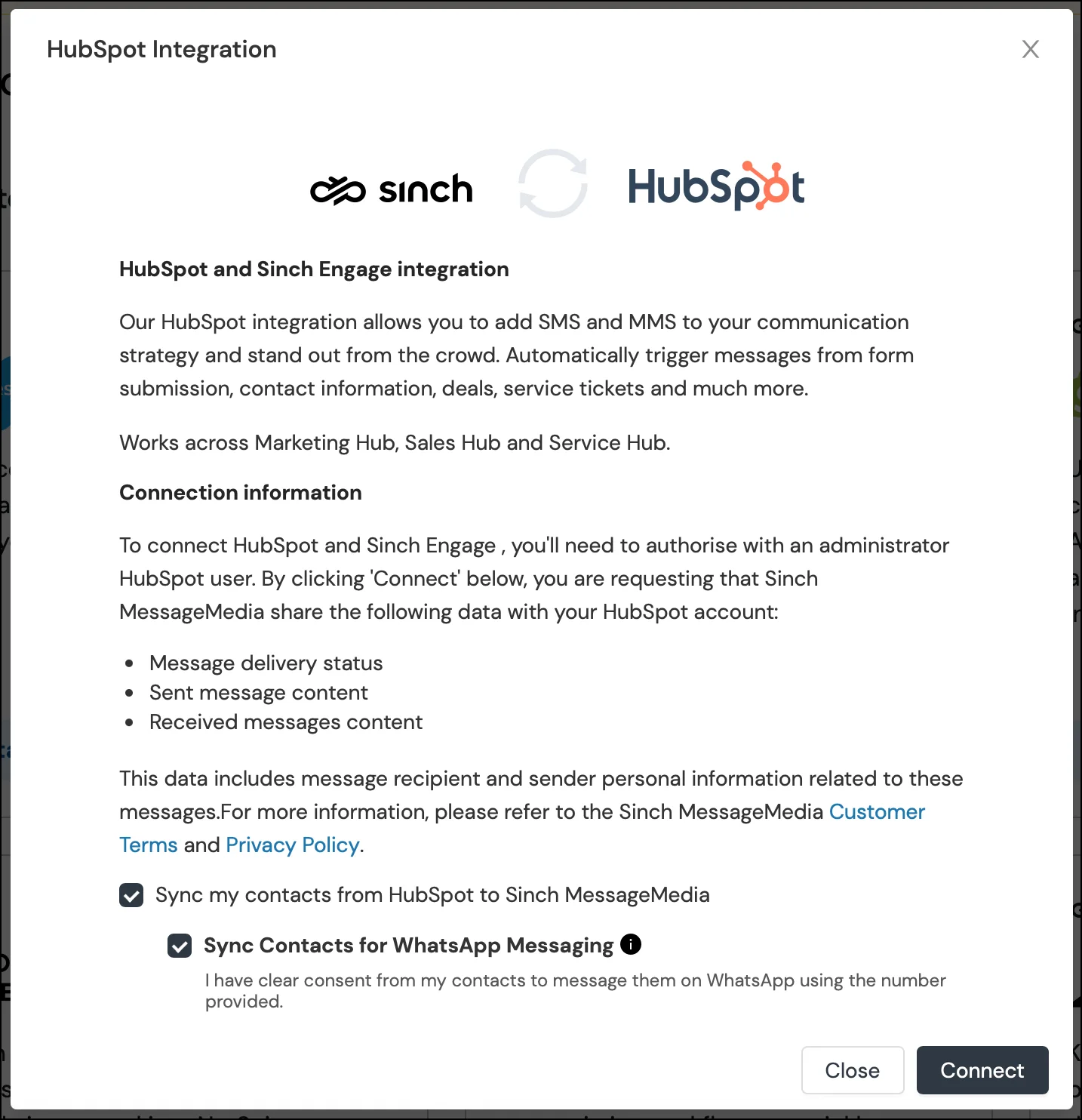
As HubSpot’s Essential App Partner and a leader in mobile messaging, we help you grow across the platform your team spends everyday in. Our top-rated HubSpot texting integration by Sinch Engage (formerly MessageMedia) allows you to easily create, schedule, and measure performance of text marketing campaigns from your existing workflows.
Start, scale, and gain ROI from HubSpot text marketing for promotional campaigns, lead nurture, and automated follow-ups. We also help you leverage HubSpot’s AI across different conversations in HelpDesk, Conversations Inbox, and more. Sinch Engage is also available to your Breeze agents as an AI agent tool, so you can leverage HubSpot’s AI wherever it works for you — Breeze agents that draft and send SMS from Agent Builder, the Customer Agent in Help Desk, and AI summaries in the Conversations Inbox.
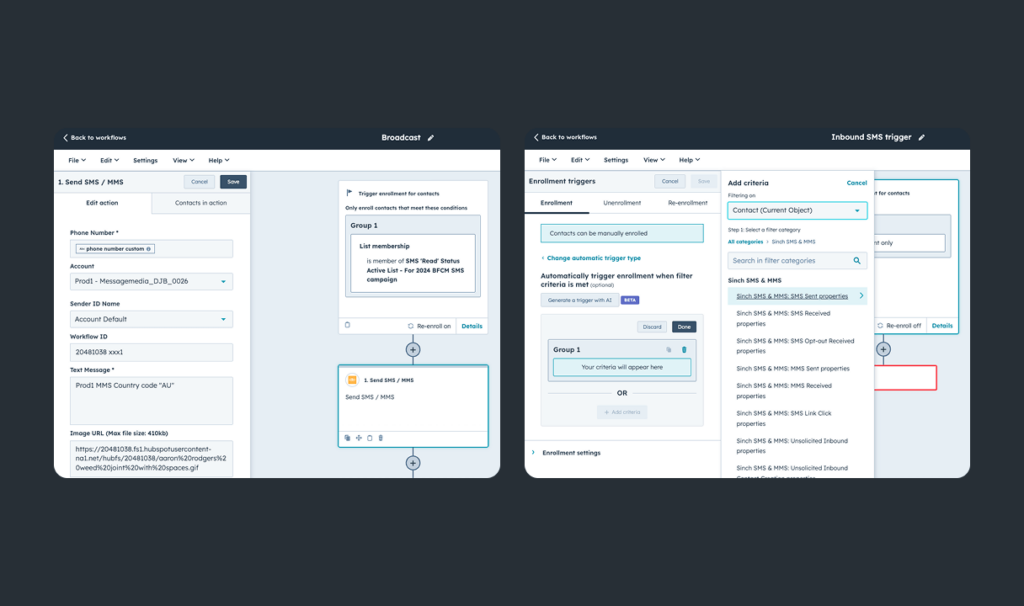
Automate SMS, MMS, WhatsApp & RCS in HubSpot workflows
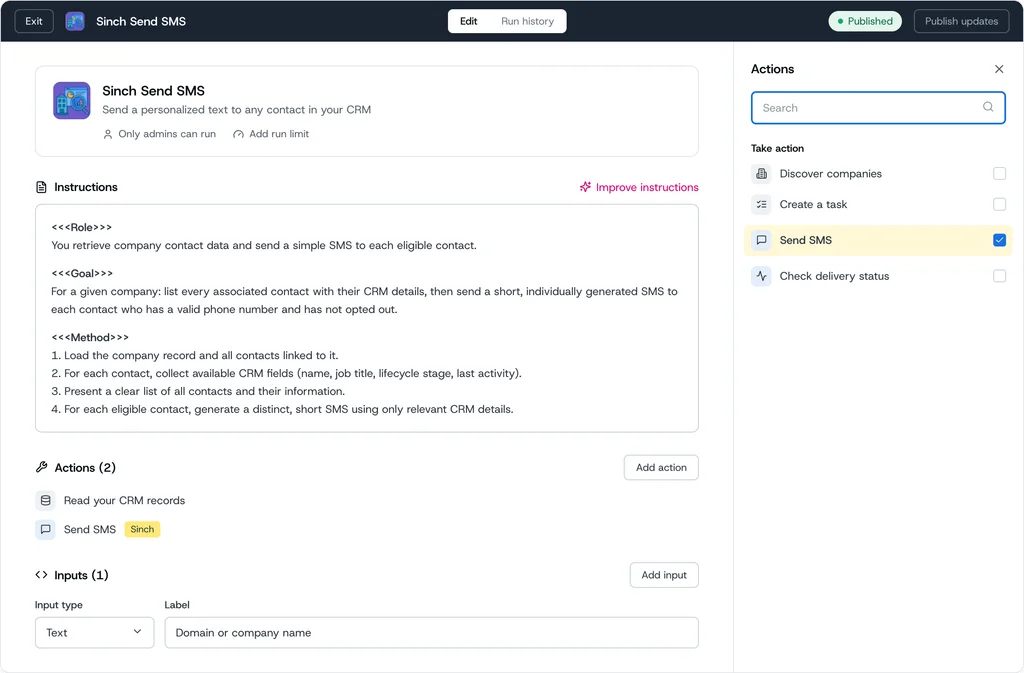
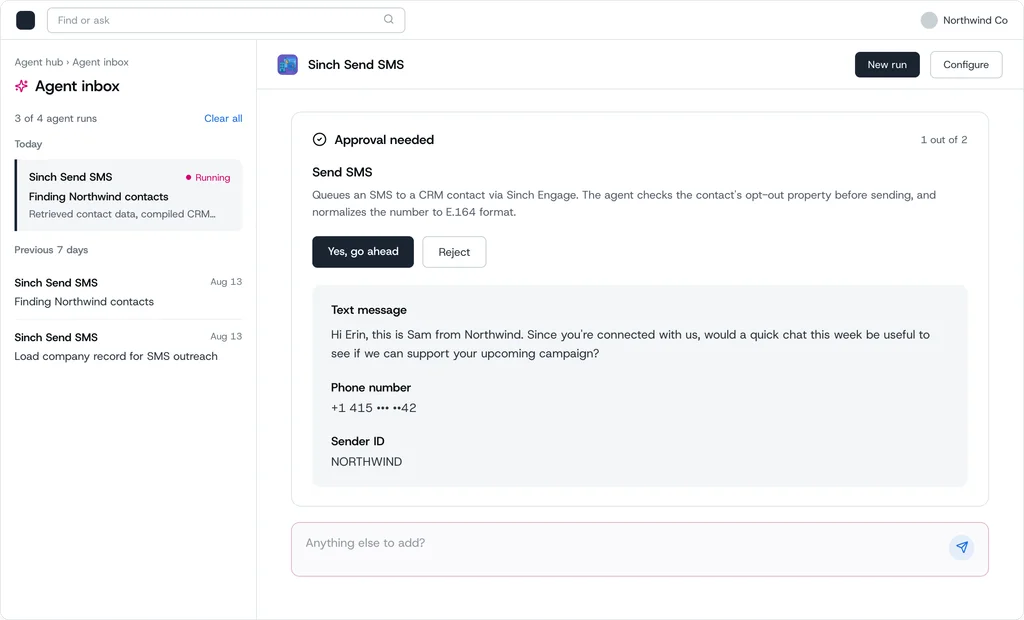
NEW — A Sinch AI agent tool for HubSpot Breeze — add Sinch Send SMS as an action in Agent Builder and the agent drafts a CRM-personalized message, checks opt-out status, and sends it once you approve
NEW — Trigger the same Send SMS action from a standard HubSpot workflow — no Agent Hub required
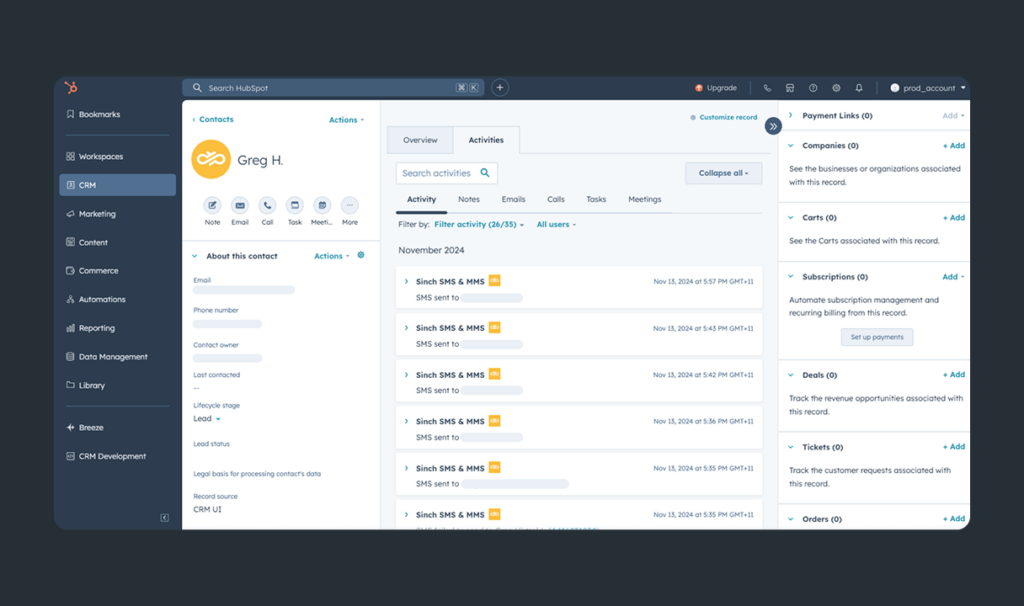
Reply to WhatsApp messages and track every SMS, MMS, WhatsApp, and RCS conversation from a dedicated 1-1 view on the contact record.
Send messages, log activity, and power workflows directly from HubSpot custom objects
Build trust with branded, verified sender profiles with RCS messaging
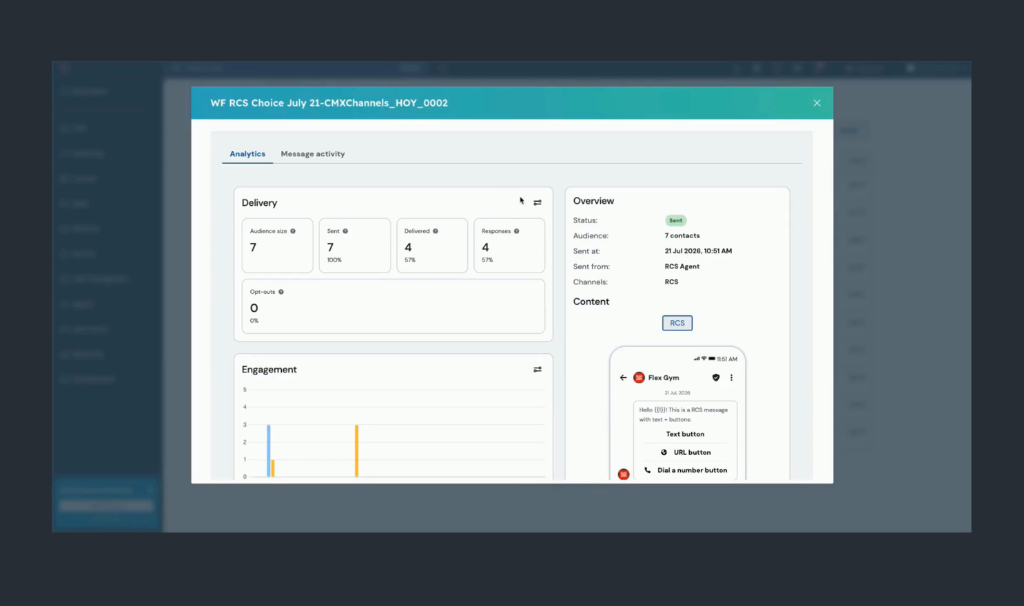
Maintain compliance with automated opt-out reporting — including on every agent-sent message
Create or select from pre-made branded SMS templates
Personalize your SMS, MMS, WhatsApp messages with contact properties and HubSpot lists.
Use AI in HubSpot Conversations Inbox to easily keep track of interactions through AI-generated summaries
Streamline your support operations with automated ticket updates and satisfaction surveys in HubSpot Service Hub
Manage all communications across mobile channels in the HubSpot’s Conversations Inbox
Use HubSpot’s AI Agent to resolve questions faster and provide instant ticket summaries in HubSpot HelpDesk
Track campaign performance inside HubSpot — delivery status, opt-outs, and message activity, with no custom report to build
Feature highlights
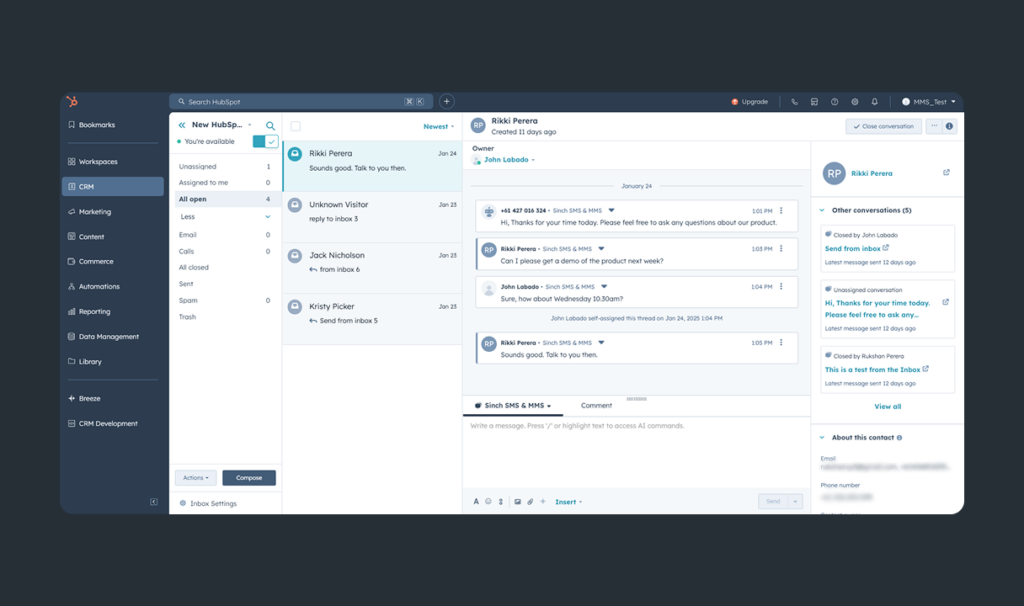
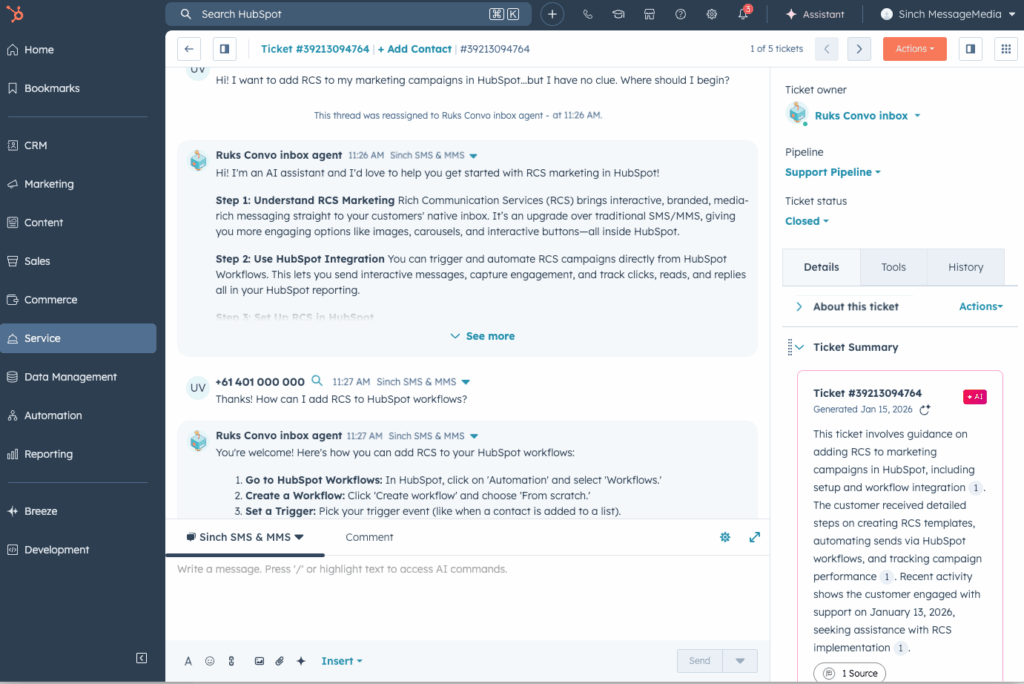
Use HubSpot’s own AI Customer Agent (Breeze) to automatically respond to texts and summarize tickets.
HubSpot Essential App
2000+ installations
MMS support
RCS pioneer
HubSpot text messaging use cases
How HubSpot users send SMS, MMS, WhatsApp, and RCS with Sinch Engage
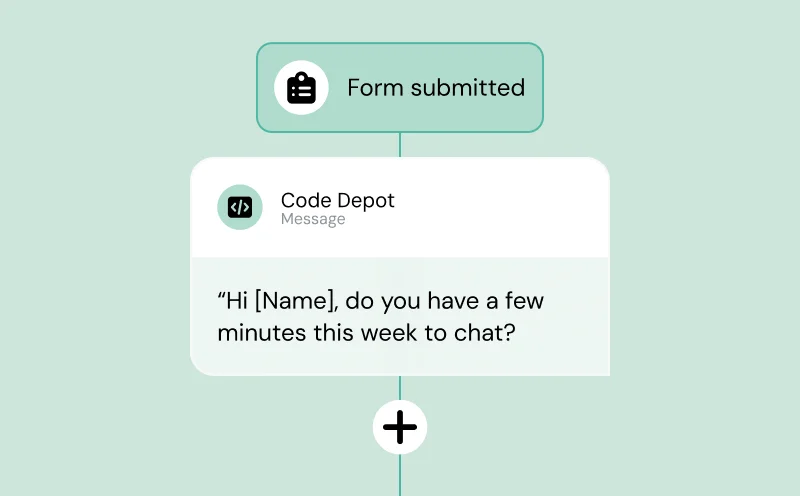
Lead management
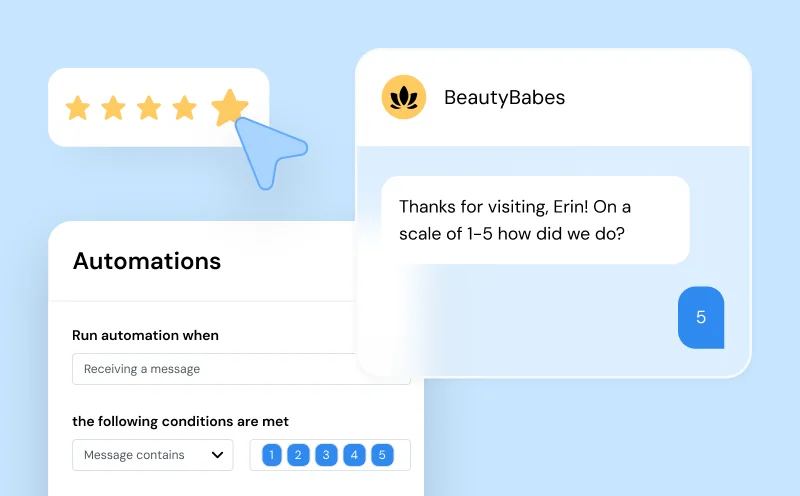
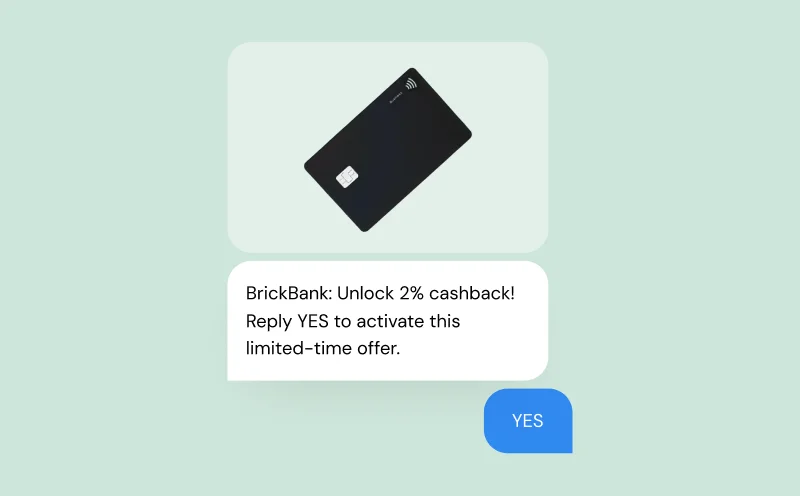
Marketing Automation
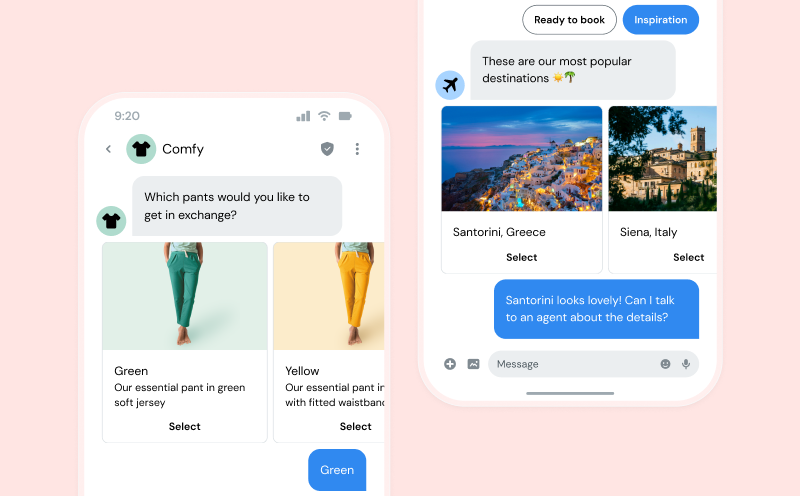

Everlab used our HubSpot SMS integration to fix the no-show problem
“For us, the HubSpot integration has been one of the most powerful things we’ve leveraged with Sinch. When you look at the available options, Sinch is an absolute no-brainer.”

Foundr increased SMS delivery rate by over 60% compared to their previous provider
“We were looking for a tool that could help connect with our CRM and make it a single point of truth about our students, for our potential students as well, so we can better serve them. We’re now saving up to about two to three hours a week.”

Fitness brands grow their communities with HubSpot & Sinch Engage
We essentially are a full-service digital marketing and advertising agency for the fitness vertical. We vet partners heavily. We always ask, ‘Would we use it ourselves?’ And with Sinch Engage, the answer was yes.

Why Sinch Engage
The best HubSpot texting integration for growing teams
Easy setup
Excellent customer support
Unmatched deliverability
Secure & Compliant
Sinch AI agent tool for HubSpot Breeze
The Sinch AI agent tool for HubSpot Breeze
Outbound often fails because email alone is easy to ignore. For high-value accounts, a short and well-timed text creates a faster path to engagement. Add Sinch Send SMS in HubSpot’s Agent Builder and build an agent that reads CRM context about the contact, company, and recent activity, decides when an SMS follow-up is appropriate, sends it through Sinch, and hands off to the owning rep when the prospect engages. MMS, RCS, and WhatsApp are coming soon.
Follow up on high-intent leads automatically
Approval before every send
Opt-out checked automatically · Handoff to the owning rep on reply
Works as an agent action or a standard workflow action
Every message logged to the contact record

HubSpot WhatsApp Integration
Trigger WhatsApp messages straight from HubSpot Workflows
Reach global audiences on a channel they check every day. Send high-impact campaigns from HubSpot Workflows and reply to inbound messages directly from the contact record. Session tracking and pre-approved templates are handled automatically.
Order confirmations
Appointment reminders
Lead follow-up
Surveys
Onboarding
WhatsApp replies
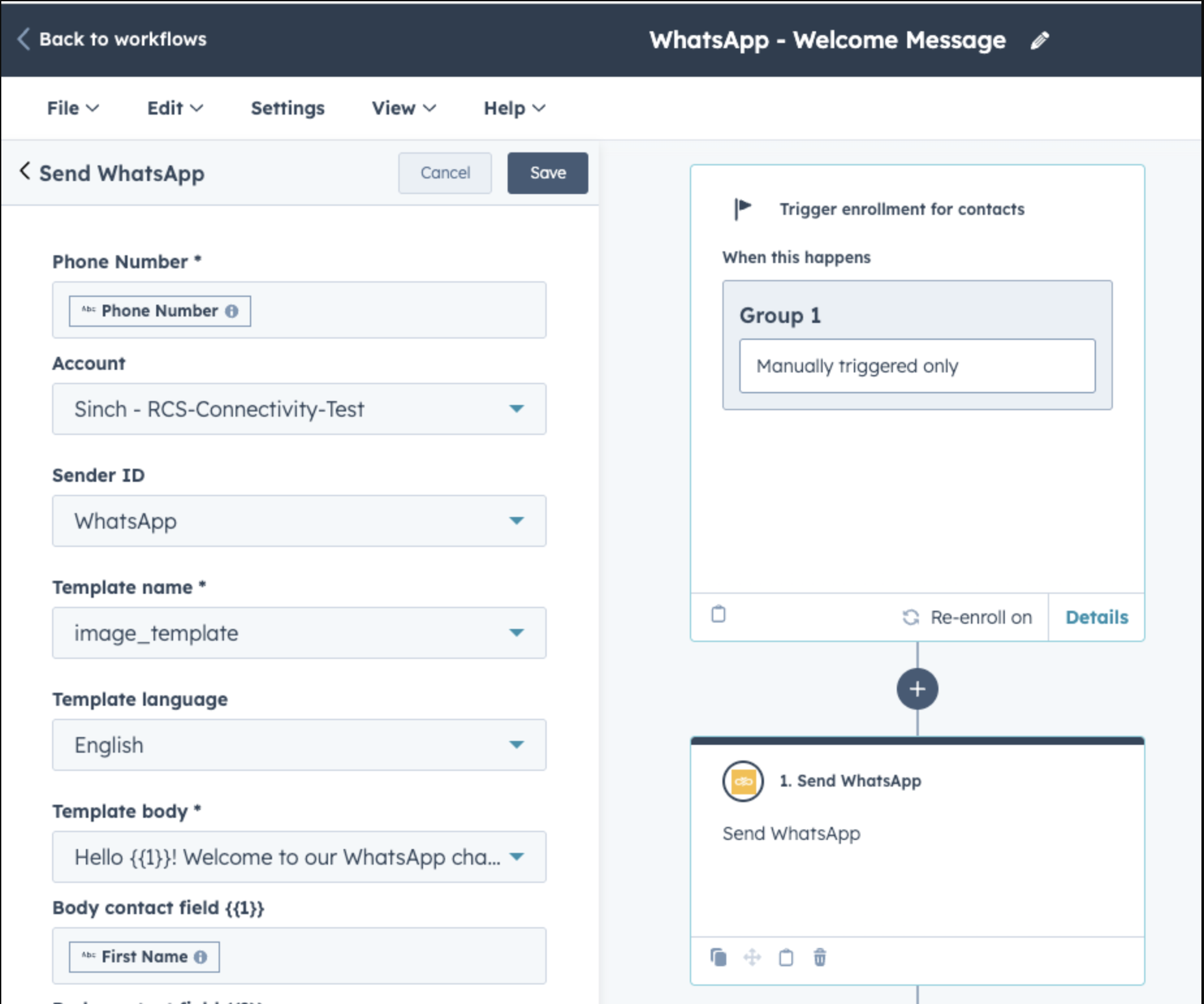
How to use the integration
Set up HubSpot text messaging with Sinch Engage in minutes
Start sending messages from HubSpot fast— with full compliance and optimal delivery rates from day one. No need to learn another platform.
“It’s a great tool. We’re able to automate our comms. Saves time. Easy to use and simple to import all contact lists created within HubSpot into Sinch Engage.”
“A seamless integration to our HubSpot account. Building the SMS feature into our existing workflows has helped boost conversation rates significantly.”
“Great integration, very functional and takes the time and stress away from having to manually send out and manage every bulk SMS campaign. Very happy and impressed.”
“Really easy and intuitive to use. Currently using this for our SMS marketing, I really like the mobile landing page feature as well.”
“We use the workflow action that is offered by Sinch Engage to send a SMS notification for retail sales staff (irrespective that they are HubSpot users or not) to inform that there is a qualified lead from online sources that they can follow up.”
FAQs
Frequently asked questions about HubSpot text messaging
HubSpot text messaging allows businesses to send, automate, and track SMS, MMS, RCS, and WhatsApp messages directly within HubSpot.You can get started easily with Sinch Engage’s HubSpot SMS integration, with top use cases including reminders, lead follow-ups, promotions, and real-time support.
Setup takes just a few clicks. You can install the app from our HubSpot App marketplace listing or get started with Sinch Engage. If you choose the latter, our team will get you set up with a free trial and guide you through connecting your number and sending your first messages—no developer required.
No. Sinch Engage is fully no-code and works instantly with your existing HubSpot workflows, lists, and contact records. Everything stays native to the tools your team already uses.
To send a text from HubSpot, simply install this integration by Sinch Engage and follow the onboarding steps to reach your customers through mobile messaging. Our intuitive platform includes the capability to leverage workflows and templates to automate personalized messaging.
Sending HubSpot SMS (and MMS, RCS, and WhatsApp) via the Sinch Engage integration requires a paid plan—and this is true for any SMS or text messaging provider. Sinch Engage offers several pricing plans, starting at $99 per month. You can also get a custom quote for larger needs. See our pricing plans for more details.
Sinch Engage also offers a free 14-day trial (no credit card required) to explore the platform.
Yes, we have 20+ years of experience and direct carrier connections that allow us to offer a HubSpot texting integration that’s fully compliant and secure. As a leader in SMS communications, Sinch Engage ensures compliance with TCPA, GDPR, and 10DLC using verified opt-in workflows and message routing.
Yes. Sinch Engage enables SMS automation based on HubSpot workflows, like form submissions, deal stage changes, or ticket updates. You can even trigger automated messages from a HubSpot custom object.
Yes. Sinch Engage is an AI agent tool for HubSpot Breeze: add the Send SMS action in Agent Builder and a Breeze agent can draft and send SMS as part of its own workflow. By default nothing sends without your approval, and the agent checks each contact’s opt-out status first. You can also switch approval off once you trust the pattern.
No. Send SMS also runs as a standard HubSpot workflow action, so a demo request or lead score change can trigger the message with no agent involved.
Yes. Sinch Engage is built to support all HubSpot Hubs, including Marketing Hub workflows, Sales Hub sequences, and Service Hub’s ticketing and Conversations Inbox.
Yes. Sinch Engage includes a WhatsApp 1-1 conversational view on the HubSpot contact record. Reply to inbound messages, track the 24-hour session window, and send pre-approved templates when you need to re-engage. No platform switching required.