Sinch Agent Tools · SDKs

Sinch SDKs: Build in the language you already use

Sinch SDKs are language-native libraries that wrap Sinch APIs in one consistent pattern for authentication, pagination, and error handling. Learn that pattern once and reuse it across Messaging, Numbers, Voice, and Verification.

  • Available for Node.js, Java, .NET, and Python

  • Covers Messaging, Numbers, Voice, and Verification from one authentication model

  • Handles pagination with one iterator object across every API

Install from npm, Maven, NuGet, or pip. Live API calls need a Sinch account.
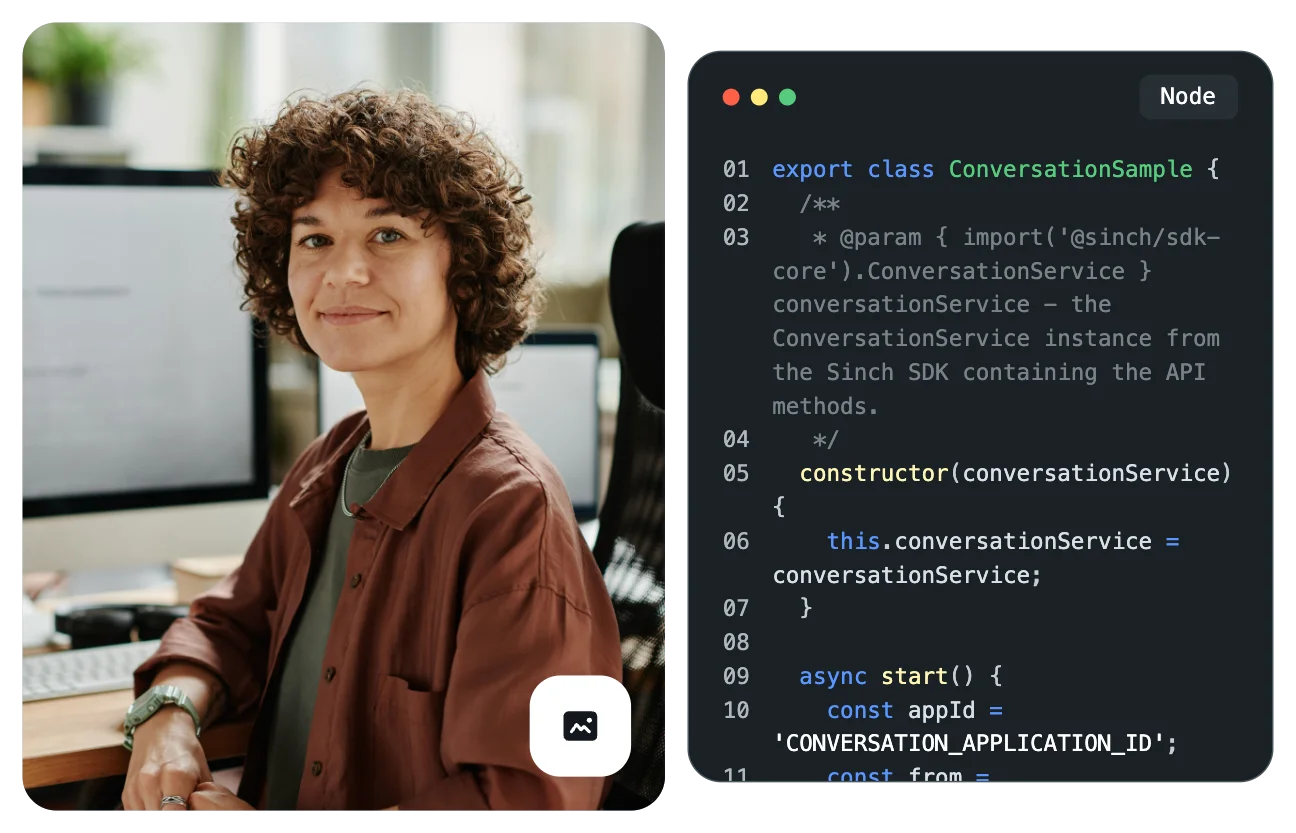
Image for Sinch SDKs: Build in the language you already use

Why a client library

One pattern across your Sinch APIs

Working with a new API usually means learning a new way to authenticate, then a new way to page through results. Doing it again for the next product doubles the work. The Sinch SDKs remove that repetition, so adding a second product doesn’t mean learning a second set of patterns.

Image for One pattern across your Sinch APIs

Auth and pagination

Consistent auth, consistent pagination, idiomatic code

Each SDK centers on one authentication model and a shared iterator that normalizes pagination, however the underlying API pages. The code is idiomatic to your language, so what your team or your agent generates reads like native code, not a thin pass-through.

  • Authenticates every supported product with one credential set

  • Handles offset-based and token-based pagination through one iterator object

  • Reads as idiomatic, language-native code in all four languages


                                    const { SinchClient } = require('@sinch/sdk-core');    
         
    const sinchClient = new SinchClient({    
      projectId: 'YOUR_project_id',    
      keyId: 'YOUR_access_key',    
      keySecret: 'YOUR_access_secret'    
    });    


                                    import com.sinch.sdk.SinchClient;    
         
    SinchClient client = new SinchClient(Configuration.builder()    
        .setProjectId(projectId)    
        .setKeyId(accessKey)    
        .setKeySecret(accessSecret)    
        .build()); 


                                using Sinch;    
         
    var sinch = new SinchClient("YOUR_project_id",    
                                "YOUR_access_key",    
                                "YOUR_access_secret"); 


                                    from sinch import SinchClient    
         
    sinch_client = SinchClient(    
        project_id="YOUR_project_id",    
        key_id="YOUR_access_key",    
        key_secret="YOUR_access_secret"    
    ) 


Supported languages

Pick the SDK that fits your stack

Each SDK covers Messaging, Numbers, Voice, and Verification through the same authentication and pagination pattern. Install from the package manager you already use.

Node.js

Install with npm or Yarn. The package is @sinch/sdk-core.

Java

Add the sinch-sdk-java dependency from Maven Central to your pom.xml.

NET

Install with the dotnet CLI: dotnet add package Sinch.

Python

Install with pip: pip install sinch.

Building with an agent

Fewer lines to read, fewer tokens to spend

An AI coding agent can build directly from the raw API or the OpenAPI spec. The SDK is the cheaper, faster route to the same result. Less source for the agent to read means less context used and fewer tokens spent per task.

  • Generates against language-native code with less boilerplate

  • Reuses one pattern instead of re-deriving auth and pagination per product

  • Stays optional – your agent can still build from the spec when it needs to

Image for Fewer lines to read, fewer tokens to spend

Long-lived integrations

SDK updates absorb API changes for you

Sinch controls the translation layer between the API and your code, so version upgrades and bug fixes can often ship through an SDK update alone. Stay on the latest SDK and your application code doesn’t need to change when the underlying API does. That matters most for an integration an AI agent maintains over months rather than days.

Image for SDK updates absorb API changes for you

SDK use cases

What developers build with the Sinch SDKs

Four patterns that come up whenever a team adds a second Sinch product to an integration it already runs.

Add a product without a second auth flow

Already using the SDK for Messaging? Reuse the same client and the same credentials to add phone number verification.

Prototype in a familiar language

Install, instantiate one client, and make a working call in a handful of lines – no hand-built HTTP requests, no auth headers.

Page across products the same way

Use one iterator object to page through Numbers and Messaging results, even though the two APIs paginate differently underneath.

Keep a long-lived integration current

Stay on the latest SDK and let version upgrades and fixes land without touching your application code.

The SDKs and the rest of Agent Tools

Where the SDKs fit in Sinch Agent Tools

The Sinch SDKs are one of six Agent Tools components. When an AI agent writes a Sinch API integration, Skills guide the approach and the SDKs give it consistent, language-native building blocks to write against. The CLI and Functions then take that code to a deployed workflow, while MCP and plugins connect your agent from other tools. Each works on its own, and they work better together.

Frequently asked questions about the Sinch SDKs

Quick answers on which languages and products the Sinch SDKs cover, and when you don’t need one.

Node.js, Java, .NET, and Python.

Messaging, Numbers, Voice, and Verification, through one authentication model.

npm install @sinch/sdk-core for Node.js, a Maven Central dependency for Java, dotnet add package Sinch for .NET, or pip install sinch for Python.

No. A developer or an AI agent can build directly from the raw API or the OpenAPI spec. The SDK is the faster, lower-cost path to the same result.

A single iterator object handles it for every API, whether the underlying API pages by offset or by token.

Often not. Because the SDK holds the translation layer, many version upgrades and bug fixes land through an SDK update without changes to your application code.

They’re one component of Sinch Agent Tools, the developer layer for building on Sinch APIs. Agent Tools sits inside a broader set of AI capabilities spanning Messaging, Voice, Email, and Verification.

Install the SDK for your language, initialize the client with your Project ID, key ID, and key secret, then call any supported API.