Developers
Verify phone numbers with the Sinch Verification API
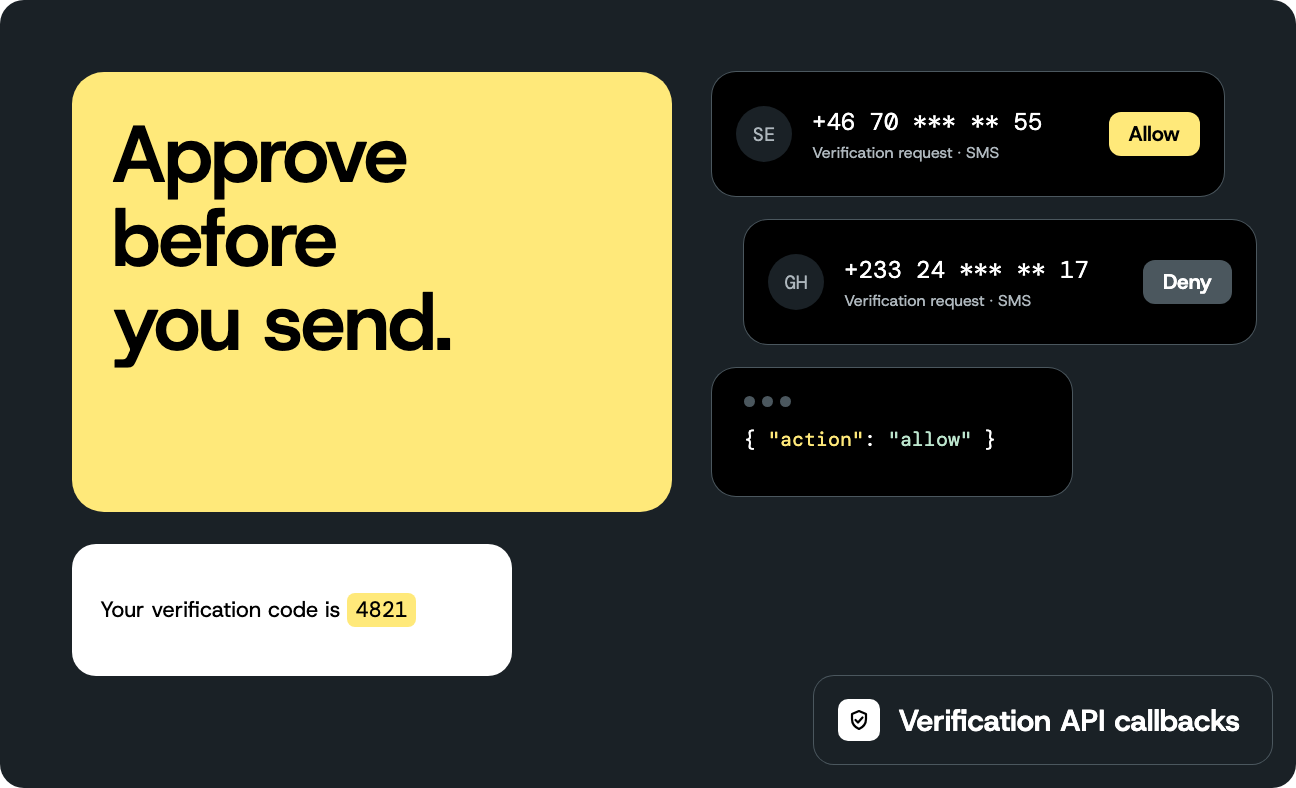
Before the Sinch Verification API sends a verification code, it can ask your server whether to send it. That matters if your signup form passes the phone number straight to a start call, because then anyone who can reach the form can make your backend text any number they type. This post builds the callback that answers, approving the numbers you serve and denying the rest, together with the TypeScript that starts and checks verifications. You can run and test all of it on your own machine, and put it behind any HTTPS host.
You’ll need
- A Sinch account and a Verification app in the Sinch Build Dashboard
- The application key and application secret of that app (they differ from your project access keys)
- Node.js 22 or later
- A phone that can receive SMS, and its number in E.164 format, for example
+46701234567 - A tunnel to your local server to receive real callbacks, for example ngrok
Each verification is billable, and the status response reports the price charged, so test with your own number.
This takes about 30 minutes. The code was written and tested with @sinch/sdk-core 1.6.0 on Node.js 24 and Node.js 22.
This post uses SMS. The start verification endpoint lists five method values, and the Other methods section at the end compares them and shows the SDK calls for each.
Set up the Verification app
- In the Sinch Build Dashboard, open Verification and create an app.
- Copy the application key and the application secret.
- Under Minimal Authentication Level, select Application. The Sinch Verification API rejects requests that use a weaker method, and the SDK signs every request with your key and secret, which is what this level expects.
- Leave the Callback URL empty for now. You set it later in this post.
In your terminal, store the credentials and your test number as environment variables so they stay out of the code:
                                    export SINCH_APP_KEY=YOUR_SINCH_APP_KEY
export SINCH_APP_SECRET=YOUR_SINCH_APP_SECRET
export PHONE_NUMBER=YOUR_PHONE_NUMBER_IN_E164_FORMAT
Create the project
Every file you need is on this page. Create a project directory and install the dependencies:
                                    mkdir sinch-verification && cd sinch-verification
npm init -y
npm pkg set type=module
npm install @sinch/sdk-core@1.6.0 express
npm install --save-dev typescript tsx @types/node @types/express
Create tsconfig.json:
                                    {
  "compilerOptions": {
    "target": "ES2022",
    "module": "NodeNext",
    "moduleResolution": "NodeNext",
    "strict": true,
    "noUncheckedIndexedAccess": true,
    "esModuleInterop": true,
    "skipLibCheck": true
  },
  "include": ["src", "scripts"]
}
tsx runs TypeScript without checking types, so you run the compiler yourself later in this post to catch type errors.
Create src/env.ts. It reads a required environment variable and fails with a clear message when one is missing:
                                    /** Reads a required environment variable and fails with a clear message when it is missing. */
export const requireEnv = (name: string): string => {
  const value = process.env[name];
  if (!value) {
    throw new Error(`Missing environment variable ${name}`);
  }
  return value;
};
Start and check a verification
A verification has two calls. You start it, which sends the code, and you report the code the user typed. The scripts below call the SDK directly and stand in for your signup and login routes. The SDK throws a RequestFailedError for a failed request, with the HTTP status in statusCode and the JSON body as a string in data. For the SDK basics, see the Node.js quickstart.
Start a verification
Create scripts/start.ts. It starts an SMS verification for PHONE_NUMBER and prints its status:
                                    import { SinchClient } from "@sinch/sdk-core";
import { requireEnv } from "../src/env.js";

const verification = new SinchClient({
  applicationKey: requireEnv("SINCH_APP_KEY"),
  applicationSecret: requireEnv("SINCH_APP_SECRET"),
}).verification;
const phoneNumber = requireEnv("PHONE_NUMBER");

try {
  const started = await verification.verifications.startSms({
    startVerificationWithSmsRequestBody: {
      identity: { type: "number", endpoint: phoneNumber },
      reference: `demo-${Date.now()}`,
    },
  });
  if (!started.id) throw new Error("Sinch returned no verification ID");

  console.log(`Started verification ${started.id}`);
  const status = await verification.verificationStatus.getById({ id: started.id });
  console.log("Status:", JSON.stringify(status));
} catch (error) {
  // The SDK throws a RequestFailedError. A request that your callback denies fails with HTTP 403.
  const { statusCode, data, message } = error as { statusCode?: number; data?: string; message?: string };
  console.error(statusCode ? `Start failed with HTTP ${statusCode}: ${data}` : `Start failed: ${message}`);
  process.exitCode = 1;
}
The reference ties the verification to something in your own system, such as a signup ID, and it must be unique for each verification. Run the script:
npx tsx scripts/start.ts
You should see the verification ID and a PENDING status, and an SMS arrives on your phone:
Started verification 01a0f775-e360-c702-f711-000000000000Status: {"id":"01a0f775-e360-c702-f711-000000000000","method":"sms","status":"PENDING","reference":"demo-1790858093271","source":"","identity":{"type":"number","endpoint":"+46701234567"},"countryId":"SE"}
Check the code the user typed
Create scripts/report.ts. It reports the code the user typed and prints the result:
                                    import { SinchClient } from "@sinch/sdk-core";
import { requireEnv } from "../src/env.js";

const verification = new SinchClient({
  applicationKey: requireEnv("SINCH_APP_KEY"),
  applicationSecret: requireEnv("SINCH_APP_SECRET"),
}).verification;
const verificationId = requireEnv("VERIFICATION_ID");
const code = requireEnv("CODE");

try {
  const report = await verification.verifications.reportSmsById({
    id: verificationId,
    reportSmsVerificationByIdRequestBody: { sms: { code } },
  });
  console.log("Report:", JSON.stringify(report));
} catch (error) {
  // A wrong code throws with HTTP 400 and error code 40003.
  const { statusCode, data, message } = error as { statusCode?: number; data?: string; message?: string };
  console.error(statusCode ? `Report failed with HTTP ${statusCode}: ${data}` : `Report failed: ${message}`);
  process.exitCode = 1;
}
Run it with the verification ID from the previous step and the code from the SMS:
VERIFICATION_ID=YOUR_VERIFICATION_ID CODE=YOUR_SMS_CODE npx tsx scripts/report.ts
You should see:
Report: {"id":"01a0f775-e360-c702-f711-000000000000","method":"sms","status":"SUCCESSFUL","reference":"demo-1790858093271"}
Decide on status, not on the HTTP code, and use reason only as a hint for your logs. A wrong code is an expected result even though the SDK throws for it. It returns HTTP 400 with error code 40003:
Report failed with HTTP 400: { "errorCode": 40003, "message": "Invalid identity or code.", "reference": "0d3858ec-11f5-4192-91a5-a764da61b13a"}
Set your own limit on attempts.
Add the approval callback
When you set a Callback URL on the app, Sinch sends a VerificationRequestEvent to it for each new verification, including the ones you start from your backend, and your answer decides whether the code goes out. The reply is {"action":"allow"} or {"action":"deny"}. Careless callback setup can expose you to artificial inflation of traffic, so the handler below checks every request instead of approving them all.
You can run these checks in your own start endpoint before you call Sinch, and if your backend is the only thing that starts verifications, that works. The callback covers what a check in your endpoint can’t: Verifications started from the mobile SDKs, which require callbacks, and anything else that uses the same app credentials. It is also the gate Sinch enforces before a code is sent, so a request your callback doesn’t approve never goes out.
Point the Verification app at your machine
Sinch needs a public HTTPS address for the callback. Give a change to the Callback URL a few minutes before you test it, so set it up first and write the code in the meantime. Any host that passes the request body to your handler unchanged works: A container, a virtual machine, or a serverless platform. During development, a tunnel to your local server is enough, as long as it needs no query parameters. With ngrok, run this in a second terminal:
ngrok http 3000
Copy the https:// forwarding address that ngrok prints. In the app settings, enter it in Callback URL, with the path /verification/callback at the end, and save. If the address changes when you restart the tunnel, update the Callback URL to match.
Don’t start a real verification until your server is running. While a Callback URL is set, a start needs an answer from it.
Write the callback
Create src/policy.ts. It approves a request when the number starts with a calling code you serve, the number hasn’t asked for too many codes recently, and the total across all numbers stays within a budget:
                                    export interface PolicyOptions {
  /** Calling-code prefixes you serve, for example ["+46", "+47"]. */
  allowedCallingCodes: string[];
  /** Most starts allowed for one number in the window. */
  maxStartsPerWindow: number;
  /** Most starts allowed across all numbers in the window. Set it well above normal traffic. */
  maxStartsPerWindowTotal: number;
  windowMs: number;
  now?: () => number;
}

export type Decision = "allow" | "deny";

/**
 * A small approval policy: a destination allowlist, a per-number limit, and a total budget.
 * The counters live in memory, so they only cover one running instance. Use a shared store
 * such as DynamoDB or Redis when more than one instance serves callbacks.
 */
export const createPolicy = (options: PolicyOptions) => {
  const now = options.now ?? Date.now;
  const startsByNumber = new Map<string, number[]>();
  let allStarts: number[] = [];
  let lastSweepAt = now();

  // Forget numbers that have no recent starts, so the map doesn't grow without bound.
  const sweep = (cutoff: number) => {
    for (const [phoneNumber, starts] of startsByNumber) {
      const recentStarts = starts.filter((startedAt) => startedAt > cutoff);
      if (recentStarts.length === 0) {
        startsByNumber.delete(phoneNumber);
      } else {
        startsByNumber.set(phoneNumber, recentStarts);
      }
    }
    lastSweepAt = now();
  };

  return (phoneNumber: string): Decision => {
    const cutoff = now() - options.windowMs;
    if (now() - lastSweepAt >= options.windowMs) {
      sweep(cutoff);
    }

    if (!options.allowedCallingCodes.some((prefix) => phoneNumber.startsWith(prefix))) {
      return "deny";
    }

    const recentStarts = (startsByNumber.get(phoneNumber) ?? []).filter((startedAt) => startedAt > cutoff);
    allStarts = allStarts.filter((startedAt) => startedAt > cutoff);
    if (recentStarts.length >= options.maxStartsPerWindow || allStarts.length >= options.maxStartsPerWindowTotal) {
      return "deny";
    }

    startsByNumber.set(phoneNumber, [...recentStarts, now()]);
    allStarts.push(now());
    return "allow";
  };
};
A limit per number doesn’t stop someone who rotates through many numbers, so the policy also keeps a total budget across all numbers. Using the budget up blocks legitimate signups until the window resets, so set it well above your normal traffic. The request event also carries a price, which you can use to deny unusually expensive destinations.
Create src/callback.ts. It validates the signature, checks that the request is recent, and answers the event:
                                    import { VerificationCallbackWebhooks } from "@sinch/sdk-core";
import type { Decision } from "./policy.js";

export interface CallbackRequest {
  /** The exact bytes Sinch sent, as a string. Parsing and re-serializing changes them. */
  rawBody: string;
  /** Header names in lowercase. */
  headers: Record<string, string | undefined>;
  method: string;
  /** The path of the Callback URL, for example /verification/callback. */
  path: string;
}

export interface CallbackConfig {
  applicationKey: string;
  applicationSecret: string;
  /** Called with the phone number of each VerificationRequestEvent. */
  decide: (phoneNumber: string) => Decision;
  now?: () => number;
  maxClockSkewMs?: number;
}

export interface CallbackResponse {
  statusCode: number;
  body: Record<string, unknown>;
}

const DEFAULT_MAX_CLOCK_SKEW_MS = 5 * 60 * 1000;

const isFresh = (timestamp: string | undefined, now: number, maxSkewMs: number): boolean => {
  if (!timestamp) return false;
  const sentAt = Date.parse(timestamp);
  return Number.isFinite(sentAt) && Math.abs(now - sentAt) <= maxSkewMs;
};

/**
 * Validates a Verification callback and answers it. A VerificationRequestEvent needs
 * {"action":"allow"} or {"action":"deny"}, so answer quickly. Other events get 200.
 */
export const handleVerificationCallback = (
  request: CallbackRequest,
  config: CallbackConfig,
): CallbackResponse => {
  const now = (config.now ?? Date.now)();
  const webhooks = new VerificationCallbackWebhooks({
    applicationKey: config.applicationKey,
    applicationSecret: config.applicationSecret,
  });

  // The SDK validator also accepts Basic auth with the key and secret in clear text.
  // Sinch signs callbacks with the Application scheme, so accept nothing else.
  const scheme = request.headers["authorization"]?.split(" ")[0]?.toLowerCase();
  const signedByApplication =
    scheme === "application" &&
    webhooks.validateAuthenticationHeader(request.headers, request.rawBody, request.path, request.method);

  if (!signedByApplication || !isFresh(request.headers["x-timestamp"], now, config.maxClockSkewMs ?? DEFAULT_MAX_CLOCK_SKEW_MS)) {
    return { statusCode: 401, body: { error: "Invalid signature" } };
  }

  let event;
  try {
    event = webhooks.parseEvent(JSON.parse(request.rawBody));
  } catch {
    return { statusCode: 400, body: { error: "Unrecognized event" } };
  }

  if (event.event === "VerificationRequestEvent") {
    return { statusCode: 200, body: { action: config.decide(event.identity.endpoint) } };
  }
  return { statusCode: 200, body: {} };
};
The handler takes the raw request body as a string because the signature covers the exact bytes Sinch sent. The Design decisions section explains why that matters. Sinch signs callbacks the same way it signs API requests, which the callback signing documentation describes, and the SDK’s VerificationCallbackWebhooks class does the check.
Create src/server.ts. It wires the handler to Express, using express.raw so the body stays as bytes, and prints one line per callback without the phone number:
                                    import express from "express";
import { handleVerificationCallback, type CallbackConfig } from "./callback.js";

/**
 * Express wiring. express.raw keeps the request body as the exact bytes Sinch sent,
 * which the signature check needs. express.json() would parse it and lose them.
 */
export const createApp = (config: CallbackConfig, callbackPath = "/verification/callback") => {
  const app = express();

  app.post(callbackPath, express.raw({ type: () => true }), (req, res) => {
    const headers: Record<string, string | undefined> = {};
    for (const [name, value] of Object.entries(req.headers)) {
      headers[name] = Array.isArray(value) ? value[0] : value;
    }

    const { statusCode, body } = handleVerificationCallback(
      {
        rawBody: Buffer.isBuffer(req.body) ? req.body.toString("utf8") : "",
        headers,
        method: req.method,
        path: req.path,
      },
      config,
    );
    // One line per callback, without the phone number, so you can see that Sinch reached you.
    console.log(JSON.stringify({ message: "callback handled", statusCode, action: body["action"] }));
    res.status(statusCode).json(body);
  });

  return app;
};
Create src/main.ts. It starts the server with a policy for your markets:
                                    import { requireEnv } from "./env.js";
import { createPolicy } from "./policy.js";
import { createApp } from "./server.js";

const app = createApp({
  applicationKey: requireEnv("SINCH_APP_KEY"),
  applicationSecret: requireEnv("SINCH_APP_SECRET"),
  decide: createPolicy({
    // List the calling codes you serve. +1 covers the US, Canada, and other countries in the
    // North American Numbering Plan, so a US-only service should also check area codes.
    allowedCallingCodes: ["+46", "+47", "+45", "+358", "+1"],
    maxStartsPerWindow: 5,
    maxStartsPerWindowTotal: 1000, // Set this well above your normal traffic.
    windowMs: 10 * 60 * 1000,
  }),
});

const port = Number(process.env["PORT"] ?? 3000);
app.listen(port, () => console.log(`Listening on http://localhost:${port}/verification/callback`));
Check the types:
npx tsc --noEmit
You should see no output. Start the server:
npx tsx src/main.ts
You should see:
Listening on http://localhost:3000/verification/callback
Test the callback without Sinch
Create scripts/send-test-callback.ts. It builds a request event the way Sinch writes it, signs it with your secret, and posts it to the server:
                                    import { createHash, createHmac } from "node:crypto";
import { requireEnv } from "../src/env.js";

const applicationKey = requireEnv("SINCH_APP_KEY");
const applicationSecret = requireEnv("SINCH_APP_SECRET");
const url = new URL(process.env["CALLBACK_URL"] ?? "http://localhost:3000/verification/callback");
const phoneNumber = process.argv[2] ?? "+46701234567";

// Written the way Sinch writes it, including numbers such as 0.0 that JSON.parse would change.
const rawBody =
  `{"price":{"currencyId":"EUR","amount":0.0367},"rate":{"currencyId":"EUR","amount":0.0},` +
  `"id":"test-verification-id","event":"VerificationRequestEvent","method":"sms",` +
  `"identity":{"verified":false,"type":"number","endpoint":"${phoneNumber}"},"reference":"test-reference"}`;

// Sign the way Sinch signs callbacks: HMAC-SHA256 over the method, the body hash, the content type,
// the timestamp header, and the path, using the base64-decoded application secret.
const contentType = "application/json; charset=utf-8";
const timestamp = new Date().toISOString();
const bodyHash = createHash("md5").update(Buffer.from(rawBody, "utf8")).digest("base64");
const stringToSign = `POST\n${bodyHash}\n${contentType}\nx-timestamp:${timestamp}\n${url.pathname}`;
const signature = createHmac("sha256", Buffer.from(applicationSecret, "base64"))
  .update(stringToSign)
  .digest("base64");

const response = await fetch(url, {
  method: "POST",
  headers: {
    "content-type": contentType,
    "x-timestamp": timestamp,
    authorization: `application ${applicationKey}:${signature}`,
  },
  body: rawBody,
});
console.log(response.status, await response.text());
In a second terminal, send a request for a number the policy serves:
npx tsx scripts/send-test-callback.ts +46701234567
You should see:
200 {"action":"allow"}
Send one for a calling code that isn’t in the allowlist:
npx tsx scripts/send-test-callback.ts +447700900123
You should see:
200 {"action":"deny"}
A request signed with the wrong secret gets 401 {"error":"Invalid signature"}.
Try it with Sinch
By now the Callback URL has had time to apply. With the server and the tunnel running, start a verification:
npx tsx scripts/start.ts
The start works as before. The server prints one line for the request event, with the status code and the decision:
{"message":"callback handled","statusCode":200,"action":"allow"}
If no line appears, the Callback URL hasn’t applied yet: The start still went out and the SMS still arrived, just without asking your server. Wait a little longer and start another verification. To see a deny, remove your calling code from the allowlist in src/main.ts, restart the server, and run the script again. You should see:
Start failed with HTTP 403: { "errorCode": 40303, "message": "Denied by callback.", "reference": "6a0bd2be-392a-4c86-9d9a-7799ae477443"}
The server prints a line with "action":"deny", and no SMS is sent. When a verification finishes, Sinch also sends a VerificationResultEvent, which the handler answers with HTTP 200 and no action.
What you have now
You have a backend that starts SMS verifications and reads the result of a code check, and a callback that approves or denies every request before Sinch sends anything. In my own run, a start for an allowed number reached the endpoint as a real VerificationRequestEvent, the endpoint answered allow, the SMS arrived, the correct code returned SUCCESSFUL, and the endpoint received the VerificationResultEvent afterward.
Design decisions
A few things I learned building this:
Fallback is code you write
A start request takes one method, so falling back to another way of delivering the code is your code’s job: Catch the start error and start the next method. Stop on errors where another method can’t help, such as bad credentials, no credit, a duplicate reference, a denied or failing callback, and rate limiting. Each attempt is a new start, so it counts against the limit in your policy and replaces the previous verification. Keep that limit above the number of methods you try, or a user who asks to be called instead gets locked out.
Keep the callback fast and reliable
Sinch waits for your answer before it sends the code, so the callback sits in the signup path. In testing, a callback that returned an error status or took longer than about 15 seconds ended the verification as denied, and the start call failed with HTTP 422 and error code 42202. The result is that nothing goes out unless your endpoint says allow. Keep the handler small, answer from memory or a fast store, and make a deny a deliberate reply instead of an error. The counters in src/policy.ts live in memory, so they only count requests that one running instance sees. Use a shared store such as DynamoDB or Redis when more than one instance serves callbacks.
Validate the signature over the raw body
Sinch signs the exact request body, so validate the string you received. A body such as {"rate":{"amount":0.0}} changes when you parse it and write it back, because JSON.parse reads 0.0 as 0, and a signature computed over the changed body doesn’t match. Request events can include numbers written this way. Express needs express.raw, as in src/server.ts. On other hosts, find the setting that hands your handler the raw string before any JSON parsing, and check that a proxy in front of it doesn’t re-encode the body. The handler in src/callback.ts also accepts only the application scheme and rejects requests older than five minutes, so a replayed or downgraded request fails.
Treat each verification as single use
Mark a verification as used in your own store when it succeeds, so a login flow doesn’t treat a second report of the same code as a new sign-in. Set your own limit on attempts, because a wrong code is an ordinary result and not a failure of the verification. A new start for the same number replaces the earlier verification, which matters for “send it again” buttons.
Other methods
The start request takes a method, and the start verification endpoint lists five values. Which methods you can use depends on how your app is set up, and Data must be enabled before you can use it. The SDK methods in the table are on verification.verifications, the object the scripts above use. Data is the exception, because the mobile SDKs run it.
| Method | method value | What the user does | Start with | Report with |
|---|---|---|---|---|
| SMS | sms | Types the code from a text message | startSms | reportSmsById |
| Flash call | flashcall | Nothing on Android. On iOS and in JavaScript, enters the calling number. | startFlashCall | reportFlashCallById, with the full calling number from the call log as cli |
| Phone call | callout | Listens to the call and types the code | startPhoneCall | reportPhoneCallById, with the spoken code |
| Data | seamless | Nothing | The Android or iOS SDK | Nothing to report. The two steps become one, because the SDK completes the check over the device’s mobile data connection. Read the outcome from the result event or the status calls. |
whatsapp | Types the code from a WhatsApp message | startWhatsApp | reportWhatsAppById, with the code |
On Android, the SDK can intercept an SMS automatically, and iOS and JavaScript need manual entry. A phone call reads the code aloud with text-to-speech. A flash call is a missed call whose caller ID is the code, and its start response contains a cliFilter that identifies the call, plus interceptionTimeout and reportTimeout values. In my run both timeouts were 45 seconds. A mobile app can capture the incoming number and send it to your backend, or the user can type it.
Data verifies through the mobile carrier, needs mobile data on the device, and must be enabled for your app. Contact Sinch to enable it, and check availability for your destinations. Keep another method as a fallback. WhatsApp is listed as a method value on the start verification endpoint, so contact Sinch if it isn’t enabled for your app. The mobile SDKs are where the client side matters most for Data and flash call, and the documentation covers them.
Troubleshooting
- A request returns 403 with the message “Forbidden resource”. The app’s Minimal Authentication Level is Application, so every request must be signed. Use the SDK, which signs each request, or sign requests as the signed request documentation describes.
- A start returns 400 with the message “The ‘method’ can only be one of”. The method isn’t enabled for your app yet. Use one of the methods the message lists, or contact Sinch to enable the one you need.
- No callbacks arrive. Give a Callback URL change a few minutes. Check that the field shows your address and that your server printed a
callback handledline for the start. Then send a signed test request withscripts/send-test-callback.tsto confirm the endpoint works. If that works, wait a little longer and start another verification.
- A start returns 422 with error code 42202. In testing, this error meant Sinch didn’t get a valid answer from the callback. Return HTTP 200 with
{"action":"allow"}or{"action":"deny"}within about 15 seconds, and check the endpoint logs for401responses.
- Signature validation fails on real callbacks but passes in your tests. Check two things. First, something may have parsed the body before the handler saw it: Pass the raw string to
handleVerificationCallback. In Express,express.rawmust run for the route, andexpress.jsonmust not. Second, the signature covers the path of the URL you gave Sinch. If a proxy or gateway adds or strips a prefix before your server sees the request, passhandleVerificationCallbackthe path from the Callback URL instead of the path your server sees.
- A start returns 409 with error code 40900. The
referenceis already in use. Use a unique reference for each verification.
Clean up
Stop the local server and the tunnel, and clear the Callback URL in the app settings so Sinch stops calling an address that no longer exists. While a Callback URL is set, Sinch calls it for every new verification, so remove the setting when you remove the endpoint.
Next steps
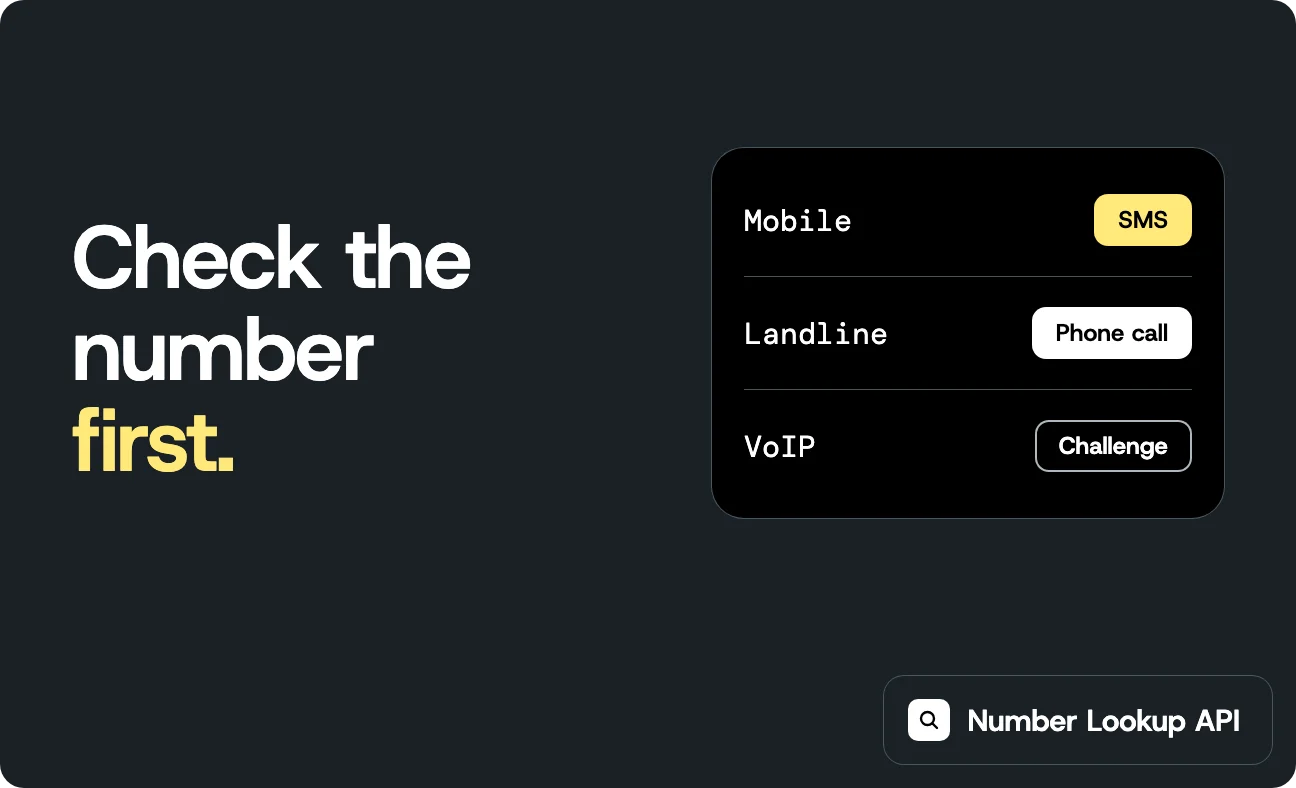
The Number Lookup API returns the line type of a number, which lets you screen out numbers that can’t receive SMS before you start a verification.
Additional resources
- Sinch Verification API overview
- Sinch Verification API reference
- Node.js SDK reference
- Callback request signing
- Errors and troubleshooting reference

Author: