Developers
Send appointment reminder calls at scale with Voice API v2 batch calling
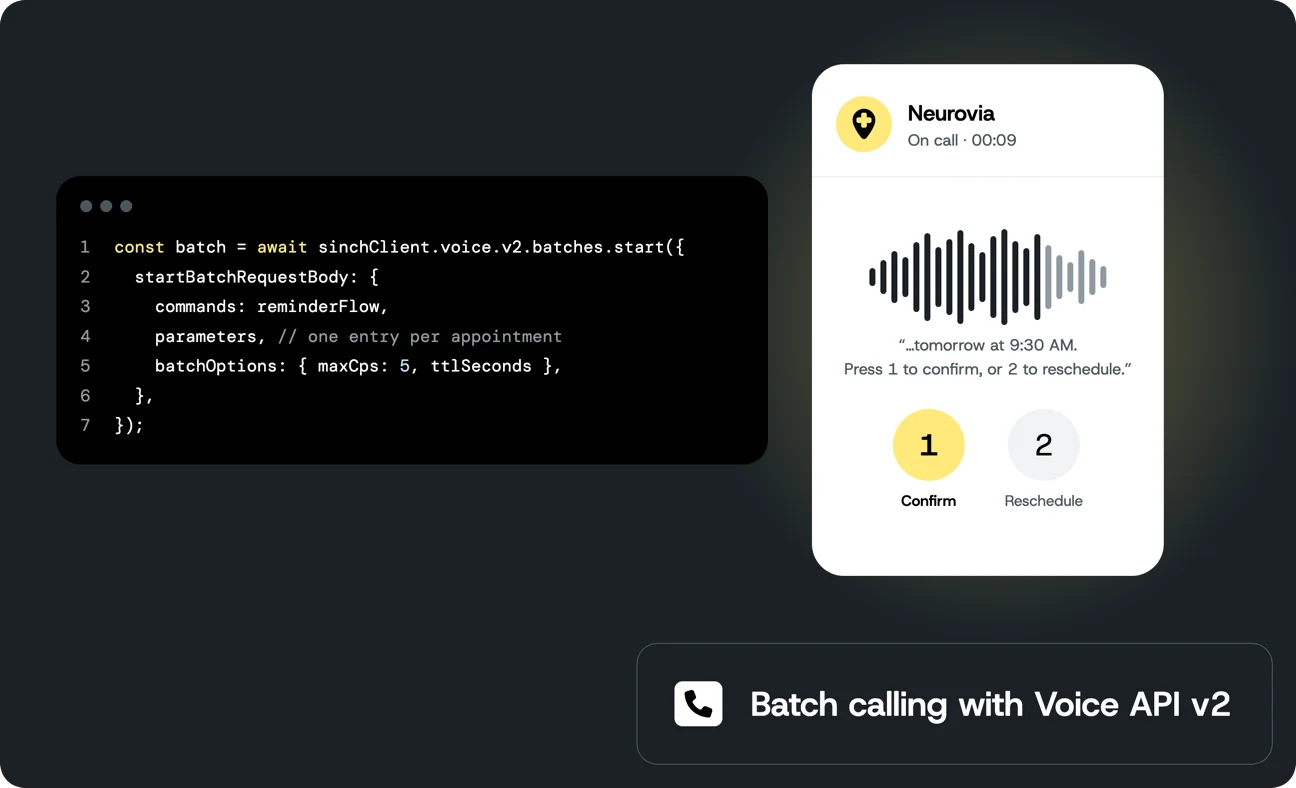
Reminder calls the day before help cut no-shows, but calling a list of customers is more work than calling one. You need a queue so you don’t dial 500 numbers in the same second, a way to stop calling once the reminders are no longer useful, a plan for voicemail, and a way to tell afterwards who confirmed, who didn’t answer, and who never got called at all.
Batch calling in Sinch Voice API v2 handles the queue for you. You send one request with the call flow and a list of recipients, and Sinch places the calls at the rate you set. This post builds an appointment reminder with it: Each customer hears their own name and time, a person gets a “press 1 to confirm” menu, a voicemail gets a short message, and every answer lands in your backend tagged with the appointment it belongs to. I ran the core flow against real calls while writing it.
Voice API v2 is in public preview. See Preview status before you plan a production rollout.
You’ll need
- A Sinch account and a project in the Sinch Build Dashboard
- An access key ID and secret from the project’s Access Keys page
- A voice-capable number in the project
- A Voice API v2 service
- Node.js 24 or newer
- The Sinch CLI, installed and logged in
Batch calls use the project’s default Voice service unless you pass another serviceId.
You’ll end up with two folders side by side:
                                    reminder-webhook/         The Sinch Function that receives confirmations
  function.ts             You add the confirm handler here
  .env                    Gets REMINDER_SIGNING_SECRET= from sinch secrets add
appointment-reminders/    The scripts that send the batch and report on it
  package.json
  tsconfig.json
  sinch-client.ts         The shared Sinch client
  appointments.ts         The list of people to call
  reminder-flow.ts        The call flow
  send-reminders.ts       Validates the flow and starts the batch
  report.ts               Waits for the batch and prints each outcome
sinch functions init also generates other files in reminder-webhook. You only edit function.ts.
How batch calling works
Batch calling in Voice API v2 places one call per entry in a list, from a single request, at a rate you set.
Voice API v2 describes a call as a list of JSON commands called SVAML (Sinch Voice Application Markup Language): Dial this number, play this message, collect a key press. A batch is a normal Voice API v2 call request with a parameters array added. There’s no separate “create batch” endpoint:
commandsis one SVAML call flow. Any string in it can contain placeholders such as@nameor@phoneNumber.parametersis a list with one object per call. Sinch fills the placeholders from each object and queues one call session for it. Keys are 1 to 32 characters, every value is a string, and every entry needs a key for every placeholder the flow uses.batchOptionscontrols pacing.maxCpscaps how many calls start per second (1 to 1000) andttlSecondsis how long Sinch keeps starting queued calls (1 to 10800, three hours). Anything not started by then expires.
The response gives you a batchId. With it you can read a summary of the batch, list its call sessions, or stop it. In the Node.js SDK these are sinchClient.voice.v2.batches.start, get, getDetails, and stop.
Deploy the confirmation endpoint
You’ll build a small endpoint that records confirmations, a call flow that dials each customer and asks them to press 1 or 2, a script that sends the batch, and one that reports on the results.
When a customer presses 1 or 2, the call flow sends a POST to your endpoint and waits for the commands to play next. Build that endpoint first, so you have its URL for the rest of the post. Any public HTTPS endpoint works. Here it’s a Sinch Function:
sinch functions init simple-voice-ivr --name reminder-webhook
cd reminder-webhook
init asks a few questions. Pick your Voice API v2 service, answer No to “Auto-configure voice integration on deploy” so deploying doesn’t repoint that service’s inbound webhook, and pick No database.
Appointment IDs are easy to guess, so the endpoint shouldn’t accept a confirmation from anyone who finds its URL. For forgery protection, the send script signs each appointment ID and action with a secret, and the endpoint checks the signature. It refuses every request if the secret isn’t set. Generate the secret and store it in your OS keychain from inside the function folder:
export REMINDER_SIGNING_SECRET=$(openssl rand -hex 32)
sinch secrets add REMINDER_SIGNING_SECRET "$REMINDER_SIGNING_SECRET"
secrets add also adds an empty REMINDER_SIGNING_SECRET= line to .env, which tells deploy to send the value along. Keep the variable exported in this shell: The send script uses the same secret.
init created function.ts in reminder-webhook. Every exported function in it becomes an HTTP endpoint named after the export, so exporting confirm gives you /confirm. Open function.ts, add the two import lines at the top, and add the confirm function at the end of the file:
                                    import { createHmac, timingSafeEqual } from 'node:crypto';
import type { FunctionContext, FunctionRequest, FunctionResponse } from '@sinch/functions-runtime';

export async function confirm(_context: FunctionContext, request: FunctionRequest): Promise<FunctionResponse> {
  const { appointment, action, token } = request.query as { appointment?: string; action?: string; token?: string };
  if (!appointment || !token || (action !== 'confirm' && action !== 'reschedule')) {
    return { statusCode: 400, body: { error: 'appointment, action, and token are required' } };
  }

  const signingSecret = process.env.REMINDER_SIGNING_SECRET;
  if (!signingSecret) {
    console.error('REMINDER_SIGNING_SECRET is not set');
    return { statusCode: 500, body: { error: 'not configured' } };
  }

  const expected = createHmac('sha256', signingSecret).update(`${appointment}:${action}`).digest();
  const received = Buffer.from(token, 'hex');
  if (received.length !== expected.length || !timingSafeEqual(received, expected)) {
    return { statusCode: 403, body: { error: 'invalid token' } };
  }

  // Update your scheduling system here. Keep it fast: the call waits for this response.
  console.info(`Appointment ${appointment}: ${action}`);

  const reply = action === 'confirm'
    ? 'Thanks, your appointment is confirmed. Goodbye.'
    : 'No problem. Please call us to pick a new time. Goodbye.';

  return {
    statusCode: 200,
    body: {
      commands: [
        {
          command: 'messages',
          messages: [{ type: 'SAY', say: { text: reply, voiceName: 'Emma' } }],
          events: { onFinish: [{ command: 'hangup' }] },
        },
      ],
    },
  };
}
Deploy it:
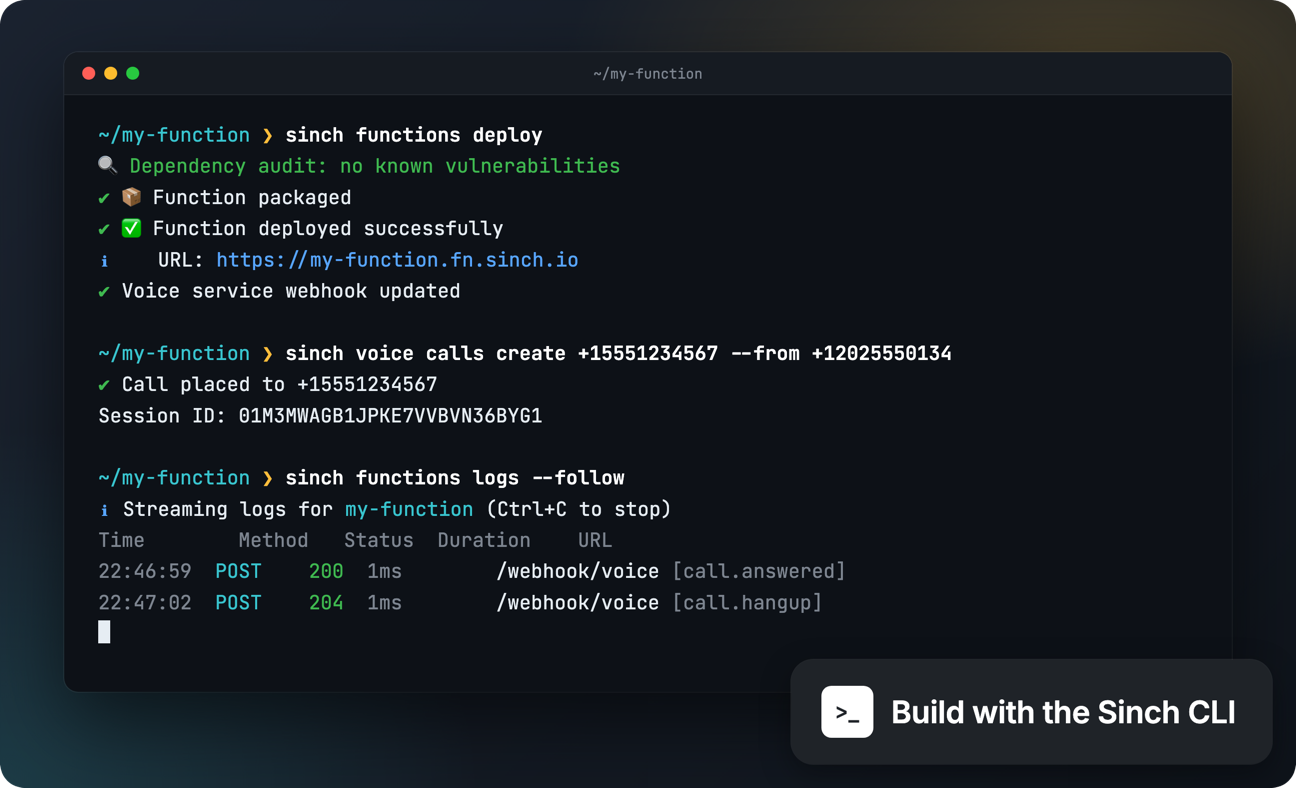
sinch functions deploy
Take the URL deploy prints and add /confirm. That’s your CONFIRM_URL.
Once the batch runs, each key press arrives as a request like this one. The body has the full call record, with callId, sessionId, batchId, and the number that was called, plus the key that was pressed:
                                    {
  "event": "call.webhook.appointment.confirmed",
  "call": {
    "callId": "01M3Q01XSRH9FB6KV5F487XWW8",
    "sessionId": "01M3Q01XSQ2W41CR8FXW309753",
    "batchId": "01M3Q01XMS16K5H7G0TEZZTQD4",
    "to": { "type": "PHONE", "phone": { "number": "+15551234567" } },
    "direction": "OUTBOUND",
    "callResult": "IN_PROGRESS"
  },
  "menu": { "menuName": "confirm", "input": "1" }
}
confirm only needs the query string, but log callId and sessionId if you want to trace a confirmation back to the call. The call waits for your response for up to five seconds. If the request fails or takes longer, the call ends. So answer fast, and for anything slow, such as a CRM write, record the result and do the work after you’ve responded. For extra resilience, the webhook command also takes a fallbackUrl, a second endpoint Sinch tries when the first one fails.
Set up the reminder project
Create a second project for the scripts, next to reminder-webhook rather than inside it:
cd ..   # back out of reminder-webhook
mkdir appointment-reminders && cd appointment-reminders
npm init -y
npm pkg set type=module
npm install @sinch/sdk-core
npm install --save-dev typescript @types/node
Node.js 24 runs TypeScript files directly, so there’s no build step. tsc is only for type checking. Create tsconfig.json in appointment-reminders:
                                    {
  "compilerOptions": {
    "target": "es2024",
    "module": "nodenext",
    "strict": true,
    "noEmit": true,
    "allowImportingTsExtensions": true,
    "erasableSyntaxOnly": true,
    "verbatimModuleSyntax": true,
    "skipLibCheck": true
  }
}
In the same terminal, export your credentials and settings:
REMINDER_SIGNING_SECRET is still exported from the function step. If you’re in a new shell, export it again with the same value you stored with sinch secrets add.
Create sinch-client.ts. Both scripts use it to call the Sinch APIs:
                                    import { SinchClient } from '@sinch/sdk-core';

export const requireEnv = (name: string): string => {
  const value = process.env[name];
  if (!value) throw new Error(`Missing environment variable ${name}`);
  return value;
};

export const sinchClient = new SinchClient({
  projectId: requireEnv('SINCH_PROJECT_ID'),
  keyId: requireEnv('SINCH_KEY_ID'),
  keySecret: requireEnv('SINCH_KEY_SECRET'),
});
Create appointments.ts with the list of people to call. Replace YOUR_PHONE_NUMBER with your own number, so the first batch you send calls only you. The other entries stay commented out until that works:
                                    // Tomorrow's appointments. In a real system these come from your scheduling database.
// Start with one entry: your own phone number, in E.164 format such as +15551234567.
export const appointments = [
  { appointmentId: 'A-1001', phoneNumber: 'YOUR_PHONE_NUMBER', name: 'Ada', time: '9:30 AM' },
  // Uncomment and edit these once the first test call works:
  // { appointmentId: 'A-1002', phoneNumber: '+15557654321', name: 'Grace', time: '11 AM' },
  // { appointmentId: 'A-1003', phoneNumber: '+15559876543', name: 'Alan', time: '2:30 PM' },
];

const tomorrow = new Date();
tomorrow.setDate(tomorrow.getDate() + 1);
export const reminderDate = tomorrow.toLocaleDateString('sv-SE'); // YYYY-MM-DD in local time
The SDK authenticates with OAuth 2.0 from your key ID and secret, so there’s no token handling to write.
Build the reminder call flow
The call flow is the same for every customer. Only the placeholders change. Create reminder-flow.ts:
                                    import type { Voice } from '@sinch/sdk-core';

type SvamlCommand = Voice.v2.SvamlCommand;

const say = (text: string): Voice.v2.Message => ({
  type: 'SAY',
  say: { text, voiceName: 'Emma' },
});

const sayThenHangUp = (text: string): SvamlCommand => ({
  command: 'messages',
  messages: [say(text)],
  events: { onFinish: [{ command: 'hangup' }] },
});

export function buildReminderFlow(businessName: string, fromNumber: string, confirmUrl: string): SvamlCommand[] {
  const answerUrl = (action: 'confirm' | 'reschedule') =>
    `${confirmUrl}?appointment=@appointmentId&action=${action}&token=@${action}Token`;

  const confirmMenu: SvamlCommand = {
    command: 'menu',
    startMenu: 'confirm',
    menus: {
      confirm: {
        prompt: {
          allowBargeIn: true,
          messages: [
            say(`Hi @name, this is ${businessName} with a reminder about your appointment tomorrow at @time. Press 1 to confirm, or 2 if you need to reschedule.`),
          ],
        },
        inputTimeoutDurationSeconds: 6,
        repeatCount: 1,
        maximumInputLength: 1,
        matches: {
          '1': [{ command: 'webhook', webhookName: 'appointment.confirmed', url: answerUrl('confirm') }],
          '2': [{ command: 'webhook', webhookName: 'appointment.reschedule', url: answerUrl('reschedule') }],
        },
        onFail: [sayThenHangUp(`Sorry, we didn't get that. Please call ${businessName} to confirm. Goodbye.`)],
      },
    },
  };

  return [
    {
      command: 'dial',
      callName: 'appt-@appointmentId',
      from: { type: 'PHONE', phone: { number: fromNumber } },
      to: { type: 'PHONE', phone: { number: '@phoneNumber' } },
      dialTimeoutDurationSeconds: 30,
      maxCallDurationSeconds: 120,
      events: {
        onAnswer: [
          {
            command: 'amd',
            events: {
              onHuman: [confirmMenu],
              onUnknown: [confirmMenu],
              onBeep: [sayThenHangUp(`Hi @name, this is ${businessName} with a reminder about your appointment tomorrow at @time. Call us if you need to reschedule. Goodbye.`)],
            },
          },
        ],
      },
    },
  ];
}
On each call:
dialcalls@phoneNumberfrom your number.callNameis set toappt-@appointmentId, which comes back on every call record later. That’s how you match results to appointments.amdruns answering machine detection once the call is answered. It has four outcomes: Human, machine, beep, and unknown. Detection listens before anything plays, so the customer hears a short pause after picking up.- A person (
onHuman) hears who’s calling, their appointment time, and amenu. Pressing 1 or 2 fires awebhookto your confirmation endpoint. The URL carries the appointment ID, the choice, and the token for that choice. - Unknown (
onUnknown) gets the same menu. People often pick up without saying anything, and a silent answer tends to come back as unknown. Hanging up on unknown hangs up on real customers. The trade-off: When a voicemail is detected as unknown, the menu prompt ends up on the voicemail instead of the shorter message. It still carries the reminder. - Voicemail gets a short message in
onBeep. According to the answering machine detection tutorial, a voicemail greeting triggers machine first and beep after it, so the message goes inonBeep, where it plays after the tone.onMachineis left out so the call waits for the beep. - No key press (
onFail) after the prompt and one repeat ends the call with a request to call you back.
Everything except the confirmation runs inside Voice API v2. The flow is defined inline with nested events, so there are no webhook round trips while the call rings, detects, and plays the menu.
Write the send script
Create send-reminders.ts. It validates the flow, then starts the batch with one entry per appointment:
                                    import { createHmac } from 'node:crypto';
import type { Voice } from '@sinch/sdk-core';
import { appointments, reminderDate } from './appointments.ts';
import { buildReminderFlow } from './reminder-flow.ts';
import { requireEnv, sinchClient } from './sinch-client.ts';

const reminderFlow = buildReminderFlow(
  requireEnv('BUSINESS_NAME'),
  requireEnv('SINCH_FROM_NUMBER'),
  requireEnv('CONFIRM_URL'),
);

// Forgery protection: one token per appointment and action, so the confirm endpoint can
// reject requests that didn't come from this batch.
const signingSecret = requireEnv('REMINDER_SIGNING_SECRET');
const sign = (appointmentId: string, action: 'confirm' | 'reschedule'): string =>
  createHmac('sha256', signingSecret).update(`${appointmentId}:${action}`).digest('hex');

const parameters = appointments.map((appointment) => ({
  ...appointment,
  confirmToken: sign(appointment.appointmentId, 'confirm'),
  rescheduleToken: sign(appointment.appointmentId, 'reschedule'),
}));

// Only call between 9 AM and 8 PM. This sample assumes your customers share the time zone
// of the machine running it. For several time zones, send one batch per zone.
function secondsLeftInCallingWindow(): number {
  const now = new Date();
  if (now.getHours() < 9) throw new Error('Calling hours start at 9 AM');
  const end = new Date(now);
  end.setHours(20, 0, 0, 0);
  const seconds = Math.floor((end.getTime() - now.getTime()) / 1000);
  if (seconds <= 0) throw new Error('Calling hours are over for today');
  return Math.min(seconds, 10_800); // the API allows at most three hours
}

// The validate endpoint doesn't take parameters, and a raw @phoneNumber fails the E.164
// check, so validate a copy with the first entry's values filled in.
function fillPlaceholders(commands: Voice.v2.SvamlCommand[], values: Record<string, string>): Voice.v2.SvamlCommand[] {
  const placeholder = new RegExp(`@(${Object.keys(values).join('|')})\\b`, 'g');
  const filled = JSON.stringify(commands).replace(placeholder, (_match, key: string) => values[key]);
  return JSON.parse(filled) as Voice.v2.SvamlCommand[];
}

async function main(): Promise<void> {
  const ttlSeconds = secondsLeftInCallingWindow();

  if (parameters.length === 0) throw new Error('No appointments to remind');
  const invalidNumbers = parameters.filter(({ phoneNumber }) => !/^\+[1-9]\d{1,14}$/.test(phoneNumber));
  if (invalidNumbers.length > 0) {
    throw new Error(`Not E.164: ${invalidNumbers.map(({ appointmentId }) => appointmentId).join(', ')}`);
  }

  const validation = await sinchClient.voice.v2.svaml.validate({
    validateSvamlRequestBody: {
      svaml: { commands: fillPlaceholders(reminderFlow, parameters[0]) },
      validationType: 'STRICT',
    },
  });
  if (!validation.isValid) {
    throw new Error(`Reminder flow is invalid: ${validation.errors?.join('; ')}`);
  }

  // One key per reminder run: a rerun within 10 minutes returns the same batch
  // instead of calling everyone twice.
  const batch = await sinchClient.voice.v2.batches.start({
    'Idempotency-Key': `appointment-reminders-${reminderDate}`,
    startBatchRequestBody: {
      commands: reminderFlow,
      parameters,
      batchOptions: { maxCps: 5, ttlSeconds },
    },
  });

  console.log(`Started batch ${batch.batchId} with ${parameters.length} reminder${parameters.length === 1 ? '' : 's'}`);
}

main().catch((error: unknown) => {
  console.error('Failed to send reminders:', error instanceof Error ? error.message : error);
  process.exit(1);
});
The details in that script:
- Sign each appointment and action.
confirmTokenandrescheduleTokenare HMACs of the appointment ID and the action. The matching one ends up in the webhook URL, so a leaked confirm link can’t be used to reschedule. This protects against forged requests. It isn’t a login, and the tokens don’t expire. - Check the input. The script stops if the list is empty or any number isn’t in E.164 format (
+15551234567), before anything is sent. - Validate the flow.
svaml.validatechecks the flow against the live schema without placing a call. It doesn’t takeparameters, and a raw@phoneNumberfails the E.164 check, so the script fills in one entry’s values before validating. - Set
maxCps. It defaults to 1000. Pick a rate your number, your carrier, and anyone who calls back can handle. Five calls a second works through 500 reminders in under two minutes. - Tie
ttlSecondsto calling hours. The script only runs between 9 AM and 8 PM, and stops starting calls at 8 PM or after three hours, whichever comes first. “Local” here means the machine running the script, so the sample assumes your customers are in the same time zone. If they aren’t, send one batch per time zone. - Use a stable
Idempotency-Key. If the script retries or runs twice within 10 minutes, Sinch returns the samebatchIdinstead of calling everyone again. A random key per run wouldn’t protect you from a second run, so the key comes from the reminder date. The window is only 10 minutes, so also record in your own system which appointments you’ve sent reminders for. - One entry per person. Sessions in a batch run in parallel and don’t follow list order. Two entries for the same number ring the same phone at the same time.
Send your first batch
With your own number in the one active entry in appointments.ts, check the types from the appointment-reminders folder:
npx tsc
No output means no type errors. Then send the batch:
node send-reminders.ts
Started batch 01M3Q6P4YM2F0FFVS8GGZQ0X8G with 1 reminder
Your phone rings within a few seconds. Pick up and say hello. After a short pause, you hear the reminder. Press 1, and you hear “Thanks, your appointment is confirmed.”
To see the confirmation arrive, open a second terminal in the reminder-webhook folder and stream the function’s logs:
sinch functions logs --follow
The request to /confirm shows up with action=confirm and your appointment ID, and the function logs Appointment A-1001: confirm. Keep the batch ID from the send output. The report script uses it next.
Write the report script
The batch summary counts sessions by state: queued, inProgress, completed, and expired. A completed session means the call ended, not that someone answered. The outcome of each call is on the session. report.ts waits until nothing is queued or in progress, reads each session (10 at a time), maps it back to an appointment through callName, and lists the appointments that never got a call. Create report.ts:
                                    import { setTimeout as sleep } from 'node:timers/promises';
import type { Voice } from '@sinch/sdk-core';
import { appointments } from './appointments.ts';
import { sinchClient } from './sinch-client.ts';

const batchId = process.argv[2];

async function waitForBatch(): Promise<void> {
  const firstSummary = await sinchClient.voice.v2.batches.get({ batchId });
  // No call starts after the TTL, and none lasts longer than maxCallDurationSeconds (120).
  const deadline = Date.now() + ((firstSummary.ttlSeconds ?? 10_800) + 180) * 1000;

  for (let summary = firstSummary; Date.now() < deadline; summary = await sinchClient.voice.v2.batches.get({ batchId })) {
    console.log(`queued ${summary.queued}, in progress ${summary.inProgress}, completed ${summary.completed}, expired ${summary.expired}`);
    if (summary.queued === 0 && summary.inProgress === 0) return;
    await sleep(10_000);
  }
  throw new Error(`Batch ${batchId} is still running after its TTL`);
}

async function fetchCalls(sessionIds: string[]): Promise<Voice.v2.Call[]> {
  const calls: Voice.v2.Call[] = [];
  // Ten session lookups at a time.
  for (let start = 0; start < sessionIds.length; start += 10) {
    const results = await Promise.allSettled(
      sessionIds.slice(start, start + 10).map((sessionId) => sinchClient.voice.v2.sessions.get({ sessionId })),
    );
    results.forEach((result, index) => {
      if (result.status === 'fulfilled') calls.push(...result.value.calls);
      else console.error(`Could not read session ${sessionIds[start + index]}:`, result.reason);
    });
  }
  return calls;
}

async function main(): Promise<void> {
  if (!batchId) throw new Error('Usage: node report.ts BATCH_ID');
  await waitForBatch();

  const { sessions } = await sinchClient.voice.v2.batches.getDetails({ batchId });
  const calls = await fetchCalls(sessions.map((session) => session.id));

  const calledIds = new Set<string>();
  for (const call of calls) {
    const appointmentId = call.callName?.replace(/^appt-/, '') ?? 'unknown';
    calledIds.add(appointmentId);
    console.log(`${appointmentId}  ${call.callResult}  ${call.callReason ?? ''}  ${call.callDurationSeconds ?? 0}s`);
  }

  // Expired sessions aren't returned, so compare against the original list.
  for (const { appointmentId } of appointments) {
    if (!calledIds.has(appointmentId)) console.log(`${appointmentId}  NOT CALLED  expired before it started`);
  }
}

main().catch((error: unknown) => {
  console.error('Failed to report on batch:', error instanceof Error ? error.message : error);
  process.exit(1);
});
Run it with the batch ID from your first batch:
node report.ts 01M3Q6P4YM2F0FFVS8GGZQ0X8G
queued 0, in progress 1, completed 0, expired 0
queued 0, in progress 1, completed 0, expired 0
queued 0, in progress 0, completed 1, expired 0
A-1001  COMPLETED  MANAGER_HANGUP  21s
The script compares against the current appointments.ts. In a real system the list can change between sending and reporting, so store the list you sent together with the batchId and report against that.
callResult and callReason tell you what happened: COMPLETED for a call that connected, and FAILED, BUSY, or NO_ANSWER with a reason for the ones that didn’t. Sessions that expired before they started aren’t returned by getDetails at all, which is why the script compares against the appointment list. Those customers need another channel, such as an SMS.
The report tells you a call connected. Whether the customer pressed 1 or 2 is in your confirmation endpoint’s records.
When that works with your own number, add the real appointment list and send it the same way.
Stop a batch
If the schedule changes after you’ve sent the batch, stop it:
await sinchClient.voice.v2.batches.stop({ batchId });
Queued calls won’t start. Calls already in progress finish normally. The request returns 202 with { "result": "STOP_REQUESTED" }.
Production considerations
- Calling rules. Automated calls are regulated in most markets. Check consent, calling hours, caller ID, and opt-out requirements for every country you call before the first batch goes out.
- Pick
maxCpswith callbacks in mind. If reminders lead customers to call back, a high rate turns into a wave of inbound calls at once. - Persist the
batchIdwith the job that sent it. There’s no endpoint that lists batches, so a lost ID means no summary. - Keep the confirmation endpoint fast and idempotent. A customer who presses 1 twice shouldn’t confirm twice in your system.
- Plan the fallback. Decide what happens to unanswered, failed, and expired reminders. An SMS through the Sinch Conversation API is a common second attempt.
- Watch the 600-character limit on each
SAYmessage, after placeholders are filled in.
Troubleshooting
Calling hours are over for todayorCalling hours start at 9 AM. The send script only runs between 9 AM and 8 PM on the machine’s clock. Send during that window, or change the hours insecondsLeftInCallingWindowto match your business.- A customer presses a key other than 1 or 2. The menu plays the prompt once more. If there’s still no match, the
onFailmessage asks them to call you, and the call ends. - The call connects, stays silent, then hangs up. Detection came back as unknown and the flow has no
onUnknownhandler, or it hangs up there. GiveonUnknownthe same menu asonHuman. - Pressing a key does nothing, or the call drops after the menu. The confirmation webhook failed or took longer than five seconds. Check that
CONFIRM_URLis public, ends in/confirm, and responds quickly.sinch functions logs --followinreminder-webhookshows each request. - The endpoint returns
403 invalid token.REMINDER_SIGNING_SECRETdiffers between the send script and the function. Set the same value in both, and deploy the function again aftersinch secrets add. Not E.164: A-1001. You haven’t replacedYOUR_PHONE_NUMBERinappointments.ts, or a number is missing the+and country code.svaml.validatesays the number must be a valid E.164 phone number. You validated the flow with placeholders still in it. Validate a copy with real values, assend-reminders.tsdoes.- Some appointments show as not called. Their sessions expired before they started. Send the batch earlier in the day, raise
maxCps, or reach those customers another way. - The second call to the same number fails with
NOT_AVAILABLE. Two entries in the same batch called one phone at once. Keep one entry per person.
Preview status
The preview terms allow testing, evaluation, early commercial use, and live traffic, and state that the platform is designed to support production-level volumes. The service is provided as is and as available, usage limits may apply, and no SLA applies. Sinch may add functionality, and breaking changes cannot be ruled out before general availability.
What’s next
You now have reminders that call a whole list at a controlled pace, adapt to people and voicemail, and report back per appointment. From here you can record calls to your own storage with startRecording, hand confirmed callers to an agent with bridgeCall, or put an AI agent on the line with Voice Relay, which Connect AI Agents to Phone Calls with Sinch Voice API v2 walks through.
Additional resources
- Voice API v2 overview
- Voice API v2 API reference
- Batch calling concepts)
- Voice API v2 tutorials repository
- Sinch Node.js SDK
- Build, operate, and automate Sinch APIs with the Sinch CLI

Author: