Resources
35 automated text message examples you can copy today
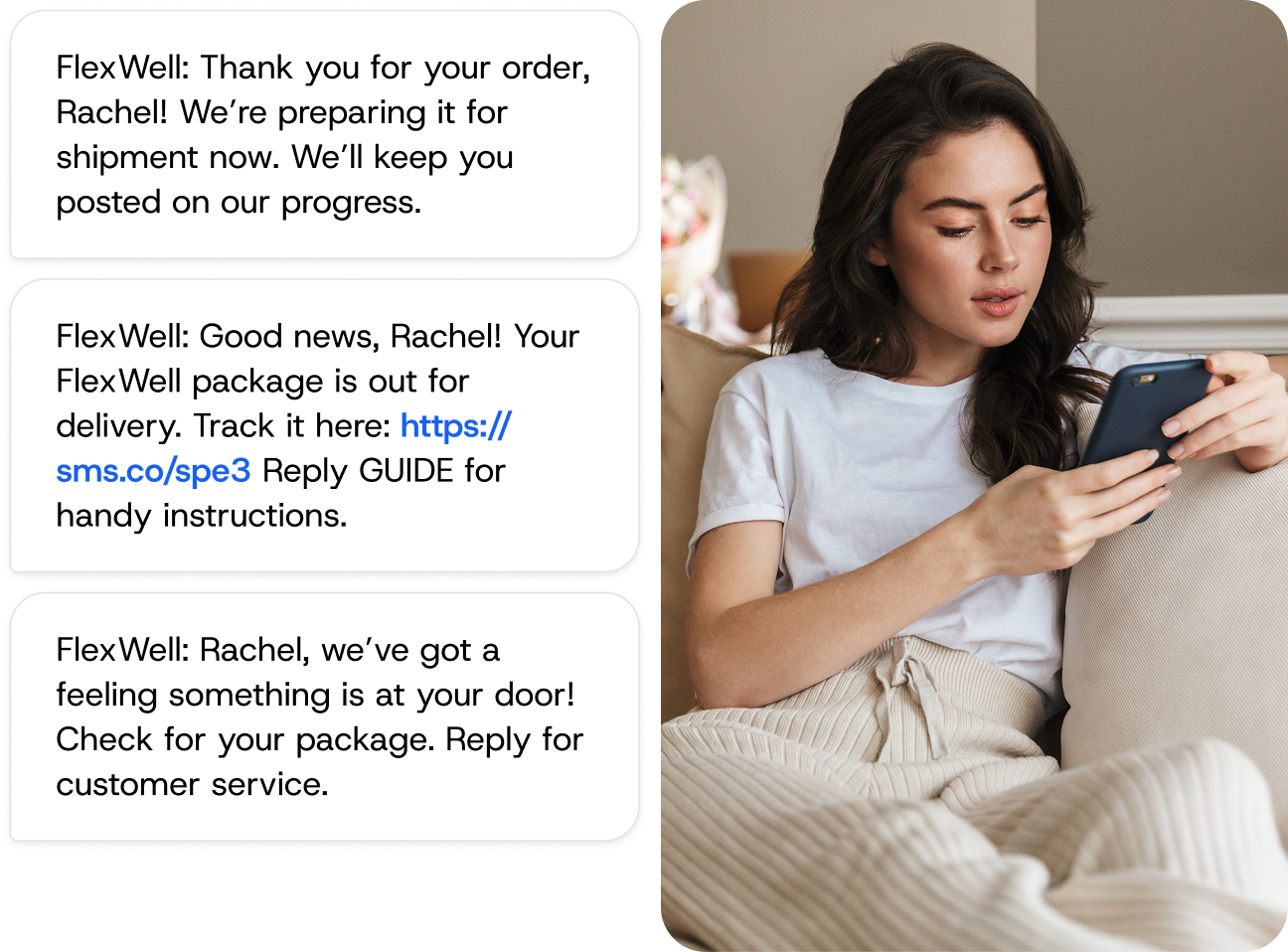
Staring at a blank text field wondering what your first automated message should say — that’s where most SMS automation software stalls. This guide solves that problem. Below you’ll find 35+ ready-to-use SMS templates organized by use case, with opt-out language built into every single one.
Copy them, swap in your business name, and launch today.
What is an automated text message?
An automated text message sends itself based on a rule you define — no manual typing, no “remember to follow up” sticky notes. There are three core trigger types: time-based (“send a reminder 24 hours before an appointment”), action-based (“send a confirmation after a purchase”), and behavior-based (“send a re-engagement text after 30 days of inactivity”).
One rule applies to every SMS template in this guide: include an opt-out mechanism. Under TCPA compliance requirements, every commercial text must give recipients a clear way to stop receiving messages. You’ll see “Reply STOP to opt out” in every template below.
35 automated text message examples for every use case
Swap the bracketed placeholders with your own details and assign the right trigger in your SMS platform.
Appointment reminders
Sent 24–48 hours before an appointment, these reduce no-shows and give customers time to reschedule.
Template 1 — Healthcare: “Hi [FirstName], you have an appointment with Dr. {DoctorName} on {Date} at {Time}. Reply YES to confirm or CALL to reschedule. Reply STOP to opt out.”
Template 2 — Salon or spa: “[FirstName], your {ServiceType} at [BusinessName] is tomorrow at {Time}. Running late? Text us and we’ll adjust. Reply STOP to opt out.”
Template 3 — Two-way flow: “Your {ServiceType} is on {Date} at {Time}. Reply 1 for YES or 2 to RESCHEDULE. Reply STOP to opt out.” If customer replies “2”: “No problem! Pick a new time here: {RescheduleURL}. We’ll hold your spot once confirmed.”
Order confirmations and delivery updates
Template 4 — Order confirmed: “[BusinessName]: Your order #{OrderNumber} is confirmed! You’ll get a tracking link once it ships. Reply STOP to opt out.”
Template 5 — Shipped: “[BusinessName]: Your order #{OrderNumber} just shipped! Track it here: {TrackingURL}. Estimated delivery: {Date}. Reply STOP to opt out.”
Template 6 — Delivered: “Hi [FirstName], your [BusinessName] order was delivered today. Didn’t receive it? Reply HELP and we’ll sort it out. Reply STOP to opt out.”
Payment reminders
Template 7 — Upcoming payment: “Hi [FirstName], your {Amount} payment to [BusinessName] is due on {Date}. Pay here: {PaymentURL}. Questions? Reply to this text. Reply STOP to opt out.”
Template 8 — Past due: “[BusinessName]: Your account has a balance of {Amount} past due. Visit {PaymentURL} to resolve. Need help? Reply HELP. Reply STOP to opt out.”
Welcome and opt-in messages
Template 9 — Retail welcome: “Welcome to [BusinessName] texts, [FirstName]! 🎉 Here’s 15% off your next order: {CouponCode}. Reply STOP to opt out.”
Template 10 — Preference collection: “Thanks for joining [BusinessName] texts! What interests you most? Reply 1 for DEALS, 2 for NEW ARRIVALS, 3 for EVENTS. Reply STOP to opt out.”
Promotional messages
Template 11 — Flash sale: “[BusinessName]: 🔥 Flash sale! 30% off everything today only. Shop now: {URL}. Reply STOP to opt out.”
Template 12 — Seasonal offer: “[FirstName], summer is booking fast at [BusinessName]. Save {Discount}% this week with code {PromoCode}: {URL}. Reply STOP to opt out.”
Template 13 — Enrollment: “[BusinessName]: Fall enrollment is open! Secure your spot in {ProgramName} before {Deadline}: {URL}. Reply STOP to opt out.”
Abandoned cart recovery
Send within 30–60 minutes of abandonment for the best results.
Template 14 — Gentle nudge: “Hi [FirstName], you left something behind at [BusinessName]! Your cart is saved: {CartURL}. Complete your order before items sell out. Reply STOP to opt out.”
Template 15 — Incentive: “Still thinking it over, [FirstName]? Here’s free shipping on your cart: {CartURL}. Use code FREESHIP — expires in 24 hours. Reply STOP to opt out.”
Template 16 — Two-way: “Hi [FirstName], we noticed you didn’t finish checking out. Had an issue? Reply YES and we’ll help. Reply STOP to opt out.” If customer replies “YES”: “Thanks! A team member will text you shortly. Hang tight, [FirstName].”
Customer service auto-replies
Template 17 — General: “Thanks for reaching out to [BusinessName]! We got your message and will reply within {Timeframe}. For urgent help, call {PhoneNumber}. Reply STOP to opt out.”
Template 18 — Ticket created: “Hi [FirstName], we’ve created support ticket #{TicketNumber}. You’ll hear from us within {Timeframe}. Reply STOP to opt out.”
Feedback and surveys
Template 19 — Post-visit: “Hi [FirstName], thanks for visiting [BusinessName] today. How was your experience? {SurveyURL}. Reply STOP to opt out.”
Template 20 — Two-way NPS: “[BusinessName]: On a scale of 1–10, how likely are you to recommend us? Just reply with a number. Reply STOP to opt out.” If customer replies “9” or “10”: “Amazing — thank you! Would you mind leaving a review? {ReviewURL}” If customer replies “1”–”6″: “We’re sorry to hear that. A manager will reach out today to make things right.”
Lead follow-up
Template 21 — Instant response: “Hi [FirstName], thanks for your interest in [BusinessName]! {AgentName} will be in touch shortly. In the meantime: {ResourceURL}. Reply STOP to opt out.”
Template 22 — Day 3 drip: “[FirstName], still exploring {ServiceType}? Here’s a quick guide with answers to our most common questions: {URL}. Reply to chat. Reply STOP to opt out.”
Re-engagement campaigns
Template 23 — Win-back: “[FirstName], we miss you at [BusinessName]! Here’s {Discount}% off your next visit: {CouponCode}. Reply STOP to opt out.”
Template 24 — Check-in: “Hi [FirstName], it’s been {TimeFrame} since your last {ServiceType} at [BusinessName]. Time for a tune-up? Book here: {URL}. Reply STOP to opt out.”
Template 25 — Two-way: “[FirstName], it’s been a while. Still want to hear from us? Reply YES to stay or STOP to unsubscribe.” If customer replies “YES”: “Great to have you back! Here’s a welcome-back offer: {Offer}.”
Loyalty and VIP rewards
Template 26 — Points update: “[FirstName], you have {Points} points with [BusinessName] — enough for {RewardDescription}. Redeem here: {URL}. Reply STOP to opt out.”
Template 27 — VIP early access: “🌟 VIP alert, [FirstName]! You get 24-hour early access to our {EventName} sale. Shop now: {URL}. Reply STOP to opt out.”
Event notifications
Template 28 — Registration confirmed: “You’re registered for [BusinessName]’s {EventName} on {Date} at {Time}! Add to your calendar: {CalendarURL}. Reply STOP to opt out.”
Template 29 — Day-of reminder: “[FirstName], {EventName} starts in 1 hour! Join here: {URL}. Have your questions ready — there’s live Q&A. Reply STOP to opt out.”
Schedule changes
Template 30 — Reschedule: “[BusinessName]: Your reservation on {OriginalDate} has moved to {NewDate} at {NewTime}. Need a different time? Reply CHANGE. Reply STOP to opt out.” If customer replies “CHANGE”: “Here’s our availability: {SchedulingURL}. Pick whatever works, [FirstName].”
Template 31 — Service disruption: “[BusinessName] alert: We’re experiencing {IssueType} affecting your {ServiceType} on {Date}. We’ll update you as soon as it’s resolved. Reply STOP to opt out.”
After-hours auto-replies
Template 32 — Standard: “Thanks for texting [BusinessName]! Our team is available {BusinessHours}. We’ll reply first thing tomorrow. Emergencies: {PhoneNumber}. Reply STOP to opt out.”
Template 33 — With self-service: “Hi! [BusinessName] is closed right now. You might find your answer here: {FAQURL}. We’ll follow up when we’re back. Reply STOP to opt out.”
Template 34 — Hospitality: “Thank you for contacting [BusinessName]. Our front desk reopens at {Time}. Current guests needing immediate help: {EmergencyNumber}. Reply STOP to opt out.”
Every template above includes “Reply STOP to opt out” — this isn’t optional. Under TCPA regulations, every commercial automated text must provide a clear opt-out mechanism. Build it in from day one.
Start sending today
Pick two or three templates that match your most urgent need. For most businesses that’s an appointment reminder, a welcome message, and an after-hours auto-reply. Launch with what you have, watch how customers respond, and refine from there.

Author: