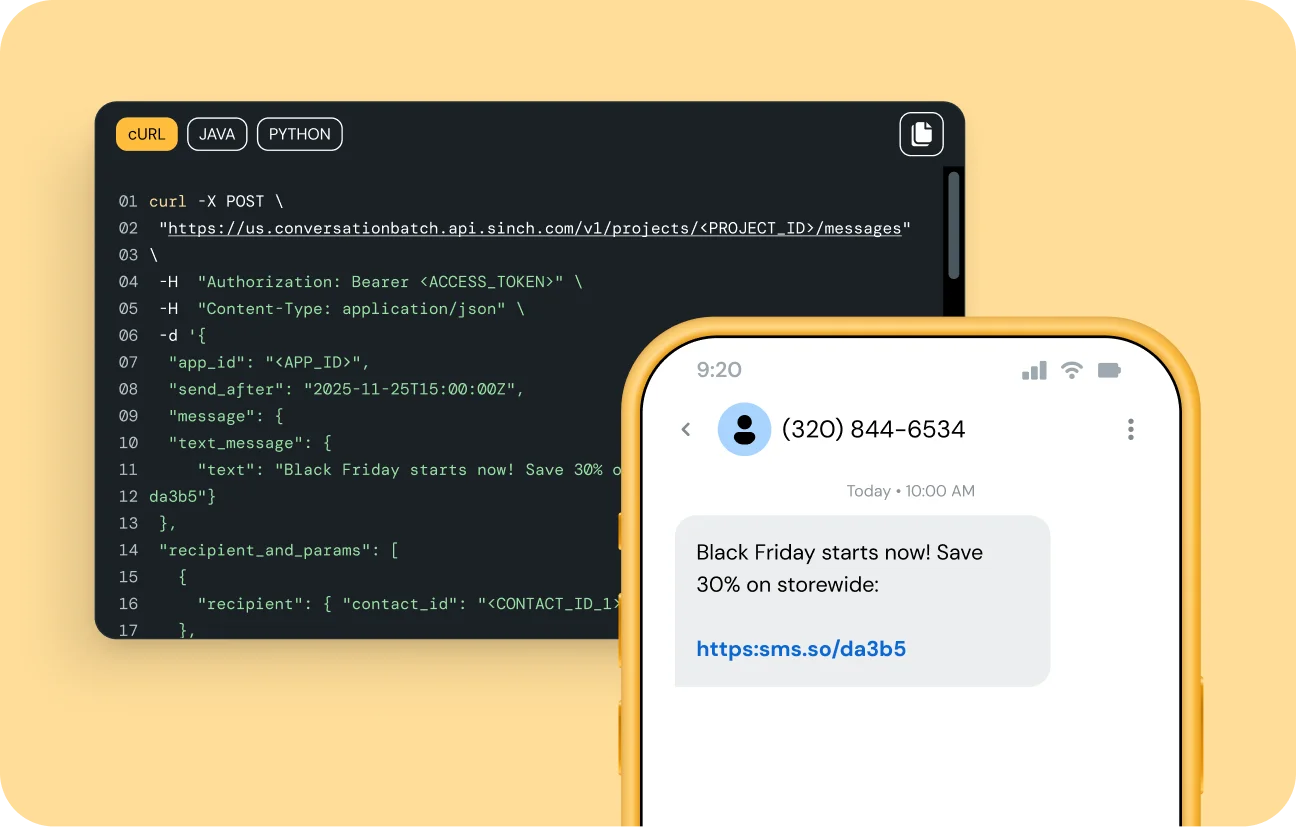
Use the Sinch Conversation API to batch and schedule personalized messages and choose whether they go out now or later. Reach up to 1,000 recipients in one call with no extra code or added fees.
SEND MESSAGES EASILYÂ
Use the Sinch Conversation API to batch and schedule personalized messages and choose whether they go out now or later. Reach up to 1,000 recipients in one call with no extra code or added fees.
WHY IT MATTERS
Message batching and scheduling removes the heavy lifting of high-volume sends and complex schedulers. With one endpoint, you can batch and schedule messages, cut thousands of calls, get read at the ideal moment, and reach customers on any Conversation API channel.
ELIMINATE COMPLEXITYÂ
Stop wrestling with rate limits and endless loops. Use one POST to batch and schedule messages and let Sinch handle delivery, retries, and monitoring behind the scenes.
Reach up to 1,000 recipients per call
No custom sending logic to write
Real-time batch status tracking
AUTOMATE TIMINGÂ
Move beyond one-time bulk sends to well-timed conversations. With a single parameter, you can batch and schedule messages up to a week ahead of time, freeing developers from extra work.
Works with just one parameter
Schedule once, reuse anytime
Cancel or adjust before send time
SCALE EVERY CHANNEL
Other tools limit bulk sending to SMS, while our feature is native to the Conversation API. It lets you batch and schedule messages across any channel, from simple SMS to interactive RCS. Launch rich, interactive campaigns without duplicating code or integrations.
Same code for SMS, RCS, and WhatsApp
Works with any supported message type
Future channels automatically included
FEATURES THAT JUST WORKÂ
WHERE IT WORKS
Send a single POST to /v1/batches with your recipient list. To schedule delivery, include the send_after parameter with your desired date and time.
Batching sends the same message to many recipients at once. Scheduling sends a message at a chosen future time. You can combine both in one request.
Yes. Use the batch ID to cancel or modify any scheduled batch as long as it hasn’t started sending.
No. Message batching and scheduling is free to use. You’re only billed for the normal per-message price once messages are sent.
All Conversation API channels, including SMS, RCS, WhatsApp, and more.
You need an active Sinch account and access to the Conversation API to get started.
$client = new Clx\Xms\Client("{spid}", "{token}");
$batchParams = new \Clx\Xms\Api\MtBatchTextSmsCreate();
$batchParams->setSender("12345");
$batchParams->setRecipients(["46123123123"]);
$batchParams->setBody("Hello, World!");
try {
$result = $client->createTextBatch($batchParams);
echo("Successfully sent batch " . $result->getBatchId());
} catch (\Clx\Xms\ApiException $ex) {
echo("Failed to communicate with XMS: " . $ex->getMessage() . "\n");
}
const targetPosition =
element.getBoundingClientRect().top + window.pageYOffset + offset
const startPosition = window.pageYOffset
const distance = targetPosition - startPosition
// Initialize a start time for the animation
let startTime = null
echo "test";
Learn how you can send campaigns to thousands of recipients immediately or schedule them for later with one easy API call.