ANALYTICS DASHBOARD 

See every message, cost, and delivery status at a glance 
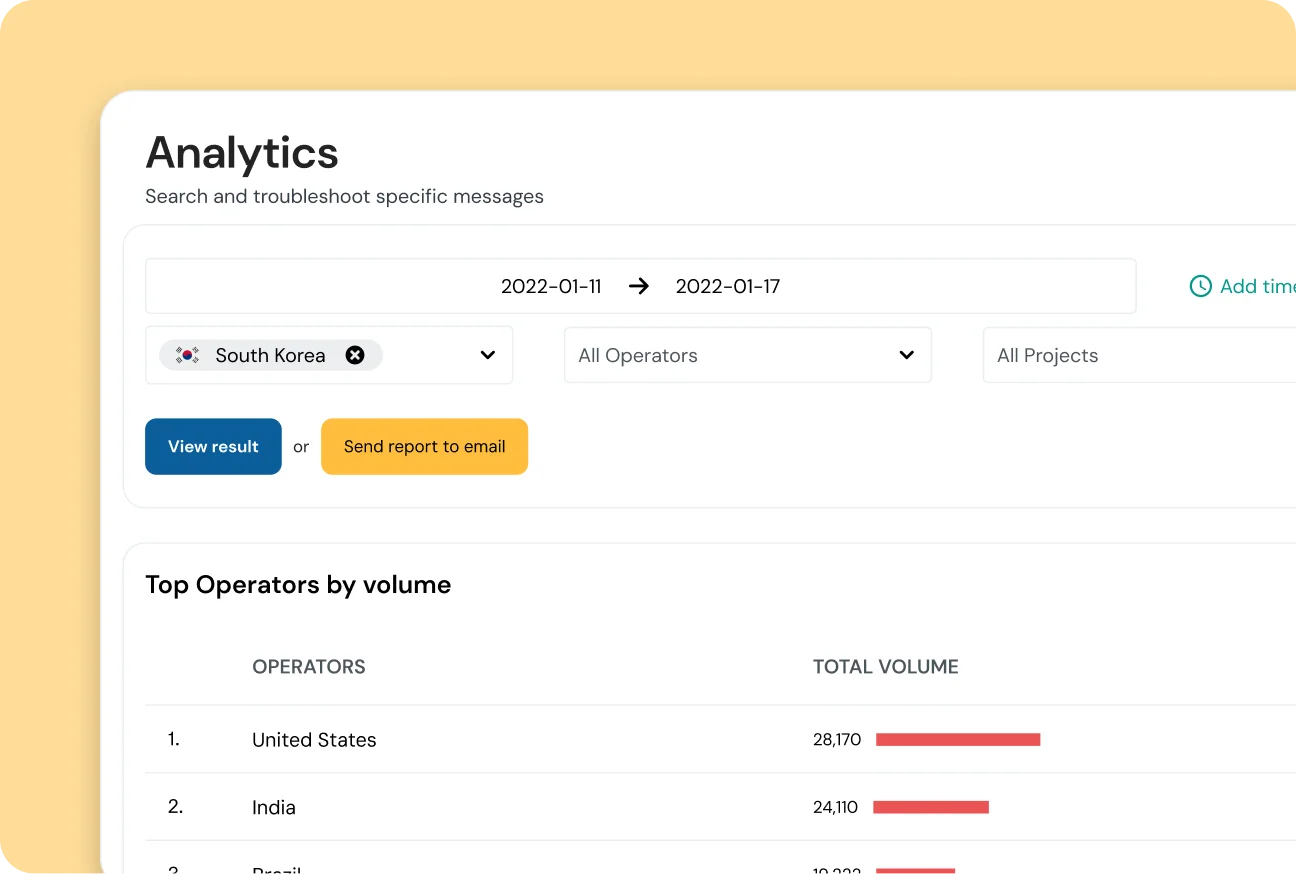
With the Analytics Dashboard, part of the Sinch Conversation API, get a clear, complete picture of your messaging traffic, costs, and delivery performance across every channel in a simple, easy-to-use dashboard. 

Image for See every message, cost, and delivery status at a glance 
Join over 190,000 businesses, including 8 of the 10 largest tech companies in the world

CAMPAIGN INSIGHTS 

Daily insights that make smarter decisions easier 

Use the Conversation API Analytics Dashboard to understand engagement, manage budgets, and solve issues faster with built-in, filterable analytics for every app. 

Control your spending 

See costs per message, channel, and country for budget visibility and clearer ROI. 

Track every channel  

Check volumes and delivery rates for SMS, WhatsApp, RCS, and more, all in one place.  

Troubleshoot fast  

Filter by date, channel, or country to spot spikes in failed messages and keep operations running smoothly. 
Image for See the full picture and optimize costs

COST TRANSPARENCY 

See the full picture and optimize costs

With the Conversation API Analytics Dashboard gives you a single view of total cost, cost per channel, and cost per country, so every decision has the data to back it up. 

  • Break down spending by channel and country

  • Identify high-cost traffic in seconds

  • Improve ROI with informed budget choices

Image for Track message performance across every channel 

PERFORMANCE MONITORING 

Track message performance across every channel 

Easily monitor inbound and outbound traffic, delivery rates, and engagement across SMS, WhatsApp, RCS, and more, all in one unified dashboard. 

  • Combine data from SMS, WhatsApp, RCS, and more

  • Compare delivery rates side-by-side

  • Spot engagement trends instantly

Image for Find and fix delivery issues faster 

RAPID TROUBLESHOOTING 

Find and fix delivery issues faster 

Use powerful filters to zoom in on specific channels, countries, or date ranges. Catch traffic spikes or delivery problems faster, without extra code. 

  • Zero setup—ready from day one 

  • Daily data updates for fresh insights 

  • Keep teams proactive, not reactive 

FEATURES THAT JUST WORK 

Everything you need, built right in 

The analytics dashboard is built into the Sinch Build dashboard and activates automatically for all Conversation API channels, offering daily insights and filterable views with zero setup. 

Unified omnichannel dashboard  

View combined data from SMS, WhatsApp, RCS, and more in one clean interface. 

Traffic and delivery metrics  

Track total messages, inbound and outbound volumes, and delivered vs. failed rates. 

Detailed cost analysis  

Break down costs by channel and country for clearer budget management. 

Geographical insights  

See message distribution across countries around the world. 

Powerful filtering  

Filter by app, date range, country, or channel to get insights quickly. 

Daily data updates  

Get new analytics every 24 hours to support timely decision-making. 

Zero-setup activation  

Works automatically for all Conversation API channels—no configuration required. 

Built-in cost transparency  

Clear cost summaries come standard, with no hidden fees. 

REAL-WORLD USE CASES 

How teams put the dashboard to work 

Monthly business review  

A Product Manager filters for last month to see which channels drove the most activity and builds a clear, concise report. 


Budget reconciliation  

A Finance Manager reviews quarterly spending and uses country-level cost data to allocate budgets internally. 

Troubleshooting a campaign  

A developer notices a dip in engagement, filters by channel and country, and discovers a spike in failed messages after a new release. 

Performance monitoring  

Operations teams check daily traffic trends and diagnose delivery issues quickly, without needing to create support tickets. 

Frequently asked questions 

Data refreshes once every 24 hours, giving you a complete view of the previous day’s activity. 

No. Analytics are included with your Sinch account for all Conversation API usage. 

The dashboard is designed for quick visual insights. Your data can be exported to a CSV file if needed. 

Think of them as a funnel: Sent → Delivered → Read. Not all channels support read receipts, so the Read metric appears only where available. 

You’ll need an active Sinch account and the Conversation API to use the analytics dashboard. The dashboard activates automatically without any additional setup. 

It shows clear costs per message, channel, and country so you can make budget decisions with confidence.