Insights
Apple RCS support: What it means for iPhone users and businesses
Yes, iPhone supports RCS. Apple added Rich Communication Services (RCS) to the Messages app with iOS 18 in September 2024, and support has deepened since: RCS for Business is rolling out on iPhone in key markets, and end-to-end encryption for personal iPhone-to-Android chats began rolling out in beta with iOS 26.5 in May 2026.
For years, your iPhone treated every non-iMessage text as a second-class citizen – compressed photos, no typing indicators, and a hard stop at the edge of Apple’s ecosystem. That era is over. But most coverage still treats Apple RCS support as a bubble-color story, and that misses the bigger change: the green bubble didn’t turn blue, it became trustworthy.
In this guide, we’ll break down what RCS on iPhone actually is, how to turn it on, where encryption really stands in 2026, and what Apple’s support means for the businesses that message you – or for the customers you message.
What is RCS on iPhone?
RCS on iPhone is the upgraded texting standard Apple added in iOS 18. It brings high-resolution photos and videos, read receipts, typing indicators, larger group chats, and reactions to the green-bubble conversations you have with Android users and businesses. It runs inside the Messages app and falls back to SMS when RCS isn’t available.
That’s the plain answer. Here’s what it means in practice.
Rich Communication Services (RCS) is the open messaging standard maintained by the GSM Association (GSMA) as the successor to SMS. Google is its biggest implementer – Google Messages is the default RCS app on Android – but the standard belongs to the mobile industry, not to any single company. On your iPhone, RCS upgrades the conversations that used to travel as plain SMS: the ones with Android users, and the ones from companies.
A few things are worth getting straight, because they’re where people get confused:
- RCS is not iMessage. iMessage still handles blue-bubble chats between Apple devices, unchanged. RCS upgrades the green-bubble ones. Two systems, one app – the full comparison lives in RCS vs iMessage.
- The bubble is still green. Apple kept the color. A green RCS thread now does most of what a blue one does, but it still looks green.
- You don’t install anything. RCS runs inside Messages – no separate app, no account.
- Your carrier has to support it. RCS is a carrier-managed service, so the feature only works where your mobile operator has switched it on.
How Apple RCS support came about
Remember when Apple CEO Tim Cook suggested a reporter should buy his mom an iPhone rather than see Apple adopt RCS? That was then. Here’s how the turnaround played out:
- November 2023: Apple confirmed to 9to5Mac that it would support the RCS Universal Profile, promising “a better interoperability experience” than SMS or MMS. Why the change of heart? Apple never said – but pressure from regulators, Google, and carriers had been building for years, as the history of RCS shows.
- September 2024: iOS 18 arrived with native person-to-person (P2P) RCS in select markets, carrier by carrier – the feature Apple had confirmed at WWDC in June.
- October 2024: With iOS 18.1, RCS for Business (previously called “RCS Business Messaging” or “RBM”) began rolling out on iPhone with select carriers, bringing branded, verified business messages to iOS for the first time.
- 2025: iOS 26 added an unknown-senders filter, an SMS spam folder, and priority handling that keeps time-sensitive messages like one-time passwords (OTPs) visible even from unsaved numbers.
- May 2026: With iOS 26.5, end-to-end encrypted RCS began rolling out in beta between iPhone and Android – more on that below.
The throughline matters: Apple adopted the open standard rather than building its own alternative. That’s why an iPhone and an Android phone can share rich messaging features at all, and why a business can now reach both from one verified sender.
How to turn on RCS on your iPhone
For most people on a recent iPhone with a supporting carrier, RCS is already on. Here’s how to check, per Apple’s official steps:
- Open Settings.
- Tap Apps, then Messages (on some iOS versions, it’s Settings then Messages directly).
- Find RCS Messaging and turn the toggle on.
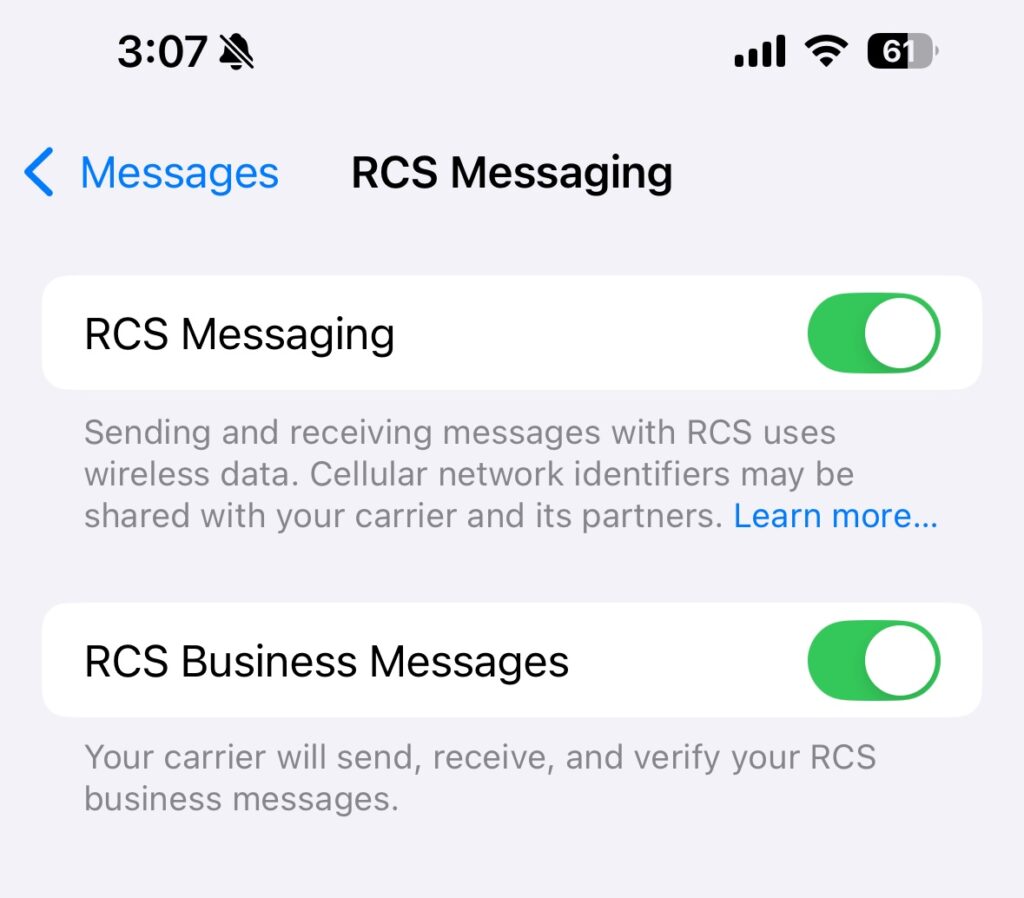
Open Settings on your iPhone and make sure the switches are toggled on to start using RCS.
If you don’t see the option, your carrier hasn’t enabled RCS for your line yet. Once it’s active, look for the “Text Message • RCS” label in the message field – and remember that both ends of a conversation need RCS support for a thread to upgrade. When they don’t, your iPhone quietly falls back to SMS.
This also answers the common “iPhone RCS update” question: there’s no separate download. RCS arrived with iOS 18 and improves with each release, so keeping your iPhone current is how you get the latest RCS behavior.
Is RCS on iPhone encrypted?
This is where precision matters, because “RCS” covers different conversations with different security models. Three states, worth keeping separate:
- iPhone to Android (personal chats): End-to-end encryption (E2EE) is rolling out in beta following iOS 26.5 in May 2026, built on the GSMA’s Universal Profile 3.0 and the Messaging Layer Security (MLS) protocol. It’s on by default where both devices and carriers support it – a lock icon confirms when a conversation is covered.
- Android to Android (personal chats): Already end-to-end encrypted by default in Google Messages.
- Messages from businesses: RCS for Business messages are encrypted in transit, not end-to-end encrypted – and the consumer E2EE rollout does not extend to them. Business messages pass through Google’s infrastructure and carrier networks along the way. The channel carries strong compliance credentials – ISO 27001, SOC 2, SOC 3, GDPR, and PSD2 – which makes it well suited to marketing, notifications, and verification, but it’s the wrong channel for confidential data.
The practical takeaway? The lock you get texting a friend isn’t the lock a company’s message rides on. For regulated data, the pattern that works is the authenticated handoff: send the alert over RCS, and keep the sensitive details behind a login – a link into the app or portal the customer already trusts. And for use cases with HIPAA or PCI DSS requirements, weigh each channel’s encryption model with your compliance team – even WhatsApp business messages, with their stronger encryption guarantees, are processed inside Meta’s and your provider’s systems. We break down exactly what’s encrypted where in RCS security.
Does Apple support RCS for Business?
Yes. Starting with iOS 18.1, verified RCS for Business messages began reaching iPhone users in select markets, on supported carriers – and the rollout is still expanding. This is the part of Apple RCS support that changes the most for companies.
Is Apple supporting RCS for Business? (watch on YouTube)
Sinch’s Miriam Liszewski explains how Apple supports RCS for Business on iPhone when carriers support it.
What RCS for Business features are available on iPhone?
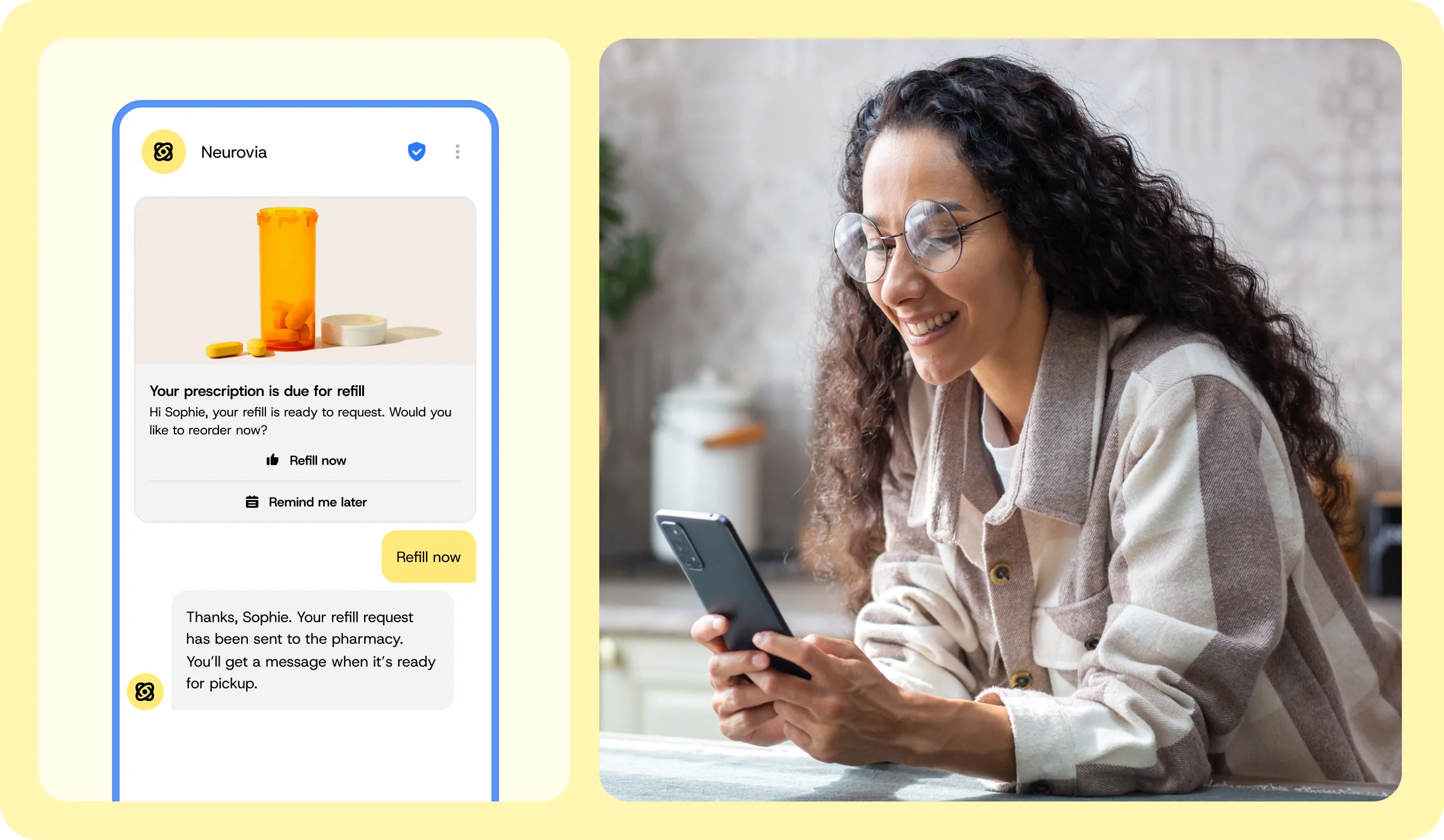
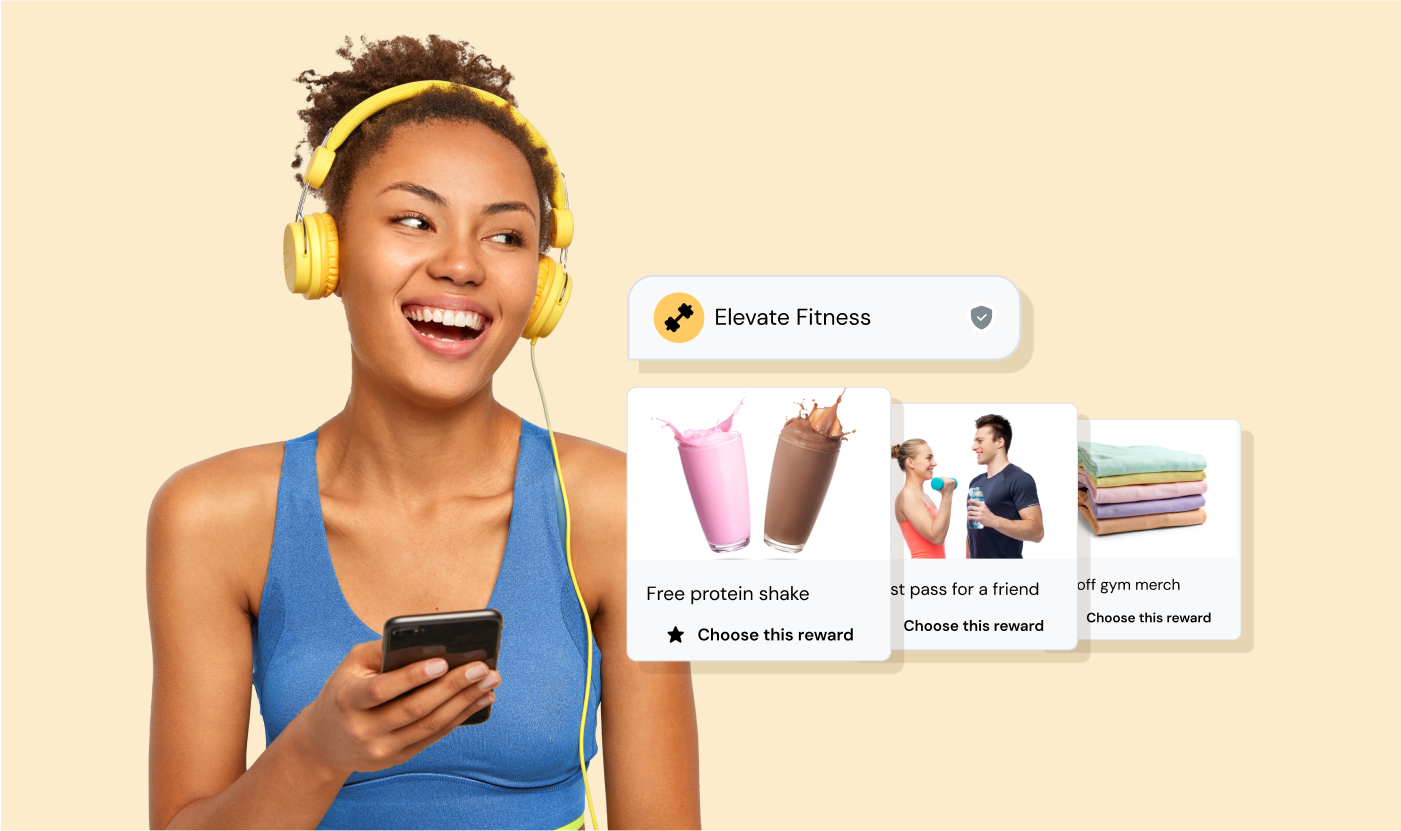
On a supported iPhone, a business sends from a verified sender profile – real name, logo, and verification checkmark – instead of an anonymous number. On top of that identity layer sit the rich features: high-resolution images, carousels, suggested replies rendered as tappable chips, and interactive buttons to open a link or confirm an order. The full menu of RCS message types works across both operating systems, so the same campaign reaches iPhone and Android alike.
The craft is in how you use them. The teams getting results pace a carousel like a movie trailer: the first card hooks, and each card that follows is a chapter – not ten product shots in a row.
Where is RCS for Business available on iPhone?
Coverage is Apple- and carrier-dependent, and it’s growing. Most major U.S. carriers, including the big three, support RCS for Business on both iPhone and Android, and more markets keep coming online. For current availability, Apple maintains carrier lists for Europe, the U.S. and Canada, and APAC.
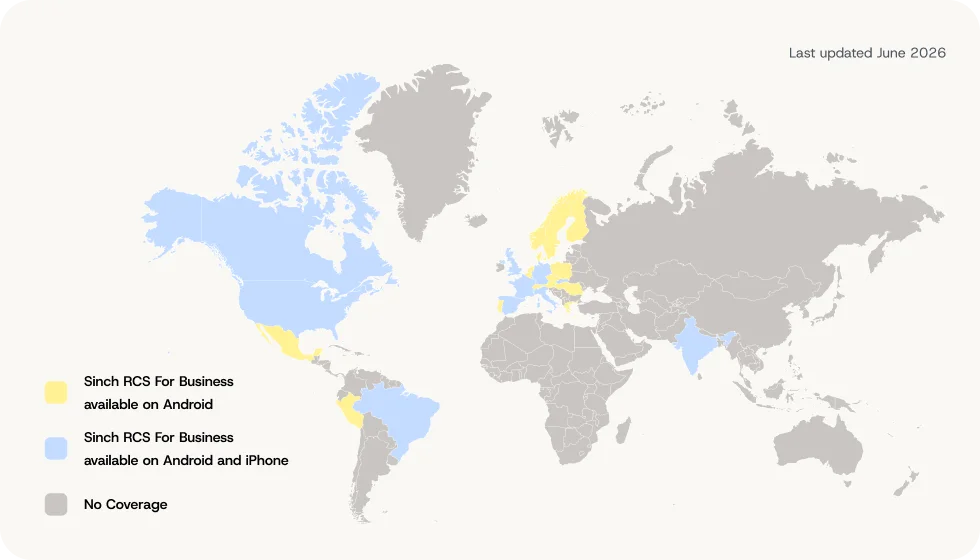
Map shows countries where RCS for Business has some level of operator support. Coverage is continually expanding.
The catch? Coverage isn’t universal, which is why automatic SMS fallback is non-negotiable for anyone sending at scale. EasyPark Group, the digital parking leader, sends RCS where it’s supported and lets SMS catch everything else. The result? Delivery rates in Germany reached 97.4%, with 40% of messages arriving over RCS.
How does a business start sending RCS to iPhones?
The entry point is the same as on Android: register an RCS Agent – the verified sender profile carrying your name, logo, and branding – and get it approved by Google and carriers. Once approved, one agent reaches both platforms. Many businesses simply upgrade their existing SMS program, sending RCS where devices support it and SMS everywhere else; others launch rich, two-way experiences from day one through the Conversation API or no-code campaigns in Sinch Engage. For the technical route, see our enterprise guide to sending RCS via API.
What Apple RCS support means for your business
Before iOS 18, reaching an iPhone meant a fork: send an SMS from an unverified sender ID that could be spoofed or imitated, or build separately for Apple’s own channels. Apple’s RCS support removes that fork – and it arrives just as the channel hits critical mass. RCS now reaches around 1.5 billion users globally, including 250 million in the U.S., where more than a billion RCS messages are sent every day.
Trust is the compounding advantage. Nearly 80% of consumers say visual indicators like a logo and checkmark increase their trust in a sender’s identity – and iOS 26’s unknown-sender filtering and spam folder make anonymous long-code texts easier than ever to ignore. A verified sender doesn’t just look better; it increasingly determines whether your message gets seen at all.
Just as important, RCS turns messaging from a broadcast into a conversation. Instead of blasting one-way texts, brands can ask questions, offer choices, and respond – the shift from campaign to dialogue that RCS use cases across retail, banking, and travel keep proving out. French frozen-food retailer Picard built a conversational holiday menu planner over RCS and increased customer engagement by 42%. If you’re weighing where richer messaging fits your program, start with RCS marketing.
Pro tip: Prove the channel before you scale it. Run a clean A/B test – RCS with SMS fallback against the same content as pure SMS, with device eligibility checked in the control group – so the lift you measure is the channel, not the audience.
The future of Apple RCS support
The direction is clear even where the timeline isn’t. Apple has committed to Universal Profile updates, and we expect green-bubble threads to keep gaining iMessage-style features – in-line replies, message editing, unsending, and full Tapback support – as UP 3.0 adoption spreads. The E2EE beta should widen with carrier support, and each iOS release has added markets to the RCS for Business map.
The interesting question for businesses isn’t whether RCS reaches iPhone users – it already does – but how much of your customer messaging moves from anonymous texts to a verified sender your customers recognize.
Frequently asked questions about Apple RCS support
Yes. Every iPhone that can run iOS 18 or later – that’s iPhone XS, XR, and newer – supports RCS, subject to carrier and market availability. It works inside the Messages app with no extra download, and messages fall back to SMS when RCS isn’t available on either end.
No. iMessage is Apple’s proprietary service for blue-bubble chats between Apple devices. RCS is the open GSMA standard that upgrades green-bubble conversations with Android users and businesses. Both live in the Messages app, but they’re separate systems – here’s the full RCS vs iMessage breakdown.
Apple kept the color coding: blue means iMessage, green means RCS or SMS. A green thread now supports read receipts, typing indicators, and high-resolution media – the color signals the protocol, not a downgrade.
Personal iPhone-to-Android RCS chats are gaining end-to-end encryption in beta, rolling out since iOS 26.5 in May 2026 where carriers support it. Messages from businesses over RCS for Business are encrypted in transit but not end-to-end encrypted, so they suit alerts and marketing rather than confidential data.
Availability depends on your carrier and market. Most major U.S. carriers support both personal RCS and RCS for Business on iPhone; Apple publishes regional carrier lists (linked above), and they grow with each iOS release.
Yes. Since iOS 18.1, verified RCS for Business messages have been rolling out to iPhone users on supported carriers in key markets. One verified sender reaches both iPhone and Android, with automatic SMS fallback covering everyone else – see how RCS pricing works if you’re budgeting the move.
Get started with RCS on iPhone
Apple RCS support settled the question that held rich messaging back for a decade: can one channel reach both halves of your audience in the native inbox? Now it can – verified, interactive, and with SMS catching whatever RCS can’t yet reach.
Sinch has been building RCS since 2017, earlier than most, with direct partnerships with Google and carriers worldwide. Whether you’re upgrading an SMS program or launching conversational campaigns from scratch, Sinch RCS gets you to both platforms through one integration.
Want to go deeper first? Explore these resources:
- What is RCS messaging? The complete guide
- RCS vs SMS: What’s the difference?
- RCS vs iMessage compared
- Types of RCS for Business messages and how to use them
- An enterprise guide to sending RCS messages via API
Ready to reach iPhone and Android customers from one verified sender? Check out the Conversation API. Or, if you’d rather talk it through first, reach out to our team – we’re excited to help you build messaging experiences your customers will trust.
Last updated by Drew Wilkinson on the 4th of August 2026

Author:

Co-author: