Insights
Call center recording: Benefits, best practices, and tools
Contact center recording used to be simple: You recorded phone calls, reviewed a few for quality assurance, and filed them away.
For today’s contact center leaders, however, call recording serves multiple critical functions: protecting against compliance violations, providing concrete data for agent coaching, and revealing patterns in customer behavior that drive strategic decisions to optimize customer satisfaction.
These expanded capabilities bring new complexities. Recording systems now capture thousands of hours of interactions across voice calls – far more than any team could manually review.
Compliance teams face mounting pressure to audit more interactions as regulations tighten. Managers need specific examples of agent behavior to provide effective coaching, not generic performance scores. And somewhere in those recordings lie customer insights that could reshape product development, service delivery, and competitive positioning.
This guide examines how modern call center recording technology delivers actionable data that benefits agent performance, improves the customer experience, and streamlines workflows.
What is contact center recording?
Contact center recordings capture all customer interactions during voice calls, creating a comprehensive record of every customer exchange.
This comprehensive documentation serves three essential purposes:
- Maintaining operational transparency by providing an objective record of what actually happened during interactions
- Meeting regulatory compliance requirements for regulated industries that must document specific disclosures and procedures
- Identifying opportunities for service improvement through (AI-driven) analysis of real-time customer conversations and agent performance patterns
What are the different types of call recordings?
Not every contact center records calls the same way. Some record everything, while others pick and choose based on what makes sense for their business. Your recording strategy should match what you’re trying to achieve – whether that’s staying compliant, training agents, or understanding your customers better.
| Recording type | How it works | Best used for | Key considerations |
| Automated recording | Records all calls automatically from start to finish | Companies that must record every call by law, and businesses wanting complete records for quality management | Takes up lots of storage space; customers need notification that they’re being recorded |
| On-demand recording | Starts recording when something specific happens (certain words spoken, specific phone numbers, high-value customers, outbound calls) | Saving storage costs and focusing on important calls only | You might miss important calls or need clear rules about what triggers recording |
| Agent- initiated recording | Agents press a button to start/stop recording during calls | Capturing verbal agreements, complex problems, and angry customers | Agents might forget to record; some may avoid recording difficult calls |
| Hidden recording | Records without agents knowing in the moment (though they know recording happens) | Getting natural agent behavior and honest performance reviews | Must follow consent laws and agents should know recording is possible |
How businesses use call center recordings
Contact centers often limit recordings to quality checks and compliance audits. But recordings contain insights that other departments could use to make better decisions.
Marketing teams can discover the exact words customers use when describing their problems, product teams can hear unfiltered feedback about advanced features, and legal teams can catch potential dispute resolution issues early.
Here’s how different teams extract value from the same recording library:
Use transcripts to inspire marketing campaigns and sales teams
Call recordings and their transcription reveal the specific phrases customers use when describing their problems, the benefits they care about most, and the objections that stop them from buying.
Here’s what you can extract from recordings:
- Mine customer language for marketing copy: When customers repeatedly use certain phrases or ask specific questions, incorporate that exact language into your marketing materials to speak to prospects in words that already make sense to them.
- Build objection-handling playbooks for sales: Document the real objections customers raise and which responses successfully address them, then train your sales team on what actually works.
- Create testimonials from actual customer wins: Pull direct quotes from happy customers describing their success, turning authentic moments of satisfaction into powerful social proof.
Understand and measure user sentiment by scoring
Some recording applications can automatically score conversations based on keywords, tone, and speech patterns through sentiment analysis. When customers say “frustrated,” “disappointed,” or “cancel,” the system flags these calls for immediate review in real time.
But scoring identifies what makes customers happy too. Filter conversations by score to quickly find coaching opportunities, spot trending issues before they explode, and recognize call center agents who consistently deliver positive experiences.
Some systems detect emotion through voice analysis, alerting supervisors when a call escalates so they can intervene through call monitoring before losing a customer.
Stay compliant
Certain industries like financial services, healthcare, and insurance companies must log calls to prove they followed regulations. These recordings document that agents provided required disclosures, obtained proper consent, and followed security protocols.
These digital records make it easier during audits to pull specific calls from your recording system instead of scrambling through paper trails.
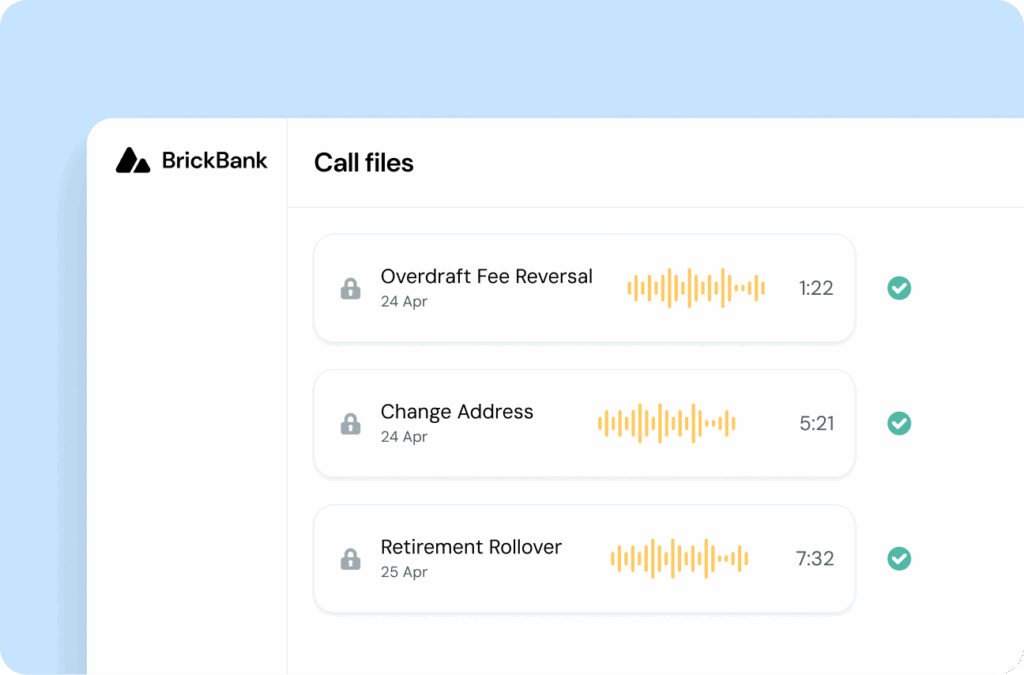
Call center recording technology should therefore make it easy to stay compliant by enabling features like automatically retaining calls for the required time period, encrypting sensitive data for data security, and creating audit logs showing who accessed recordings and when.
In the event of a lawsuit or compliance audit, having a searchable, encrypted history of interactions is critical for demonstrating due diligence and resolving disputes quickly.
Provide agent training
New agents learn faster when they hear how experienced teammates handle real situations through various call recording features.
Instead of role-playing scenarios that feel artificial, play actual calls that demonstrate perfect pitch, smooth objection handling, or masterful de-escalation. Build libraries of “golden calls” showing best practices for common use cases, from explaining complex billing issues to converting an angry customer into a promoter.
Real recordings help standardize service delivery by showing every agent exactly what “good” sounds like, reducing the variation in customer experience across your team.
Offer consistent call quality
Recording calls makes it easier for contact center managers to track whether every customer support interaction gets the same high-quality service.
You can measure specific behaviors across all agents:
- Do they greet customers within the first three seconds?
- Do they ask permission before placing someone on hold?
- Do they offer additional help before ending the call?
Create scorecards based on your brand standards, then review recordings to ensure agents meet them consistently. Track metrics like empathy (did the agent acknowledge the customer’s frustration?), resolution effectiveness (was the issue actually solved?), and efficiency (how long did it take?).
This data helps you identify which agents need coaching and which excel at specific skills.
Improve conflict resolution
When a customer claims an agent was rude or promised something different, recordings provide an objective account of the interaction. Instead of playing he-said-she-said, you can listen to exactly what happened.
This objective record helps you handle complaints fairly – sometimes vindicating agents who followed procedure perfectly, other times revealing genuine service failures that need addressing. Recordings also protect your business during legal disputes.
If a customer claims they never agreed to the terms or were given incorrect information, you have proof of the actual conversation. This documentation can prevent lawsuits from escalating and save thousands in legal fees.
Gather competitor insights
Customers often mention competitors during calls – what they’re charging, what features they offer, or why they’re considering switching. These casual comments reveal market intelligence you can’t get anywhere else.
Track when customers say things like “Company X charges less” or “Their product does this thing yours doesn’t.” You’ll discover which competitors pose the biggest threat, what specific advantages they claim, and what frustrates customers about their service.
This intelligence helps you adjust pricing, develop new features, and train agents to handle competitive objections. You’re essentially getting free market research from every customer conversation.
Get product feedback
Customers describe product issues in their own words during support calls, giving you unfiltered feedback you won’t find in surveys. Review transcription of customer interactions to listen for phrases like “I wish it could,” “it’s annoying when,” or “why doesn’t it.” These comments reveal bugs your quality assessment team missed, features customers actually want, and friction points in your user experience.
One customer’s complaint about a confusing menu might represent hundreds who gave up without calling. Track which product issues generate the most calls, then share these insights with your development team. You’ll build better products when you understand exactly what frustrates users and what would make their lives easier.
Recognize self-serve opportunities
When agents answer the same question fifty times a day, you’ve found an opportunity to reduce call volume through automation. Review recordings to identify repetitive queries around things like: password resets, store hours, shipping times, and return policies. Each common question represents calls you could eliminate through better self-service options integrated with your CRM.
Update your IVR menu to address frequent topics up front. Rewrite FAQ pages using the exact phrases customers use when asking questions. Train chatbots to handle routine inquiries by feeding them real customer language from recordings. Every question you successfully divert to self-service frees your agents to handle complex issues that actually need human expertise.
Compliance best practices for implementation
Recording customer calls comes with legal responsibilities that vary by location and industry. While this isn’t legal advice, understanding the basics helps you implement recording systems that protect both your business and your customers’ privacy. Here are the key areas to consider:
- Consent laws (one-party vs. two-party): In one-party consent states, only one person in the conversation needs to know about the recording, typically, your agent. In two-party consent states (like California and Florida), everyone on the call must agree to being recorded. When in doubt, follow the stricter two-party consent rules by playing an announcement at the start of each call.
- Data storage and encryption: Recordings contain sensitive information like credit card numbers, social security numbers, and health details. Store recordings on encrypted servers that meet your industry’s security standards, whether that’s PCI for payment data, HIPAA for health information, or GDPR for European customers. Implement automatic redaction for sensitive data to reduce risk if recordings are accessed improperly.
- Access controls and audit trails: Limit who can access recordings to only those who need them for their job. Create permission levels so supervisors can only access their team’s calls, not everyone’s. Maintain logs showing who listened to which recordings and when, since this audit trail proves you’re protecting customer data properly.
- Retention policies: Don’t keep recordings forever – the longer you store sensitive customer data, the greater your exposure to data breaches and regulatory penalties. Set automatic deletion based on your industry requirements (financial services often require seven years, while others may only need 90 days). Document your retention policy and ensure your system enforces it automatically.
Keep in mind that recording guidelines might be very different in other countries. Seek legal counsel to ensure you’re in line with international compliance regulations and don’t open yourself up to lawsuits.
Choosing a call recording solution
The right technical solution is key to get the most out of your call center recordings. You’ll find many different options with a variety of features, but ultimately it’ll come down to your technical resources and business needs.
Generally speaking, there are two main options for contact center recordings: An all-in-one contact center as a service solution (CCaaS) or an API-based solution.
A CCaaS solution like Sinch Contact Pro is a good route if you have limited developer resources, want to start recording immediately, and are also looking for omnichannel capabilities.
API solutions like the Sinch Programmable Voice API suit companies that already have a call system and just need to add recording capabilities. This approach requires developer resources but offers more flexibility and control.
These are just some of the recording options you get with Sinch’s Voice API:
- Conference and dual-channel recording: Capture group calls and one-to-ones with both sides recorded, so nothing gets missed.
- Stereo (split-channel) recording: Keep agent and customer on separate channels for cleaner QA, analysis, and transcription.
- Flexible recording modes: Choose on-demand, agent-initiated, or hidden to fit your workflows and compliance.
- Global transcription: Turn recordings into searchable text across 115+ languages to power insights and analytics.
- Precise start/stop controls: Use SVAML commands to capture exactly the segments you need.
- Real-time webhook events: Trigger downstream workflows instantly with recording_finished and recording_available webhooks.
Plus, recordings are never stored by a third party, so you remain in full control over your data.
In short, with Sinch’s API-based voice recording, you get full control, dynamic features – without sacrificing security.
FAQs
Generally, yes, provided you adhere to applicable consent laws and regulations. One-party consent states require only your agent’s knowledge, while two-party states need all participants’ agreement. Best practice: announce recording at call start to comply with stricter regulations and avoid legal issues regardless of location.
Call recording captures audio conversations between agents and customers. Screen recording documents what agents see and do on their computers during interactions – clicks, typed information, and applications used.
No, trustworthy providers don’t access your recordings. At Sinch, you can save recordings directly to your specified cloud storage buckets. We never store audio files on our or third-party systems, ensuring your data remains private and secure while maintaining complete control over your customer interaction records.
It depends on the tool. At Sinch, voice call recording integrates with transcription services, automatically sending audio files for transcription as soon as they’re available. This eliminates manual transcription work and enables quick searchability, sentiment analysis, and keyword identification across all recorded conversations.

Author: