Consejos
Qué hacer si tu cuenta de WhatsApp Business es suspendida
¿Te preguntas qué significa la suspensión de una cuenta de WhatsApp Business?
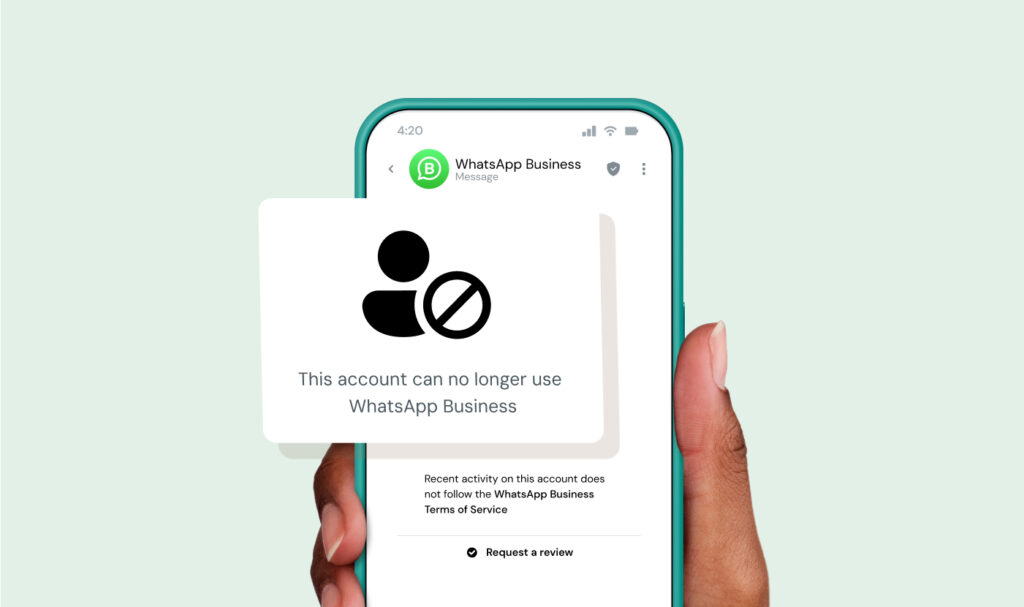
En pocas palabras, la suspensión de una cuenta de WhatsApp significa que WhatsApp ha restringido o deshabilitado tu capacidad para enviar o recibir mensajes debido a presuntas infracciones de sus políticas, como spam, falta de consentimiento del usuario o uso de herramientas no autorizadas, todo ello descrito en sus Condiciones de servicio y Política de mensajería para empresa. Algunos bloqueos son temporales y reversibles, mientras que otros requieren un proceso formal para revisar.
¿Qué debes hacer en los primeros 10 minutos después de que tu cuenta haya sido bloqueada?
Si tu cuenta de WhatsApp ha sido bloqueada, tus primeros pasos son importantes.
Acciones inmediatas:
- Detén los envíos de mensajes desde cualquier herramienta o integración conectada
- Comprueba el mensaje exacto de bloqueo dentro de la aplicación (busca temporizadores en lugar de avisos para revisar)
- No intentes evadir el bloqueo con un número nuevo
- Recopila ejemplos recientes de mensajes, registros de opt in y detalles de la campaña
- Prepárate para solicitar revisar a través del canal correcto
Entrar en pánico y actuar con demasiada rapidez puede provocar que la recuperación falle. Sigue los pasos anteriores para evitar empeorar la situación.
¿Qué ocurre cuando WhatsApp bloquea tu cuenta?
Cuando tu cuenta es bloqueada, significa que WhatsApp ha restringido tu capacidad para comunicarte y puede marcar tu cuenta para revisar según sus sistemas de aplicación de la política.
Qué significa esto:
- No puedes realizar envíos de mensajes
- Los mensajes entrantes pueden detenerse o sufrir un retraso
- Las difusiones y las campañas pueden detenerse
- Tu número puede ser marcado internamente por problemas de calidad o de cumplimiento
- En algunos casos, tu historial de chat permanecerá, pero el acceso puede estar limitado
¿Cuál es la diferencia entre un bloqueo temporal, permanente y restringido?
La mayoría de la gente asume que un bloqueo es permanente, pero normalmente no lo es.
| Tipo de bloqueo | Qué significa | Qué verás | ¿Se puede recuperar? |
| Bloqueo temporal | Restricción a corto plazo debido a una actividad sospechosa | Una cuenta atrás en la aplicación | Sí, automáticamente después de que termine el temporizador |
| Cuenta restringida | Funcionalidad limitada debido a problemas de calidad | Acceso parcial, límites de mensajería | Sí, si el comportamiento mejora |
| Bloqueo permanente | Cuenta deshabilitada debido a infracciones graves o repetidas | Mensaje que dice que la cuenta está bloqueada | A veces, a través de una apelación |
La diferencia clave a menudo es visible en el mensaje exacto que te muestra WhatsApp.
¿Por qué está bloqueada mi cuenta de WhatsApp para empresa?
La mayoría de los bloqueos no son aleatorios. Son el resultado de patrones que WhatsApp incluye en su diseño para detectar y poder mantener a los usuarios seguros.
Mensajería sin el consentimiento del usuario.
La política de mensajería de WhatsApp requiere que cada empresa obtenga el consentimiento previo (opt in) antes de realizar envíos de mensajes de marketing a los consumidores. Si no lo haces, estás infringiendo los requisitos de consentimiento de WhatsApp.
Asegura siempre el consentimiento explícito de opt in antes de cualquier comunicación de marketing o adiciones a grupos para mantener el cumplimiento y evitar sanciones.
Alta tasa de bloqueados o de spam
Si los usuarios con frecuencia envían un informe o un bloqueo de tu número, podrías ser marcado como spam. Recibir un informe constante señala una mala calidad del mensaje, lo que puede resultar en un bloqueo.
Mensajería masiva o repetitiva
Hacer envíos del mismo mensaje una y otra vez a grupos grandes, como en Listas de difusión, puede ser un disparador para los sistemas de detección de spam.
Usar herramientas no oficiales
Cualquier empresa que utilice aplicaciones de terceros no autorizadas también conocidas como mods de WhatsApp (GB WhatsApp, WhatsApp Plus y otros) también serán un disparador para bloqueos de cuenta.
La razón principal por la que WhatsApp no permite estas aplicaciones no evaluadas es para evitar riesgos de seguridad y el uso no deseado de la aplicación de mensajería.
Productos o servicios restringidos
WhatsApp prohíbe completamente a ciertos sectores utilizar su plataforma. Si operas en uno de estos sectores restringidos, es probable que WhatsApp suspenda tu cuenta independientemente de cómo uses la plataforma.
Los sectores completamente bloqueados incluyen:
- Partidos políticos
- Agencias de las fuerzas de seguridad
- Servicios de citas
- Cualquier empresa de armas de fuego
- Cualquier empresa de marketing multinivel
Cada restricción específica del país también se aplica a los juegos de azar y apuestas en línea, medicamentos de venta libre y cualquier empresa de alcohol.
Asegúrate de completar la lectura de la Política de mensajería para empresa de WhatsApp antes de lanzar cualquier campaña de la empresa para asegurar que tu sector y mercados objetivo estén permitidos.
¿Cuál es la diferencia entre la aplicación de WhatsApp para empresa y la plataforma de WhatsApp para empresa (API) cuando se bloquea tu cuenta?
Un bloqueo de WhatsApp para empresa no funciona de la misma manera en la aplicación que en la plataforma (API). La diferencia es clara en cómo ocurre el bloqueo, cómo recuperas tu cuenta y si puedes preverlo o no antes de que suceda.
| Área | Aplicación de WhatsApp para empresa | Plataforma de WhatsApp para empresa (API) |
| Cómo ocurren los bloqueos | A menudo de forma repentina (señales de spam, envíos masivos, algún informe) | Generalmente ligado a la calificación de calidad o a problemas de la política |
| Señales de advertencia | Pocas o ninguna | Señales visibles como caídas en la calificación de calidad |
| Ruta de recuperación | Solo revisar dentro de la aplicación | Asistencia de Meta o escalamiento al Proveedor de soluciones para empresa (BSP) |
| Visibilidad del problema | Bajo | Señales de política y rendimiento más claras |
| Riesgo a Scale | Aumenta rápidamente | Se puede gestionar si se usa dentro de la política |
La plataforma se ejecuta en la infraestructura para empresa de Meta, que incluye límites de mensajería, puntuación de calidad y sistemas para revisar.
Si utilizas la aplicación, los bloqueos parecen aleatorios porque no ves las señales de advertencia, y solo obtienes un camino para recuperar tu cuenta.
Si utilizas la API, los bloqueos suelen ser el resultado de problemas visibles como la disminución de la calidad del mensaje o infracciones de la política.
¿Cómo puedo recuperar mi cuenta de WhatsApp para empresa bloqueada?
Aquí tienes un proceso de recuperación paso a paso.
- Identifica el tipo de bloqueo: Comprueba si ves un temporizador o un aviso para revisar.
- Pausa toda la actividad de mensajería: Detén las campañas, automatizaciones y difusiones inmediatamente.
- Revisar la actividad reciente: Busca picos de volumen, quejas o nuevas herramientas utilizadas.
- Recopilar pruebas: Reúne el registro de opt in, ejemplos de mensaje y el contexto de la campaña.
- Solicitar revisar: Enviar a través de la aplicación o del canal oficial.
- Sigue la ruta de asistencia correcta: Los usuarios de la aplicación y Los usuarios de la API tienen diferentes rutas.
- Espera y monitoriza: Evita realizar envíos de una solicitud adicional o crear cuentas nuevas prematuramente.
¿Qué pasa si tu cuenta de WhatsApp para empresa fue bloqueada por error?
Sucede, y hay pasos que puedes tomar para solucionarlo.
Empieza asumiendo que necesitas probar tu caso de forma clara y rápida recopilando pruebas:
- Prueba de opt in del usuario (formularios, casillas de verificación, marcas de tiempo)
- Logs del mensaje que muestren relevancia y contexto
- Descripciones de la campaña (qué envíos realizaste y por qué)
- Proceso de gestión de exclusión voluntaria
La mayoría de la gente se salta este paso, y por eso sus apelaciones fallan.
¿Cómo te pones en contacto con el servicio de asistencia después de un bloqueo?
Hay algunas formas de ponerte en contacto con el servicio de asistencia, y cómo lo haces depende de cómo estabas usando WhatsApp.
- Solicitud para revisar en la aplicación
Si ves un aviso de «Solicitar revisar» en la aplicación, empieza aquí. Este es el camino de recuperación primario para los usuarios de la aplicación de WhatsApp para empresa. Debes enviar directamente desde la pantalla de notificación de bloqueo, y tu solicitud va al sistema interno para revisar de WhatsApp.
Usa este método antes de intentar cualquier otra cosa.
- Centro de ayuda de WhatsApp (seguimiento general de la asistencia)
Si no obtienes respuesta o necesitas más contexto, puedes dirigirte al Centro de ayuda. También se puede acceder al Centro de ayuda a través de la aplicación en Ajustes.
Esto es ideal para usuarios que necesitan aclaraciones o seguimiento, e incluye artículos y formularios de contacto limitados. No es un reemplazo para revisar dentro de la aplicación: es un camino secundario para cuando tu primer método no llega a ninguna parte.
- Centro de ayuda de Meta para empresa (para usuarios de la API)
Si utilizas la plataforma de WhatsApp para empresa (API), tu camino de asistencia es diferente.
Puedes acceder a la asistencia a través de Responsable de empresa de Meta. Permite asistencia basada en casos y escalamientos, para utilizarse en problemas ligados a límites de mensajería, plantillas o estado de la cuenta.
- Asistencia del proveedor de soluciones para empresa (BSP)
Si trabajas con un proveedor como Sinch, se convierten en tu primera llamada. Ellos pueden revisar tu actividad de mensajería, identificar riesgos y ofrecerte ayuda para preparar la documentación de la apelación. En algunos casos, también pueden escalar problemas a través de canales de colaboradores.
Pero no pueden revertir un bloqueo por sí mismos. Las decisiones finales siempre provienen de WhatsApp.
Plantilla de apelación
Hacer envíos de un mensaje a la asistencia de WhatsApp puede ser de ayuda. Aquí tienes un ejemplo de un correo que puedes enviar sobre tu caso:
Hola,
Mi cuenta de WhatsApp para empresa ha sido bloqueada recientemente. Creo que esto puede ser un error.
Solo procedo a enviar mensajes a usuarios que han dado su opt in y sigo la política de WhatsApp.
Estaré encantado de proporcionar detalles de asistencia y agradecería revisar mi cuenta.
Muchas gracias.
¿Deberías apelar primero o usar un número nuevo?
En pocas palabras, deberías apelar primero. Empezar de nuevo demasiado pronto puede empeorar las cosas.
Aquí tienes un poco de lógica de decisión que puedes usar:
- Si puedes solicitar revisar tu caso, hazlo primero
- Si te bloquean permanentemente tras revisar la cuenta, considera usar un número nuevo
- Si estás intentando Scale en tu empresa, replantea tu configuración por completo
Asegúrate de pensar bien en cualquier decisión antes de actuar, e intenta tener paciencia durante el proceso de apelación. Podría ser la diferencia entre recuperar tu cuenta y empezar de cero.
Si utilizas un BSP como Sinch, ¿qué asistencia puedes obtener?
Esta página fue escrita por Marinela Potor y se procedió a actualizar por Alicia Winokur el 7 de abril de 2026.

Autor: