Engage Product Updates
E-commerce RCS Carousels: Import products directly from your store into RCS campaigns
Building compelling RCS campaigns for e-commerce is currently a manual process. You have to download product images, copy and paste descriptions, and manually type in pricing for every single item. This is slow, tedious, and opens the door for costly data entry errors.
We’re solving that challenge with our new E-commerce RCS Carousel feature.
Now, if you’re a Sinch Engage user with a connected e-commerce store, you can instantly import products directly from your Shopify, WooCommerce, or BigCommerce store into your RCS messages. This allows you to instantly create rich, interactive product carousels.
This new product update is another step in providing value to teams using Sinch Engage for e-commerce communications, helping busy retail teams:
- Create campaigns in minutes, not hours, by eliminating manual data entry.
- Reduce costly errors by pulling product details, pricing, and images directly from the source.
- Drive higher engagement with visually appealing, interactive product carousels sent straight to customers’ phones.
What’s new with E-commerce RCS Carousels
1. Instantly import products into rich cards
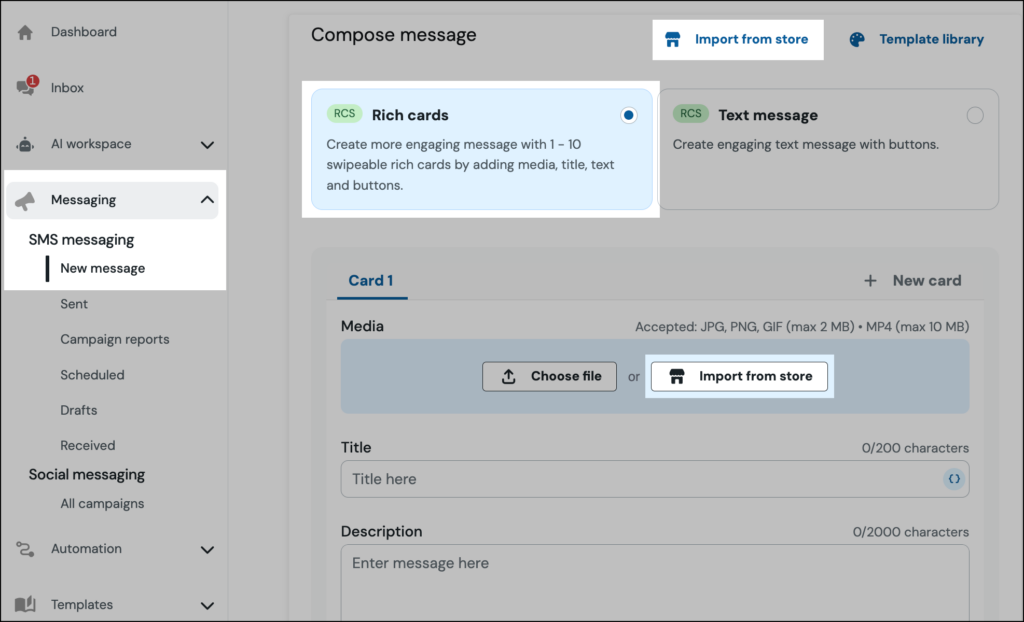
Sending beautiful, rich text campaigns to promote your products just got a whole lot faster. There’s now a new “Import from store” button in the RCS composer that lets you select products directly from your connected e-commerce store.
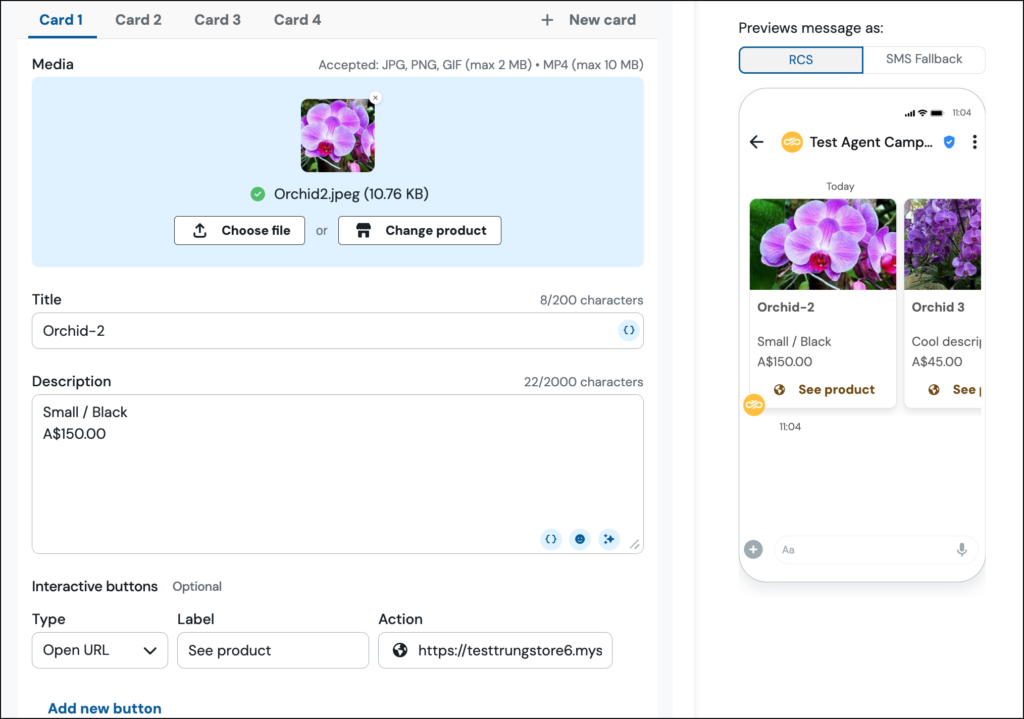
You can choose a single item or select multiple products to build a carousel. The integration automatically pulls in the product name, description, image, price, and a direct “shop now” link, populating the rich cards for you.
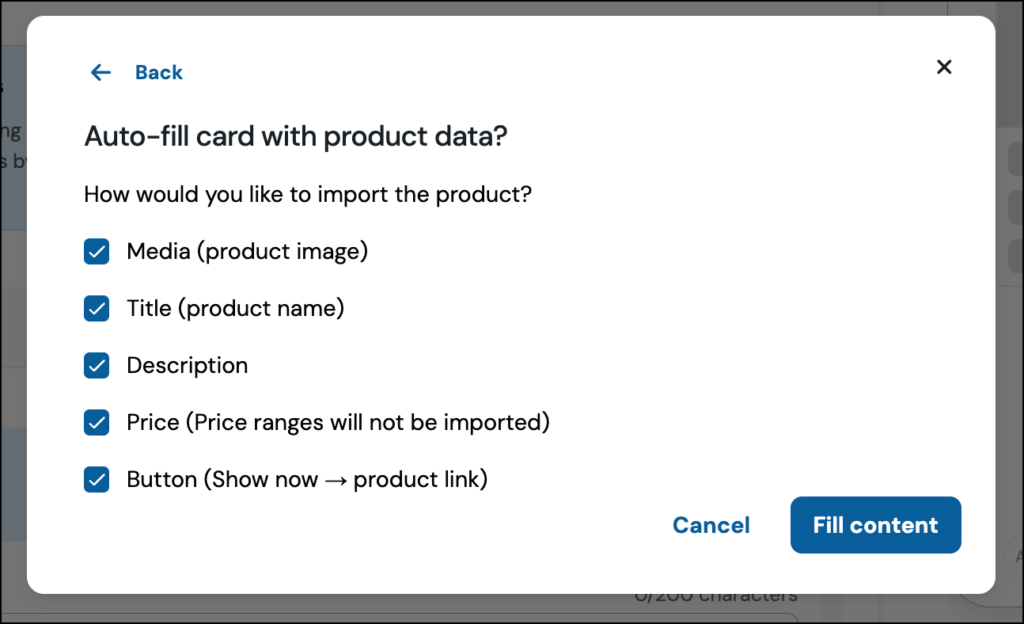
2. Build carousels that are always up-to-date
Because you’re pulling data directly from your store, the information is always accurate. The feature even displays an “In Stock” status so you can confidently promote available products.
If a product has multiple options, you’ll be prompted to select the specific variant you want to feature, ensuring your customers see the exact right product, every time.
How it works: get started in 3 simple steps
You can start building product carousels directly within your Sinch Engage account:
- Start an RCS Campaign: In the “Compose message” section of a new RCS campaign, select the Rich cards option.
- Import Your Products: Click the Import from store button. You’ll see a library of your store’s products. Simply select the items you want to include in your carousel.
- Go live: The feature will automatically populate the rich cards with your product data. Preview your message, add an SMS fallback, and your campaign is ready to send.
Why use Ecommerce RCS Carousels for your store?
For retail and ecommerce brands, this update dramatically improves how you build and send promotional messages. It connects Sinch Engage’s powerful RCS capabilities directly to your product catalog, giving you a new set of tools to:
- Simplify your workflow: Create beautiful, effective campaigns without ever leaving the Sinch Engage platform or juggling multiple tabs and files.
- Ensure data consistency: Your RCS messages will always match the product information on your website, from pricing to imagery.
- Create a better mobile shopping experience: Allow customers to browse and click through to purchase products from a rich, interactive interface right in their native messaging app.
Ready to get started?
Get the most out of this new release with these helpful resources:
- Find step-by-step guidance on how to use Sinch Engage’s Ecommerce RCS Carousel feature.
- Not a Sinch Engage customer yet? Talk to our team to learn how you can start automating your customer communications.