SMS FOR IT NOTIFICATIONS

When your systems go down, your alerts shouldn’t

Critical IT incidents don’t wait for someone to check their email. SMS delivers automated alerts to on-call staff in seconds — on any mobile phone, with or without internet access or a specific app.


Image for When your systems go down, your alerts shouldn't

WHY SMS

The one channel that works when everything else fails

When infrastructure breaks, it can take your other communication channels with it. Slack goes quiet. Email stalls. Push notifications never arrive. SMS works on the cellular network, which means it reaches your team even during the outage they need to fix.

Arrives in seconds, not minutes

SMS messages are typically delivered within 5 seconds. When a production database is down and every minute costs money, that speed matters.

Works without internet

Your team gets the alert over the cellular network — even if the office Wi-Fi, VPN, or cloud services are the things that just broke.

No app to install or maintain

SMS works on every phone out of the box. No onboarding friction, no “I didn’t have the app installed” excuses at 2 AM.

Cuts through the noise

People ignore app notifications. They skim email. 95% of text messages get read within three minutes.
Image for Built for the people who get paged at 2 AM

WHO IT’S FOR

Built for the people who get paged at 2 AM

SMS for IT notifications is for anyone on the receiving end of operational alerts: SREs, sysadmins, DevOps engineers, network operations teams, IT managers, and security analysts.

If you run an on-call rotation, manage infrastructure, or need to mobilize a response team fast, SMS gives you a delivery channel that doesn’t depend on the systems you’re trying to fix.

Image for Use your monitoring tools to trigger SMS

HOW IT WORKS

Use your monitoring tools to trigger SMS

SMS for IT notifications connects your existing alerting systems to the cellular network. The pattern is simple:

  • Your monitoring tool detects an incident (server down, threshold breached, security event)

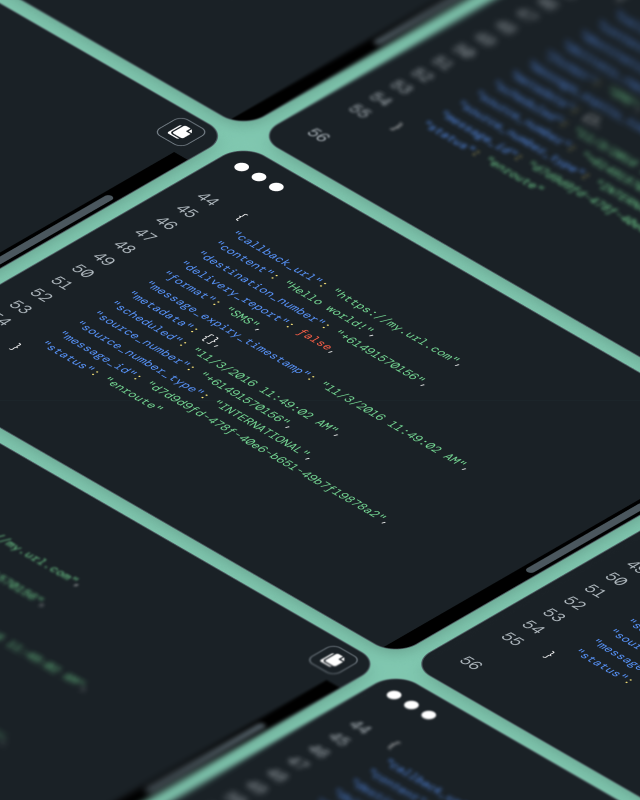
  • It triggers an alert via API or webhook to your SMS provider

  • The SMS is routed to the right on-call staff based on your escalation rules

  • The message arrives on their phone — no internet, no app, no login required

  • If no one responds, the alert escalates to the next person automatically

Image for SMS isn't for every notification — it's for the ones that can't wait

WHEN TO USE IT

SMS isn’t for every notification — it’s for the ones that can’t wait

Not every IT alert needs a text message. Use SMS for the scenarios where delayed response has real consequences:

When the incident is urgent and someone needs to act now. When your primary communication tools (Slack, Teams, email) might be affected by the outage itself. When on-call staff are off-site, asleep, or away from their desk. When you need a delivery channel that doesn’t depend on internet connectivity.

For lower-priority alerts — informational logs, non-urgent maintenance updates, weekly reports — email or in-app notifications are fine. SMS is your escalation path.

IN ACTION

How IT teams actually use SMS alerts

Server and service outages

Your primary database goes unresponsive at 3 AM. Your monitoring tool fires an SMS to the on-call DBA within seconds — before customers even notice.

Security incidents

A brute-force attempt triggers your SIEM. The security analyst on rotation gets an SMS with the source IP and affected system and can start investigating immediately.

Scheduled maintenance reminders

A planned deployment window opens in two hours. SMS reminders go out to everyone involved so no one forgets to join the bridge call.

Infrastructure threshold warnings

Disk usage on a production server hits 90%. An SMS goes to the ops team before it hits 100% and takes the service down.

Incident escalation

The first on-call engineer doesn’t acknowledge within 10 minutes. SMS automatically escalates to the next person in the rotation, then to the engineering manager if needed.

WHAT YOU GET

The details that matter for IT alerting

  • API and webhook integration with monitoring tools like PagerDuty, Datadog, Grafana, Nagios, and custom systems

  • Delivery confirmation so you know the message was received

  • Two-way SMS — staff can acknowledge, escalate, or respond directly by text

  • Routing logic to send alerts to the right person based on schedule, role, or severity

  • Global delivery for distributed teams across time zones

GETTING STARTED

Set up SMS alerting in five steps

You don’t need to rip out your current monitoring stack. SMS plugs into what you already use.

  • Identify which alerts are critical enough for SMS (outages, security events, escalations)

  • Map each alert type to the right recipients and on-call schedules

  • Write concise message templates that include what happened, what’s affected, and what to do

  • Connect your monitoring tools to the Sinch SMS API via webhook or direct integration

  • Test your escalation paths end-to-end before going live

FAQ

Frequently asked questions

They’re automated text messages triggered by IT monitoring systems — things like server outage alerts, security incident notifications, and escalation messages. They’re delivered to on-call staff via SMS so alerts get through even without internet access.

Because SMS doesn’t depend on the internet. If your infrastructure is down, the tools that run on it (Slack, email, push) may be down too. SMS uses the cellular network, so it works independently. It’s also harder to miss — most texts are read within minutes.

No. SMS works on any mobile phone with a cellular connection. No app, no account, no setup on the recipient’s end.

Any tool that supports webhooks or API integrations. Common examples include PagerDuty, Datadog, Grafana, Nagios, Prometheus (via Alertmanager), Splunk, and custom monitoring systems.

Yes. Two-way SMS lets recipients acknowledge alerts, escalate to another team member, or reply with status updates — all by text.

Typically within seconds. Delivery speed depends on carrier networks, but SMS is one of the fastest channels available for reaching someone on a mobile device.

No. SMS is best reserved for urgent, time-sensitive alerts where delayed response has consequences — outages, security incidents, escalations. For lower-priority notifications, email or in-app alerts are more appropriate and less disruptive.

SMS for IT notifications is a use case. Sinch provides the SMS API, delivery infrastructure, and routing tools that make it work at scale.