Resources
How healthcare providers can start and scale patient texting
Nearly every established healthcare provider already uses texting in some way (or is looking to). It could be for a quick appointment reminder or a message to say a prescription is ready to pick up. And it’s no surprise why that is: our new State of Healthcare Patient Communication study reveals that patient preferences lean heavily towards texting.
- 93% of patients have opted in to receive texts from their healthcare providers and facilities in 2026.
- 84% say they’re more likely to attend an appointment if they receive a text reminder from their provider.
- 88% say they’re more likely to refill a prescription if they received a text.
- 43% of patients say they saved between one hour and more than three hours in the past year by texting their provider or pharmacy instead of calling.
And that’s just a small snapshot of the patient texting statistics we uncovered.
Bottom line is that healthcare patient texting can save so much time and take off a lot of pressure from office staff, while also reaching more patients. The challenge is that it can be very manual and time-consuming to create and send personalized text messages to patients.
This article helps solve that. We’ll cover everything you need to know about incorporating smarter, scalable healthcare texting into your operations.
Why texting works so well in clinical settings
We’re not going to go into too much detail about why texting works so well in healthcare. Aside from the fact it meets patients where they already are (on their phones), it’s an instant and reliable way to send urgent reminders and important info.
It can also act as another prong in your comms approach for patients who never check their portal or don’t check email often.
The problem is, most healthcare providers will use it to send reminders but nothing else, so they’re not realizing its full potential.
Core ways healthcare providers can use patient texting today
Texting really earns its place when it’s baked into real workflows rather than sending one-off messages. Here are some everyday tasks you can automate to save time and hopefully cut no-shows in the process (in fact, healthcare teams found there were 20% fewer no-shows when they sent an SMS reminder).
1. Automated appointment reminders that actually reduce no-shows
Most clinics already send some kind of reminder, but a single message isn’t usually enough to change behavior. What does work is “layering”, or nudging at multiple timely intervals.
A simple reminder flow could look like this:
Step 1: Send a confirmation message right after booking
“You’re all set for your appointment on Tuesday at 10am. Reply C to confirm or R to reschedule.”
Step 2: Send a reminder 1-2 days before the appointment
Step 3: Send a morning-of reminder
Different specialties can add their own spin. For example, dermatology might add skincare prep reminders, and physical therapy clinics might include clothing or mobility notes.
You can easily set up this automated text message flow with Sinch Engage, a trusted and secure texting platform made for healthcare teams.
2. Pre-visit instructions that save staff from repeating themselves
How many times has your front-desk team answered the same basic questions? Office directions, doctor availability, pre and post-procedure instructions, you name it, they’ve probably heard it all many, many times. Texting can take a lot of that off their plate.
Some sample texts you can automate include:
- “You can find parking in the North Lot. Bring your ID and completed forms.”
- “Reminder: Please fast for 12 hours before your blood test tomorrow.”
- “Pause blood thinners 48 hours before your procedure unless told otherwise.”
You can make this even more nuanced with conditional sending, so only patients booked for a specific procedure will get the text for pre-op instructions.
3. Quick SMS triage to direct patients to the right next step
If your phone lines are constantly jammed, you can always lean on text to triage patients which can take a huge load off.
For example:
- “Reply 1 to request a refill, 2 for office hours, 3 to reach the nurse line.”
- “How are your symptoms today? Reply A for no change, B for improving, C for worsening.”
Sinch Engage can automatically route patients based on their responses (e.g. refill requests to admin, symptom questions to the nurse inbox, or urgent cases escalated ASAP).
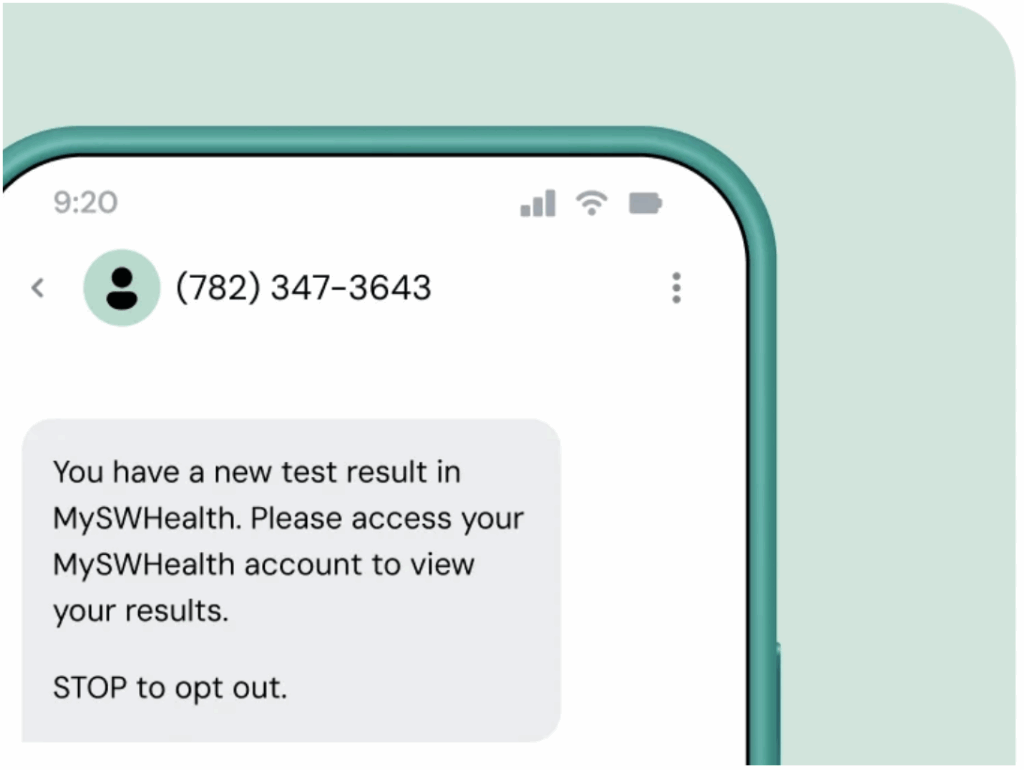
It goes without saying that you should keep messages safe. Never share protected health information in unsecure channels.
4. Chronic care check-ins that improve adherence and outcomes
Patients with chronic, ongoing health issues often need a little more communication, and texting can be a great way to do this.
You could start with a weekly, automated check-in that says something like “How are you feeling today? Reply 1 for good, 2 for okay, 3 if you need support.”
From there:
- A “1” reply might trigger a simple encouragement message.
- A “2” could send self-care guidance.
- A “3” could alert the care team instantly.
5. Post-visit follow-ups to close the care loop
You know better than anyone that care doesn’t stop once a patient walks out the door. Texting helps you stay connected without being intrusive. You can use it send useful follow-ups like:
- “How are you feeling after your visit? Any side effects we should know about?”
- “Need help booking your next appointment? Reply YES and we’ll take care of it.”
Tip: Create a small library of follow-up templates for different types of visits (e.g. annual checkups, procedures, urgent care, etc.).
6. Preventive-care nudges that ideally aren’t sent manually
Preventive care often falls to the bottom of the list because staff simply don’t have the time to manually reach out to every single patient, but texting can solve that.
Some examples of automated outreach include:
- “It’s time to schedule your annual physical. Reply BOOK to choose a time.”
- “You’re due for your mammogram. Tap to schedule your screening.”
- “Flu vaccines are now available. Reply FLU to reserve a spot.”
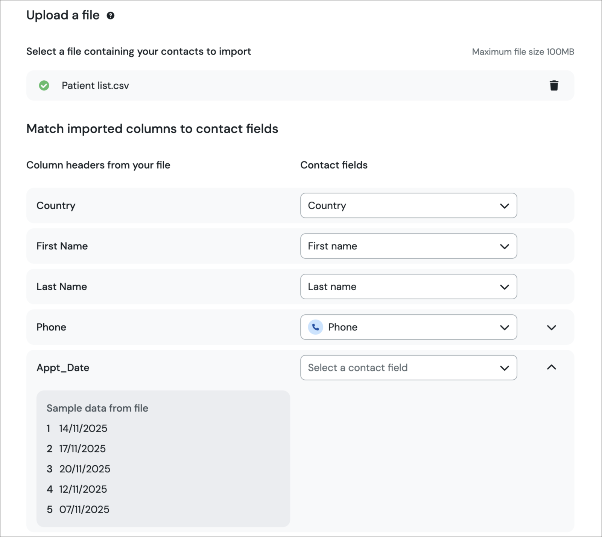
With an intuitive texting platform like Sinch Engage you can quickly upload a patient list, apply relevant tags, and automatically send a targeted sequence to a specific segment of people.
What “secure texting” actually means
Most healthcare teams already know the HIPAA basics, so here’s the simple version: texting is totally workable in a clinical setting, you just need to be smart about what you send.
You can safely use SMS for anything that doesn’t include PHI, like:
- Appointment reminders
- Prep instructions
- Follow-ups
- Confirmation messages (“Reply C to confirm”)
The key is to keep details general, and avoid naming conditions, test results, or anything that might identify a patient’s health status.
Do the same for automated flows. Messages should be short with clear calls to action. If you think patients will need more info, you can always direct them to a secure portal where they can learn more.
Most importantly, get explicit opt-in. Patients should explicitly agree to receive texts from you (this usually happens during onboarding or scheduling) and they should be able to opt out at any time.
Sinch Engage has built-in two-factor authentication, access controls, and opt-out management, so you’re compliant from the get-go. You can also control user permissions and logins for extra peace of mind.
Patient texting best practices for higher response rates
- Write like a real human. Skip the stiff, robotic scripts. A simple “Hey, just a reminder…” feels much friendlier and gets better responses than formal clinic-speak.
- Keep it short. Patients are busy. Give them the key info and the action you want them to take.
- Send messages at the right moment. A dental reminder the day before works great, but urgent care might need same-day updates. Match timing to your specialty and patient expectations.
- Use branching replies to cut down on back-and-forth. Use if/then formulas like “Reply 1 to confirm, 2 to reschedule,” each of which trigger a different automated message.
- Personalize just enough. Use details like name or appointment date, but skip anything sensitive.
- Don’t forget to measure your success. Look at metrics like no-show rates, time saved per staff member, patient satisfaction scores, triage resolution times, and call volume to determine how well your SMS flows are working.
Sinch Engage makes these best practices easy. You even get insight into which specific patient text message workflows reduce no-shows, exactly how many hours you’ve saved, and the key moments where patients are most engaged.
Save time and improve patient satisfaction with Sinch Engage SMS platform
Looking for an example patient texting success story? Milan Laser is a good one. Their clinic was growing fast, but its manual system of calls for treatment reminders, appointment follow-ups, and payment notifications was slowing everything down. By hooking up Sinch Engage with their CRM (Salesforce), they switched to automated SMS for everything: treatment and consultation reminders, follow-ups, and billing alerts.
As a result, they were able to send over 3,000 messages per day with about a 50% response rate, and their accounts-payable team saved roughly two hours of work every day.
Curious how our SMS platform works? Get started today or contact us to see how easily you can bring smarter texting into your daily workflow. And if you’re looking to connect your existing systems to our SMS platform, check out our integrations.

Author: