Engage Product Updates
HubSpot Help Desk AI Agent: Sinch Engage now uses HubSpot’s AI for faster, automated support
Managing customer support over SMS and other messaging channels is often manual and repetitive. You know how it goes: support teams are constantly tied up answering every incoming text, leading to slow response times even for common questions.
Our new integration with HubSpot’s live Breeze Customer Agent changes that.
Now, using our HubSpot integration, you can leverage HubSpot’s AI Customer Agent right in Help Desk to automate your frontline support directly over SMS, turning a time-consuming channel into an efficient, automated system.
This new product update expands on our existing partnership with HubSpot and brings more value to our existing top-rated HubSpot integration, helping busy teams:
- Instantly resolve common questions on the channels your customers actually use.
- Free up your human agents to focus on complex issues that require their expertise.
- Improve customer satisfaction with instant, 24/7 answers right on their phones.
What’s new in Help Desk, powered by HubSpot AI + Sinch Engage
1. Use HubSpot’s AI to deliver smarter, context-aware support by text
The AI Customer Agent uses your existing HubSpot data, including message history, to understand customer history and context, providing personalized and accurate answers. In turn, your customers’ queries get attention faster without constant human oversight – while still being meaningful and effective.
This ultimately pays into the goal we all want for our customer support operations: better customer experience.
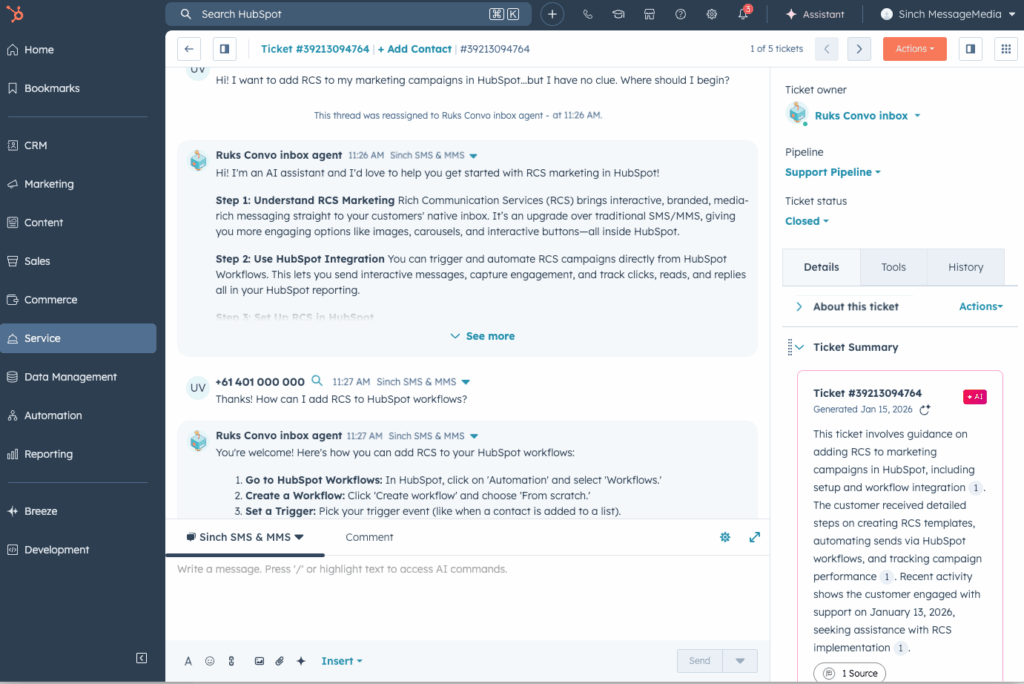
2. Summarize threads for seamless hand off to human agents
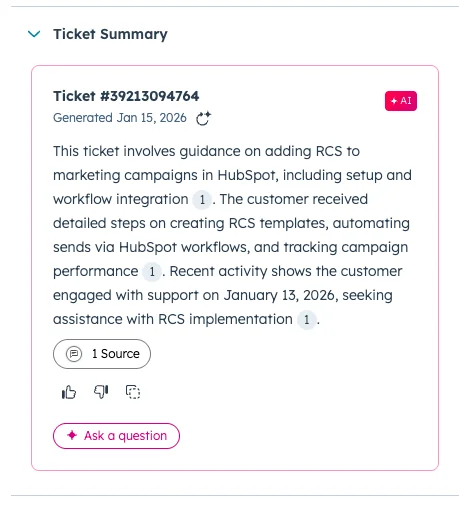
Not every query can be solved by AI. For complex issues, the conversation can be smoothly handed off to a live agent inside HubSpot. Your team gets a full, AI-generated summary of the interaction so they can step in with complete context and resolve the issue – without wasting time or making the customer repeat themselves.
How it works: get started in 3 simple steps
You can enable this feature through a simple, self-service flow directly within your HubSpot instance:
- Create a Customer Agent: In your HubSpot Service Hub, build a new AI Customer Agent or select an existing one. Configure its knowledge base (like your support site) and define its goals.
- Connect the Sinch Engage channel: Navigate to the agent’s “Deployment and Channels” settings. Select “Sinch Engage” from the list of channels and follow the prompts to authenticate your account.
- Go live: Once connected, the integration is active. Any inbound message to your designated Sinch Engage number will now automatically trigger the HubSpot Customer Agent to handle the conversation.
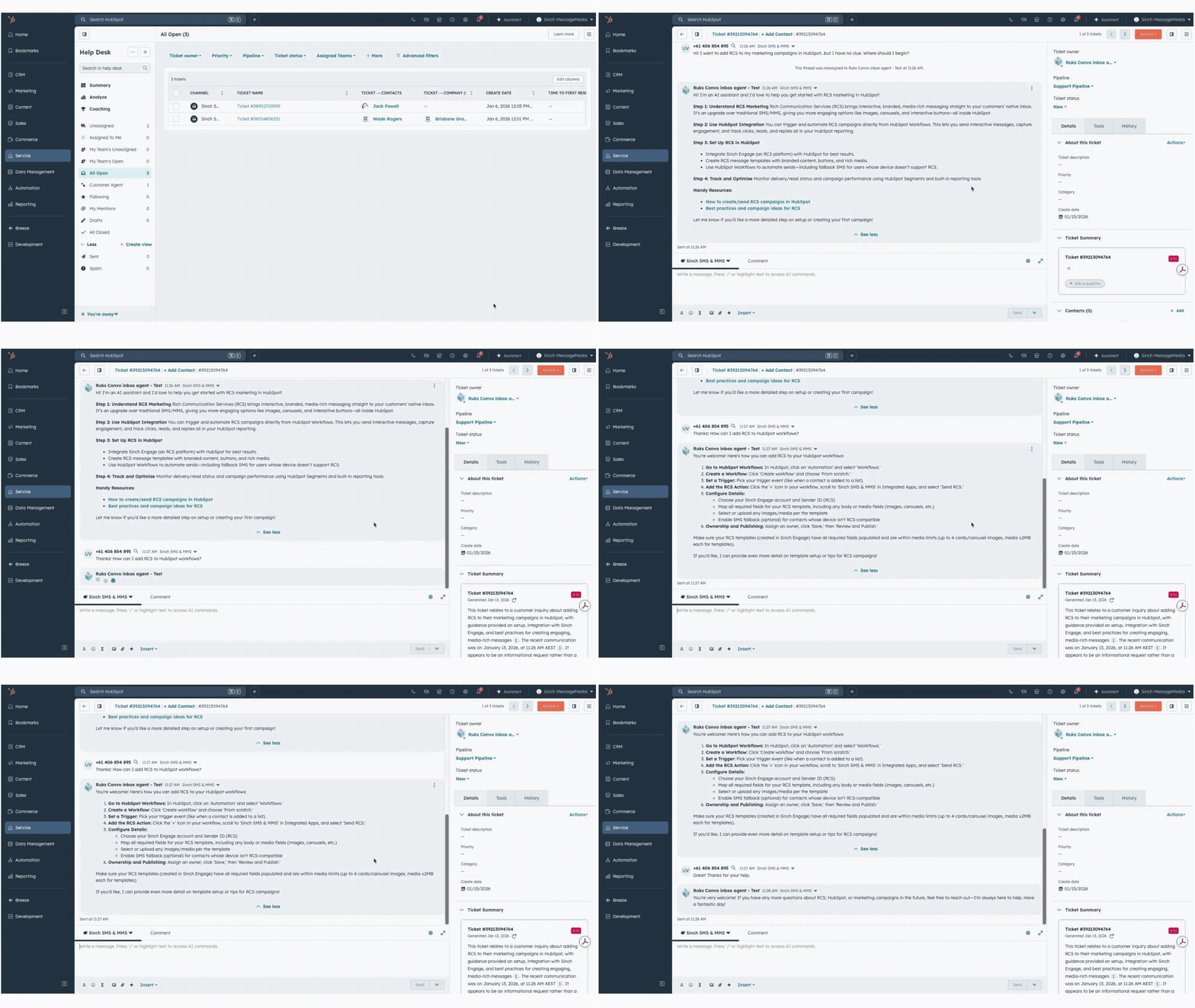
Here’s a short, high-level walkthrough of our Help Desk AI Agent integration in action. In this example, we’ve given the AI our support site documentation as its knowledge base during setup. You can see how it quickly provides a Ticket Summary and manages the incoming customer ticket from beginning to end.
Why use our Help Desk AI Agent for customer support?
For teams using HubSpot for support via text, this update will dramatically improve your operations with very little added effort. It connects Sinch Engage’s already powerful integration directly to HubSpot’s AI, giving you a powerful set of capabilities to:
- Provide faster, intelligent support directly: Customers reach out via SMS, and the AI agent responds on the same channel – no app required. This allows for immediate resolutions right in their native messaging app.
- Learn in real-time: Sinch Engage feeds live messaging data into HubSpot’s AI, Breeze, enabling the agent to learn from current conversations and provide relevant, intelligent responses.
- Unify conversations: All messages, whether from the AI or a human agent, are combined into a single, unified thread. This gives your team a complete view of every customer interaction.
Ready to get started?
Get the most out of this new release with these helpful resources:
- Find step-by-step guidance on using this HubSpot AI Help Desk integration.
- Not a Sinch Engage customer yet? Talk to our team to learn how you can start automating your support and improving your customer communications
- Discover more HubSpot text messaging resources