Recomendações
O que fazer se a sua conta do WhatsApp Business for banida

Quer saber o que significa o banimento de uma conta do WhatsApp Business?
De forma simples, um banimento de conta do WhatsApp significa que o WhatsApp restringiu ou desativou a sua capacidade de enviar ou receber mensagens devido a suspeitas de violações de suas políticas, como spam, falta de consentimento do usuário ou o uso de ferramentas não autorizadas – tudo isso descrito em seus Termos de Serviço e Política de Mensagens da Empresa. Alguns banimentos são temporários e reversíveis, enquanto outros exigem um processo formal de revisar.
O que você deve fazer nos primeiros 10 minutos após sua conta ser banida?
Se a sua conta do WhatsApp foi banida, seus primeiros passos são importantes.
Ações imediatas:
- Pare de enviar mensagens de quaisquer ferramentas ou integrações conectadas
- Verifique a mensagem exata de banimento no aplicativo (procure por cronômetros em vez de solicitações de revisar)
- Não tente contornar o banimento com um novo número
- Reúna exemplos recentes de mensagem, registros de confirmação de inscrição e detalhes da campanha
- Prepare-se para solicitar para revisar pelo canal correto
Entrar em pânico e agir rápido demais pode levar a uma recuperação falha. Siga os passos acima para evitar piorar a situação.
O que acontece quando o WhatsApp bane a sua conta?
Quando sua conta é banida, isso significa que o WhatsApp restringiu sua capacidade de se comunicar e pode sinalizar sua conta para revisar com base em seus sistemas de aplicação de política.
O que isso significa:
- Você não pode enviar mensagens
- As mensagens recebidas podem parar ou sofrer atraso
- As transmissões e campanhas podem ser interrompidas
- Seu número pode ser sinalizado internamente por problemas de qualidade ou conformidade
- Em alguns casos, seu histórico permanecerá, mas o acesso pode ser limitado
Qual é a diferença entre um banimento temporário, permanente e restrito?
A maioria das pessoas presume que um banimento é permanente, mas geralmente não é.
| Tipo de banimento | O que isso significa | O que você verá | Pode ser recuperada? |
| Banimento temporário | Restrição de curto prazo devido a atividades suspeitas | Um cronômetro de contagem regressiva no aplicativo | Sim, automaticamente após o término do cronômetro |
| Conta restrita | Funcionalidade limitada devido a problemas de qualidade | Acesso parcial, limites de mensagens | Sim, se o comportamento melhorar |
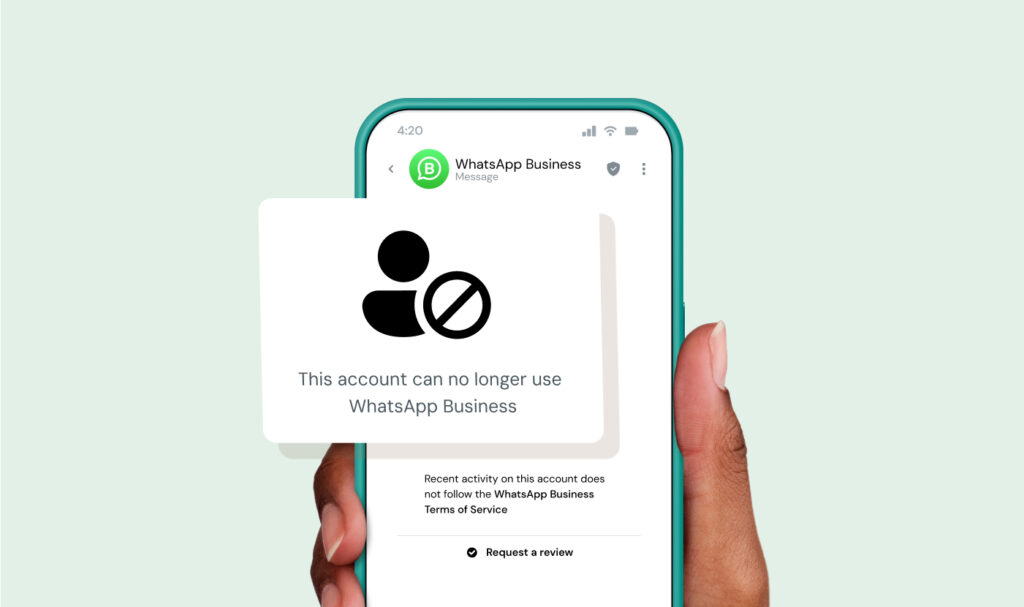
| Banimento permanente | Conta desativada devido a violações graves ou repetidas | Mensagem dizendo que a conta foi banida | Às vezes, por meio de uma apelação |
A principal diferença geralmente é visível na exata mensagem que o WhatsApp mostra a você.
Por que a minha conta do WhatsApp empresa foi banida?
A maioria dos banimentos não é aleatória. Eles são o resultado de padrões que o WhatsApp foi projetado para detectar, para que possam manter os usuários seguros.
Envio de mensagens sem o consentimento do usuário.
A política de mensagens do WhatsApp exige que as empresas obtenham consentimento prévio (confirmação de inscrição) antes de enviar mensagens de marketing aos consumidores. Se não o fizer, você estará violando os requisitos de consentimento do WhatsApp.
Sempre garanta o consentimento explícito de confirmação de inscrição antes de qualquer comunicação de marketing ou adições a grupos para se manter em conformidade e evitar penalidades.
Altas taxas de spam ou bloco
Se os usuários frequentemente fizerem denúncia ou bloquear seu número, você pode estar sendo sinalizado como spam. Receber denúncia constantemente sinaliza má qualidade da mensagem, o que pode resultar em um banimento.
Envio de mensagens em massa ou repetitivas
Enviar a mesma mensagem repetidas vezes para grandes grupos, como em Listas de transmissão, pode ser um acionador de sistemas de detecção de spam.
Uso de ferramentas não oficiais
Empresas que usam aplicativos de terceiros não autorizados também conhecidos como Mods do WhatsApp (GB WhatsApp, WhatsApp Plus e outros) também serão um acionador de banimentos de conta.
O principal motivo pelo qual o WhatsApp não permite esses aplicativos não avaliados é para evitar riscos de segurança e o uso indesejado do aplicativo de mensagens.
Produtos ou serviços restritos
O WhatsApp proíbe certos setores de usar sua plataforma de forma integral. Se você atua em um desses setores restritos, o WhatsApp provavelmente suspenderá sua conta, independentemente de como você usa a plataforma.
Os setores completamente banidos incluem:
- Partidos políticos
- Agências de aplicação da lei
- Serviços de encontros
- Empresas de armas de fogo
- Empresas de marketing multinível
Restrições específicas do país também se aplicam a jogos de azar e apostas online, medicamentos de venda livre e empresas de álcool.
Verifique a completar Política de Mensagens da Empresa do WhatsApp antes de lançar quaisquer campanhas da empresa para garantir que o seu setor e os mercados-alvo sejam permitidos.
Qual é a diferença entre o aplicativo WhatsApp empresa e a Plataforma WhatsApp empresa (API) quando sua conta é banida?
Um banimento do WhatsApp empresa não funciona da mesma forma no aplicativo e na plataforma (API). A diferença é clara em como o banimento acontece, como você recupera sua conta e se pode ou não prever que ele ocorrerá antes que aconteça.
| Área | Aplicativo WhatsApp empresa | Plataforma WhatsApp empresa (API) |
| Como os banimentos acontecem | Geralmente repentinos (sinais de spam, ações de enviar em massa, denúncias) | Geralmente vinculado a classificação de qualidade ou problemas de política |
| Sinais de aviso | Poucos ou nenhum | Sinais visíveis, como quedas na classificação de qualidade |
| Caminho de recuperação | Apenas opção de revisar no aplicativo | Suporte da Meta ou escalação do Provedor de Soluções de Empresa (BSP) |
| Visibilidade do problema | Baixo | Sinais de política e desempenho mais claros |
| Risco de Scale | Aumenta rapidamente | Pode se gerenciar se usado dentro da política |
A plataforma é executada na infraestrutura de empresa da Meta, que inclui limites de mensagens, pontuação de qualidade e sistemas de revisar.
Se você estiver usando o aplicativo, os banimentos parecem aleatórios porque você não vê os sinais de aviso – e você só tem um caminho para recuperar a sua conta.
Se você estiver usando a API, os banimentos geralmente são o resultado de problemas visíveis, como declínio na qualidade da mensagem ou violações de política.
Como posso recuperar a minha conta banida do WhatsApp empresa?
Aqui está um processo de recuperação passo a passo.
- Identifique o tipo de banimento: Verifique se você vê um cronômetro ou uma solicitação para revisar.
- Pause todas as atividades de mensagens: Interrompa campanhas, automações e transmissões imediatamente.
- Revisar a atividade recente: Procure por picos de volume, reclamações ou novas ferramentas usadas.
- Coletar evidências: Reúna registros de confirmação de inscrição, exemplos de mensagem e contexto da campanha.
- Solicitar para revisar: Envie isso por meio do aplicativo ou canal oficial.
- Siga o caminho de suporte correto: Usuários do aplicativo e Usuários da API têm rotas diferentes.
- Aguarde e monitore: Evite enviar solicitar adicionais ou criar novas contas prematuramente.
E se a sua conta do WhatsApp empresa foi banida por engano?
Isso acontece, e há passos que você pode seguir para lidar com isso.
Comece presumindo que você precisa provar seu caso de forma clara e rápida, reunindo evidências:
- Prova de confirmação de inscrição do usuário (formulários, caixas de seleção, registros de data e hora)
- Registros de mensagem mostrando relevância e contexto
- Descrições de campanha (o que você enviou e por que)
- Processo de tratamento de solicitações de cancelamento de inscrição
A maioria das pessoas pula este passo – e é por isso que seus recursos falham.
Como você entra em contato com o suporte após um banimento?
Existem algumas maneiras de entrar em contato com o suporte, e a forma como você entra em contato com eles depende de como você estava usando o WhatsApp.
- Ação de solicitar para revisar no aplicativo
Se você vir uma solicitação para “Solicitar para revisar” no aplicativo, comece por aqui. Este é o principal caminho de recuperação para os usuários do aplicativo WhatsApp empresa. Você envia diretamente da tela de notificação de banimento e a sua ação de solicitar vai para o sistema interno de revisar do WhatsApp.
Use esse método antes de tentar qualquer outra coisa.
- Central de Ajuda do WhatsApp (acompanhamento de suporte geral)
Se você não obtiver uma resposta ou precisar de mais contexto, poderá acessar a Central de Ajuda. A Central de Ajuda também pode ser acessada pelo aplicativo em Configurações.
Isso é melhor para usuários que precisam de esclarecimentos ou acompanhamento e inclui artigos e formulários de contato limitados. Não é um substituto para a opção de revisar no aplicativo – é um caminho secundário para quando o primeiro método não levar a lugar nenhum.
- Central de Ajuda da Empresa da Meta (para usuários da API)
Se você estiver usando a Plataforma WhatsApp empresa (API), seu caminho de suporte é diferente.
Você pode acessar o suporte por meio do Gerente da Empresa da Meta. Ele permite suporte baseado em casos e escalação, a ser usado para problemas vinculados a limites de mensagens, modelos ou status da conta.
- Suporte do Provedor de Soluções de Empresa (BSP)
Se você trabalha com um provedor como Sinch, ele se torna seu primeiro contato. Eles podem revisar sua atividade de mensagens, identificar riscos e ajudar a preparar a documentação de apelação. Em alguns casos, eles também podem escalar problemas por meio de canais de parceiros.
Mas eles não podem reverter um banimento por conta própria. As decisões finais sempre vêm do WhatsApp.
Modelo de apelação
Enviar uma mensagem para o suporte do WhatsApp pode ajudar. Aqui está um exemplo de e-mail que você pode enviar sobre o seu caso:
Olá,
Minha conta do WhatsApp empresa foi banida recentemente. Acredito que isso possa ser um engano.
Eu apenas envio mensagens para usuários que fizeram a confirmação de inscrição e eu sigo as políticas do WhatsApp.
Terei o maior prazer em fornecer os detalhes de suporte e agradeceria uma opção de revisar minha conta.
Obrigado.
Você deve apelar primeiro ou usar um novo número?
De forma simples, você deve apelar primeiro. Começar de novo muito cedo pode piorar as coisas.
Aqui está uma pequena lógica de decisão que você pode usar:
- Se você puder solicitar para revisar, faça isso primeiro
- Se você for permanentemente banido após revisar, considere um novo número
- Se você estiver aumentando o Scale da sua empresa, repense sua configuração por completo
Certifique-se de analisar bem todas as decisões antes de agir e tente ser paciente durante o processo de apelação. Isso pode ser a diferença entre recuperar sua conta e começar do zero.
Se você estiver usando um BSP como a Sinch, qual suporte pode obter?
Esta página foi escrita por Marinela Potor e foi atualizada por Alicia Winokur em 7 de abril de 2026.

Autor: