Productos
Send transactional emails without the busywork
You’re minutes away from triggering, personalizing, and tracking transactional emails. Connect your verified Mailgun domain, add a «Send email» action, and let Lovable handle provisioning, authentication, and scaling. You can focus on user experience while Sinch Mailgun and Lovable manage deliverability and security.
No-code workflow editor for rapid email automation
Built-in SPF, DKIM, and DMARC guidance for better inbox placement
Secure API key storage using Supabase edge functions
Automatic edge-function provisioning without additional server setup
Advanced options: BCC, custom reply-to, dynamic content
Guided DNS setup for fast domain verification
Move from idea to inbox in a single afternoon. Sinch Mailgun integration with Lovable delivers enterprise-grade email automation without code.
Use Cases
Popular ways teams ship transactional email
SaaS user onboarding
E-commerce order confirmation
Password reset flows
Admin alerts via BCC
Get up and running in minutes
Connect, configure, and deploy the Sinch Mailgun integration with Lovable.
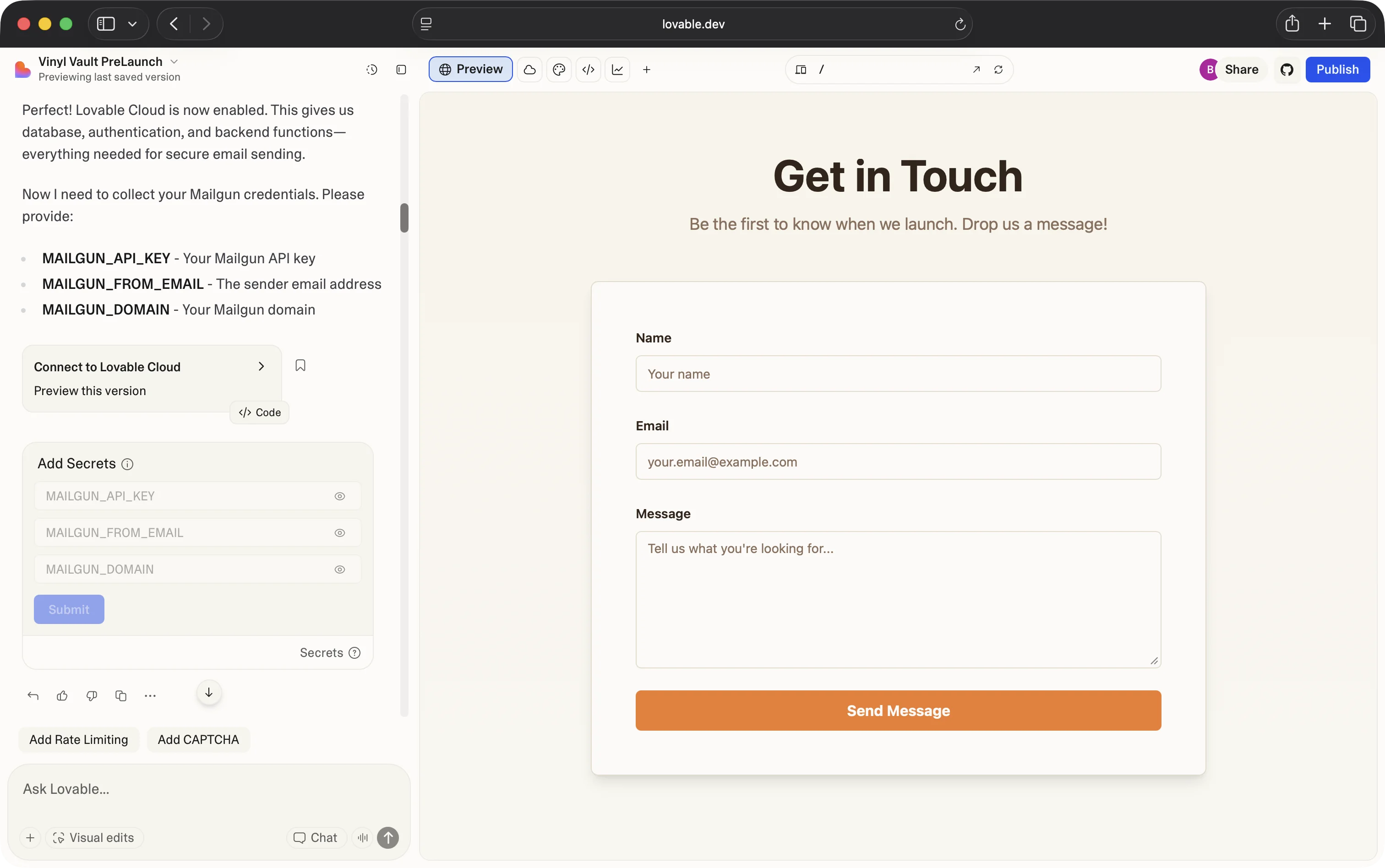
Step 1: Add secret storage (Lovable Cloud or Supabase) for Mailgun credentials and create a contact form.
Step 2: Connect Sinch Mailgun by pasting your API key and verified domain.
Step 3: Add a «Send email» action in your Lovable workflow and map the necessary fields.
Step 4: Deploy your project to start sending and tracking emails instantly.
Why Sinch?
Reliable delivery meets rapid development
Built-in security
Fast to production
Scales effortlessly
Frequently asked questions
Add secret storage, connect your API key and verified domain, add a «Send email» action in your workflow, and deploy. Setup typically takes less than 10 minutes.
You need active Lovable and Sinch Mailgun accounts. There are no additional fees for the integration itself.
Yes. You can design HTML templates in Lovable or import existing Mailgun templates, then populate dynamic fields visually.
The integration provides guided SPF, DKIM, and DMARC setup, leveraging Mailgun’s infrastructure to help keep emails out of spam.
Lovable does not set email limits. Simply upgrade your Mailgun plan as your needs grow.
Yes. All emails are tagged for analytics, so you can view opens, clicks, and bounces in your Mailgun dashboard.