Resources
How to manage SMS opt-ins and opt-outs with Sinch Engage
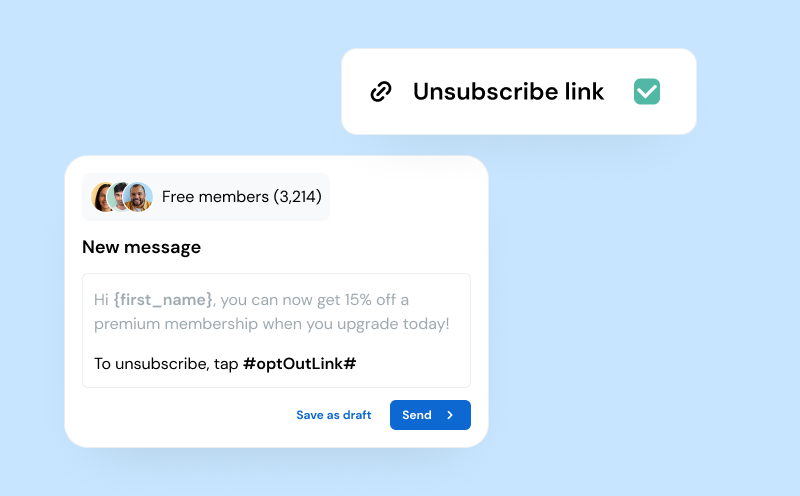
When you’re sending SMS, managing opt-in and opt-out consent is a critical element of building trust and ensuring you get the most ROI from messaging.
And it’s not just nice-to-have. Mismanaging opt-ins and opt-outs has major consequences: Not only can you annoy customers and carriers, but you may get your number blocked or banned completely.
Here, we’re taking a deep dive into how to handle consent with Sinch Engage – with both manual actions as well as some helpful automation built into our SMS platform.
The building blocks of SMS consent
Before we get into workflows and automations, it helps to know what SMS consent actually looks like in practice.
Basically, it comes down to three things:
- How you capture it
- How you store it
- How you honor it
First, you need a clear way to highlight everyone’s “consent status” in your messaging system. Most teams use a combo of tags, contact states, or custom fields to flag whether someone is opted in, out, or still needs confirmation.
Next, you need a reliable home for that data.
Most SMS platforms store those details directly in the contact’s profile and keep a trail of how it was collected (this is the ideal situation). This is important because you can turn to it if a customer questions how you got their number.
Finally, you need to make sure your actual messages stay on the right side of regulations. This means adding STOP keywords and immediate opt-outs so you can’t physically message someone who’s unsubscribed.
3 ways to collect SMS opt-ins with Sinch Engage
You’ve got a few reliable ways to collect permission with Sinch Engage.
1. Gather consent through Engage forms, keywords, and inbound messages
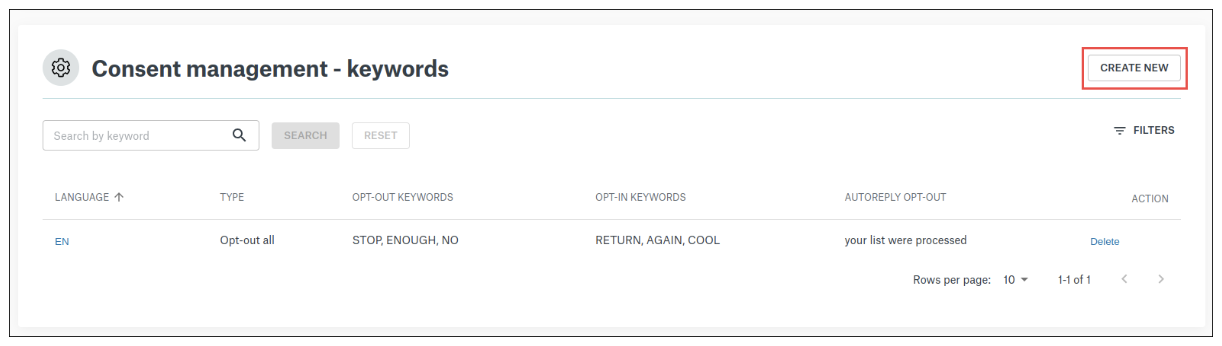
The easiest place to start is with simple keywords.
You can set up a keyword like “START”, “JOIN”, or your own branded keyword really quickly. When someone texts that keyword to you, Sinch Engage automatically marks them as opted in, logs the timestamp, and can then trigger a welcome message or onboarding flow if you’ve set one up.
If you’re using forms, the same rule applies. Make it crystal clear what people are signing up for and route those submissions straight into your dashboard with the correct consent state attached.
2. Importing existing subscribers with documented consent
Already have a list? You can upload it directly into Sinch Engage, just make sure you include whatever proof-of-consent fields you have (e.g. timestamps, source, checkbox confirmation, etc.).
During the import, you can map those fields to the right attributes in Sinch. If your list is old or the consent source is a bit vague, send a quick reconfirmation message.
Tip: Use custom attributes to store how and when someone opted in. It gives you a clean audit trail, especially if you’re messaging across multiple regions with different rules.
3. Sync consent across systems with APIs and integrations
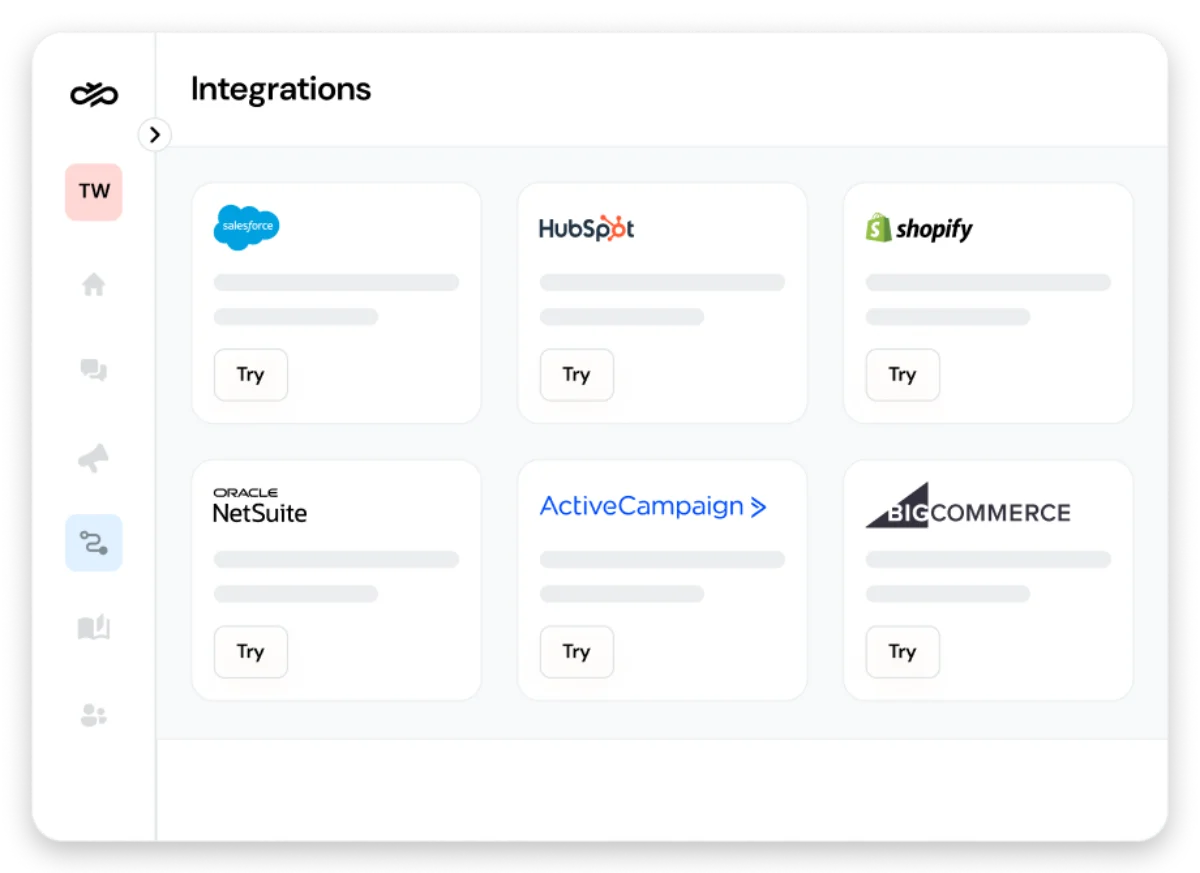
If your customer data lives somewhere else (like your CRM or ecommerce platform), you can sync it straight into Sinch Engage.
Go to the integrations section to connect your systems and make sure there’s a trail of consent across each touchpoint.
How to automatically manage opt-outs with Sinch Engage
Opt-outs happen. People change their minds or just want to lighten their text inbox, it’s totally normal. Instead of manually marking people as unsubscribed, Sinch Engage handles opt-outs for you as soon as they come in.
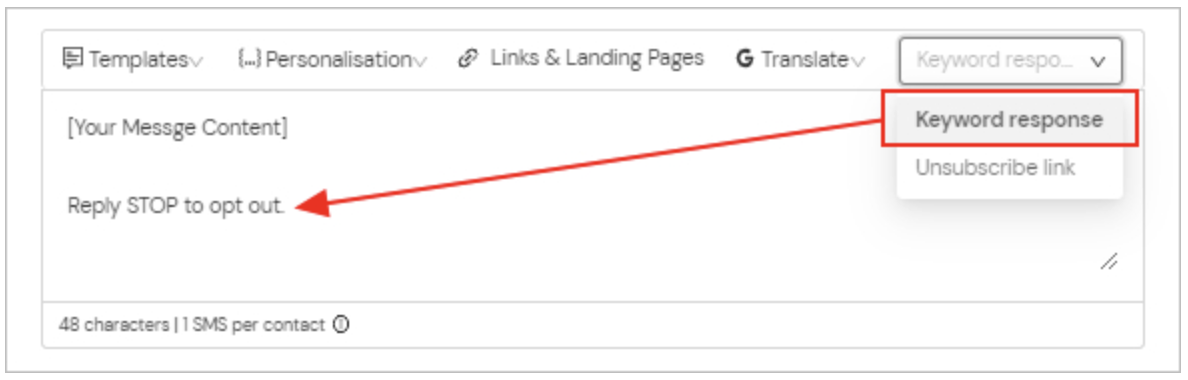
1. STOP and other opt-out keywords
Whenever someone replies to a message with STOP (or another supported opt-out keyword), Sinch Engage instantly flags them as unsubscribed. That means their contact record updates on the spot and it gets logged with a timestamp for proof.
2. View, filter, and report on opt-out data
You can easily have a look at your unsubscribed contacts and filter them by opt-out status, campaign, or date to see if there are any patterns (such as specific messages that caused a spike in opt-outs).
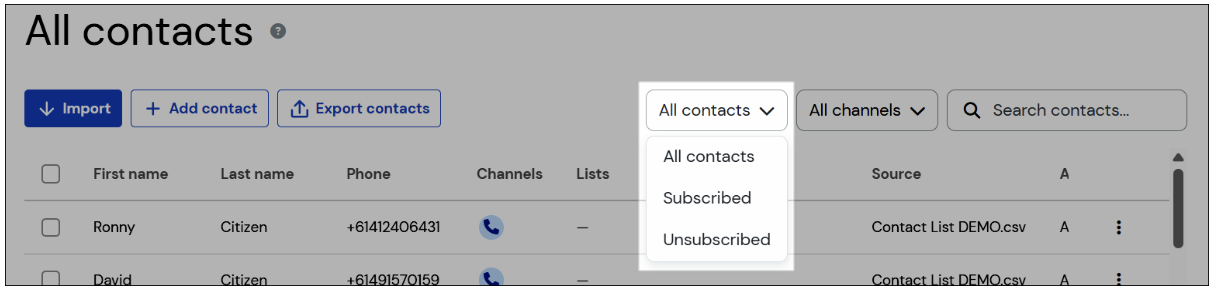
3. Prevent accidental sends
Sinch Engage won’t let you message someone who’s opted out. The platform automatically excludes those contacts from campaigns, automations, and one-off messages.
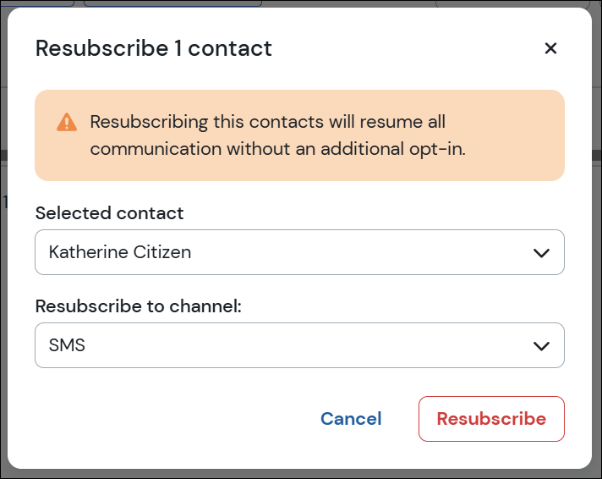
4. Manage resubscriptions
If someone wants back in, they can simply text a designated opt-in keyword or sign up via another approved method. Sinch Engage treats that action as a fresh opt-in, logs the event, and updates their status automatically as if they were a brand new subscriber.
How to keep your SMS lists healthy and compliant over time
Once you’ve nailed the basics, the real work is keeping your SMS program clean as you scale it. Think of consent governance as ongoing list hygiene that will help you stay compliant.
Here are some ways you can do that with Sinch Engage by setting smart rules and automations, regularly auditing your consent data, and keeping consent consistent across all your channels.
- Auto-tag new opt-ins so your team knows where a contact came from.
- Trigger a quick confirmation after someone signs up to reinforce trust.
- Use double opt-in if you’re operating in a higher-risk industry or markets with stricter regulations.
- Regularly scan your list for missing opt-in timestamps and look for old contacts who haven’t engaged and might need a reconfirmation.
- Lean on support docs to make sure you’re following regional best practices.
- Sync consent statuses across your platforms so customers.
Real examples of consent flows inside Sinch Engage
Let’s bring this to life. Here are a few real-world consent flows you can build in Sinch Engage.
Example 1: Keyword opt-in and an automated welcome message
How you set it up:
Create a keyword like START or something branded (e.g. “JOINLUNA”). Tie it to a list or tag in your CRM (e.g. with our HubSpot integration), then set up an automation that sends a welcome message as soon as someone texts you with the keyword.
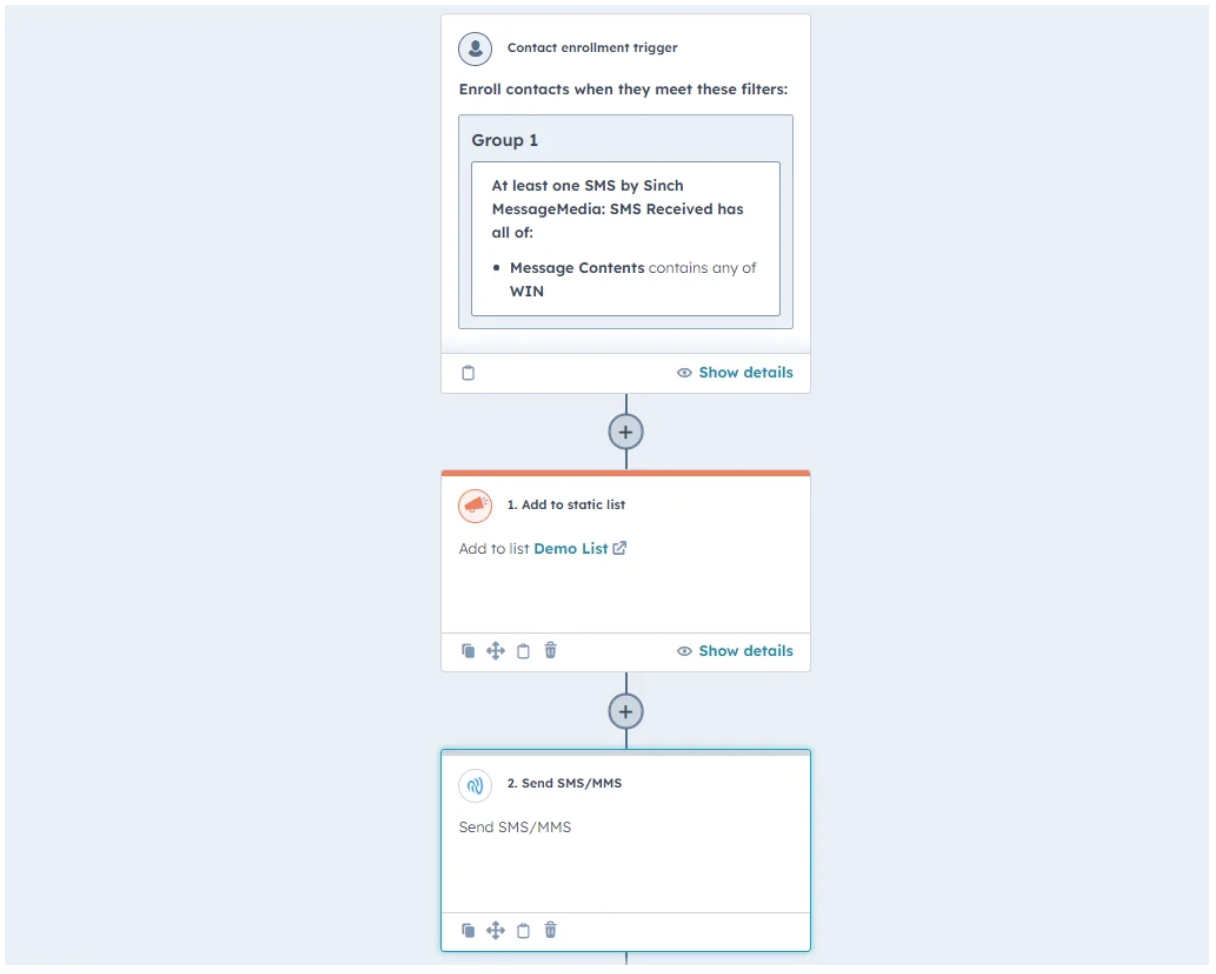
What the customer sees:
They text the keyword and instantly get a friendly welcome with whatever next step you want (discount code, link, product quiz, etc.).
What Sinch Engage does behind the scenes:
- Flags the contact as opted in
- Logs the keyword, timestamp, and message thread
- Adds the right tags/attributes
- Fires off your welcome automation
Example 2: STOP unsubscribe message to an automated confirmation and internal alert
How you set it up:
Engage already recognizes STOP (and similar opt-out keywords), but you can layer on an automation that sends a confirmation message and pings your team in Slack or email.
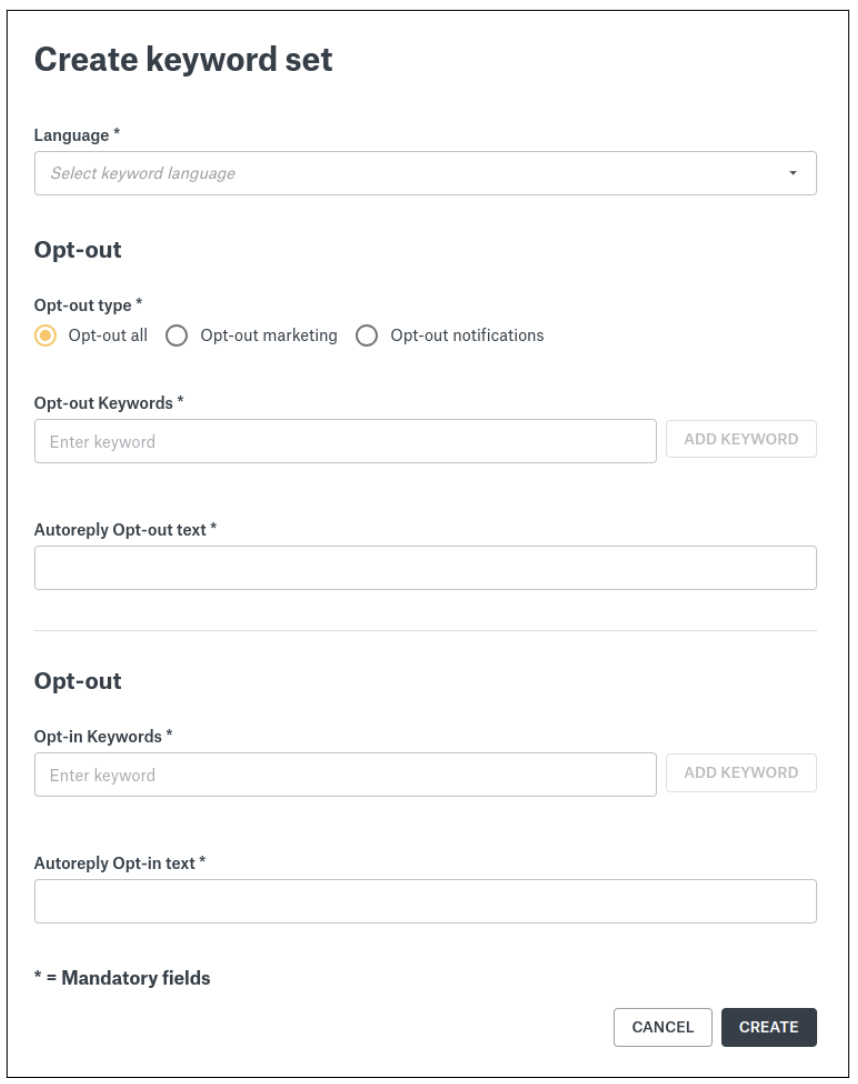
What the customer sees:
They reply STOP and instantly get a message saying they’ve been unsubscribed and won’t receive any more messages.
What Sinch Engage does behind the scenes:
- Updates the contact’s SMS status to unsubscribed
- Records the opt-out event with a timestamp
- Blocks all future sends to that number
- Triggers your internal alert so support or CRM teams stay in the loop
Example 3: Retail sign-up form to a CRM sync to a Sinch Engage import with consent attributes
How you set it up:
Your store’s checkout or loyalty form collects phone numbers with clear permission wording. That consent flows into your CRM, which syncs with Engage or exports a file you import with fields like “SMS Opt-In Source” and “Opt-In Date.”
What the customer sees:
They fill out the form once and that’s it.
What Sinch Engage does behind the scenes:
- Imports the contact with consent metadata intact
- Applies the right tags or attributes (e.g., “Signup: Retail Form”)
- Makes the contact eligible for your SMS welcome series or segmentation
Best practices for maintaining high-quality SMS consent
- Keep your consent language short and obvious. Tell people exactly what they’re signing up for.
- Use double opt-in when the stakes are higher. Extra confirmation protects you and your customers if you’re in a regulated or sensitive industry.
- Watch your opt-out rates after every send. Spikes usually mean your message missed the mark. Use that data to adjust your timing, targeting, or tone.
- Fight consent decay. Clean your list regularly, remove any unengaged numbers, and re-confirm older contacts.
- Back up your consent records. Keep timestamps and opt-in details in Engage and your CRM.
Better consent management = better SMS results
Having a solid consent process makes everything else in your SMS program easier. Deliverability tends to be better, customers trust you more, and your campaigns often perform better.
Sinch Engage does all the hard work for you behind the scenes so you can actually focus on what you’re good at – sending messages and engaging customers.
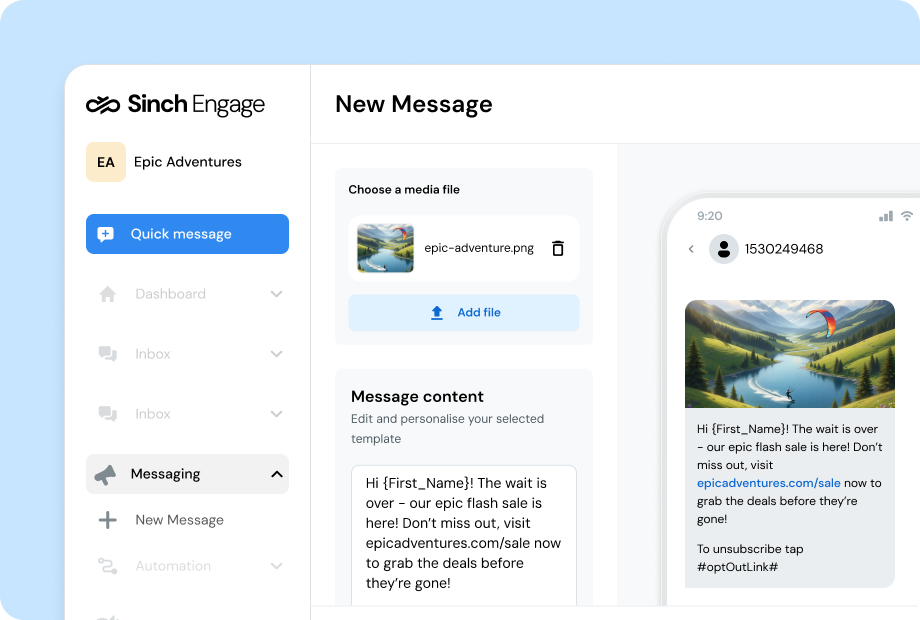
Ready to make opt-in and opt-out consent management an easier part of your SMS strategy? Get started today or drop us a note for more info.
Quick FAQ on managing SMS opt-ins and opt-outs
Can I re-message someone who opted out?
Nope, not until they explicitly opt back in. Once someone unsubscribes, Sinch Engage blocks all outgoing messages to that number to keep you compliant. If they text a valid opt-in keyword again or resubscribe through a form, you’re good to go.
How does Sinch Engage sync consent with my CRM?
Engage pulls in consent data through native integrations or API connections, keeping opt-in status, timestamps, and attributes the same across all your systems. If you update a contact’s consent in your CRM Sinch will automatically reflect it.
What counts as valid consent for US carriers?
US carriers expect clear, unambiguous permission, usually in the form of a keyword-based opt-in or a form with explicit SMS language. You need proof of the moment someone agreed, plus a record of how that consent was captured. Sinch Engage logs both automatically when the opt-in comes through its channels.
How do I handle mixed consent states for WhatsApp, SMS, and email?
Treat each channel separately. A customer might be opted into email but not SMS, or WhatsApp but not text. Engage tracks consent per channel, so you can message people where they’ve said “yes” and avoid the channels they haven’t approved.

Author: