Resources
Pro tips for using SMS in HubSpot for your fitness business
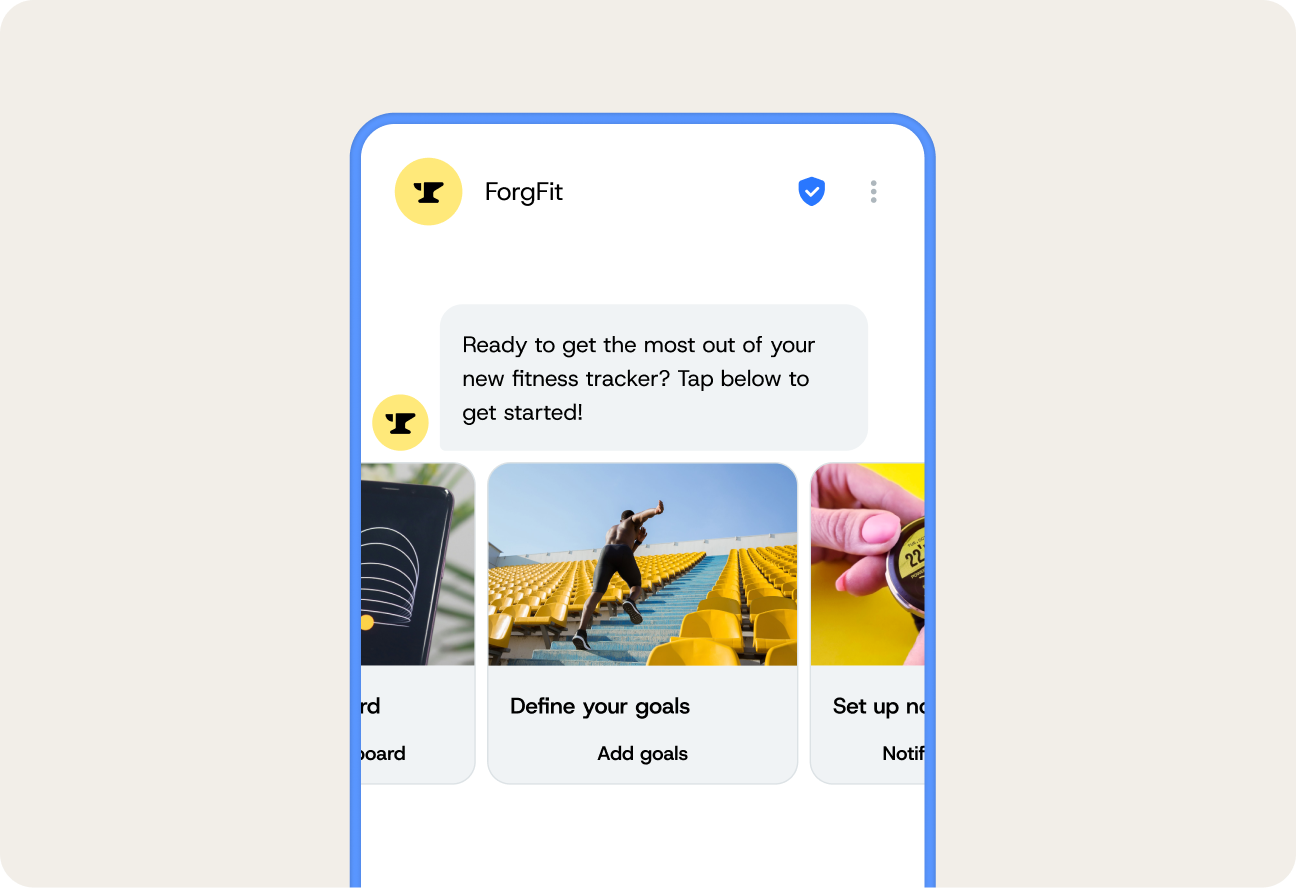
If you’re already running your studio on HubSpot to track leads and manage class bookings, you’re already way ahead of most fitness businesses. Many studios barely take advantage of what a CRM can do.
But if you’re reading this, you’re probably past the basics and in a great position to improve your fitness business operations and customer experience in HubSpot with smart(er) SMS workflows.
The good news is that it’s super easy – and it starts with plugging Sinch Engage’s top-rated SMS integration with your HubSpot account. We’ll show you everything you need to know to get started, build SMS workflows, and track results from your fitness SMS strategy.
First things first: start with the right setup
Before you start building out your text message workflows, make sure you have the foundations in place. A huge percentage of SMS issues happen because the app isn’t fully configured (e.g. the sender ID isn’t verified or there are permissions missing), so getting these sorted early will save you a ton of headaches.
- Check your installation status in HubSpot. Jump into your connected apps and make sure Sinch Engage is fully installed and authenticated. If you haven’t installed Sinch Engage yet, here’s a handy guide.
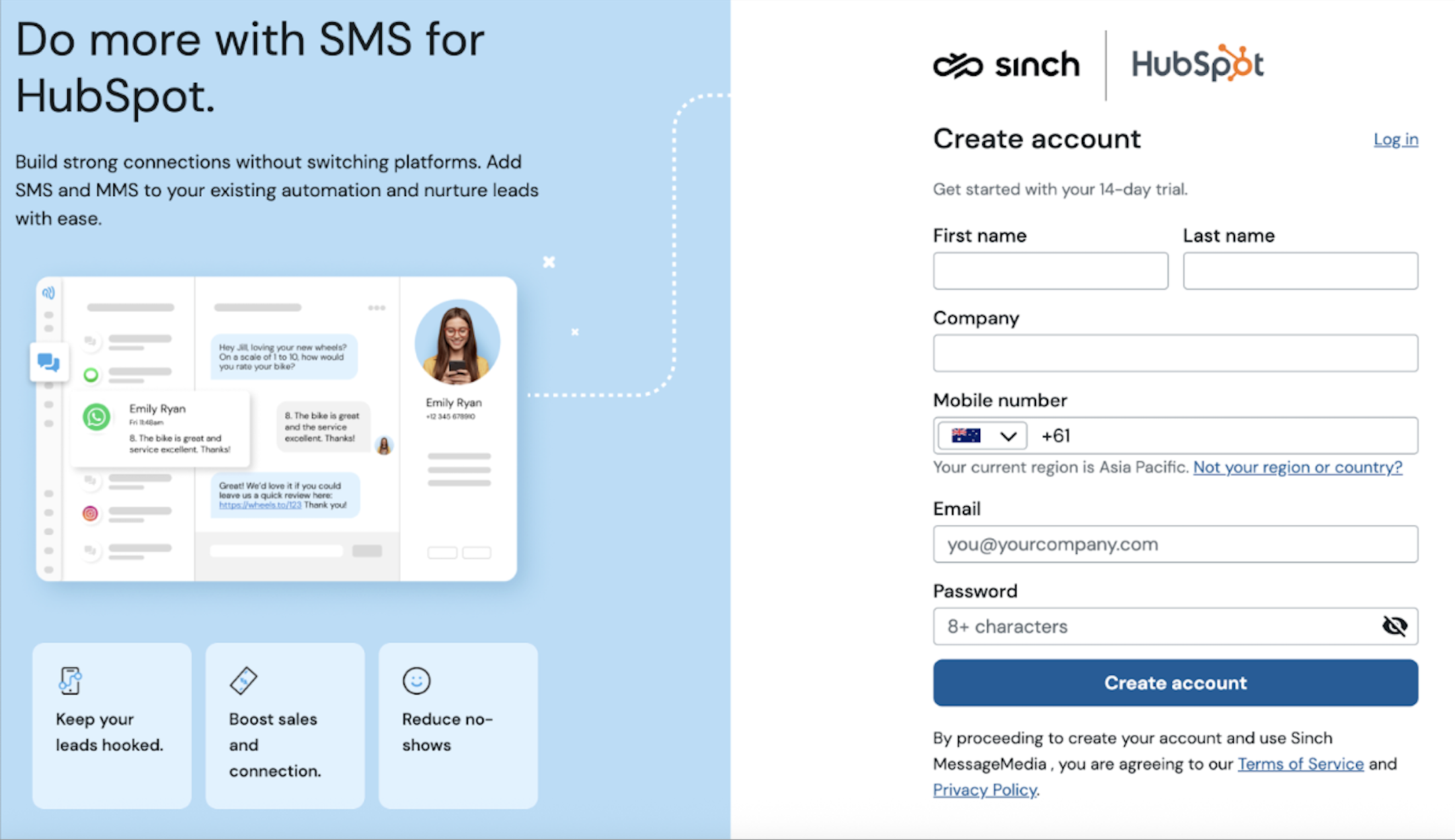
- Confirm user and team permissions. Double-check that people that need access have it.
- Map your phone numbers to real use cases. For example, assign your front desk line to operational texts and then have a separate marketing number for promos etc.
- Run a test automation. Build a really tiny workflow, enroll yourself, and send one SMS to see that it all works.
Pro tips for using SMS in HubSpot
Now that we’ve covered the basics, let’s move onto more advanced ways to get value out of HubSpot texting for your fitness clients – from getting better attendance, faster replies, and more conversions.
1. Build micro-journeys for multiple scenarios
Lots of HubSpot users don’t use HubSpot to its full capacity. Totally understandable, because there’s a lot to get your head around, but you’re barely scratching the surface if you’re only using it to blast texts or create one or two workflows.
Instead, create a series of micro-journeys for different behaviors and scenarios.
Here are some to consider (although use your own discernment to decide what would be best for your business):
- Sending a trial signup a couple of nurture texts three days and seven days after.
- Sending a no-show an instant follow-up with a rebooking link.
- Sending someone you want to win back a personalized “we miss you” message with class suggestions after a certain amount of time.

Instead of basic blasts, SWETI used the integration to power rich media messaging (MMS/SMS), trackable links, and fully automated flows inside HubSpot. That let their clients run everything from promos and class-schedule updates to cart abandonment follow-ups and referral campaigns, all without losing personal touch.
2. Use SMS to stop no-shows
Look, no-shows are disappointing for any fitness studio, but they can and do happen. Use SMS to send reminders before the class to get people excited and quash any hesitations or nerves they might have.
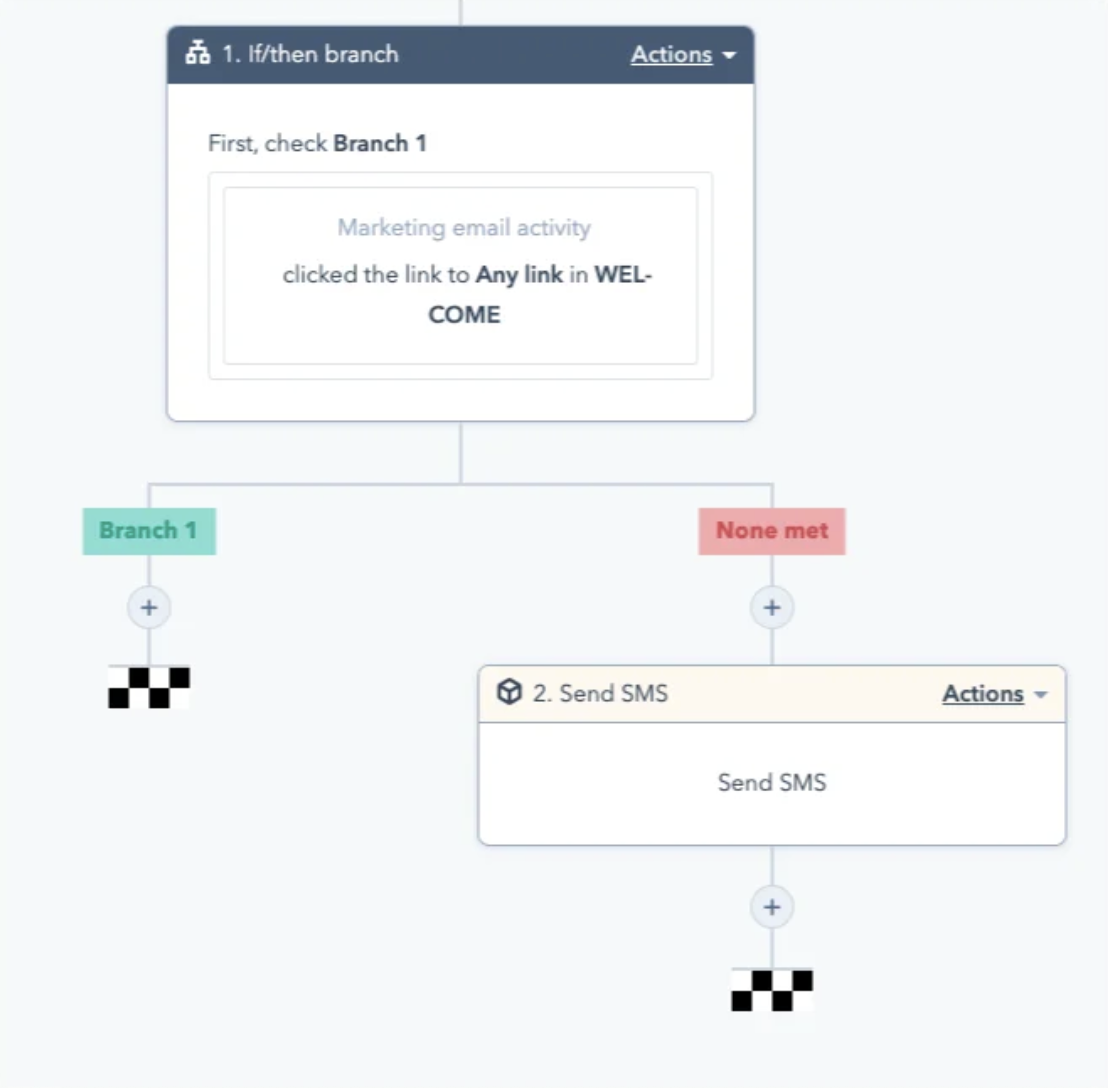
The beauty of a text message is it’s quick and easy to reply to or act on. You can also add a link to cancel or reschedule or add a conditional branch, so if a member has missed 2+ classes this month, you automatically send a more personalized SMS or let a coach know (use an if/then branch to do this).
3. Make automations feel less impersonal
Leads will often browse your website, go to make a purchase and hesitate, ghost, and then suddenly reappear when something catches their attention. Most of the time, that “something” tends to be a personalized recommendation or a relatable anecdote.
Here are some examples:
- Use reply-based routing. If someone texts “what class is best for me?” or something to that effect, route them straight through to the right person ASAP.
- Personalize based on what they viewed. Integrate your website analytics with HubSpot so if someone’s spent time on your strength classes page you can mention it.
HubSpot supports two-way conversations, so you can start a dialogue with those who are interested in what you offer and personally answer them quickly.
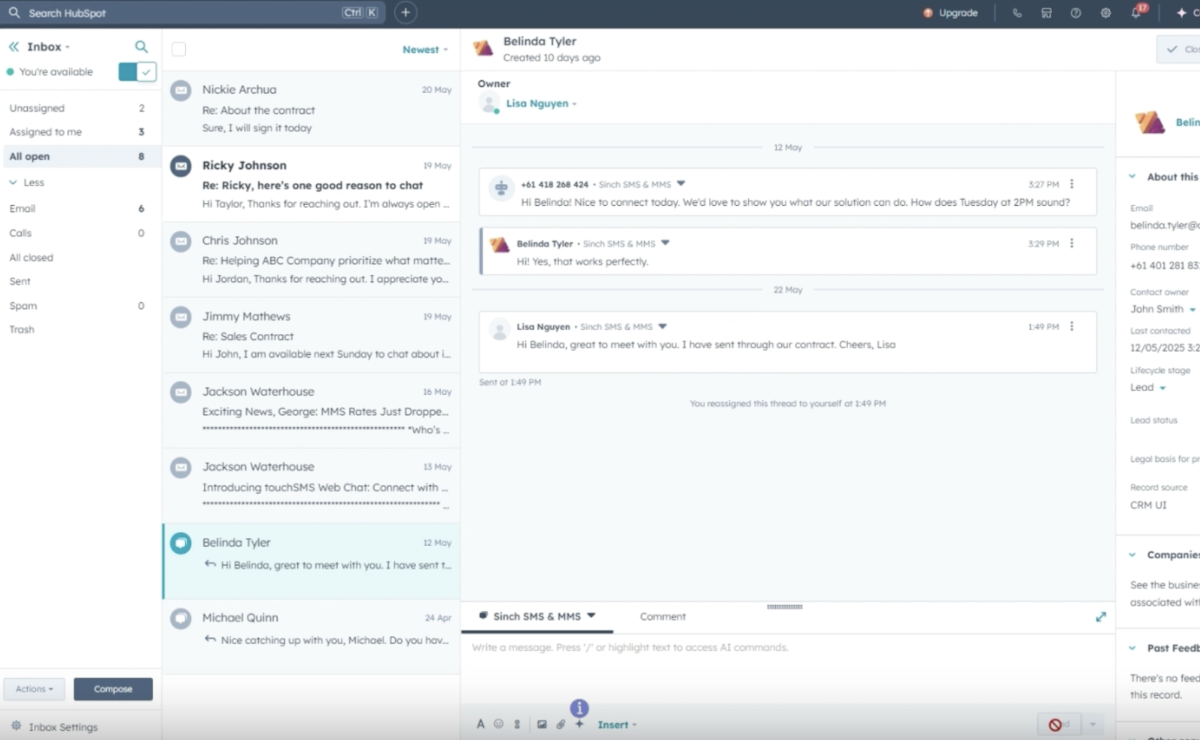
4. Build a front desk inbox that can handle a decent amount of volume
If you run a fitness business, you already know your front desk gets inundated with messages, whether it’s reschedules, notes about running 5 mins late, membership questions, billing queries, or something else.
To juggle all these different scenarios that might come at all different times of the day, you need an inbox that’s built especially to handle it all.
You can do this by:
- Using tags to sort messages straight away. Create simple tags (e.g. “billing”, “classes”, “sales”, “PT”, “cancelations”) so anyone can jump in and know what’s going on.
- Creating saved replies for the FAQs. Sinch Engage lets you build quick-response templates for the questions you get a lot. But importantly, tweak the first line so it’s personal (i.e. “Hey Jamie! Totally—here’s this week’s class schedule.”).
- Setting up alerts for peak times. Most studios are busiest in the morning before work and a couple of hours after 5pm. Set notifications on Slack or email so any unread messages aren’t left in the lurch.
5. Trigger texts based on behavior
Time-based automations are fine, but behavior-based automations feel way more personal, especially for something personal like fitness.
You can combine HubSpot’s event tracking with Sinch Engage to send texts that react to what members actually do (or don’t do). For example:
- If they viewed your pricing page, send PT info (e.g. “want to see which program fits your goals?”.
- If they miss a couple of classes, reach out with a gentle nudge (e.g. “want help adjusting your schedule?”).
- If they add merch to their cart, remind them about it (e.g. “still want this hoodie? We can set it aside until you can pick it up”).
- If they completed their first class, check in (e.g. “how was it?” with a CSAT link for feedback).
Again, you can use an if/then branch to create these.
Templates are your best friend when you’re sending dozens (or hundreds) of texts a week, but they need to sound like your studio
Sinch Engage already gives you a library of templates you can tweak to make fitness-focused and plug straight into HubSpot.
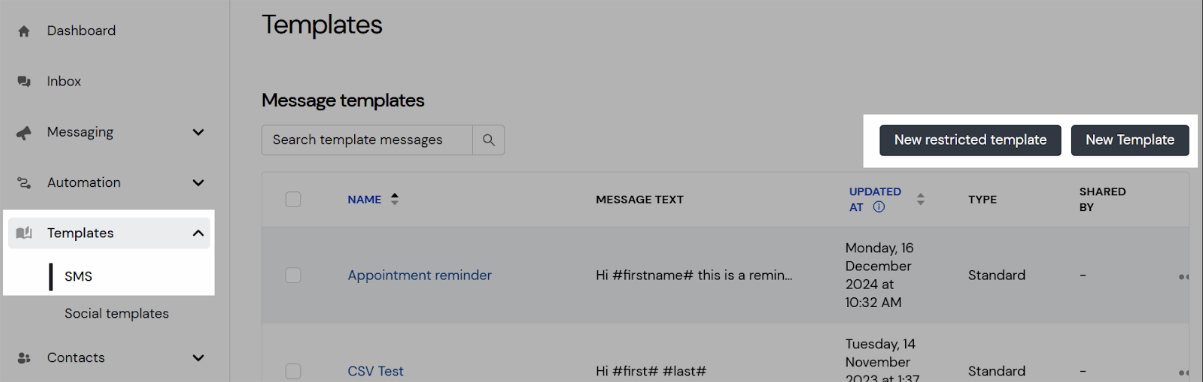
Some solid examples might include:
- A trial follow-up (e.g. “How was today’s session? Want me to book your next class?”).
- A PT upsell (e.g. “Ready to hit that goal faster? Coach Sam has 2 PT spots open next week.”).
- A reactivation text (e.g. “We miss you around here. Want to come back for a free class?”).
You can also layer in a few more templates that are tailored to how your individual studio runs. For example:
- When someone hasn’t engaged in a while, try something like “Haven’t seen you in a bit, want help finding a class time that fits your week?”.
- When someone’s due a membership upgrade, send “You’re crushing it this month! Want me to show you the unlimited plan? It might save you money.”
- When someone has a PT session the next day, send something like “Coach Mia’s excited to see you tomorrow! Need to shift the time? Just text me here.”
For best results, use the templates as a starting point and tweak them so they feel like they’re coming from a real human at your studio.
7. Track the metrics that matter for fitness
Tracking the “usual” metrics like send rate and delivery rate is basically useless if you’re running a fitness business. Thankfully, HubSpot gives you much deeper insights which, when combined with your data in Sinch Engage, helps you see exactly which messages are making a mark.
Some top metrics for the industry include:
- Class attendance changes after adding reminders. HubSpot can track attendance trends before and after you turn on SMS reminders so you can see if they’re really working.
- Lead-to-trial conversion. Not only can you see how many trials you convert via text, but you can also see whether it’s a better performing channel than email.
- Time-to-first-response on inbound texts. Sinch Engage feeds responses into HubSpot so you can measure how fast your team replies (as well as how that response time impacts overall conversions).
- Reschedules instead of no-shows. Track how many members tap a reschedule link after an SMS reminder vs simply ghosting.
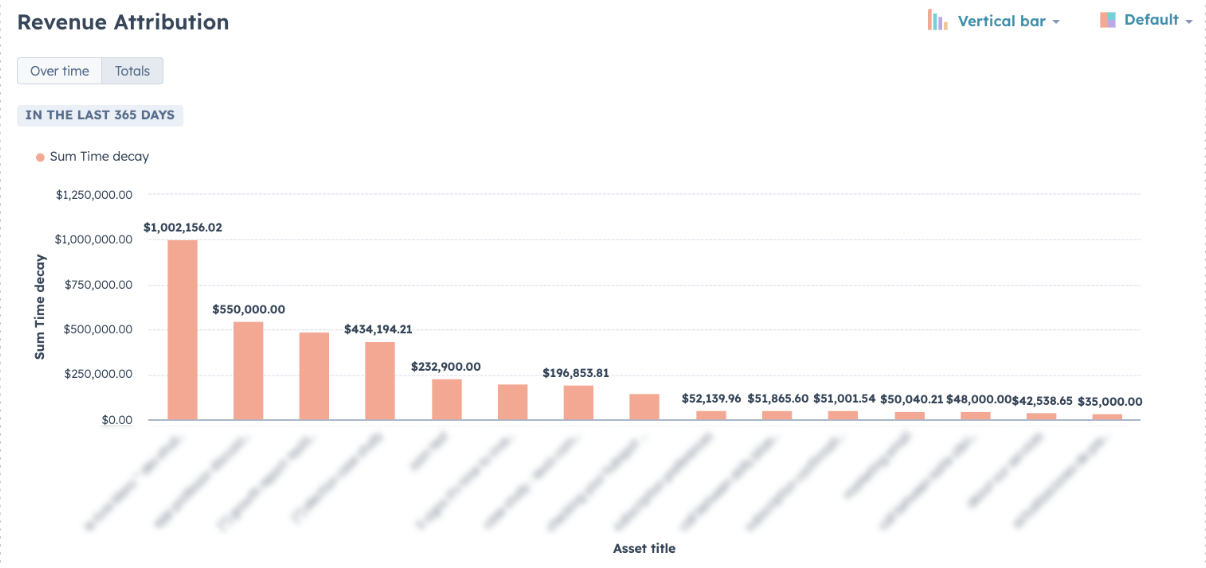
- Revenue per SMS workflow. Yes, you can get this granular. Tie workflows to purchases, member upgrades, PT sessions, or merch purchases to see which automations make the most money.
8. Use SMS at multiple locations
Running one studio is busy enough. Running two, five, or ten is another story entirely. Luckily, HubSpot makes multilocation messaging way more manageable by keeping everything in one place.
Here’s how you can take advantage of it if you’re fitness business spans a few studios:
- Segment by location (and use separate sender IDs). Give each of your locations its own sender ID so messages feel a bit more local.
- Clearly name different workflows. For example, [LOC1] Trial nurture, [LOC3] No-show follow-up, or [LOC2] PT upsell flow.
- Share info that’s actually location-specific. If you have different schedules and amenities at different locations, add dynamic links to each location’s timetable, sign-up pages, or upcoming events so members get the right info.
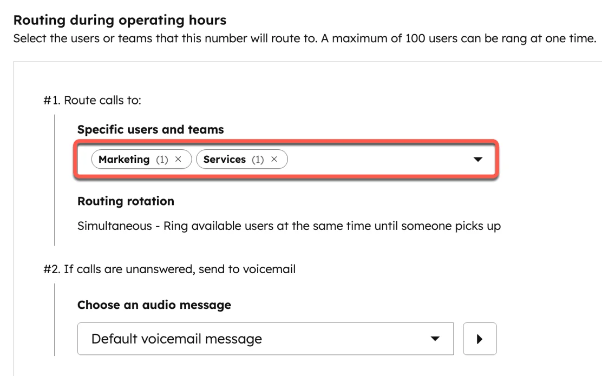
- Route inbound SMS to the right front desk. HubSpot’s team assignment rules mean you can make sure each text goes to staff at the right location.
Quick fitness texting wins you can do right now
If you want fast results without rebuilding your entire HubSpot setup, start here.
- Add SMS to your top 3 abandoned touchpoints. This could be abandoned trial sign-ups, missed tours, or a cancelled first class.
- Turn every email-only nurture into multi-touch. Add 1-2 texts to key moments (they’re particularly good for reminders, follow-ups, or quick check-ins).
- Send a reactivation message to anyone who hasn’t been active for 2 weeks. Warm up leads that are going cold with a simple, straightforward nudge via text.
- Segment your sends. Target members by how often they visit, their membership type, or which classes they prefer to go to.
- Build one new micro-journey. Start small by building one or two SMS micro-journeys, like a no-show follow-up, or a cheeky little check-in after someone’s first class.
Ready to level-up your SMS inside HubSpot?
Add Sinch Engage via HubSpot App marketplace if you haven’t already or register to get started.
And if you have any questions about setting up your HubSpot SMS workflows or anything else about how we help fitness brands get ROI from smarter text marketing, drop us a note and we’ll show you how it works.

Author: