Resources
Apple’s iOS 26 “Unknown Senders” filter – here’s what it means for your SMS strategy
If you’re working in mobile messaging or SMS marketing, you’ve likely heard the buzz around iOS 26 and how it may impact your business texting campaigns.
Here’s what you need to know: Apple is making important changes to how text messages are classified, displayed and notified on iPhones – and that matters for how your messages get seen (or don’t).
This post walks through what’s new, why it matters for teams who are doing text message marketing, and practical tips and steps looking ahead.
What’s changing in iOS 26
Here are the key updates you should know:
New “Screen Unknown Senders” behavior
- In iOS 26, the new feature “Screen Unknown Senders” (in the Messages app) will filter messages from senders that the device doesn’t recognize, routing them into a new “Unknown Senders” folder rather than the main inbox.
- Messages from unknown senders will:
- Appear in the “Unknown Senders” tab, not the main inbox.
- Not trigger audio/haptic notifications or lock-screen previews.
- The feature is disabled by default in many regions, but in some countries it may ship enabled.
- There is also a new “Spam” folder for junk/unsolicited SMS and a badge will show unread counts for Unknown Senders but without normal alerts.
How a sender is classified as “Known” vs “Unknown”
Apple’s logic for identifying a “Known Sender” includes:
- The number is saved in the user’s Contacts.
- The user taps “Mark as Known” in the Unknown Senders folder.
- The user initiated the conversation (i.e., they sent a message first).
- “The 3-message rules”: in some cases, the conversation includes 3+ messages from the user.
Time-sensitive messages are an exception
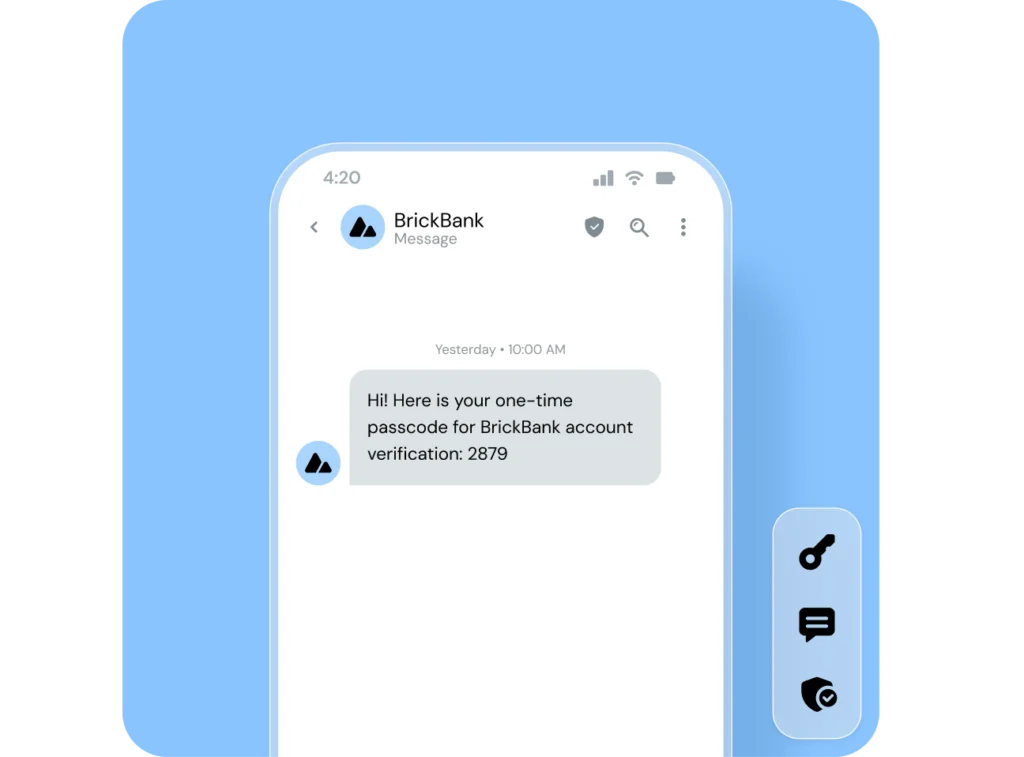
If a message is tagged (or detected) as “time-sensitive” (e.g., a one-time passcode (OTP), order confirmation) it may bypass the Unknown Senders folder and appear in the main inbox for a limited time (approx. 1-8 hours) even if the sender is “unknown.”
Bonus updates: RCS, branding and cross-platform sending
Apple has also ramped up support for RCS (Rich Communication Services), which appears in iOS when sending/receiving with Android users or via business-messaging channels.
- While RCS improves the messaging experience (rich media, read receipts, typing indicators), it does not automatically qualify as a Known Sender for the Inbox-filtering logic.
- Verified or branded RCS business messages must still meet “Known” criteria to reliably land in the main inbox.
Why this matters for business text messaging
Okay, now that you’ve got the overview of iOS 26 updates – what’s the practical impact for your text campaigns?
1. Visibility risk may = lower engagement
If your brand’s messages are classified as “Unknown Sender,” they may bypass the main inbox notifications entirely. That means fewer opens, slower responses and potentially lower conversion. With SMS business messaging, visibility drives performance.
2. Sign-up / opt-in flows are under more pressure
How subscribers opt in affects how your number is classified. For example:
- Opt-in flows where the brand sends the first message (and the user replies) may lead the sender to be flagged “Unknown”. In testing, brands using those flows saw higher impact.
- If your subscriber is the one who initiates the conversation (e.g., they text first), you’re more likely to be treated as “Known”.
3. Some messages are an exception – keep those in mind
Yes, time-sensitive or OTP messages may escape filtering, but typical marketing/promotional messages may not. So promotion sequences, offers, and campaigns are still vulnerable.
4. While RCS is branded, it doesn’t overcome filtering by default
Even if you adopt RCS or branded messaging, you still must ensure the sender qualifies as “Known”. The inbox filter doesn’t ignore “unknown” simply because you’re using richer formats.
5 practical tips for SMS strategy, post iOS 26 update
Here are actionable steps you can take to make sure you end up on the good side of this new Apple messaging update.
Tip 1: Audit your sign-up flows
- Check: who sends the first message? If the brand sends first (e.g., “Reply Y to subscribe”), that may classify you as “Unknown”.
- Where possible, switch to flows where the subscriber sends the first message, or you send an opt-in link after they text you first.
- Encourage the subscriber to save your brand contact or respond to a welcome message quickly – both help land in the main inbox.
Tip 2: Welcome journey optimization
- In your Welcome sequence, include a message that encourages the user to reply, engage, or save your number.
- Set expectations with your audience about how you will communicate with them, and to remind them to check their unknown senders folder if they do not see your messages.
- Send subscribers your contact card and ask them to add your brand to their Contacts. That alone can boost your “Known Sender” status.
Here’s a quick ~30 second overview of how to send your contact card to subscribers with Sinch Engage.

Tip 3: Monitor inbox behavior & metrics
- Track changes in open-rates, response-rates and conversion for your iPhone subscriber segments after iOS 26 launches.
- Segment subscribers by device type / OS version if you can: iOS 26 users may show different patterns.
- Consider ramping up testing of different flows (brand-first vs user-initiated) and compare performance.
Tip 4: Explore RCS / branded messaging – but still mind the new rules
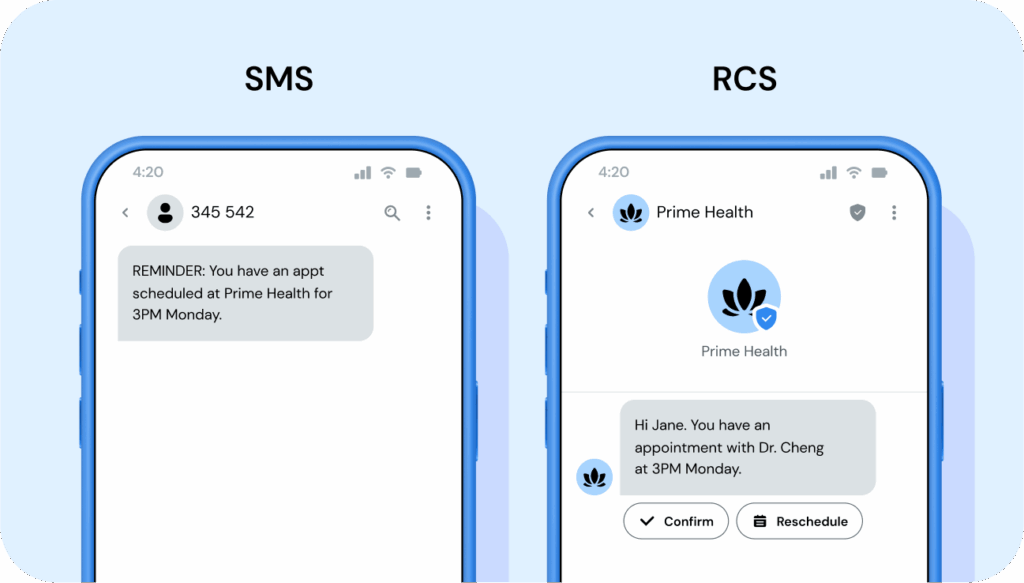
- If you’re not already using RCS, now is a good time to evaluate. A good way to think of it is RCS is like SMS but better – richer and more engaging, brandable, and secure.
- But remember: As far as these iOS 26 updates are concerned, RCS does not guarantee inbox placement. Even branded RCS messages must be recognized/saved or replied to by users to avoid filtering.
Tip 5: Prepare for the holiday/high-volume seasons
Because adoption of iOS 26 could ramp through Q4 of 2025 and beyond, brands relying heavily on SMS marketing for peak seasons (e.g., retail promotions) should proactively adjust their setup now, rather than reactively.
Additional updates and behavior to look out for
Apple may refine the classification/filtering logic post-launch. The 3-message rule, “Mark as Known” button behavior, or default on/off status may evolve.
Regional differences: In some countries, the “Screen Unknown Senders” feature may be enabled by default or behave slightly differently.
Carriers + handset behavior: The interplay between iOS version + carrier settings may cause variation in deliverability/visibility.
User behavior: Users may choose to enable the filter (or not), mark threads as known, or ignore unknown message folders – your context matters.
Looking ahead: Stay up to date & compliant with business texting
iOS 26’s updated message classification logic is a significant change for anyone using SMS/RCS to reach customers. The visibility of your business texts now depends not just on the content of your message, but also on how your subscription flow is structured and how users engage with you early on.
The bottom line: treat this as not just a “tech update”, but a deliverability change for text marketing to Apple devices.
Using a trusted, global SMS & RCS marketing platform like Sinch Engage helps you manage these changes smoothly, keeping your messages in the main inbox and driving maximum text message campaign performance with minimal stress. Compared to other SMS providers, we offer:
- Global, Tier 1 network
- White glove customer support
- Powerful integrations with top tools like HubSpot, Salesforce, Zoho, and more
- Native features for securely sending beautiful, personalized texts that convert
Book a demo of Sinch Engage or try our platform for free.
Author: