Resources
How patient text reminders reduce no-shows and improve care outcomes
With national no-show rates averaging 20–30%, that adds up to thousands of dollars walking out the door every month. Meanwhile, your front desk staff spends hours each week leaving voicemails that never get returned.
Patient text reminders solve this by reaching people on the channel they actually use. The results go beyond fewer empty chairs — they improve treatment adherence, strengthen patient relationships, and deliver measurable care outcomes that phone calls simply cannot match.
What are patient text reminders?
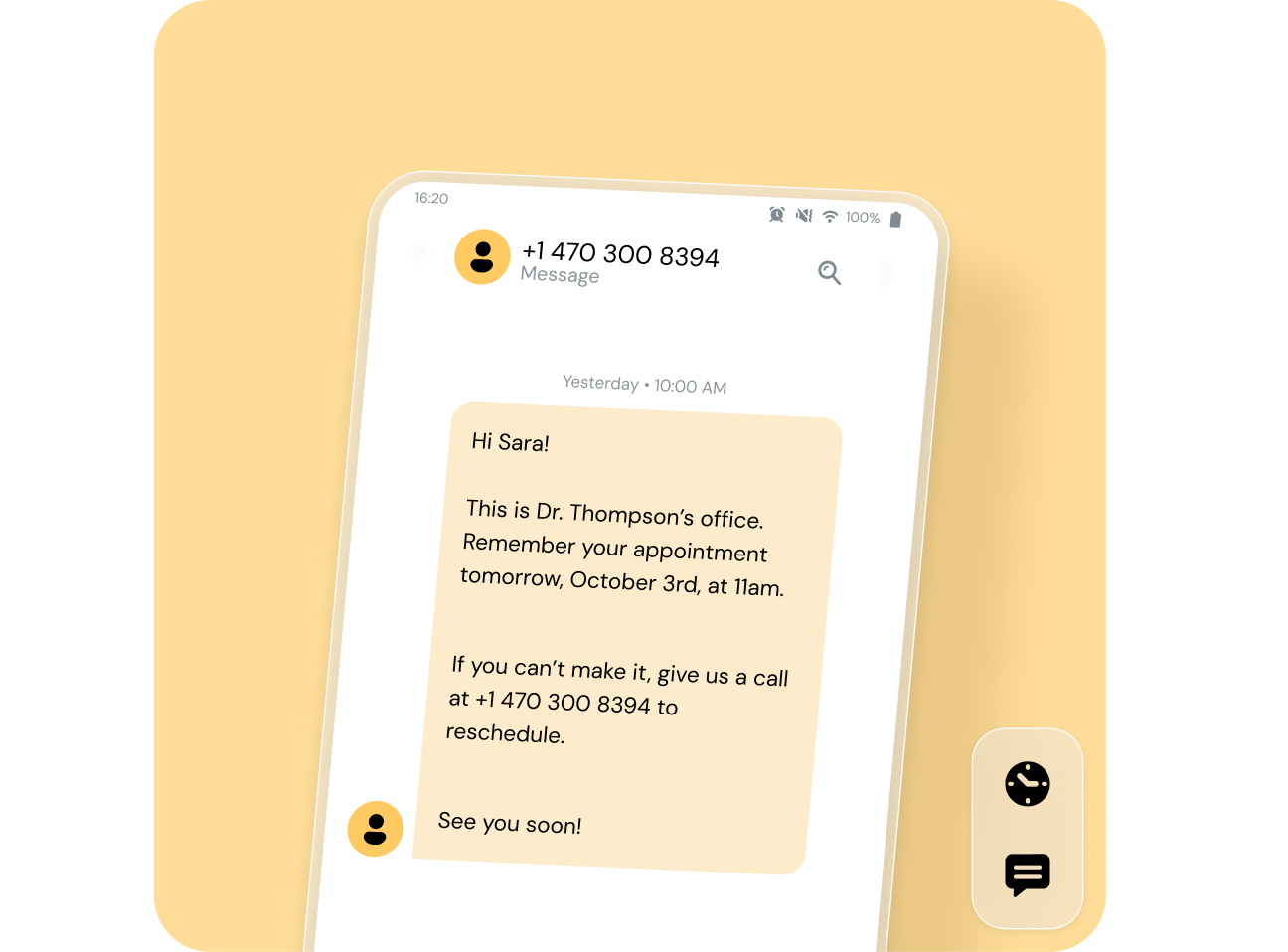
Patient text reminders are automated SMS messages sent to patients before their scheduled appointments. They typically include the date, time, provider name, and clinic location — along with a simple way to confirm, reschedule, or cancel. Once they’re set up, they send the right message to the right patient at the right time without anyone touching a phone.
Why text reminders outperform phone calls and emails
SMS is the channel with the greatest chance of being seen. A patient can respond to a text in under ten seconds — a quick “C” to confirm or “R” to reschedule — compared to phone-based confirmation where patients sit on hold or play voicemail tag with your front desk. And unlike manual reminder calls that consume staff hours, automated SMS scales without adding headcount, whether your practice sees 50 patients a week or 500.
How patient text reminders improve care outcomes
The clinical evidence for text reminders is strong. A randomized controlled trial at a pediatric clinic found that patients who received text reminders had a no-show rate of 23.5% compared to 38.1% in the control group — a statistically significant reduction. And in even more recent studies about healthcare patient communication preferences, 84% of patients are more likely to attend an appointment if they receive a text reminder.
The Lin et al. (2016) study found that text message reminders were effective regardless of patient age, race, education level, or caregiver type — making them a universally applicable intervention for improving attendance and care continuity.
But the bigger story is what happens when patients actually show up. A systematic review cited in the same study found that text messages improved medication adherence in patients with chronic diseases including HIV, asthma, diabetes, and heart disease. Consistent, convenient communication also signals that your practice values the patient’s time — which directly impacts retention, referrals, and satisfaction scores.
Are text appointment reminders HIPAA compliant?
Yes — when sent through a secure platform, limited to basic appointment details, and accompanied by patient consent. According to HHS.gov, appointment reminders are considered part of treatment and can be sent without patient authorization under the HIPAA Privacy Rule. Three requirements must be met: the patient must opt in to receiving texts, messages must be sent through an encrypted platform (not a personal phone or consumer app), and your vendor must sign a Business Associate Agreement (BAA).
The critical content rule: never include diagnosis codes, test results, treatment details, or any information that could identify a patient’s condition. Stick to date, time, provider name, location, and a confirm/cancel prompt.
HIPAA-safe appointment reminder templates
Here are four templates you can copy and customize. Notice that none mention the reason for the visit, a diagnosis, or any clinical details — that is what makes them HIPAA safe.
- Standard reminder (3–7 days out): “Hi [First Name], this is [Practice Name]. You have an appointment with [Provider Name] on [Date] at [Time] at [Location]. Reply C to confirm, R to reschedule, or X to cancel. Reply STOP to opt out.”
- 24-hour reminder: “Reminder: [First Name], your appointment with [Provider Name] is tomorrow, [Date], at [Time]. Please arrive 15 minutes early. Reply C to confirm or R to reschedule. Reply STOP to opt out.”
- New patient reminder: “Hi [First Name], welcome to [Practice Name]! Your first appointment is [Date] at [Time] with [Provider Name]. Please bring your insurance card and photo ID. Reply C to confirm. Reply STOP to opt out.”
- Follow-up reminder: “Hi [First Name], this is [Practice Name]. You have a follow-up visit on [Date] at [Time] with [Provider Name] at [Location]. Reply C to confirm, R to reschedule, or X to cancel. Reply STOP to opt out.”
Best practices for sending patient text reminders
Send initial reminders 3–7 days before the appointment, with a follow-up 24 hours before. This two-touch approach gives patients enough lead time to reschedule if needed, while the day-before reminder keeps the appointment top of mind. For high-value or frequently missed appointment types, an optional same-day nudge two hours before can help further.
Personalization matters too. Messages that include the patient’s first name, their specific provider, and the exact location feel personal even when automated. Use dynamic fields in your reminder software to pull this information directly from your EHR, and customize content by appointment type — a pediatric well-visit reminder should read differently from a surgical follow-up.
Conclusion
Patient text reminders aren’t a nice-to-have. They’re a revenue protection tool, a staff productivity multiplier, and a care quality intervention that helps patients show up and follow through on treatment. The practices that thrive will be the ones that meet patients where they already are — on their phones. The ones that keep dialing and leaving voicemails will keep losing revenue per empty chair.

Author: