Resources
50+ SMS templates for healthcare you can copy, customize, and send today
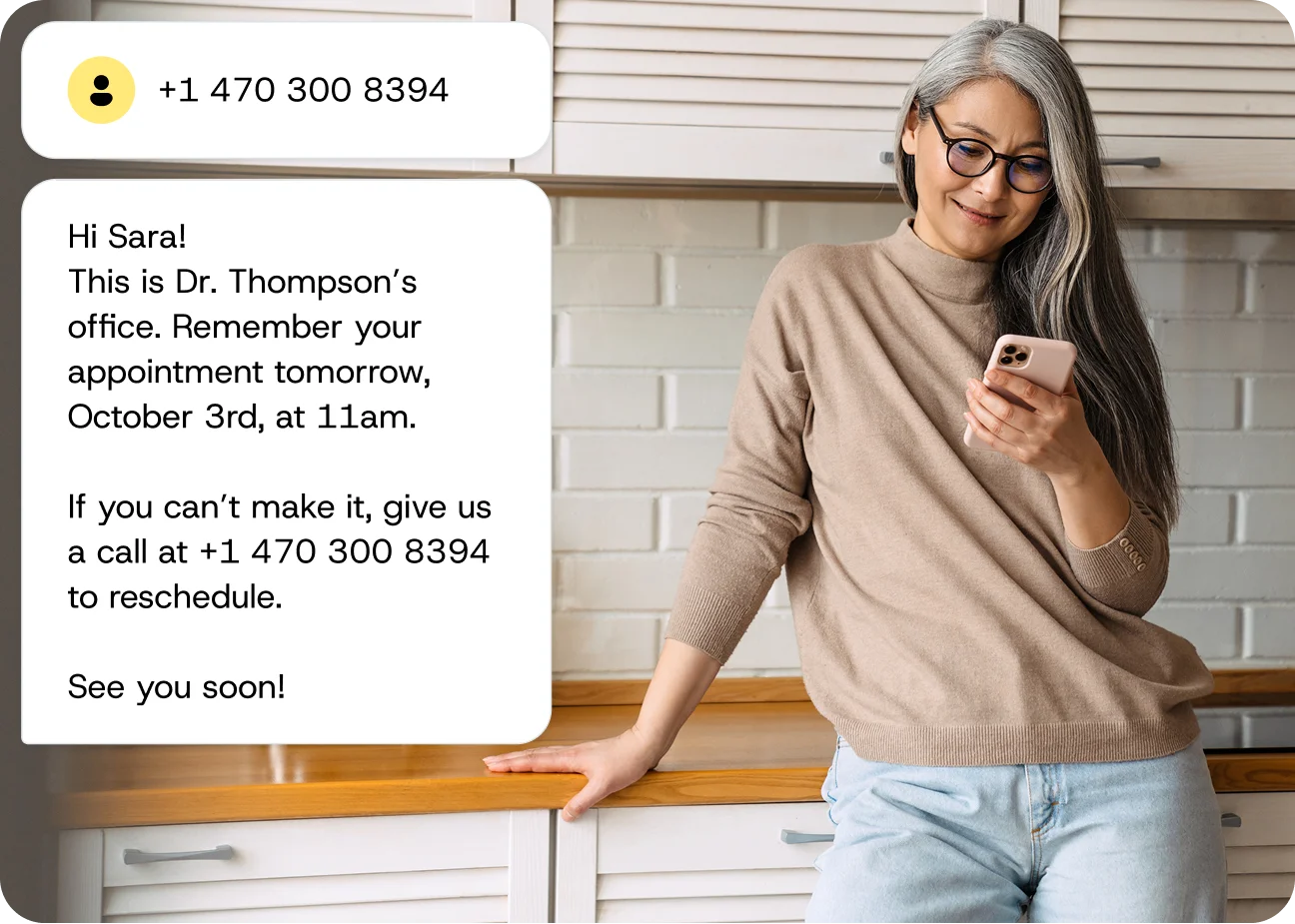
SMS is the single most effective channel to reach patients, reduce no-shows, and keep your schedule full. This article gives you 50+ ready-to-use templates across 10 healthcare communication categories — from appointment reminders and billing notices to follow-ups and patient re-engagement messages.
Every template includes send-timing recommendations and character count guidance so you can implement them this week, not next quarter.
Appointment reminder SMS templates
Appointment reminders are the highest-impact SMS category for any healthcare practice. When you replace unanswered phone calls with a channel patients actually check, you get a dramatic reduction in no-shows and a significant increase in appointment confirmations.
Send timing: Send appointment reminders 48 hours before the visit, then a second reminder the morning of the appointment. For telehealth visits, add a third reminder 15 minutes before with the join link. Character count: Keep reminders under 160 characters when possible to avoid message splitting.
Same-day appointment reminders
Use these templates on the day of the appointment to catch any last-minute no-shows before the slot is lost.
“Hi [First Name], this is [Practice Name]. Friendly reminder: your appointment is today at [Time]. Reply C to confirm or R to reschedule.”
“[First Name], you’re scheduled with [Dr. Last Name] today at [Time]. Please arrive 10 min early. Questions? Reply here or call [Phone].”
“Reminder: Your appointment at [Practice Name] is in 2 hours ([Time]). Running late? Reply to let us know. See you soon!”
24-hour advance appointment reminders
Sending a reminder the day before gives patients enough time to confirm or reschedule without leaving you with an unfillable slot.
“Hi [First Name], just a reminder that you have an appointment tomorrow, [Date], at [Time] with [Dr. Last Name]. Reply C to confirm.”
“[Practice Name] reminder: Your visit is scheduled for tomorrow at [Time]. Need to reschedule? Reply R or call [Phone].”
“Hi [First Name], see you tomorrow at [Time]! Please bring your insurance card and photo ID. Reply STOP to opt out.”
Appointment reminders with prep instructions
When appointments require patient preparation, include the key instructions directly in the reminder so nothing gets missed.
“Hi [First Name], your [Procedure] is scheduled for [Date] at [Time]. Reminder: No food or drink after midnight. Questions? Call [Phone].”
“[First Name], your lab appointment is [Date] at [Time]. Please fast for 12 hours beforehand. Reply C to confirm.”
“Reminder: Your colonoscopy prep begins tomorrow. Follow the instructions provided at your last visit. Call [Phone] with questions.”
Recurring appointment reminders
For patients with regular scheduled visits, a consistent reminder format builds familiarity and trust.
“Hi [First Name], it’s time for your monthly [Treatment] appointment. We have you scheduled for [Date] at [Time]. Reply C to confirm.”
“[Practice Name]: Your next physical therapy session is [Date] at [Time]. Same location. Reply R to reschedule.”
Telehealth and virtual visit reminders
Virtual appointments require an extra nudge to ensure patients have their technology ready — include the join link in every message.
“Hi [First Name], your telehealth visit with [Dr. Last Name] is tomorrow at [Time]. We’ll send you a link to join 15 min before.”
“Your virtual appointment starts in 15 minutes. Join here: [Link]. Make sure you’re in a quiet, private space with good Wi-Fi.”
“[First Name], reminder: Your video visit is today at [Time]. Test your camera and microphone beforehand. Link: [Link]”
Telehealth reminders are a strong candidate for richer messaging channels like WhatsApp or RCS, which support clickable buttons and link previews — making it even easier for patients to join their virtual visit with a single tap.
Appointment confirmation and scheduling templates
Once a patient books, a fast confirmation text builds confidence and cuts down on “Did my appointment actually go through?” calls. That’s hours of staff time reclaimed every week.
Send timing: Send new appointment confirmations immediately after booking. Rescheduling confirmations should go out within minutes of the change. Waitlist notifications work best sent during business hours (8 AM–6 PM local time). Character count: Confirmation messages can run slightly longer (up to 320 characters / 2 segments) because patients expect detail here.
New appointment confirmations
These templates go out the moment a booking is made — reassuring patients and reducing “did it go through?” calls to your front desk.
“Confirmed! [First Name], your appointment with [Dr. Last Name] is set for [Date] at [Time] at [Location]. Save this text for reference.”
“Hi [First Name], you’re booked! [Date] at [Time] with [Practice Name]. Bring your insurance card and arrive 15 min early for paperwork.”
“Thanks for scheduling with [Practice Name]! Your visit: [Date], [Time], [Location]. Reply Q with any questions.”
Rescheduling and cancellation templates
When plans change, these templates close the loop and keep the door open for rebooking.
“Hi [First Name], your appointment on [Original Date] has been rescheduled to [New Date] at [New Time]. Reply C to confirm the change.”
“[Practice Name]: We received your cancellation for [Date]. To rebook, reply BOOK or call [Phone]. We’d love to see you soon.”
“Hi [First Name], we noticed you cancelled your upcoming visit. Your health matters to us — reply to this message and we’ll find a time that works.”
Waitlist and last-minute opening notifications
These time-sensitive templates work best when responses are handled automatically — two-way messaging is essential here so patients can claim open slots instantly.
“Great news, [First Name]! An earlier appointment opened up on [Date] at [Time]. Want it? Reply YES to claim or NO to keep your current slot.”
“[Practice Name]: A cancellation just freed up a spot tomorrow at [Time]. You’re first on our waitlist — reply YES to take it!”
“Hi [First Name], we have a last-minute opening today at [Time] with [Dr. Last Name]. Interested? Reply YES within 1 hour to confirm.”
Prescription and medication SMS templates
Medication adherence is a persistent challenge. Automated SMS prescription reminders reduce missed refills — patients can request refills with a few simple messages, and the entire process can be completed in minutes.
Send timing: Send “prescription ready” notifications as soon as the order is filled. Send refill reminders 5–7 days before the current supply runs out. Character count: Keep these under 160 characters. Avoid including specific medication names or dosages in the SMS body — direct patients to their patient portal for details. This is a critical HIPAA consideration.
Prescription ready notifications
These messages should trigger automatically the moment a prescription is filled, giving patients a clear next step without requiring a phone call.
“Hi [First Name], your prescription is ready for pickup at [Pharmacy Name, Location]. Questions? Call [Phone].”
“[Practice Name]: Your prescription has been sent to [Pharmacy Name]. It should be ready within [Timeframe]. Reply Q with questions.”
Refill reminders and medication adherence
Sending refill reminders before a patient runs out — rather than after — is what makes these messages genuinely useful rather than reactive.
“Hi [First Name], your medication refill is coming up. Log in to your patient portal to request a refill, or reply REFILL and we’ll process it.”
“[Practice Name] reminder: It’s time to refill your prescription. Call [Phone] or visit [Patient Portal Link] to reorder.”
“Hi [First Name], staying on track with your medication matters. Your next refill is due [Date]. Reply REFILL or call [Phone].”
⚕️ HIPAA note: Never include specific medication names, dosages, or diagnoses in an SMS. A message like “Your Metformin 500mg is ready” exposes protected health information. Keep it generic and direct patients to a secure channel for details.
Billing and payment SMS templates
Unpaid balances slow down your revenue cycle and create awkward conversations. A well-timed, professional text about an outstanding balance is far more likely to get a response than a mailed statement that sits unopened on a kitchen counter.
Send timing: Send the first payment reminder 3–5 days after the statement is generated. Follow up 7 days later if unpaid. Send payment confirmations immediately after processing. Character count: Billing messages should stay under 320 characters (2 segments). Never include the specific balance amount in the SMS — direct patients to a secure portal.
Outstanding balance and payment due reminders
These templates prompt action without creating anxiety — always pair a balance reminder with a clear, easy payment path.
“Hi [First Name], you have an outstanding balance with [Practice Name]. View and pay securely here: [Patient Portal Link]. Questions? Call [Phone].”
“[Practice Name] reminder: You have a balance due. Pay online at [Link] or call [Phone] to discuss payment options.”
“Hi [First Name], this is a friendly reminder about your account balance. We offer payment plans — reply PLAN or call [Phone] to learn more.”
Payment confirmations and insurance verification
Closing the loop on payments builds trust and reduces follow-up calls from patients unsure whether their payment went through.
“Thank you, [First Name]! Your payment of $[Amount] has been received by [Practice Name]. No further action needed.”
“Hi [First Name], we need to verify your insurance before your upcoming visit on [Date]. Please call [Phone] or reply with your current provider and member ID.”
“[Practice Name]: Your insurance claim for your [Date] visit has been processed. Log in to [Patient Portal Link] to view your statement.”
⚕️ HIPAA note: Billing messages can inadvertently reveal that a patient visited a specific type of provider. Keep the practice name generic where possible, and never include procedure codes or diagnosis-related details in the text body.
Patient follow-up and post-care templates
Following up with patients after an appointment or procedure improves satisfaction and catches complications early. Texts can be scheduled in advance and are far more scalable than phone calls — a quick check-in shows patients you care about their recovery, not just their co-pay.
Send timing: Send post-procedure check-ins 2–4 hours after discharge. Send test result notifications as soon as results are available. Schedule follow-up appointment prompts 1–2 days after the visit. Character count: Follow-up messages can be 2 segments (up to 320 characters) since they often include action items.
Post-procedure check-in messages
Sending a check-in text a few hours after discharge signals attentiveness and gives patients an easy way to flag concerns before they escalate.
“Hi [First Name], how are you feeling after your visit today? If you have any concerns, reply here or call [Phone]. We’re here for you.”
“[Practice Name] check-in: It’s been 24 hours since your procedure. Are you experiencing any unusual symptoms? Reply YES and we’ll call you right away.”
“Hi [First Name], remember to follow the post-care instructions from your visit. Rest, hydrate, and call [Phone] if anything feels off.”
Test result notifications
Test result notifications should do one thing only: tell the patient their results are ready and direct them somewhere secure to view them.
“Hi [First Name], your test results are now available. Log in to your patient portal to view them: [Link]. Questions? Schedule a follow-up with [Dr. Last Name].”
“[Practice Name]: Results from your recent lab work are ready. Please review them in your patient portal. Call [Phone] to discuss with your provider.”
⚕️ HIPAA note: Never include actual test results, diagnoses, or specific test names in an SMS. Always direct patients to a secure patient portal to view their results. The text should only notify — not disclose.
Follow-up appointment scheduling prompts
A prompt sent one to two days after a visit — while the appointment is still fresh — dramatically increases the likelihood of a patient booking their follow-up.
“Hi [First Name], [Dr. Last Name] recommends a follow-up visit in [Timeframe]. Reply BOOK to schedule or call [Phone].”
“[Practice Name]: It’s time to schedule your follow-up appointment. Reply with a preferred day and time, and we’ll confirm.”
Preventive care and wellness SMS templates
Preventive care is where SMS shifts from operational tool to genuine patient health advocate. Through simple text messages, you can encourage patients to get screened for conditions like breast cancer, prostate cancer, and colorectal cancer — these messages don’t just fill your schedule, they save lives.
Send timing: Send annual checkup reminders 30 days before the patient’s due date, with a follow-up at 7 days. Send vaccination and seasonal reminders at the start of the relevant season. Character count: Aim for under 160 characters. Keep the tone warm and encouraging, not clinical.
Annual checkup and health screening reminders
These messages work best when triggered automatically based on the patient’s last visit date — no manual tracking required.
“Hi [First Name], it’s been a year since your last checkup. Time to schedule your annual visit! Reply BOOK or call [Phone].”
“[Practice Name]: You’re due for your [Screening Type, e.g., ‘annual wellness exam’]. Early detection matters — book today at [Link] or reply BOOK.”
“Hi [First Name], staying proactive about your health starts with regular checkups. Let’s get you scheduled — reply BOOK or call [Phone].”
Vaccination and seasonal health reminders
Seasonal reminders sent at the right time of year — not too early, not too late — are among the easiest wins in preventive care outreach.
“Flu season is here! [Practice Name] has flu shots available. Walk-ins welcome or reply BOOK to reserve a time.”
“Hi [First Name], you may be due for a [Vaccine Type] booster. Check with your provider — call [Phone] or reply BOOK to schedule.”
“[Practice Name]: Allergy season is approaching. If you need a prescription refill or checkup, reply BOOK or visit [Patient Portal Link].”
Preventive care messages are an excellent fit for omnichannel messaging. A WhatsApp message with an embedded image — like a seasonal health tip card — can boost engagement beyond what a plain SMS achieves, especially for wellness campaigns.
Patient feedback and review templates
Your online reputation directly influences whether new patients choose your practice. SMS reaches patients where they’re already paying attention — making it the most effective channel for feedback requests.
Send timing: Send satisfaction surveys 1–2 hours after the appointment while the experience is fresh. Send review requests 24–48 hours later. Character count: Keep these under 160 characters. A short, direct ask outperforms a lengthy one.
Patient satisfaction surveys and review requests
These messages perform best when sent promptly — the closer to the appointment, the more likely a patient is to respond.
“Hi [First Name], thanks for visiting [Practice Name] today! How was your experience? Take our quick 2-min survey: [Link]”
“We’d love your feedback, [First Name]! If you had a great experience, a Google review helps others find us: [Link]. Thank you!”
“[Practice Name]: Your opinion matters. Rate your recent visit (1–5) by replying with a number. We read every response.”
Negative feedback response templates
Not every review will be five stars. Having a prepared response template helps your team react quickly and professionally before a complaint becomes public.
“Hi [First Name], we’re sorry your experience didn’t meet expectations. We’d like to make it right — please call [Phone] or reply here so we can follow up personally.”
“Thank you for your honest feedback, [First Name]. Your comments have been shared with our care team. We’ll reach out within 24 hours to discuss.”
SMS consent and compliance templates
HIPAA compliance isn’t optional, and getting it wrong carries fines up to $50,000 per violation. The good news: building compliant messaging into your workflow is straightforward when you use the right templates and document your process.
Send timing: Send opt-in confirmations immediately after consent is collected. Send opt-out confirmations instantly upon receiving a STOP request. Character count: Consent messages should be thorough — up to 320 characters is acceptable here because legal clarity matters more than brevity.
Opt-in confirmation messages
Every new patient who agrees to receive texts should receive an opt-in confirmation immediately — this documents consent and sets expectations for the messages ahead.
“Hi [First Name], you’ve opted in to receive text messages from [Practice Name]. We’ll send appointment reminders, health updates, and billing notices. Reply STOP at any time to unsubscribe. Msg & data rates may apply.”
“Welcome to [Practice Name] text messaging! You’ll receive important updates about your care. Reply HELP for assistance or STOP to opt out.”
Opt-out confirmation messages
Opt-out confirmations should be instant and automatic — any delay creates compliance risk and erodes patient trust.
“You’ve been unsubscribed from [Practice Name] text messages. You won’t receive further texts. To re-subscribe, reply START or call [Phone].”
“Got it, [First Name]. You’ve opted out of SMS from [Practice Name]. Call [Phone] anytime if you need us.”
HIPAA-aware message construction
Before sending any patient text, run it through this checklist to ensure it meets HIPAA requirements. Every template in this article follows these principles — your team should, too.
- No diagnoses or conditions: don’t mention specific illnesses, symptoms, or reasons for the visit
- No medication names or dosages: direct patients to the patient portal for prescription details
- No test results: notify that results are available; never include the actual findings
- No detailed procedure descriptions: reference “your upcoming appointment” rather than “your MRI” or “your biopsy”
- Always include opt-out language: every message should remind patients they can reply STOP
- Document consent: keep a record of when and how each patient opted in
Healthcare staff communication templates
Patient-facing SMS gets all the attention, but internal staff communication is just as important for smooth operations — especially for practices with field workers or multiple locations.
Send timing: Send shift schedule updates as soon as changes are confirmed. Coverage requests should go out at least 24 hours in advance when possible. Meeting reminders work best 1 hour before. Character count: Staff messages can be informal and brief — under 160 characters is ideal.
Shift schedules and coverage requests
These templates are designed for speed — staff need to be able to confirm or decline in a single reply.
“Hi [Staff Name], your schedule for the week of [Date] is posted. Check [Link/System] for details. Reply Q with questions.”
“Urgent: We need coverage for [Date], [Shift Time] at [Location]. Reply YES if available. First to confirm gets the shift.”
“[Practice Name] staff: [Name]’s shift on [Date] is open. Can you cover? Reply YES or NO by [Deadline].”
Team announcements and meeting reminders
For announcements and reminders, brevity is key — staff are busy and need the essential information immediately.
“Team meeting reminder: [Date] at [Time] in [Location/Zoom Link]. Agenda: [Brief Topic]. Please attend or notify your supervisor.”
“[Practice Name] update: [Brief Announcement]. Questions? Reply here.”
“Happy [Holiday], team! The office is closed [Date]. Emergency contact: [Phone]. Enjoy the time off!”
Staff messages don’t carry the same HIPAA constraints as patient messages, but avoid including patient names or details in group texts. Keep internal communications focused on logistics, not clinical information.
Patient re-engagement SMS templates
Every practice has patients who fall off the radar — missed appointments, lapsed follow-ups, overdue screenings. A well-crafted re-engagement text can bring them back before a care gap becomes a health crisis.
Send timing: Send missed appointment follow-ups within 1–2 hours of the no-show. Send inactive patient recall messages when a patient hasn’t visited in 6–12 months. Space re-engagement attempts 7–14 days apart. Character count: Keep these warm and concise — under 160 characters. Guilt-free tone is essential.
Missed appointment follow-ups and inactive patient recall
These messages should feel like a caring check-in, not a reprimand — the goal is to re-open the door, not make the patient feel bad for closing it.
“Hi [First Name], we missed you at your appointment today. We hope everything is okay. Reply BOOK to reschedule — we’d love to see you.”
“[Practice Name]: You had an appointment on [Date] that wasn’t kept. No worries — reply BOOK or call [Phone] to find a new time.”
“Hi [First Name], it’s been a while since your last visit. [Dr. Last Name] would like to check in. Reply BOOK to schedule or call [Phone].”
“[Practice Name]: We noticed you’re overdue for [General Care Type, e.g., ‘a wellness visit’]. Your health is our priority — let’s get you scheduled. Reply BOOK.”
“Hi [First Name], we haven’t seen you in [Timeframe]. A lot can change — let’s make sure you’re on track. Reply BOOK or call [Phone].”
Re-engagement campaigns are where automation pays for itself. Instead of manually tracking who’s overdue, an automated messaging platform can trigger these texts based on last-visit dates — no spreadsheet required.
Best practices for healthcare SMS messaging
Templates are only as effective as the strategy behind them. Here are the operational rules that separate practices with high patient engagement from those drowning in opt-outs.
Limit message frequency. Map out your message cadence so a patient receiving an appointment reminder, a billing notice, and a survey request in the same week doesn’t feel spammed.
Separate marketing from clinical communication. A promotional message about a new service shouldn’t arrive in the same thread as a post-procedure check-in. Different message types deserve different opt-in categories.
Personalize every message. Use the patient’s first name and their provider’s name. Generic messages feel automated. Personal touches feel human.
Keep it short. Standard SMS messages are 160 characters per segment. Every additional segment increases cost and reduces readability. Write tight, cut filler words, and get to the point.
Always include a clear call to action. Every text should tell the patient exactly what to do next — reply C, call a number, click a link, or reply STOP. Don’t leave them guessing.
Use two-way messaging. One-way blasts feel impersonal. When patients can reply directly to confirm, reschedule, or ask a question, engagement rates climb and staff workloads drop.
Test before you scale. Send each new template to a small group first. Check for character count issues, broken links, and unclear language. Then roll it out practice-wide.
Document everything. Keep records of consent, opt-outs, message logs, and delivery receipts. If a compliance question arises, your documentation is your defense.Think beyond SMS. For richer interactions — appointment confirmations with tap-to-confirm buttons, or post-care instructions with embedded videos — channels like WhatsApp and RCS extend what SMS can do, all from a single omnichannel platform.
Send better healthcare messages with Sinch Engage
Every template in this article works. But copying and pasting messages one at a time, tracking consent in a spreadsheet, and manually sending reminders from a personal phone doesn’t scale — and it introduces compliance risk.
Sinch Engage gives healthcare practices a single platform to manage patient SMS, WhatsApp, and other messaging channels in one place. The key capabilities include automated message flows that trigger reminders and follow-ups based on your scheduling system, two-way conversations managed from a shared inbox, HIPAA-aware infrastructure built with data security at the core, omnichannel reach across SMS and WhatsApp from a single platform, and template management that lets your entire team deploy consistent, approved messages every time.
The templates above cover every major patient communication scenario your practice will encounter. Start with appointment reminders — the highest-impact category — layer in billing and follow-up messages, and expand from there. Every text you send is one less phone call your staff has to make and one more patient who shows up on time.
_________________________________________________
The templates above cover every major patient communication scenario your practice will encounter — from the first appointment confirmation to re-engaging patients who’ve gone quiet. The key is consistency: pick the templates that match your highest-priority use cases, customize them with your practice details, and start sending.
You don’t need to launch all 67 templates at once. Start with appointment reminders (the highest-impact category), layer in billing and follow-up messages, and expand from there. Every text you send is one less phone call your staff has to make and one more patient who shows up on time.

Author: