Resources
A guide to SMS alerts and notifications: pro tips, use cases, and examples
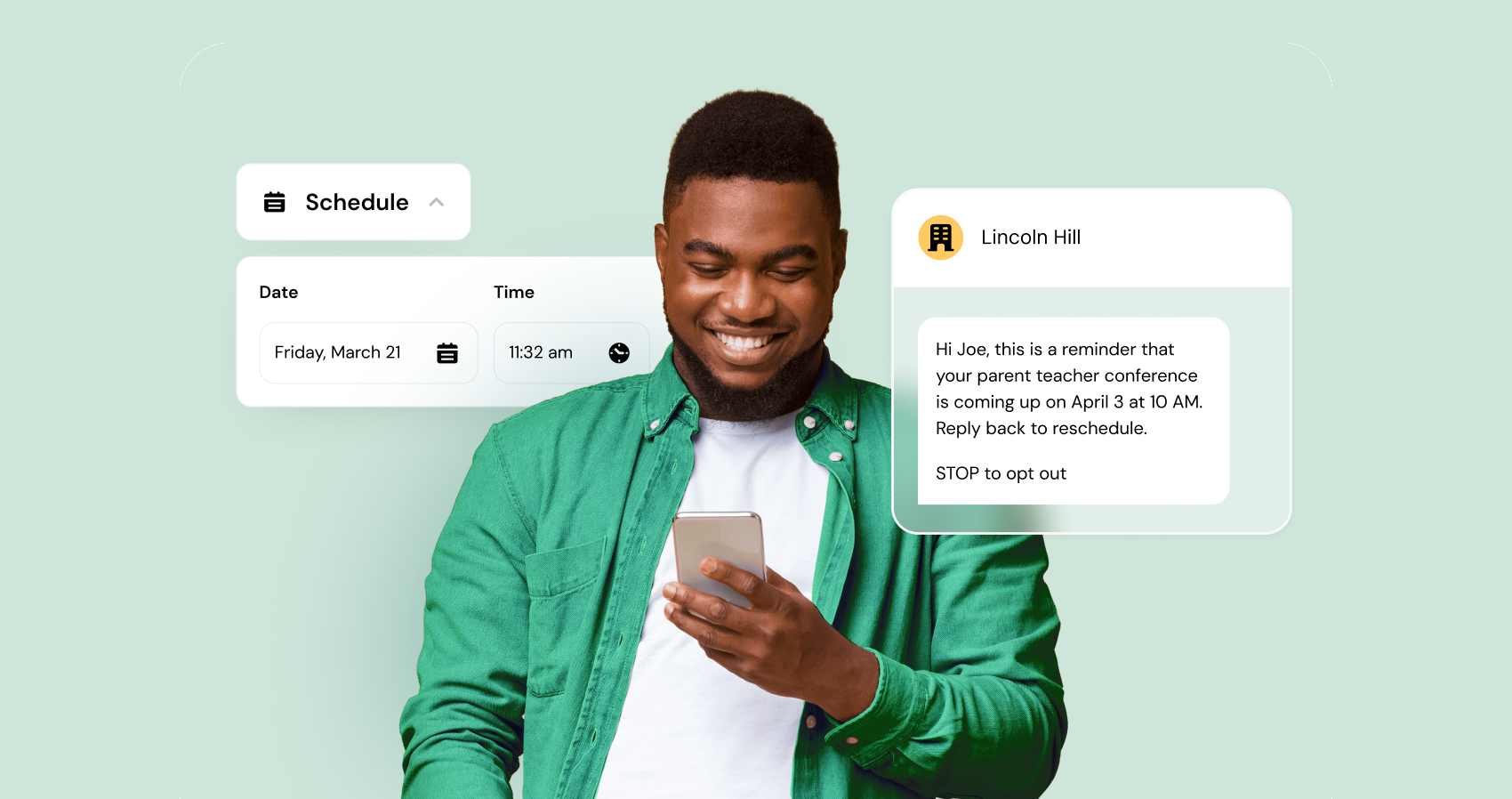
If you already use or are familiar with business SMS, you know how valuable text alerts and notifications are. Whether it’s an appointment reminder or a delivery update, nothing beats a perfectly timed message to keep things on track and customers informed.
But as your customer communication needs grow, basic one-way texting or manual SMS communication can start to feel clunky and inefficient. Simple notifications are useful, but they’re also just the starting point of what modern messaging can offer.
In this guide, we’ll dig into how you can use SMS alerts for your business to save time while also creating a better customer experience, with best practices, examples, automation tips, and more.
What are text alerts and text notifications?
Most people use the terms “text alert” and “text notification” interchangeably, and in practice that’s totally fine. They both refer to SMS messages sent to someone’s phone to keep them informed about something important or time-sensitive.
But if we want to get specific, there’s a difference:
- Text alert: Something urgent or important that the recipient needs to know about immediately (e.g. “your delivery will arrive today between 10-12pm”).
- Text notification: Any automated update or heads-up about a service, purchase, or appointment (e.g. “Hi Sam, don’t forget your dentist appointment tomorrow at 2.30pm”).
The idea is that by sending alerts and notifications, you can give people info before they even need to ask for it, which ultimately makes their experience with your brand better.
Best practices for text alerts and notifications
Effective text alerts have three qualities: helpfulness, timeliness, and relevance.
For best results, you want to send the right message at the right time rather than simply bombarding your customers with information at random times and intervals.
When should you send a text alert or notification?
The best time to send a text alert is when something important is about to happen. And whatever that something might be, sending your customers certain information at that exact time helps them know what action to take or otherwise makes their life easier.
Common triggers for text alerts or notifications include:
- A purchase or booking has just been made
- A delivery is on the way (or delayed)
- An appointment is coming up
- The status of something has changed (order confirmed, payment received, account updated, etc.)
- There’s a problem the customer should know about
- Something time-sensitive is happening (limited windows, deadlines, emergencies)
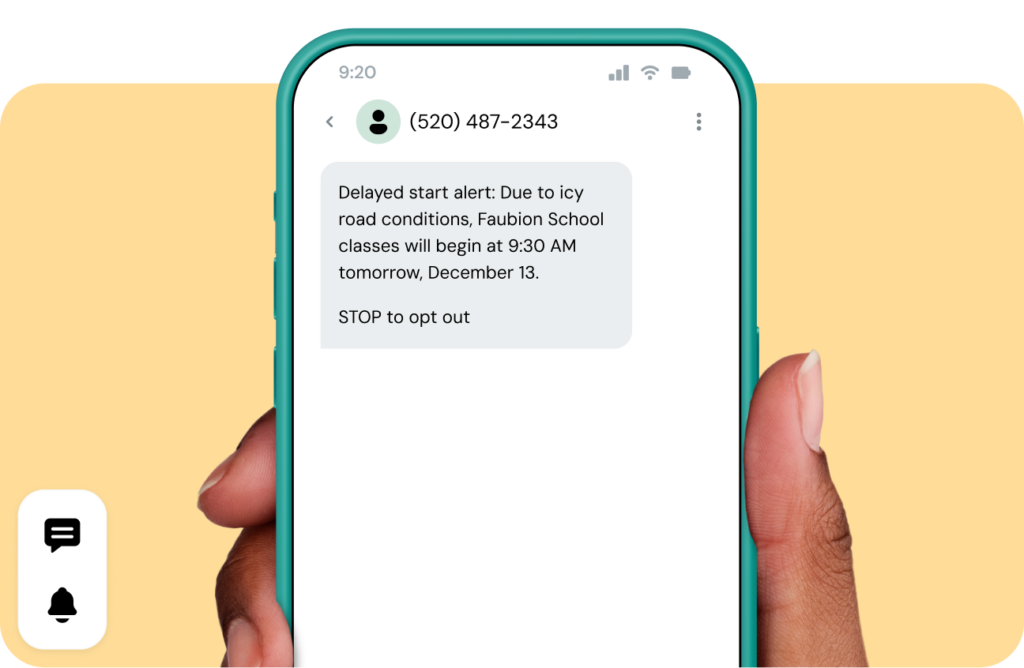
A good rule of thumb is that if the message can’t wait for an email (as it’s highly likely to get lost or missed), it should probably be a text.
Popular use cases for text notifications and alerts
You can send a text for whatever reason you want (so long as it complies with texting laws in your country, which usually requires explicit consent from the recipient and a way to opt out). But there are some use cases that fit the SMS model more than others.
These include:
- Customer updates, like order confirmations and delivery ETAs
- Reminders, like appointments, renewals, deadlines, or upcoming events. 84% of healthcare patients, for example, say they’re more likely to attend an appointment if they receive a text reminder from their provider
- Support and service updates, like confirmation of a ticket being received, that a request is being worked on, or that an issue has been resolved
- Security and authentication, like MFA codes, account logins, or fraud alerts
- Internal or staff alerts, like shift changes, employee scheduling, urgent operational updates
- Emergency notifications, like weather alerts, closures, service outages, and safety notices
Even outside of these relatively “urgent” moments, SMS is a good way to get ahead of any hesitations. In fact, many businesses now use it to proactively answer questions before customers have to pick up the phone.
Real use case: Using text alerts for customer support + order management
Retail and e-commerce businesses, especially those that that manage a high-volume of orders, are an excellent use case for automated text alerts.
Swimming Pool Kits Direct, for example, was relying on sales reps to manually text customers from personal phones, which meant messages were all over the place and hard to track. After switching to Sinch Engage’s messaging platform and its powerful HubSpot SMS integration, they started using automated SMS alerts to keep customers updated at key points in the journey, like order confirmations, delivery reminders, and installation reminders.

The result was a much smoother experience for everyone. Customers now get timely updates without having to chase, and the team has saved hours of manual admin every week.
Helpful guidelines for sending effective text alerts
There’s a fine line between useful and annoying, and you really want to be walking on the side of caution (but not too cautious, because you want to be helpful… so, you can see the dilemma).
These tips will help you stay on the right side of the balancing act:
Keep it short
The quicker you can get your message across, the better. Texts are supposed to be short, so keep alerts to one or two short sentences, like “hey Maria, your order is out for delivery. Track it here [link].”
Make the value obvious immediately
The reason you’re getting in touch should be the very first thing people see when they get your text. So, instead of starting with “Hello from Downtown Optics,” which feels a bit… odd, try “your glasses are ready for pickup today.”
Include a clear next step if it’s needed
If you need someone to do something off the back of your text (like confirm a booking or click a link), make sure they know exactly what to do. This could be as simple as saying “reply 1 to reschedule, or 2 to cancel” or “reply YES to confirm”.
Personalize wherever you can
Texts can feel a lot more personal than an email because they show up between messages from family and friends. Add a micro-detail about the recipient (like appointment time, order status, or someone’s name) to show the message is specifically for them and not a mass blast you’ve sent out to everyone.
Don’t overdo it
Texting is an easy way to get in touch with your audience, but there’s such a thing as too much. Not every single update needs a message, so use your judgement to work out whether something really is urgent, or whether an email would suffice.
Ask yourself:
- Would the customer want to know this right now?
- Is this something they’d be annoyed to discover later?
- Is SMS the best format, or would email be simpler?
10 SMS alert and notification examples
1. Shipping notification
Your order has shipped and is on its way! We’re proud to let you know this delivery is carbon-neutral. Track your package here: [link]
2. Price-drop / promotional alert
Good news! An item you viewed recently just dropped in price. This offer is only available for a short time—shop now: [link]
3. Order confirmation
Thanks for your purchase! Your order has been received and is now being processed. View your order details anytime: [link]
Your order is on the move! 🎉 See the latest updates and follow us for more tips and product news: [social link]
5. Parking reminder
Reminder: Your parking session expires in 10 minutes. Extend your session here if needed: [link]
6. Utility billing reminder
Your monthly bill is now available. Payment is due on the 15th. Pay securely online using this link: [link]
7. Action-driven payment SMS
Your balance is ready for payment. Choose an option: Reply PAY to complete now, or tap here to schedule a payment: [link]
8. Food delivery confirmation
Thanks for your order! Your delivery is scheduled for 6:40 PM. Track your driver or view order details here: [link]
9. Restaurant reservation reminder
Hi [Name]! This is a reminder of your reservation for Thursday at 7:00 PM. Reply YES to confirm or use this link to modify your booking: [link]
10. Verification code / security alert
Your verification code is 482193. It will expire in 10 minutes. Do not share this code with anyone.
How to get started with sending SMS alerts
Getting started with text alerts is straightforward – especially with a platform like Sinch Engage, which lets you create, automate, and track notifications directly from an intuitive dashboard. With built-in contact management, strong customer support, and native integrations with major CRMs and platforms (HubSpot, Salesforce, Zoho, NetSuite, Shopify, and more), most of the heavy lifting is handled for you.
Here’s a step-by-step guide to better text alerts:
1. Choose the moments that matter
Pinpoint the points in your customer journey where real-time updates genuinely help: shipping updates, appointment reminders, billing notices, service changes, confirmations, and more. These become the triggers for your automated workflows.
2. Collect consent and stay compliant
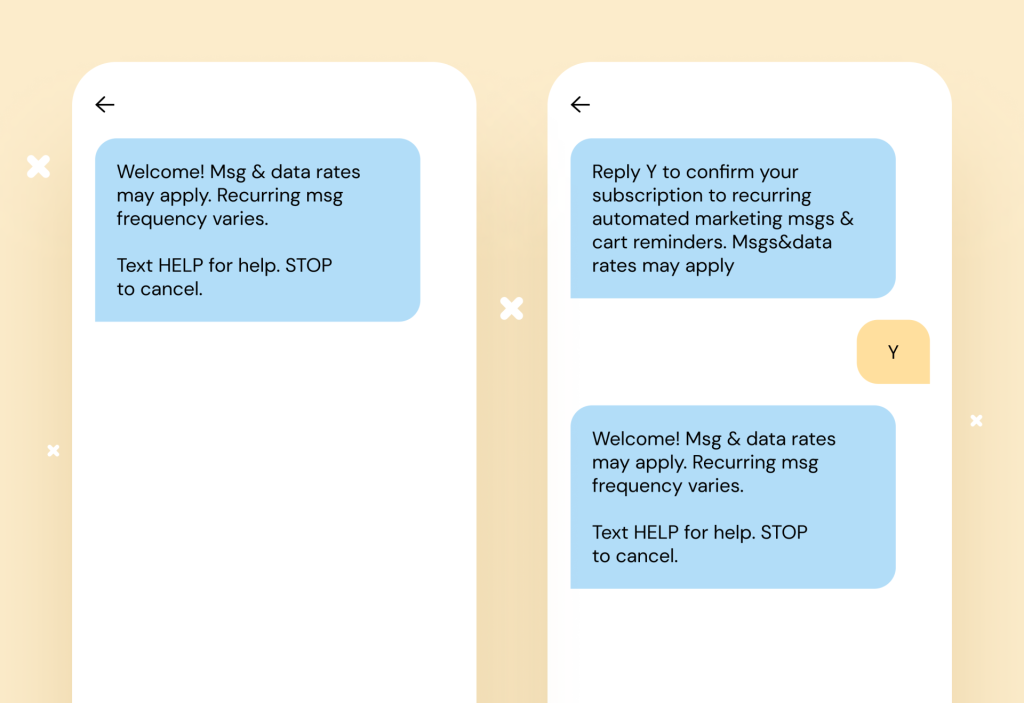
Before you send anything, be sure you have explicit opt-in from customers before you text them. This often happens through checkout pages, sign-up flows, online forms, or in-store prompts.
Platforms like Sinch Engage let you store and manage consent automatically, ensuring compliance while keeping your lists clean and up to date.
3. Draft simple templates
Write simple, helpful templates for each trigger. Keep them short, clear, and actionable: “Here’s what’s happening + here’s what to do next.”
You can save these templates in your messaging platform for easy reuse across campaigns and automations.
4. Automate the triggers
This is where the magic happens. In Sinch Engage, you can set automation rules such as:
- Send this when an order is marked as shipped
- Send this 24 hours before an appointment
- Send this if a payment is overdue
- Send this when a form is submitted
With CRM integrations, these triggers can fire based on live customer data – no manual action required.
5. Measure, refine, and personalize
Monitor what happens after each alert: opens, clicks, conversions, replies, and overall completion rates (e.g., did they pay? Did they show up?).
Then optimize: adjust timing, tweak wording, segment your audience, or add two-way interactions to boost engagement.
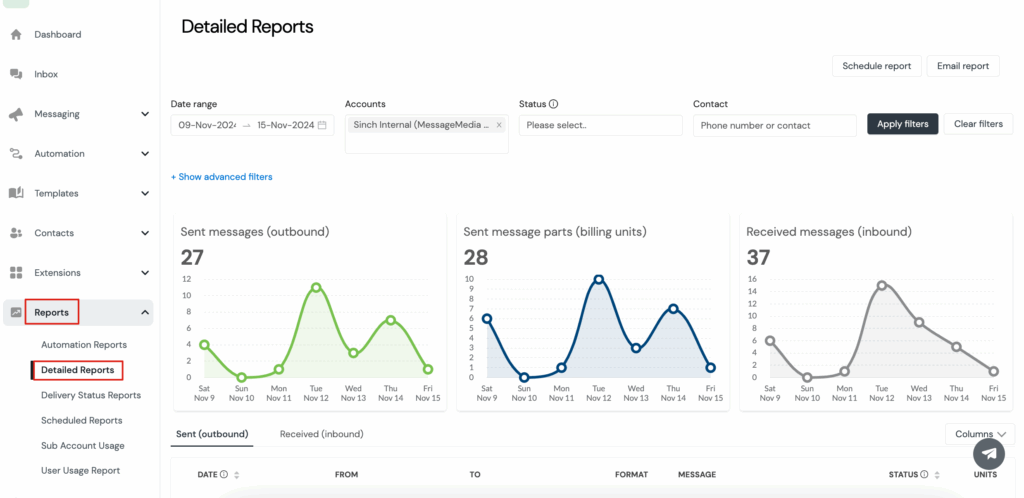
Automation makes sending alerts easy – continuous improvement makes them effective. Sinch Engage’s all-in-one messaging platform includes built-in SMS analytics and reporting.
Ready to start sending smarter SMS alerts?
SMS alerts are one of the simplest ways to create a smoother, more proactive customer experience, especially in those time-sensitive moments when speed is of the utmost importance. When done well, text alerts and notifications reduce uncertainty and show customers you’re looking out for them before they have to ask.
Sinch Engage is an easy, secure messaging platform that makes it easy to manage all of this in one place – from collecting opt-ins and building templates, to automating triggered alerts and tracking performance. And unlike other SMS alert platforms, Sinch Engage has:
- secure and reliable Tier 1 Network
- industry-leading deliverability on all plans (including high-volume & international sending)
- white-glove customer support 24/7
- direct integrations with the tools you already use
If you’re ready to start sending better alerts (or you’re curious what this could look like for your business), get started with Sinch Engage now to set up your first alerts in minutes or connect with our team to learn more about your messaging needs.
Explore more SMS automation guides:

Author: